


Nobody signs up for Asana or ClickUp expecting to abandon it.
The demo looks incredible. The setup weekend feels productive. Boards get built, custom fields get configured, automations get wired up, and for about two weeks the team feels more organized than it has ever been.
Then real work shows up. Three projects become nine. A launch slips. Two urgent requests land on a Tuesday afternoon. And the tool that promised structure, visibility, and control starts producing the opposite: confusion, overload, and a slow, quiet retreat back to Slack messages and sticky notes.
Here is the uncomfortable part. This is not a user error. In Asana’s own Anatomy of Work research, knowledge workers reported spending roughly 60% of their time on “work about work,” which covers coordination, status chasing, and tool upkeep instead of the tasks that actually move projects forward. The friction is measurable, and it comes from how these systems behave once workloads get real.
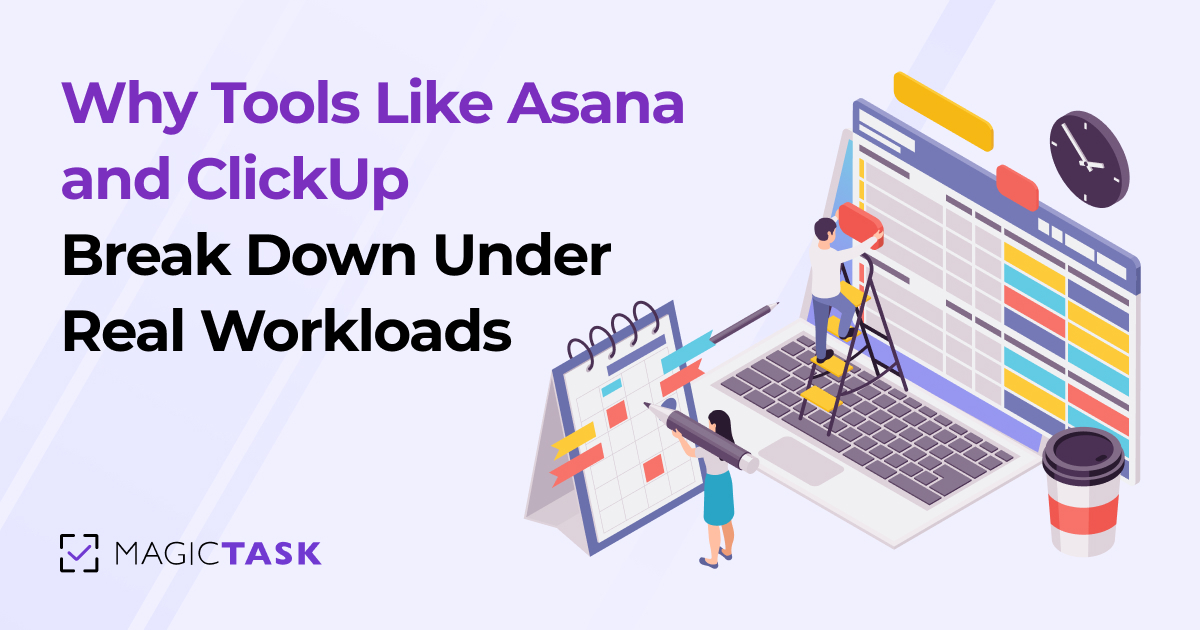
Quick answer: Tools like Asana and ClickUp break down under real workloads because their structure grows faster than the work itself. As tasks, projects, and views multiply, teams spend more time maintaining the system than executing inside it. Tools built for clarity and fast execution hold up better as volume increases.
This post breaks down exactly where that breakdown happens, why it is structural rather than accidental, and what a productivity system actually needs to survive contact with a real week of work.
Why Asana and ClickUp Feel Great at the Start
Let us be fair, because both of these tools earn their popularity honestly.
Asana and ClickUp are genuinely well-built platforms. In the early days of adoption, they deliver real value.
Structured workflows create instant clarity. After months of scattered requests and untracked to-dos, seeing everything laid out in boards, lists, and timelines feels like turning the lights on. Every task has a home. Every project has an owner.
Features create a sense of control. Custom fields, dependencies, automations, dashboards, sprints, goals, portfolios. Each feature answers a real question a manager has asked at some point. Having them available feels like insurance against future chaos.
Setup itself feels productive. Building the workspace is satisfying. Naming projects, designing templates, and color-coding priorities gives teams a genuine sense of momentum before a single task is completed.
Early adoption looks like success. For the first few weeks, usage is high, updates are current, and leadership sees clean dashboards. Everything suggests the rollout worked.
None of this is an illusion. These tools do work at low volume. The problem is that low volume is a temporary condition, and the honeymoon phase is quietly building the exact structure that will cause trouble later.
What Changes When Real Workloads Hit
A productivity tool is never tested by the work you set it up for. It is tested by everything that arrives afterward.
Here is what a real workload actually looks like for most teams.
Task volume compounds fast. A team of eight generating five tasks per person per day creates 200 tasks a week. Within a quarter, the workspace holds thousands of items, most of them half-open, partially updated, or quietly stale.
Projects start competing for attention. Work rarely arrives one project at a time. Client deliverables, internal initiatives, bug fixes, and ad hoc requests all run simultaneously, and each one lives in a different board with its own structure and rules.
Context switching becomes the default. ClickUp alone offers more than a dozen view types. Multiply views by projects by custom configurations, and simply finding out what to do next requires navigating between screens. Research on task switching consistently shows this carries a real cognitive cost, with the American Psychological Association noting that even brief mental shifts between tasks eat significant productive time.
Maintenance becomes its own job. Someone has to groom the backlog, fix broken automations, archive dead projects, and retrain new hires on how the team uses the tool. In many organizations, this silently becomes a several-hours-per-week responsibility that nobody was hired to do.
This is the breaking point. The tool has not changed. The workload has, and the structure that felt protective at low volume now has to be dragged along with every piece of work.
Where the Breakdown Actually Happens
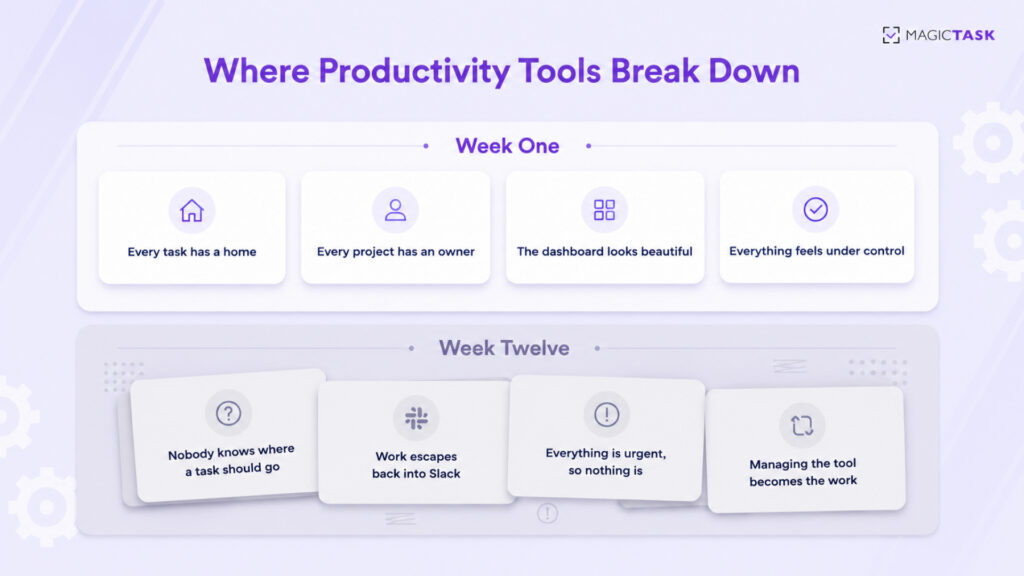
The failure is rarely one dramatic moment. It is four smaller failures compounding.
1. Over-Complex Structures Create Confusion
Flexibility is the selling point of tools like ClickUp, and flexibility is also the trap. When a tool can be configured a hundred ways, every team configures it differently, and often every department within the same company does too. New members inherit a structure they do not understand. Nobody is sure whether something belongs in a subtask, a checklist item, or a linked task in another space. The system stops being a shared language and becomes a private dialect only the admin speaks fluently.
2. Tasks Become Too Detailed or Too Scattered
Heavy tools push work toward two bad extremes. Some tasks become bloated with required fields, estimates, tags, and dependencies before anyone can start them, which is why creating the ticket becomes a task in itself. Other work never enters the system at all, because the entry cost is too high, so it lives in direct messages and memory instead. Either way, the tool no longer reflects reality.
3. Prioritization Goes Blurry
When everything is tracked, tagged, and flagged, nothing stands out. A workspace with 40 high-priority items across six boards gives a team no actual answer to the only question that matters at 9 a.m., which is what to work on right now. Dashboards show volume. They do not show the next step.
4. Managing the System Overtakes Doing the Work
This is the terminal stage. Standups become tool audits. Updates get logged for the sake of the dashboard rather than the work. One project manager put it plainly in a conversation that stuck with the Imaginovation team: “I used to spend more time managing tasks than doing them.” When a team reaches that point, adoption collapses, not because people are lazy, but because the tool is now producing friction instead of removing it.
Breakdown at a Glance
|
Symptom |
What It Looks Like Day to Day |
Root Cause |
|---|---|---|
|
Structure sprawl |
Nobody knows where a task should go |
Too many configuration options |
|
Entry friction |
Work lives in Slack instead of the tool |
Task creation takes minutes, not seconds |
|
Priority fog |
Dozens of items marked urgent |
Volume displayed instead of next steps |
|
Maintenance tax |
Weekly hours spent grooming the system |
Structure grows faster than the work |
|
Silent abandonment |
Dashboards go stale, updates stop |
All of the above, compounding |
Why Simplicity and Clarity Scale Better Than Features
Here is the counterintuitive truth this whole topic points to. Under pressure, less structure outperforms more structure.
That sounds backwards until you look at what pressure actually does to a team. When workloads spike, every decision the tool forces becomes a tax. Which board? Which field? Which view? A system that demands ten micro-decisions per task might be manageable at 20 tasks a week and is crushing at 200.
Systems that scale share a few traits.
They reduce decision-making instead of adding it. The best tools answer the question of what comes next instantly. Every additional option, view, and field moves the tool in the wrong direction unless it directly serves execution.
They keep tasks clear and actionable. A task like “Send invoice to Bob” with a small size marker beats a fully specified ticket with nine fields, because the first one gets done and the second one gets postponed.
They treat constraint as a feature. Fewer views and fewer pages mean everyone looks at the same picture of the work. Shared visibility is what actually keeps distributed teams aligned, not per-person custom dashboards.
They stay fast under load. If adding a task takes seconds, the system stays current. If it takes minutes, the system drifts away from reality precisely when accuracy matters most.
This is not an argument against power. It is an argument that in a productivity tool, usability under pressure is the power. A feature that goes unused because the team is too busy to use it has negative value. It still adds visual noise, onboarding cost, and maintenance weight.
What Teams Actually Need From a Productivity System
Strip away the feature comparisons and teams need four things from any system that has to survive a real workload.
1. Clear next steps, not just organized lists. Organization is a means, not the goal. The system should surface a short, ordered answer to the question of what to do now, every single day. In MagicTask, this is exactly what the split between the Backlog and My Focus does. Everything gets captured, but only today’s committed priorities sit in front of you, ordered by drag and drop.
2. Visibility into progress, not just task volume. Seeing 400 open tasks is demoralizing. Seeing that you completed 12 today and your project moved measurably forward is motivating. Progress needs to be visible and, ideally, feel rewarding. This is where MagicTask’s gamification stops being decoration. Every completed task earns XP, streaks build visibly, and momentum becomes something you can actually see instead of vaguely sense.
3. Flexibility for how work actually arrives. Real weeks include surprises. A system should absorb an urgent Tuesday-afternoon request in seconds. Capture it, size it (S, M, L, or XL), decide whether it displaces today’s plan, and move on. If handling a disruption requires restructuring a board, the tool is working against you.
4. Consistency support, because systems fail in week three, not week one. Most tools bet everything on setup and offer nothing for the long grind of daily use. The tools that last give people a reason to come back: visible streaks, small rewards, a workspace that is genuinely pleasant to open. MagicTask V3 was built around this insight, with Realms, Dungeons, chests, and leaderboards layered on top of a deliberately minimal task core, so that showing up daily is the path of least resistance rather than an act of discipline.
Notice what is not on this list. More views, more fields, more automation recipes. Those things are fine at low volume. They are what breaks first at high volume.
Frequently Asked Questions
Why do teams stop using Asana and ClickUp?
Teams typically abandon these tools when maintenance overhead exceeds the value delivered. As task volume grows, complex structures require constant grooming, prioritization becomes unclear across boards, and task creation takes too long, so work quietly migrates back to chat messages and memory.
Is ClickUp too complicated for small teams?
For many small teams, yes. ClickUp’s flexibility, with its many view types, custom fields, and hierarchy levels, is designed to serve large, varied organizations. Small teams often spend disproportionate time configuring and maintaining that flexibility instead of benefiting from it. Simpler execution-focused tools usually deliver faster adoption.
What is the difference between a tool working at setup and working at scale?
At setup, a tool handles a small, planned set of projects, and structure feels helpful. At scale, hundreds of tasks, competing projects, and constant interruptions test whether the tool stays fast and clear. Tools that add decisions per task break down. Tools that reduce decisions hold up.
What should I look for in an Asana or ClickUp alternative?
Look for four things: instant task capture measured in seconds, a clear daily priority view rather than sprawling boards, visible progress that motivates continued use, and a near-zero learning curve so the whole team actually adopts it. MagicTask was built around exactly these criteria, with gamified progress layered on a deliberately simple core.
Does gamification actually help with heavy workloads?
Yes, when it is tied to real work rather than bolted on. Visible Magictokens, streaks, and rewards convert completed tasks into felt progress, which sustains engagement during high-volume periods when motivation normally collapses. Research on gamification and psychological need satisfaction supports this effect on sustained task engagement.
Can MagicTask handle multiple projects and teams?
Yes. MagicTask organizes work into Folders and Projects with team assignment and real-time sync across devices, so every update appears instantly for everyone. The difference is that this structure stays flat and visible on a single main view instead of splintering into per-project configurations.
The Tool Should Survive Your Worst Week, Not Just Your First One
Productivity tools do not fail because they lack features. They fail because they cannot stay usable when work gets heavy, and heavy is the normal condition of real work.
So here is the question worth asking about your current setup. Does your tool still give you a clear next step on your busiest day? Or has managing the system become one more thing on the list?
If your team is spending more time organizing work than executing it, the tool is not scaling with you. It is scaling against you.
MagicTask takes the opposite bet: a task system simple enough to stay fast under any workload, with Magictokens, Realms, and visible momentum that make showing up every day the easy choice.