Change Realm Skip to main content

10 Advantages of Task Management Tools that Can’t be Ignored

Task Management Tools Advantages

Discover the game-changing advantages of task management tools that are impossible to ignore. In this article, we unveil the transformative power of these tools and how they can revolutionize the way you work.

Are you looking to boost productivity, streamline workflows, and stay organized? Task management tools have got you covered. From enhancing collaboration to providing real-time visibility into project progress, these tools offer a multitude of benefits.

Join us as we explore the top 10 advantages of task management tools, ranging from improved efficiency and enhanced communication to better task prioritization and seamless integration with other applications.

Don't miss out on the opportunity to supercharge your productivity and take your work to new heights. Get ready to unlock the potential of task management tools and experience a whole new level of efficiency and success. Let's dive in!

1. Manage All Your Tasks in One Place

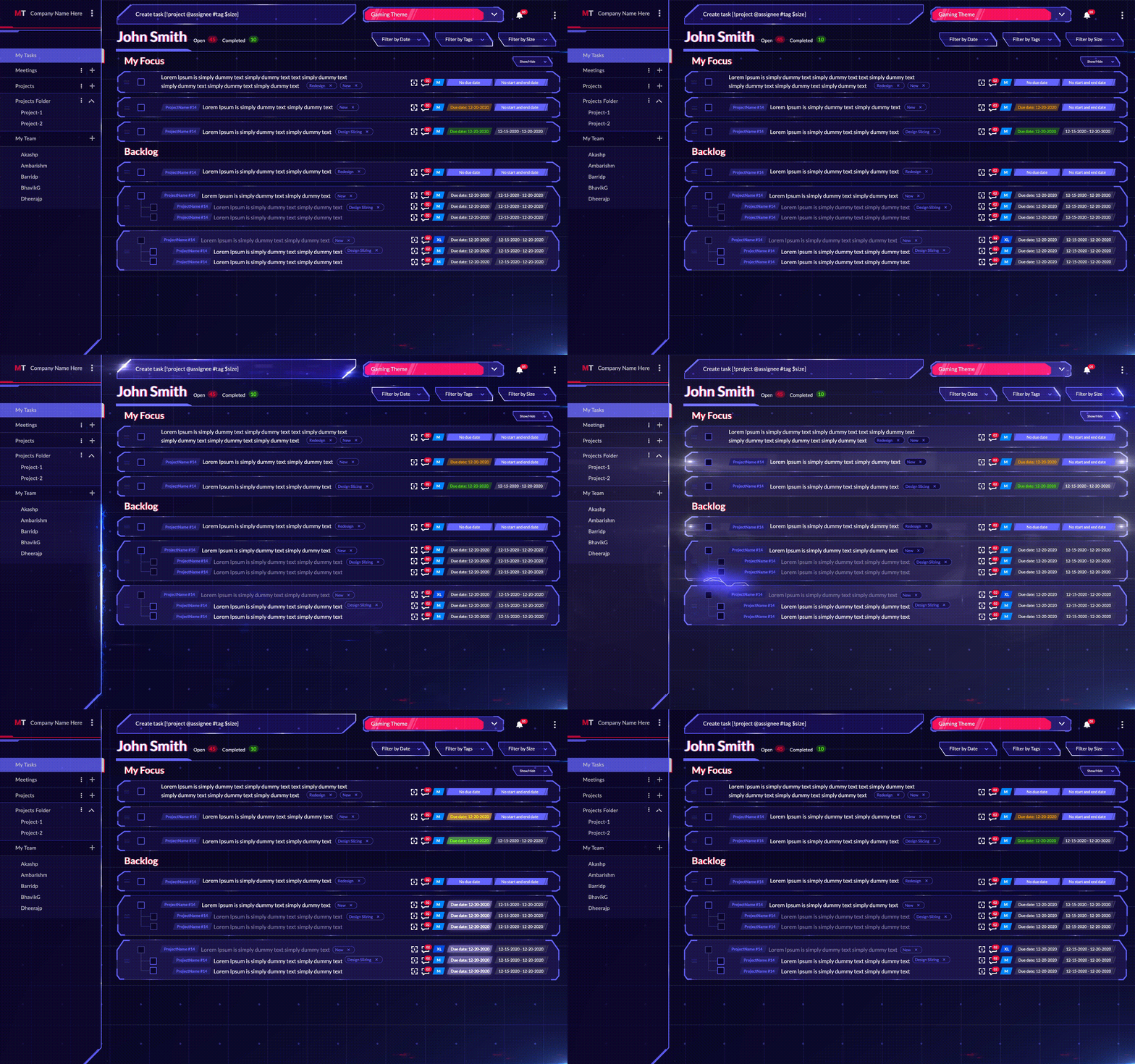
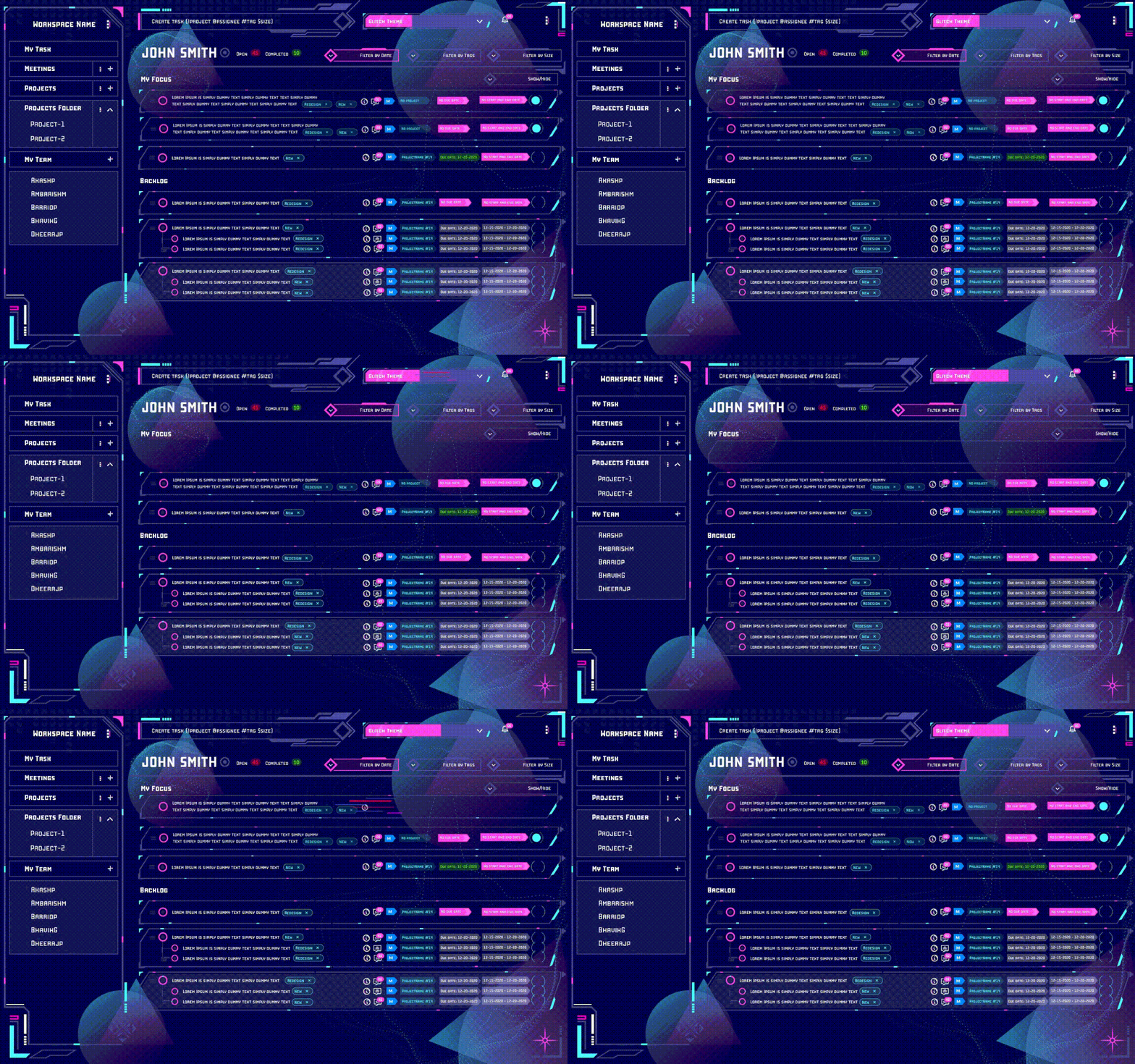
MagicTask Dashboard

Task management tools serve as a comprehensive dashboard for all your task-related needs, simplifying prioritization. By consolidating all tasks within a single, accessible platform, it eliminates any chance of overlapping duties or duplication of effort.

This proves immensely beneficial for organizations where multiple team members collaborate on a shared project. Additionally, it aids individuals in maintaining an organized workflow and prevents them from being swamped by their extensive to-do lists.

Consider this scenario, you're a project manager, orchestrating the development of a novel software system. A task management tool serves as your command center, laying out every task that demands completion and its corresponding status in clear view.

This visibility empowers you to strategically allocate resources and steer the project seamlessly toward its destination.

2. Clarity on Task Ownership

Utilizing a task management tool provides clear visibility into the ownership of each task. This promotes the accurate assignment of tasks to appropriate individuals, enhancing everyone's understanding of their responsibilities. Furthermore, it guarantees that no task goes unnoticed or unattended by assigning each task a specific owner.

Here's a practical illustration of this benefit: Imagine a company is facing a setback with product shipping delays. With a task management system, they can promptly identify pending tasks and their corresponding owners. This ability ensures no tasks are overlooked and enables the company to swiftly rectify its operations.

3. Helps You Stay Organized and On Track

Task Organization

Task management tools greatly facilitate organization and progress tracking. Their paramount utility lies in their ability to manage deadlines and assignments effectively, ensuring no deadlines are missed or tasks overlooked.

These systems commonly integrate features that enable setting reminders for yourself or team members, preventing crucial tasks from being neglected.

Moreover, many of these tools foster collaboration, with capabilities to effortlessly share tasks and vital information with colleagues. This streamlined exchange promotes organizational efficiency and keeps everyone on the path to success.

4. Reduces Stress and Anxiety Levels

The mental health benefits of task management tools are often overlooked, but they can significantly alleviate stress and anxiety. By providing a lucid overview of tasks, deadlines, and assignees, these tools prevent work overload and miscommunication.

These tools fuel a sense of achievement by facilitating progress tracking and visibly marking completed tasks. This not only boosts morale but also instills a sense of security, assuring you that no task is being overlooked.

Many users find that these systems foster better organization and reduce stress levels. For instance, if you are swamped with work and feel daunted, these tools allow you to break the workload into smaller, manageable tasks.

By explicitly outlining what needs to be done and when these tools mitigate the fear of forgetting tasks or letting them slip away unnoticed. Witnessing your progress laid out clearly can significantly aid in maintaining motivation and staying on course.

5. Keeps You Accountable to Yourself and Your Team

Task management tools bolster accountability in multiple ways. Primarily, by tracking tasks and deadlines, they enable you to stay abreast of your obligations. The integrated reminder and notification systems further augment this by keeping you informed about impending tasks and their due dates.

Moreover, the ability to share task information cultivates a sense of collective responsibility, making you more accountable to your team or organization. Hence, these tools serve as invaluable aids in enhancing personal and team accountability.

Consider a scenario where you're using a task management tool to manage your work commitments. Suppose you have a task due on Friday; the tool can remind you on Wednesday and Thursday, ensuring you remember your obligation and complete the task in a timely manner.

Similarly, these tools promote accountability within a team. If you're part of a project team, task management tools can keep everyone updated on deadlines and progress, fostering a transparent work environment. Such openness ensures that every member is accountable for their contribution to the project.

6. Set Priorities and Achieve Goals

Task management tools undoubtedly assist in setting priorities and achieving goals. However, it's crucial to remember that these tools are not a universal remedy – they won't suddenly turn you into a productivity powerhouse. Instead, they should be viewed as a significant component of your toolkit, designed to help you become more organized and efficient.

When it comes to setting priorities, task and project management tools offer multiple advantages. First and foremost, they provide a comprehensive view of all pending tasks, thereby enabling you to identify the most critical ones.

Secondly, these tools allow you to assign due dates and reminders to each task, significantly reducing the risk of overlooking or delaying crucial tasks.

Lastly, they offer a means to monitor your progress on each task, giving you valuable insights into whether you're on track to achieve your goals or if adjustments need to be made. Therefore, task management tools are a powerful ally in your journey toward greater productivity and goal attainment.

7. Boosts Productivity

The task management tool is designed to help users be more productive and creative. The tool can provide a variety of features and tools that allow users to manage their tasks more effectively. In addition, the tool can also offer tips and tricks on how to be more productive and creative in general.

There are a number of benefits that task and project management tools can offer users. One of the essential benefits is that it can help users manage their time more effectively. This is because the tool can provide users with a variety of features and tools that allow them to track their time, set deadlines, and see how much time they have left to complete a task. 

In addition, the system can also help users to manage their resources more effectively. Because the tool can provide users with a variety of features and tools that allow them to track their resources, set limits on how much they can use, and see how much they have left to complete a task. Finally, the tool can also help users be more productive and creative.

Also Read: Productivity Management 101: What is It and What It Can Do for You?

8. Facilitates Better Time Management

Better Time Management

Task and project management systems can help you keep track of your time and ensure that you are using it effectively. By tracking your tasks, you can see where you are spending the most time and identify areas where you could be more efficient.

This can help you to make better use of your time and get more done in less time. In addition, task and project management tools can help you to set priorities and deadlines and to manage your workload more effectively. Using task management tools can improve your time management skills and get more done in less time.

9. Task Delegation

One of the best ways to learn how to delegate better is to use a task management tool. This type of tool can help you keep track of your tasks and prioritize them so that you can get more done in less time.

This tool can be very helpful in real-life situations as well. For example, if you are a team manager, you can use task and project management tools to delegate tasks to your employees.

This will help them stay organized and track their work. If you are a student, you can use this tool to keep track of assignments and due dates. This can help you stay on top of your work and get it done promptly. Ultimately, these tools can help you to be more productive in your work and life.

10. Helps to Stay Focused and Avoid Distractions

If you're like most people, you probably have a to-do list that's a mile long. And if you're like most people, you also have a hard time staying focused and avoiding distractions. That's where this tool comes in.

Task and project management tools help you stay organized by keeping track of your to-do list and reminding you of what needs to be done.

It also helps you stay focused by allowing you to set priorities and deadlines. And if you're working on a team, a task management tool can help you keep everyone on track by sharing tasks and assigning them to specific people.

Try MagicTask – The Gamified Task Management System

Well, that's a quick and easy guide on the 10 advantages of task management tools. Now, if you want to go the extra mile and make things fun, we suggest you check out MagicTask.

It is a gamified task and project management system that makes work feel like play. It gives you all the advantages of a regular task management system, but its theme marketplace and gamification features really make it stand out.

Productivity Management 101: What is It and What It Can Do for You?

Productivity Management 101

Unlock the secrets to optimal efficiency and take control of your productivity with Productivity Management. In this article, we reveal essential strategies and techniques to supercharge your productivity and achieve your goals.

Are you tired of feeling overwhelmed and struggling to stay focused? It's time to break free from the productivity pitfalls and discover a route to optimal efficiency. Join us as we explore practical tips, proven methods, and cutting-edge tools that will transform your work and personal life.

From effective time management to prioritization techniques, we'll guide you on a journey to reclaim your productivity. Get ready to master the art of productivity management and unlock your full potential.

What is Productivity Management?

Productivity Management, at its core, represents a systematic approach to enhancing the efficiency of work activities. Essentially, it's a measure of how effectively resources are deployed to generate goods or services.

Factors influencing productivity range widely, from the quality of resources utilized, and the efficiency of operational processes, to the skill level of employees. The role of productivity management is to optimize these elements to bolster output.

Amongst several metrics to gauge productivity, the most widespread is 'output per hour'. As per recent research, an average employee is productive for only about 3 hours each day.

Productivity growth serves as a crucial economic barometer, gauging how resourcefully an economy capitalizes on its assets. An economy boasting a high rate of productivity growth can either generate more output with equivalent inputs or maintain the same output level with fewer resources. This fuels higher living standards and propels economic growth.

This identical principle can be extrapolated to a business environment or a smaller team framework.

Therefore, productivity management essentially involves overseeing, assessing, and boosting employee efficiency. Businesses leveraging this approach can ensure optimal workforce utilization and maximize their output potential.

Key Benefits of Productivity Management

Productivity Management

Now that we handled the topic of what is productivity management let's talk about why, exactly, you should implement it. There are many benefits to productivity management, including:

1. Improved Efficiency

By monitoring employee productivity, businesses can identify areas where workers are struggling and implement changes to help them work more efficiently. This can lead to increased output and improved bottom-line results.

2. Greater Engagement

Employees who feel like their productivity is being monitored and managed are more likely to be engaged in their work. This leads to a more positive work environment and greater job satisfaction.

3. Increased Flexibility

Productivity management can help businesses to be more flexible in their operations. By knowing where employees are struggling, businesses can make changes to processes and procedures to accommodate workers and improve efficiency.

4. Better Decision Making

Businesses can make better decisions about where to allocate resources by monitoring employee productivity. You can see this resulting in improved efficiency and cost savings.

5. Improved Morale

When employees feel like their productivity is being managed effectively, they are more likely to be motivated and have a positive attitude toward their work. This can lead to improved morale and job satisfaction.

6. Greater Customer Satisfaction

When businesses operate efficiently, it leads to happier customers. When customers are happy, they are more likely to come back and do business with the company again.

7. Increased Profits

One of the ultimate goals of productivity management is to increase profits. Businesses can directly impact their bottom line by monitoring and improving employee productivity.

It is a critical part of any business and can positively impact many different areas. By understanding the key benefits of this type of management, businesses can make sure that they are getting the most out of their workforce and achieving their goals.

Also Read: 10 Common Productivity Mistakes & How to Avoid Them At All Costs

7 Practical Ways to Improve Your Team's Productivity

Now let's talk about the practical stuff – what you can do or start right now and boost your team's productivity.

1. Maintain Open Communication

Open Communication

There are a few ways to encourage open communication within your team. First, make sure that team members feel comfortable communicating with each other. This could involve setting up regular meetings or check-ins, using collaborative tools like Slack or Google Docs, or simply creating an open and inclusive culture where everyone feels heard.

Another way to encourage communication is to remove any barriers to information sharing. This could mean giving everyone access to the same resources and information or making it easy for people to ask questions and get help when they need it.

Finally, you can encourage communication by creating opportunities for team members to interact with each other. This could involve planning team-building activities or social events or simply making sure that there are plenty of opportunities for people to work together.

2. Encourage Collaboration

There are many ways to encourage collaboration among employees. One way is to create opportunities for employees to work together on projects. You can do this by assigning tasks that require cooperation and communication or by setting up team-building exercises.

Additionally, you can create a culture of collaboration by rewarding employees for working together and displaying teamwork. Finally, you can lead by example and encourage collaboration yourself.

By working together on projects, employees have the opportunity to get to know each other better and build trust. When employees feel like they can rely on and trust their colleagues, they are more likely to be willing to collaborate.

Team-building exercises can help employees learn how to communicate and work together more effectively. These exercises can be as simple as ice-breakers or team-building games. By doing these activities together, employees will start to see each other as teammates instead of just co-workers.

Rewarding employees for collaborating can also encourage more cooperation among staff. Recognizing employees who work well together and displaying teamwork can inspire others to do the same. You can give out awards, bonuses, or other forms of recognition to those who exemplify collaboration in the workplace.

3. Support Creativity

Support Emplyoee Creativity

There are a number of ways to encourage creativity among employees. One is to provide them with opportunities to be creative, such as by giving them assignments that require them to be innovative or by allowing them time to work on personal projects. 

Another is to create an environment that is conducive to creativity, such as by encouraging open-mindedness and risk-taking.

Finally, you can reward employees for their creativity by giving them bonuses or recognition. By taking these steps, you can create an environment in which employees feel comfortable being creative and are more likely to come up with innovative ideas.

4. Encourage Critical thinking

There are a few key ways to encourage critical thinking among employees. First, as a manager, you need to model critical thinking yourself. If you're not demonstrating critical thinking in your decision-making, your team won't see its value either.

Second, create an environment where questioning is encouraged. This means creating opportunities for employees to share their ideas and concerns and listen to what they say.

Encourage employees to think outside the box, and reward them when they do. Finally, provide employees with the resources they need to think critically. This includes access to information, time to reflect, and opportunities to learn. You'll create a more innovative and effective team by encouraging critical thinking in your workplace.

5. Build Healthy Competition

It's no secret that competition can be a powerful motivator. When employees feel like they're in competition with their colleagues, they're more likely to push themselves to perform at their best.

Of course, not all competition is healthy. If the competition is too intense, it can lead to resentment and conflict among employees. That's why it's essential to encourage healthy competition in the workplace.

Here are a few tips for doing so:

  • Make sure the playing field is level. If some employees feel like they're at a disadvantage, the competition won't be fair or fun. To level the playing field, make sure everyone has the same opportunity to succeed.
  • Set clear rules and objectives. Without clear rules, the competition can get out of hand. Make sure everyone knows what they're competing for and how the winner will be determined.
  • Encourage friendly rivalry. Competition doesn't have to be cutthroat. Encourage employees to be supportive of one another while still striving to come out on top.
  • Offer prizes that everyone wants. The prize should be something that all employees would be happy to win. Avoid offering prizes that are too personal or that not everyone would want.
  • Celebrate the winner…and the losers. Recognize and reward the employees who do well in the competition. But don't forget about the employees who didn't win. Make sure they feel like they're still valued members of the team.

6. Establish Consequences for Poor Performance

There is the carrot, and then there’s the stick. Now, you should always use the carrot as much as possible, but people need to know that slacking off has true consequences.

If team members know that there will be consequences for not meeting deadlines or completing their assigned tasks, they will be more likely to take their work seriously and stay on track. Possible consequences could include being reassigned to a less desirable project, loss of privileges (e.g., working from home), or even termination.

One way to establish consequences for poor performance is to create a grading system that is linked to raises, bonuses, and other forms of compensation. This will give team members an incentive to do their best and maintain a high level of productivity. 

Another way to establish consequences for poor performance is to have a meeting with all team members where you discuss the issue and agree on what the consequences will be. This will help to ensure that everyone is on the same page and that there is a clear understanding of the expectations.

7. Develop Open Feedback Culture

Open Feedback Culture

Encouraging team members' feedback can help identify areas where productivity can be improved. Feedback can be solicited through regular one-on-one meetings, surveys, or simply by asking team members for their input on a regular basis.

Once you have received feedback, be sure to take it into account and make changes accordingly. This will show team members that their feedback is valued and that you are willing to make changes to improve productivity.

Feedback should be encouraged from all team members, not just those in management positions. Junior team members may have fresh perspectives that can be valuable in identifying areas for improvement. Furthermore, soliciting feedback from various team members will help ensure that all voices are heard and that everyone feels like they have a say in how the team operates.

Also Read: How MagicTask Improved Productivity at Imaginovation

Conclusion

Implementing these practical ways to improve your team's productivity will help to create a more cohesive and effective team.

You can create more motivation and oversight by using a task management platform like MagicTask.

With a good task management system, you can clearly see the tasks assigned to you and your team, how many tasks within a project have been finished, and much more.

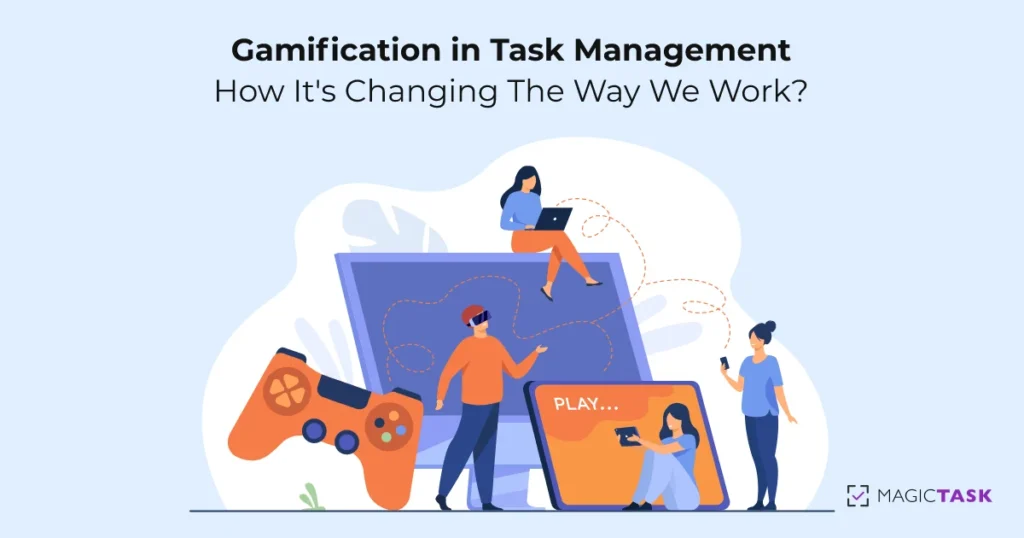
Gamification in Task Management: How It’s Changing The Way We Work?

Gamification in task management

Experience a paradigm shift in task management with the power of gamification. In this article, we uncover how gamification is revolutionizing the way we work, transforming mundane tasks into engaging and rewarding experiences.

Imagine a work environment where productivity is fueled by excitement and motivation. Gamification infuses elements of game design and mechanics into task management, boosting engagement, collaboration, and overall performance.

Join us as we explore the captivating world of gamification in task management, revealing its impact on employee productivity and satisfaction.

Get ready to level up your work experience as we dive into the exciting realm of gamification. Embrace a new way of working that makes tasks more enjoyable and brings out your team's full potential. Let the games begin!

Gamification in Task Management: An Overview

Do you ever find yourself getting really into a video game or other type of game? Gamification is the use of game elements in non-game contexts. In other words, it's taking something that isn't traditionally seen as a game and making it into one.

Simply put – gamification in task management is the use of game mechanics and game thinking to engage users and motivate them to achieve their goals. 

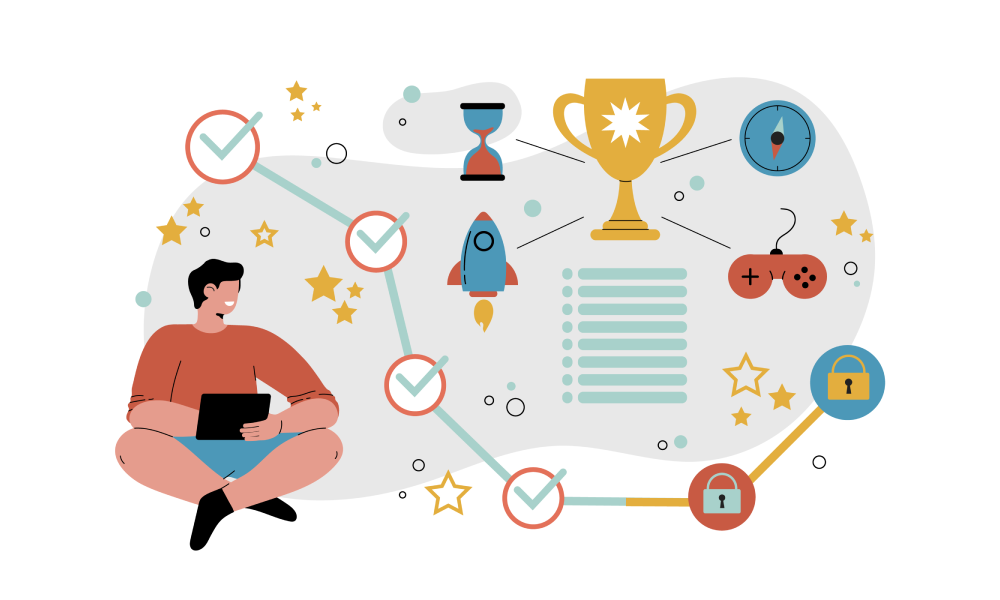
Some common examples of gamification in task management include awarding points for completed tasks, adding levels or badges to signify progress, and leaderboards to encourage competition. 

Adding these elements to a task management system makes users more likely to stick with it and complete their tasks. In fact, employees experienced a 60% engagement increase when they gamified their work.

Let's dive into some additional benefits and see just why gamification is so useful.

Key Benefits of Gamification in Task Management

Gamification refers to design that seeks to, first, increase the motivation of users or participants to engage in an activity or behavior and, second, to increase or otherwise change a given behavior.

Simply put, to make life more fun and engaging. As a task management tool, gamification can be a great way to complete a piece of work more enjoyable and motivate yourself to get it done.

Let's see what the primary benefits of gamifying your task management system are: 

  • It makes task management more fun
  • Motivates people to get things done
  • Helps with organizing everything
  • Greater productivity
  • Helps people learn new skills
  • Encourages healthy competition
  • Boosts morale
  • Improves communication and collaboration

Now how about we talk about these a bit more thoroughly.

Gamification

Make Task Management More Fun

One of the best things about gamifying your task management is that it can make the whole process more fun.

If you find yourself getting bored or frustrated with your task list, adding some game-like elements can help breathe new life into it.

This is perhaps the most important benefit. In a way, this feature influences every other benefit.

Motivates People to Get Things Done

Another great benefit of gamification is that it can help you motivate yourself to get things done. As mentioned above, this comes from the fact that most gamification applications borrow design patterns from (video) games.

Therefore, it's aimed to give rise to similar experiences as games commonly do. For instance, feelings of supremacy, independence, flow, or uncertainty. When you make task management more fun, you're more likely to stick with it and see it through to the end.

Stay Organized and on Track

Gamification can also help you stay organized and on track with your task management. By adding elements like points, leaderboards, and achievements, you can keep yourself accountable and motivated to stay organized.

Enhance Productivity

Productivity is often enhanced when people are able to have some fun while working. By adding game-like elements to your task management system, you can find that you work more quickly and efficiently overall.

This can lead to better results in a shorter time frame. Gamification can also help reduce stress levels, as having some fun can take the edge off of difficult tasks. In this way, gamification can assist with creating a positive work/life balance. 

Help People Learn New Skills

One of the most interesting benefits of gamification is that it can help people learn new skills. When people are engaged in activities that are enjoyable, they often don't even realize that they're learning.

However, by adding game-like elements to task management, you can create an environment where people are actively encouraged to learn new things. It can serve as a great way to improve your team's overall skill set.

Encourage Healthy Competition

If you have a team working on a project, gamification can be a great way to encourage healthy competition.

By adding leaderboards and other competitive elements, you can foster a sense of friendly competition that can push everyone to do their best work. It can lead to better results and a more cohesive team.

Boost Morale

Another great benefit of gamification is that it can boost morale. When people are having fun and feel like they're making progress, they're more likely to be engaged and motivated. This can lead to increased productivity and a better work/life balance for everyone involved.

Improved Communication and Collaboration

Finally, gamification can also improve communication and collaboration. When people are working together towards a common goal, it's important to have good communication in order to stay on track.

By adding game-like elements to task management, you can encourage people to communicate more often and work together more effectively. You can then expect better results and a stronger team overall.

Why Traditional Task and Project Management Systems Don't Work?

We've elaborated on the advantages of gamified systems. But why are they gaining popularity over traditional systems? While personal preference plays a part, let's explore reasons why many are leaning towards gamified systems.

Traditional Systems Lack the Fun Factor

Traditional task management systems are often labeled boring. On the contrary, gamified systems transform tasks into games, making the process exciting.

Engagement is Higher in Gamified Systems

The fun element in gamified systems keeps you more engaged. This lowers the likelihood of distraction or procrastination, increasing the chances of task completion.

Gamified Systems Enhance Efficiency

The increased focus and engagement in gamified systems promote efficiency. As you're more absorbed, you're less likely to waste time on irrelevant activities.

Gamified Systems Offer Flexibility

Contrary to the rigidness of most traditional systems, gamified systems are adaptable. You can customize the game according to your preferences and goals, adjusting it as needed.

Gamified Systems Boost Motivation

The motivating nature of gamified systems sets them apart. Where traditional systems might lead to demotivation and task abandonment, gamified systems keep you hooked, spurred by the game's challenge.

Gamified Systems Promote Social Interaction

Traditional systems often isolate the user. Gamified systems, however, can incorporate friends and family, making the process more enjoyable and meaningful. Some even allow competition with others, enhancing fun and competitiveness.

Gamified Systems Provide Rewards

The motivating and challenging aspects of gamified systems make them rewarding. The sense of accomplishment upon task completion boosts morale, enhancing the overall experience.

Transforming Work with MagicTask: A Gamified Task Management System

MagicTask Dashboard

We've discussed gamification in theory, now let's delve into a tangible example.

MagicTask embodies a fully gamified task management system, packed with an array of features and benefits. It revolutionizes our work style by encapsulating all the gamified elements we've discussed so far.

"Created by gamers, built for gamers and entrepreneurs" is the mantra that echoes on their website, reflected through their design.

Primarily, MagicTask offers a clean, user-friendly interface. Even those without a technical background can effortlessly set up a workspace, assign tasks and subtasks, and manage them within projects.

Moreover, MagicTask provides real-time workspace updates, giving you a clear picture of project progress.

Now, let's shift to the fun part – gamification.

Remember the satisfying sensation of completing quests in a game and leveling up? Or seeing the XP bar fill up slowly but surely? MagicTask brings this sense of achievement to your work life.

With MagicTask, task completion leads to gradual leveling up, and your themes evolve too. This introduces new animations and sounds, much like acquiring gear and loot in a game. Considering you interact with your task management system daily, keeping it engaging, dynamic, and interactive can significantly boost productivity.

Fundamentally, MagicTask offers immediate gratification upon task completion. It even includes a leaderboard system, allowing you to measure your performance against other teams.

Conclusion

And there you have it, folks, a thorough guide on why gamification is going to be the new paradigm in task management. Long gone are the days of stuffy, lifeless systems.

Now it's time for something more fun, something that can motivate yourself and your employees to maximize their time at work. We suggest you try this out, start with the MagicTask system, and then decide for yourself.

Click here to sign up for MagicTask: https://app.magictask.io/

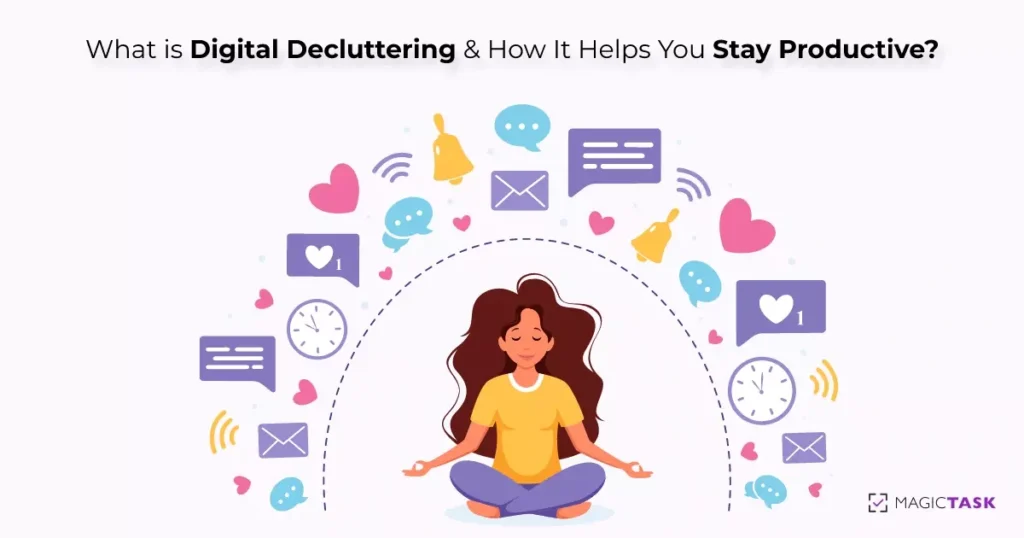
What is Digital Decluttering and How It Helps to Stay Organized and Productive?

Digital Decluttering

In a digital age filled with constant information overload, finding a sense of organization and productivity can feel like a daunting task. That’s where digital decluttering comes in. In this article, we explore the concept of digital decluttering and how it can transform your digital life.

Imagine a streamlined digital space, free from clutter and distractions. By decluttering your digital devices, files, and online presence, you can regain control and boost your productivity.

Join us as we delve into the world of digital decluttering, uncovering practical tips and strategies to help you stay organized, focused, and productive in the digital realm.

Get ready to embrace the power of digital decluttering and experience the liberation it brings. Say goodbye to digital chaos and hello to a more organized and productive life. Let’s dive in!

What is Digital Decluttering?

Digital decluttering refers to the process of organizing and simplifying our digital spaces such as email inboxes, cloud storage, and desktop files. In our digital age, clutter easily accumulates, from hundreds of unread emails to rarely used apps on our devices.

To paint a vivid picture, consider your email inbox. According to a report by Radicati Group, a technology market research firm, the average office worker receives about 121 emails per day. Over time, these can accumulate, leading to thousands of unread emails. Digital decluttering in this context would involve sorting these emails, deleting spam or irrelevant ones, unsubscribing from unwanted newsletters, and organizing the rest into folders or categories for easy access.

Similarly, we all have a habit of downloading apps and forgetting about them. A report from BuildFire indicates that the average smartphone user has 60-90 apps installed on their device, but only uses about 30 per month and 9 daily. Part of digital decluttering might be deleting unused or rarely used apps, freeing up storage space, and reducing visual clutter on your device.

In essence, digital decluttering is all about creating a more streamlined, organized, and manageable digital environment. It’s a necessary task in our digitized world, and doing it effectively can lead to increased productivity and reduced stress.

Key Benefits of Digital Decluttering

Efficient Time Utilization

When your digital space is organized, you save time as you can locate needed items swiftly, avoiding rummaging through the digital clutter.

Reduced Stress

Having fewer things to manage results in less stress, particularly beneficial for detail-oriented individuals.

Space for What You Love

Decluttering creates room for the essentials in your home or office, eliminating extraneous items.

Enhanced Focus

A clutter-free environment minimizes distractions, boosting productivity.

Emotional and Physical Lightness

Decluttering helps shed physical and emotional baggage, instilling a sense of freedom and lightness.

Embracing digital decluttering can lead to practical and emotional advantages. If digital clutter overwhelms you, give decluttering a try. You may be pleasantly surprised by the liberation from life’s digital clutter.

How to Develop a Declutter Mindset?

Understanding what digital decluttering is, now let’s focus on developing the right mindset.

Decluttering can initially be challenging. The key to enduring the process is remembering why it’s important. Thus, we’re outlining the benefits of a decluttering mindset and tips for mental preparation.

To begin with:

  • Recognize the habits and patterns crowding your mind. Awareness is the first step in decluttering.
  • After identifying detrimental thoughts, practice mindfulness to let them go – observe without judgment and release them.
  • Engage in meditation or relaxation techniques to help center your mind, dispelling negative thoughts.
  • Lastly, nurture a positive mindset by concentrating on elements that bring you joy and gratitude. This helps in discarding negative thought patterns.

Cultivating a decluttering mindset can be tough yet achievable. By focusing on positive elements, you foster a mindset conducive to decluttering.

Step-by-Step Process to Declutter Your Digital Devices

There are a few different ways to approaches you can take. One method is to start with a specific goal in mind, such as freeing up a certain amount of space on your hard drive or improving your device’s performance.

Once you have a goal in mind, you can begin going through your files and folders, deleting anything that isn’t absolutely necessary.

Another approach is to start going through your files one by one, deleting anything you no longer need or want.

This can be a more time-consuming process, but it can also be more thorough. And, it can be a good way to get rid of some of the digital clutter you may not have even realized.

Regardless of your approach, be sure to back up your files before you delete anything. That way, if you accidentally delete something important, you’ll have a backup and won’t have to start from scratch. Once you’ve decluttered your digital devices, you’ll be surprised at how much better they perform and how much easier it is to find the files you need.

Below we have written up a couple of tips and tricks and things you need to keep in mind during the entire digital decluttering process.

  1. Evaluate your digital devices and determine which ones you really need. Do you really need a laptop, tablet, or smartphone? Probably not. Streamline your devices to two or three that will cover all of your needs.
  2. Go through all the apps on your phone and delete the ones you never use. Chances are, you have a lot of apps that you never even open. Declutter your app selection and only keep the ones you really need.
  3. Unsubscribe from all of those emails that you never read. We’re all guilty of subscribing to newsletters and emails that we never actually read. Go through your inbox and unsubscribe from anything that you don’t read regularly.
  4. Clean out your browser history and cookies. Over time, your web browser can start to fill up with unnecessary data. Take some time to clean out your history and cookies so that your browser is clean and efficient.
  5. Delete old files and photos that you no longer need. We all have old files and photos that we no longer need. Take the time to go through and delete anything that you don’t need anymore.
  6. Organize your remaining files into folders. Once you’ve deleted the unnecessary files, you can then organize the remaining ones into folders. This will help keep your digital devices decluttered and organized.
  7. Sync your devices with each other. Keeping them all in sync with each other is important if you have multiple devices. This will help ensure that you don’t have duplicates of files and that everything is up-to-date.
  8. Back up your data regularly. It’s significant to back up your data regularly in case something happens to your device. You can use an external hard drive or cloud storage to keep your data safe.
  9. Use a password manager to keep your passwords safe. With so many different passwords to remember, it’s easy to lose track of them all. Using a password manager can help you keep all of your passwords in one place and secure.
  10. Keep your software up to date. It’s essential to keep your software up to date so that you have the latest security patches and features. Out-of-date software can leave you vulnerable to attacks and malware.
  11. Use a secure browser extension. If you’re using a web browser, it’s essential to use a secure extension to help protect your information. These extensions can help block ads and trackers, as well as encrypt your data.
  12. Encrypt your devices. If you’re concerned about security, you can encrypt your devices so that your data is secure. This will make it more difficult for someone to access your data if they manage to get their hands on your device.
  13. Use a VPN. If you want to add an extra layer of security, you can use a VPN (a virtual private network) when you’re online. A VPN encrypts your data and routes it through a secure server, making it more difficult for someone to snoop on your online activity.
  14. Be aware of phishing scams. Phishing scams are common ways for hackers to gain access to your information. Avoid clicking links or attachments from unknown sources. If you’re unsure about an email, you can contact the company directly to verify its authenticity.
  15. Practice good cyber hygiene. In general, it’s important to practice good cyber hygiene in order to keep your devices and data safe. This includes using strong passwords, being aware of phishing scams, and encrypting your devices.

Use MagicTask to Stay Organized and Productive

One final piece of advice we can give you is to try out MagicTask.

MagicTask is a task and project management platform that helps you keep all of your tasks, chores, and activities under control. Using a very intuitive system of projects, tasks, and subtasks, you can streamline your work and keep an eye on the files and notes you have to keep, discard, or save for later.

These same features help you organize your tasks, keep you away from distractions, and minimize the time you waste on clutter, making you much more productive.

Winning at Life: How Good Game Design Principles Shape the Ultimate Productivity Powerhouse, MagicTask V3

How Good Game Design Principles Shape MagicTask V3

In the realm of pixel battles and breathtaking virtual realities, video games rule as the epitome of electrifying, immersive experiences. A truly epic game ensnares its players, sparking a rush of adrenaline and a sense of accomplishment that beckons gamers back to the controller. It weaves a link between the digital cosmos and our own reality, creating a universe that players live and breathe. So what's the secret sauce? What makes a game go from "good" to "legendary"? Let's grind through the fundamental principles that shape standout game design and explore how MagicTask V3—a groundbreaking productivity power-up—levels up these components to morph the grind of task management into an engaging, rewarding quest.

The Principles of Good Game Design

Player Freedom

In the universe of gaming, choice is king. Prime game design doles out the power to the players, granting them the agency to influence their own in-game destiny. It's not just about choosing your avatar or character class, but the tactical decisions made mid-battle, the direction of your narrative quest, and even the aesthetics of your hero's armor. This surge of autonomy doesn't just immerse players – it binds them to the game. After all, when you've had a hand in crafting your own virtual world, you're much more invested in its fate.

Skill Mastery

Flappy Bird

An epic game doesn't hand victories to you on a silver platter – nor does it leave you stuck at the first boss for eternity. The best games test your mettle, pushing your skills and strategy to the limit without driving you to rage-quit. Ideally, the difficulty scales as you level up, tossing tougher, more intricate challenges your way as your in-game abilities progress. This sense of skill mastery, of conquering the game mechanics, is what transforms a casual player into a dedicated gamer.

Community and Connection

In the realm of gaming, it's not just you against the world – it's about the bonds you forge along the way. Whether it's strategizing with your guild, trading quips with a witty NPC, or growing attached to your trusty in-game pet, it's these connections that bring a game to life. In a well-crafted multiplayer game, camaraderie and communication are the heart and soul of the experience. Single-player titles, on the other hand, spin captivating tales that stir up an emotional investment between the player and the game universe.

Entering the 'Flow'

Every seasoned gamer knows the exhilaration of being 'in the zone' – that intense state of total immersion where the world around you fades away. This 'flow', a concept named by psychologist Mihaly Csikszentmihalyi, is the Holy Grail of gaming. Hitting this gaming sweet spot requires a few critical ingredients: well-defined objectives, a clear sign of your progress, instant feedback on your actions, and a delicate equilibrium of challenge and skill.

Also Read: The Game Behind the Productivity: The Inspiration Behind MagicTask V3

Recently Released Legendary Games

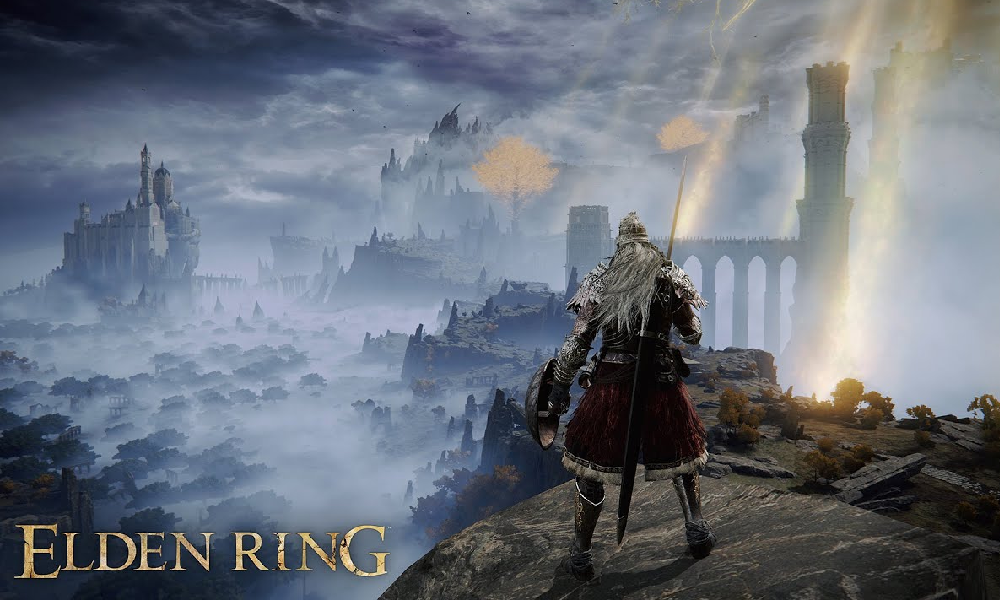
Elden Ring

Elden Ring

One of the latest offerings from the minds behind the legendary Dark Souls series, Elden Ring is a testament to the power of intense, player-driven experiences. This open-world action RPG takes autonomy to the next level, with a sprawling, fully explorable map rich with hidden treasures and ominous threats. You, the Tarnished, are tasked with battling grotesque bosses and overcoming complex environmental puzzles – all while developing your character's skills and abilities.

Elden Ring has elevated the concept of competence with its punishing yet fair combat mechanics. Each encounter is a test of the player’s abilities, where even the most minor mistake can lead to devastating consequences. However, once you learn to read your enemy's patterns and capitalize on their weaknesses, the sense of achievement is unmatched.

The rich lore and the mysterious world foster relatedness, drawing players into the twisted yet captivating narrative of the Ring Lands. As you traverse through foggy forests, shattered ruins, and haunting dungeons, you'll uncover the tragic stories of the inhabitants that echo within these lands, creating an emotional bond that enriches your gaming experience.

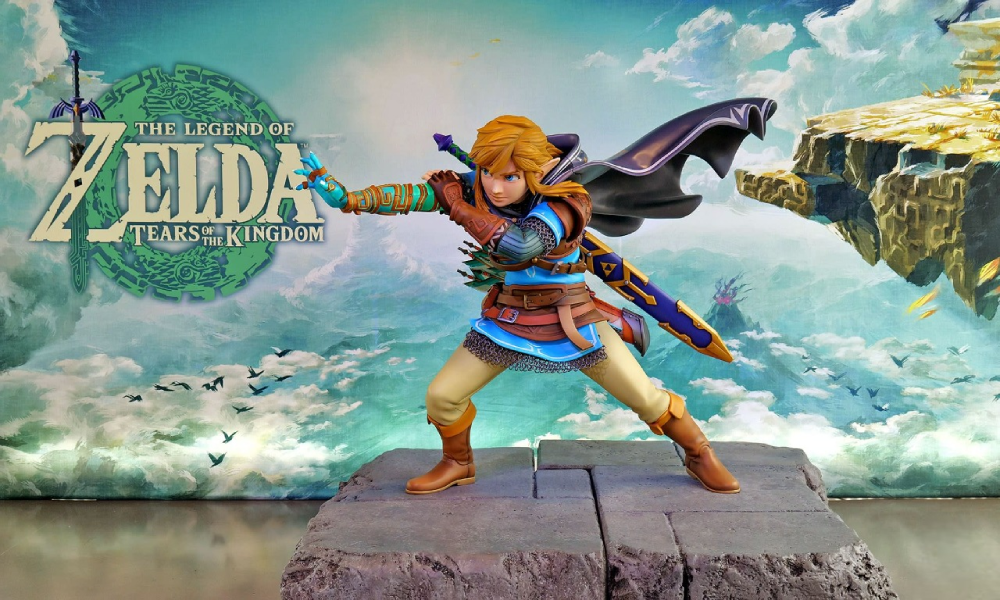
Zelda: Tears of the Kingdom

Zelda: Tears of the Kingdom

In "Tears of the Kingdom," a groundbreaking addition to the realm of RPGs, you're thrust into an expansive kingdom brimming with mystery and adventure. The game hands the reins of autonomy over to the players. Whether you're strategically crafting a plan to overthrow the wicked Ganondorf, hunting down concealed sacred sites, or just absorbing the awe-inspiring vistas from atop your loyal mount, the choice is entirely in your hands.

When it comes to competence, "Tears of the Kingdom" brings a fresh perspective. Instead of the usual leveling-up system, your advancement is determined by your grasp of the world and its mechanics. From solving environmental puzzles, learning the interplay of elements, to deftly utilizing your diverse arsenal of tools and weaponry, everything contributes to your survival in this vast kingdom.

The soul of "Tears of the Kingdom" lies in the bond formed between the player, the protagonists, and the game world, creating a powerful sense of relatedness. The impactful interactions with other characters, the breathtaking landmarks, and the whispered legends of this fallen kingdom foster a deep connection between the player and the game world.

As with "Elden Ring," "Tears of the Kingdom" demonstrates how ingenious game design can give rise to truly legendary games. It presents engaging challenges, a sense of player agency, and the ability to connect with a broader world, all while maintaining players in a captivating state of flow.

MagicTask V3: A Game of Goals, Rules, and Rewards

Cranking out tasks isn't usually an adrenaline rush – but MagicTask V3 plans to change the game. This innovative productivity tool isn't just about getting things done; it's about leveling up, taking down bosses, and feeling like a champion while doing it. If you've ever wondered what it would be like to blend the thrill of gaming with your daily to-do list, look no further. MagicTask V3's got you covered.

Player's Choice: Autonomy in MagicTask V3

As any hardcore gamer knows, the key to a good game is the freedom to make choices, to shape your journey. And MagicTask V3 doesn't skimp on this. Want to change the theme every season? Go for it. Fancy outfitting your avatar with kickass gear? It's all yours. Want to select your quests, pick your loot drops, and even choose your title? The power is in your hands. Every user's experience is tailor-made, upping the game on your productivity quest.

Crushing Tasks: Mastering Competence

MagicTask V3 brings a whole new meaning to grinding XP. Here, leveling up isn't about mashing buttons, but honing your time management skills. Estimate how many Pomodoros you need to take down that task boss, and earn epic loot drops and points for your prowess. It's a fresh take on competence – one that upgrades both your in-game and real-life skillset.

Fellowship of the Task: A Sense of Relatedness

In MagicTask V3, you're not alone. Every season, you team up with other players to take down the big boss. The sense of camaraderie and shared victory keeps you motivated and connected. Track your standings on the leaderboard, compete for trophies, and share your loot – there's no 'I' in the team, after all.

Riding the Flow: Immersive Gameplay

In gaming and productivity alike, nothing beats the feeling of being in the zone. MagicTask V3 takes you there with its design centered around achieving a state of flow. It's got everything: clear goals, visible progress, real-time feedback, and a fine balance of challenge and skill. Every task you tick off feels like a win, keeping you fully engaged and ready to take on the next challenge.

Playing by the Rules: Goals, Challenges, and Rewards

Think of MagicTask V3 as your very own quest line. Your mission: achieve the highest rank in the season and defeat the boss. The rules are simple, the challenges big, but the rewards? Oh, they're so worth it. Top-ranking players earn epic season winner trophies, and completing tasks is rewarded with animations, level-ups, and random loot drops. It's not just about ticking off tasks anymore; it's about the thrill of the chase and the satisfaction of victory.

The Final Boss: Redefining Productivity

Who said productivity had to be boring? MagicTask V3 is proof that getting stuff done can be just as engaging as an epic boss fight. It's more than just a tool – it's a game, and it's reshaping the way we approach productivity. And just like any legendary game, it's not about the characters or the graphics; it's about giving the player a meaningful, memorable experience.

So, if you're ready to swap monotony for motivation, MagicTask V3 is your ticket to a new level of productivity. Level up your tasks, take down bosses, and bring the thrill of gaming to your everyday life. Welcome to the future of productivity tools – it's game time.

The Journey So Far: Constructing the MagicTask V3 Experience

MT V3 Journey so far

Hello fellow adventurers and productivity warriors! It's been quite the journey so far in the development of MagicTask V3. As we forge ahead in this quest, we thought it's high time we sat around the campfire, so to speak, and gave you a recap of our progress to date.

A Recap of the OOUX Methodology

In our previous posts, we've shared our exciting adventure through the world of Object-Oriented UX (OOUX) as part of the process of shaping MagicTask V3. The OOUX methodology has been an essential tool for us, guiding our decisions and helping us construct an engaging and intuitive user experience. Let’s take a moment to reflect on the critical phases of the journey:

  1. Defining the Objects: In the initial phase of OOUX, we started by defining the key objects in our system. These objects are essentially the building blocks of the application and include elements like 'Task', 'User', 'Project', and 'Team'.
  2. Listing the Attributes: Once we had identified our objects, we then listed the attributes of each object, which helped us understand what each object is and what it does.
  3. Mapping Relationships: The next step in our journey was to map the relationships between the different objects. Understanding these relationships was crucial to designing a system that felt intuitive and made sense to our users.
  4. Outlining the User Flows: After mapping out the relationships, we moved on to designing the user flows. This process allowed us to visualize how users would interact with our system, how they would move from one object to another, and how they would accomplish their goals.

By following the OOUX methodology, we were able to build a solid foundation for MagicTask V3, aligning it more closely with how our users think and interact with the world. The result is a system that not only makes sense but also feels intuitive and engaging to use.

Also Read: Designing MagicTask V3: Crafting the Ultimate Gamified Task System with ChatGPT (Part 1)

The Call for User Feedback

With the groundwork in place, we're now moving into the next critical phase of development: user feedback. This is where we look forward to engaging with you in meaningful dialogue, gleaning valuable insights from your experiences, thoughts, and suggestions. To facilitate this, we are actively scheduling as many calls as possible with you, our users, fellow gamers, and industry experts.

Your insights are the guiding stars in our development journey. They help us understand your needs, your preferences, and your expectations, all of which are crucial elements that shape MagicTask V3. Whether it's feedback on the current version, thoughts on the new features we're planning, or fresh ideas you'd like us to consider, we're all ears.

We have created a dedicated platform for you to book a meeting with us. Feel free to choose a time that suits you best from this link: MagicTask V3 Discussion. In these discussions, we hope to hear your stories – your experiences with MagicTask V2, your ideas for V3, and even the challenges you face in task management.

Use feedback meeting

Your unique perspective is invaluable in helping us refine the system, address any potential blind spots, and ensure that MagicTask V3 will be a product that not only meets your needs but exceeds your expectations. By joining us in this discussion, you'll be playing an integral part in shaping the future of MagicTask.

In the end, MagicTask V3 isn't just our product, it's our collective brainchild. It’s the result of a shared passion for gaming and productivity, a tool crafted to make the process of task management an enjoyable adventure.

Also Read: Designing MagicTask V3: Powering Up Empathy in Our Gamified Task Management System for Hardcore Gamers

MagicTask V2 Thriving: A Milestone Achieved

Even as we craft the future with MagicTask V3, our commitment to the present remains unwavering. It brings us immense joy to witness how MagicTask V2 is empowering our users to manage their tasks effectively and efficiently. This utility, combined with the excitement of gamified productivity, has led to remarkable engagement and achievement amongst our users.

One such notable milestone is from our very own team at Imaginovation. We are thrilled to share that we have recently smashed through the 50,000 tasks completed mark! This achievement not only stands as a testament to our commitment to productivity but also the robustness and utility of MagicTask V2. You can explore more about our journey and work on our website www.imaginovation.net.

MagicTask V2 remains fully operational and continues to serve as a sturdy companion in your quest for productivity. If you haven't already, we encourage you to explore and engage with it. The gamified elements woven into MagicTask V2 aim to make productivity not just a goal, but a rewarding and exciting journey.

Join Us in Shaping MagicTask V3

As the horizon of MagicTask V3 comes into view, your role in shaping this journey becomes ever more crucial. We are treading an exciting path, and your insights, feedback, and experiences will serve as our guiding beacons.

We extend an open invitation for you to join us in this quest for innovation, to help us create a product that seamlessly melds the thrill of gaming with the discipline of productivity. Your voice matters in this endeavor. Be it a new feature suggestion, a refinement to an existing one, or your overall user experience with MagicTask V2, we're eager to hear it all.

Onward, to Productivity and Beyond!

As we continue building MagicTask V3, we keep our users at the center of the process. We're determined to develop a tool that not only boosts productivity but also turns it into a rewarding and fun experience. As we blend the worlds of gaming and task management, we invite you to join us on this exciting journey.

Whether it's sharing your thoughts on MagicTask V2, your anticipations for V3, or ideas for the future, we're eager to hear from you. So, prepare your best productivity strategies, sharpen your gaming skills, and join us on this exciting quest.

Onward, to productivity and beyond!

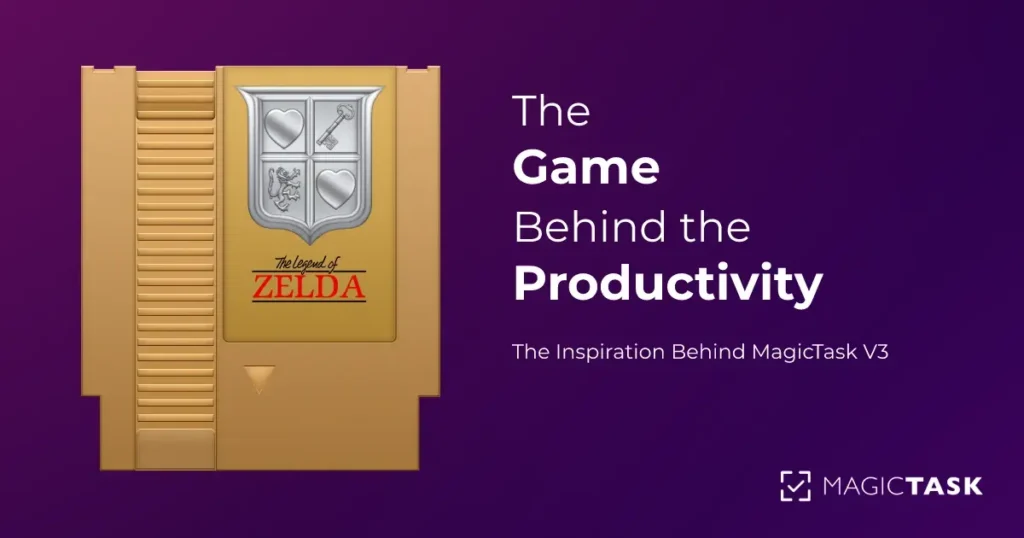
The Game Behind the Productivity: The Inspiration Behind MagicTask V3

The Inspiration Behind MagicTask V3

Greetings, fellow adventurers and relentless quest-takers. I'm here to present you with MagicTask V3, a manifestation of my lifelong journey through the enchanting realms of video games intertwined with an unyielding quest for mastering productivity. It's a realm where task management converges with the thrill of gaming. It's a realm where your to-dos don't merely get checked off but conquered and celebrated.

MagicTask V3 isn't just a productivity tool; it's a tribute to the gaming culture that shaped generations, including myself. It's where the captivating narratives of RPGs meet the satisfaction of ticking off tasks, where the strategic elements of RTS games blend with project management, and where the sense of progression in adventure games melds with personal growth.

Every pixel, every feature, and every interaction in MagicTask V3 echoes a gaming memory, a boss fight won, a level-up achieved, or a secret passage discovered. From the earliest memories of pixelated sprites on the Atari 2600 to the high-definition, immersive experiences on the PS5, my gaming journey has been one of constant awe and inspiration. And today, I stand at an exciting juncture, where I get to share this journey with you and show how it has been instrumental in shaping MagicTask V3.

The influence of these games goes beyond just aesthetic or nostalgic value. They've inspired core mechanics, user experience elements, and even the underlying philosophy of MagicTask V3. In the same way that games offer multiple paths to victory and encourage diverse strategies, MagicTask V3 is designed to be flexible and adaptable, catering to your unique work style and productivity needs.

So, ready your gear and sharpen your swords, for we're about to embark on an epic quest. I'm thrilled to guide you through the gaming milestones that have left their mark on MagicTask V3. From the simplest 8-bit inspirations to the intricate mechanics of MMORPGs, let's delve into how my gaming history has shaped this unique task management battleground. Adventure awaits!

Who is Sudo Innominate

Your humble guide on this journey is none other than myself, Sudo Innominate, the dungeon master behind MagicTask. My dual life oscillates between the exhilarating universe of gaming and the disciplined realm of productivity. As a hardcore gamer, I've basked in the pixelated glory of games across platforms and genres. From the nostalgic beep-boop of the Atari 2600 to the high-res action of the PS5, I've tackled them all.

Just as I’ve defeated my fair share of digital bosses, I’ve battled and tamed the beast of inefficiency in the real world. My quest for productivity isn’t driven by a mere interest; it’s a passion, a pursuit of excellence, and a never-ending challenge. It began with understanding the importance of time and has evolved into a perpetual search for methods and tools that can help squeeze the most value out of each second.

Over the years, I've delved into the vast knowledge offered by productivity gurus, devouring the wisdom presented in books such as "Getting Things Done", "The 7 Habits of Highly Effective People", "The One Thing", "How to Win Friends & Influence People", "Deep Work", "Essentialism: The Disciplined Pursuit of Less", "So Good They Can't Ignore You", and "The Pragmatic Programmer". Each page turned, each idea absorbed, and each principle applied has shaped my understanding of productivity, ultimately culminating in the creation of MagicTask V2, and now, its successor, MagicTask V3.

My commitment to productivity isn't just theoretical; it's deeply practical and personal. As proof, I'm currently holding a proud second place on the MagicTask V2 leaderboard, with a whopping 4803 tasks completed! Furthermore, as the Co-Founder of Imaginovation, our company stands at rank #1, having crushed an impressive total of 66,810 tasks. The battlefield of productivity is where we shine, and MagicTask is our weapon of choice.

MagicTask V3 is the sweet spot, the epic loot at the end of this dual quest. It's where I've combined my passion and prowess in both gaming and productivity to create a tool that makes task management not just bearable, but enjoyable. It's a tool that reflects the lessons learned from these productivity books, enriched by the experiences of leading a high-performing team and my personal journey toward productivity.

In the lines that follow, I'll take you through the gaming milestones that have shaped the development of MagicTask V3. From 8-bit inspirations to MMORPG mechanics, here's how my gaming history has influenced this unique task management tool. So buckle up, for we are about to embark on an epic quest through time.

Also Read: Designing MagicTask V3: Crafting the Ultimate Gamified Task System with ChatGPT (Part 1)

Atari 2600 and NES: The Spark of Passion

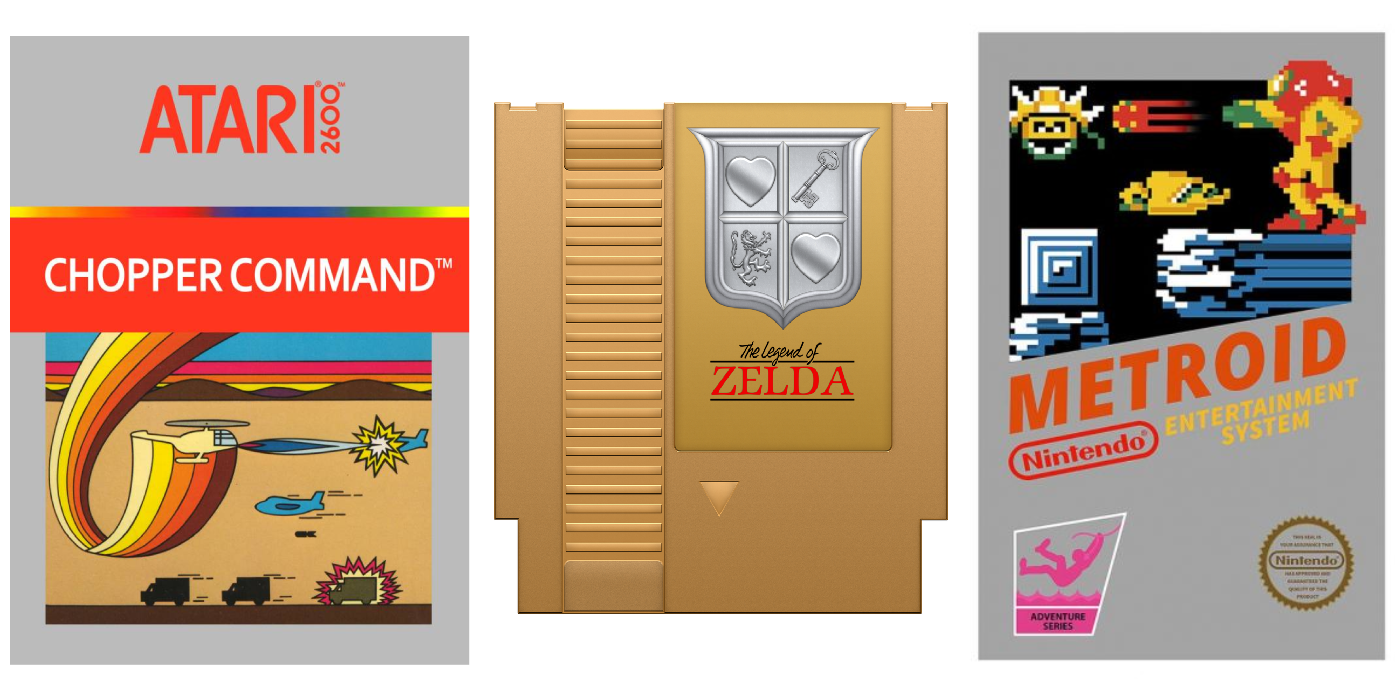
Atari 2600 and NES Game Titles

The spark that ignited my passion for gaming was first kindled by the captivating worlds of the Atari 2600 and NES. Titles like Chopper Command became my playground, where I not only enjoyed the thrill of the game but also began to appreciate the mechanics that underpinned it. Mario, Zelda, and Metroid weren't just games; they were intricate puzzles that challenged me to think, strategize, and plan my moves.

When I was playing Zelda, I distinctly remember how my father, an engineer, helped me map out the final dungeon using CAD. This collaboration wasn't just about winning the game; it was a practical lesson in project management and strategic planning. We had a goal (defeat Ganon), we had a series of tasks (navigate the dungeon, overcome enemies and obstacles), and we had resources (items, health). By meticulously planning our actions, we were able to achieve our objective.

Metroid, with its non-linear gameplay, was another significant influence. It was a game that didn't hold your hand, encouraging exploration and decision-making. The more I played, the more I understood that each decision I made, each path I took, impacted the game's progression. This understanding of choice and consequence is something I've incorporated into MagicTask V3, where every task you complete, or fail to complete, influences your overall productivity journey.

This early immersion into the world of gaming wasn't just about fun; it introduced me to complex problem-solving, strategic thinking, and the importance of planning and execution – all crucial aspects of productivity and task management. This fusion of gaming and productivity is the cornerstone of MagicTask V3. The same thrill you get from defeating a difficult boss or solving a complex puzzle in a game, I wanted to bring to task management. So, in MagicTask V3, every task becomes a challenge to overcome, a puzzle to solve, contributing to your overall 'game' of being productive.

Inspired MagicTask V3 Feature: Task Prioritization

Just as in the gaming worlds of Zelda and Metroid, where you strategically allocate your resources and prioritize your actions to achieve your objectives, MagicTask V3 brings the same level of strategic planning to task management. I recognized the power of prioritization while navigating the vast dungeons of Zelda and the labyrinthine corridors of Metroid, and I wanted to bring that experience to the world of productivity.

In MagicTask V3, users can assign priority levels to their tasks, transforming their to-do list into a strategic game map. Instead of facing a chaotic barrage of tasks, you now have a well-defined game plan to conquer your day, week, or even your month. This feature allows you to highlight critical tasks, ensuring they receive your immediate attention and resources, just like focusing on the main quest in a game.

Moreover, just as you would adjust your strategy on the fly in a game based on the changing scenarios, MagicTask V3 allows you to dynamically change your task priorities. If a sudden deadline appears like a boss fight, you can quickly reorient your focus and resources to tackle it head-on.

But the beauty of MagicTask V3 doesn't stop at mere prioritization. Much like how games reward you for completing quests or defeating bosses, MagicTask V3 rewards you for completing your tasks. These rewards come in the form of experience points, leveling up, and other game-like achievements. This gamification of task management makes the process not just efficient but also enjoyable and rewarding.

So, with MagicTask V3, task management is no longer a chore; it's a game where you strategize, make decisions, take actions, reap rewards, and above all, have fun while being productive. After all, who said productivity couldn't be exciting?

Gateway 486-DX2: Leveling Up With Text and Strategy

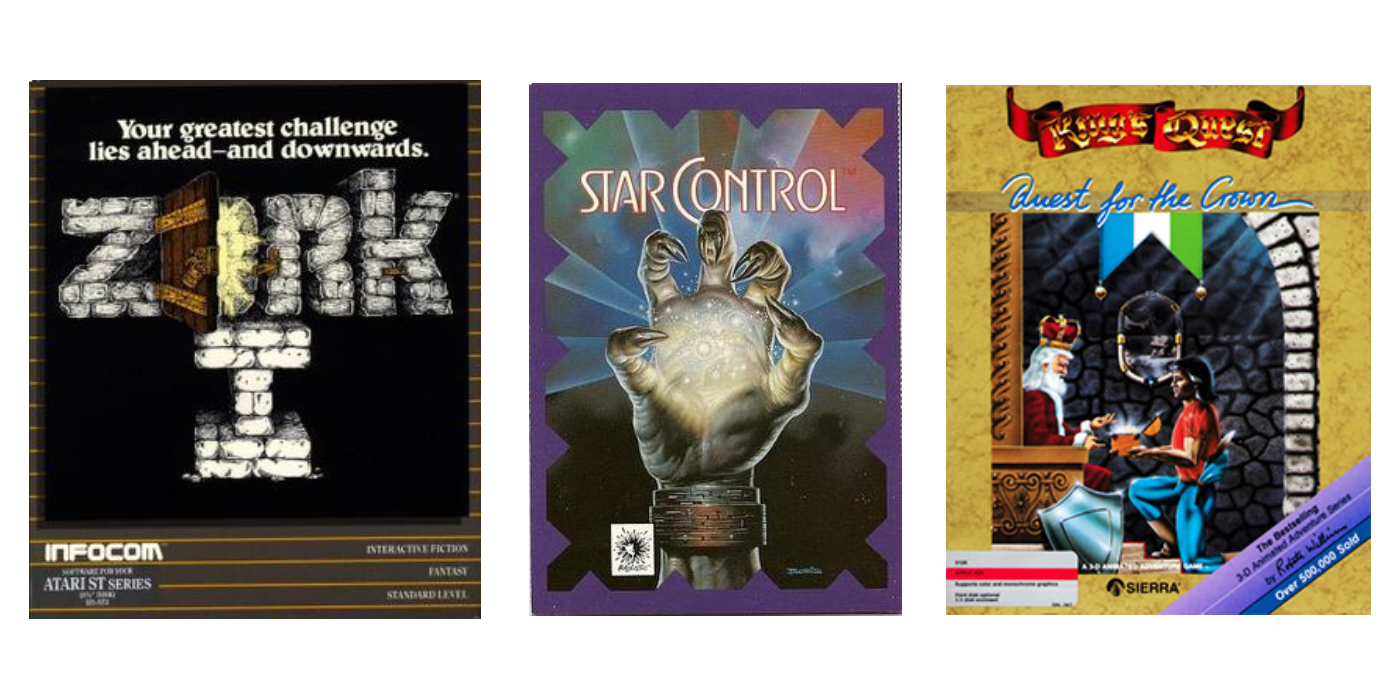
Gateway 486-DX2 Games

Stepping into the gaming arena with my mighty Gateway 486-DX2, I faced the challenges of text-based and strategy games. This was the grind that put my mental agility and strategic mastery to the test. Titles like Zork, a text-based rollercoaster, had me casting spells of language, commands, and sequences to navigate through a world sketched out by my imagination. Strategy games like Star Control, King's Quest, and Police Quest were like tactical gauntlets, calling for careful planning, decisive action, and the reflexes to deal with RNG surprises.

These weren't just games; they were mental boss fights, sharpening my logic and strategy skills. They were a masterclass in decision-making, showing how every choice, every move, can tip the balance between epic win and total wipeout.

Inspired MagicTask V3 Feature: Macro System for Fast Command Entry

These early gaming experiences deeply influenced the development of MagicTask V3. Just as I had to type the right commands to navigate Zork's intricate world, MagicTask V3 users can use a powerful macro system to manage their tasks efficiently.

With MagicTask V3, you don't need to navigate through multiple menus or type out full sentences to manage your tasks. Instead, you can use quick commands like !project or #tag to add tasks to specific projects or tag them with relevant categories. This is like the command line approach of Zork, where knowing the right command can save time and lead to success.

The command-driven approach allows for precise and efficient task management, enabling users to spend less time managing tasks and more time accomplishing them. This reflects the strategic thinking required in games like Star Control, where making the right move efficiently often made the difference between victory and defeat.

So, you see, my early gaming experiences aren't just part of my past; they're part of MagicTask V3's DNA. They've helped shape a task management tool that's not only efficient but also taps into the strategic and problem-solving mindset of gaming. It's a game-changer in every sense of the word.

SNES and Sega Genesis: Diving Deeper Into Immersive Gameplay

Snes Games

The SNES and Sega Genesis were more than just gaming consoles to me; they were gateways to intricate worlds filled with adventure, strategy, and camaraderie. Each cartridge was a ticket to a new realm, from the sprawling landscapes of Final Fantasy III to the competitive arenas of NBA Jam and the fast-paced action of Sonic.

These weren't just games; they were shared experiences, stages set for epic battles, and cooperative endeavors with friends huddled around the same screen. Games like General Chaos pushed this even further, encouraging strategic collaboration with its 4-player mode. The key wasn't just to play, but to play together, to strategize, divide tasks, and conquer.

Inspired MagicTask V3 Feature: Collaboration and Team Management

Drawing from these cooperative gaming experiences, MagicTask V3 is built to foster a similar sense of camaraderie and teamwork in the realm of productivity. Just as I coordinated with my friends to clinch a victory in General Chaos, MagicTask V3 users can work together to achieve their shared goals.

With MagicTask V3, you can invite your allies—be they colleagues, friends, or family—into your project realm. Assign tasks like you would delegate roles in a co-op game, ensuring everyone knows their mission. Monitor the progress of each task in real-time, like watching your team's stats in NBA Jam. React to updates with the agility of Sonic, ensuring your project stays on track.

This collaborative spirit, this shared sense of purpose and mission—that's the magic I wanted to capture from my SNES and Sega Genesis days. With MagicTask V3, you're not just managing tasks; you're leading your team on an epic quest for productivity, and every completed task is a victory worth celebrating.

Online Gaming: The Dawn of a New Age

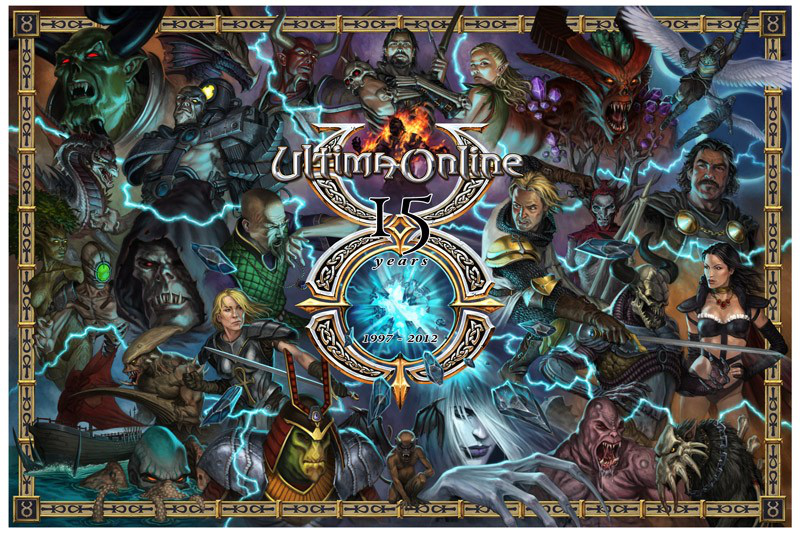
Ultima Online

In the realm of online gaming, Ultima Online was a revolution, a game-changer that set the stage for the MMOs of today. I was drawn into its virtual world, which was a rich tapestry woven with player interactions, customization, and competition. It was the first time I experienced a living, breathing online community that thrived on the social interactions between players.

Just like modern social media, Ultima Online was a platform for connections and communication, where players would gather, trade, and embark on adventures together. It was social media before social media was even a concept. And this level of player interaction and community-building is something I wanted to replicate in MagicTask V3.

Inspired MagicTask V3 Feature: Gamification, Customization, and Social Interaction

In keeping with the spirit of Ultima Online, MagicTask V3 integrates gamification elements, customization, and a sense of community. Users can set personal goals, tailor the platform to their needs, and interact with their team members or fellow users.

Gamification turns task management into an engaging game where users earn points, level up, and compete against others on the leaderboard. It's about making productivity fun, challenging, and rewarding.

Customization empowers users to shape their own productivity experience. Just like Ultima Online players could carve out their unique path in the game world, MagicTask V3 users can create custom workflows, set their own objectives, and make their mark on the platform.

Social interaction brings a sense of community to MagicTask V3. Users can collaborate with team members, share their progress, and even compete in a friendly manner. It's a way to encourage teamwork, communication, and mutual support.

In short, MagicTask V3 is an embodiment of the freedom, personalization, and community spirit that made Ultima Online a landmark in online gaming. It's about turning productivity into an exciting, interactive experience – a game where every task completed is a victory, and every point earned brings you closer to the top of the leaderboard.

Also Read: Gamification in Task Management: How It's Changing The Way We Work?

Modern Gaming: Riding the Wave of Evolution

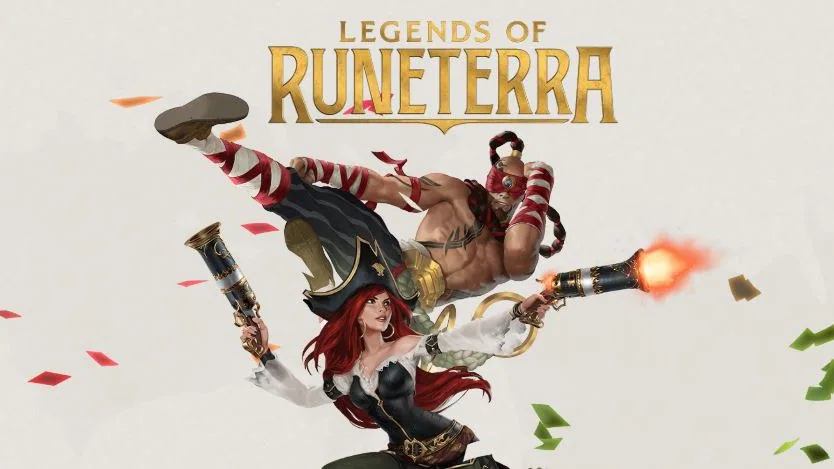
Legends of Runeterra

As gaming has evolved, so has my unwavering love for it. In today's world, I'm digging into games like Gauntlet on the PS5 and securing my place in the Masters rank in Legends of Runeterra. What blows my mind about these games is their adaptability and accessibility. They're not chained to a single platform – they're everywhere, ready to roll at a moment's notice, no matter the device. That's a level of flexibility that I knew MagicTask V3 had to nail.

Inspired MagicTask V3 Feature: Cross-Platform Accessibility and Ever-Evolving User Experience

Taking inspiration from the modern gaming ethos, MagicTask V3 is a tool built for the fast-paced, interconnected world we live in. It's about being there when you need it, no matter where you are or what device you're using. Desktop at work, mobile on the go – wherever you are, your tasks are always at your fingertips.

But it's not just about being accessible. It's also about keeping things fresh and exciting. In the same way, modern games constantly update to offer new thrills, MagicTask V3 is committed to evolving. Regular updates bring new features and improvements, ensuring the platform stays ahead of the curve and meets the ever-changing needs of its users.

In the end, MagicTask V3 is all about capturing the adaptability and player-first approach of modern gaming. It's about creating a task management tool that's as dynamic and versatile as the best modern video games. Just like Gauntlet and Legends of Runeterra keep pushing the envelope in gaming, MagicTask V3 is here to redefine what you can expect from a task management tool. Buckle up, folks – it's going to be a wild ride.

Conclusion: Leveling Up Productivity with MagicTask V3

Alright, fellow quest-takers, we've embarked on this epic journey together, traversing the expansive landscapes of my gaming life, and we've finally reached the final boss: MagicTask V3. Each pixel of my gaming history, every controller gripped, every button mashed has been a stepping stone towards creating this unique task management tool.

But what truly sets MagicTask V3 apart is its core philosophy: the fusion of work and play. It's about making productivity not just a necessity, but a joy. It's about turning your to-do list into a high-score table, your tasks into quests, and your accomplishments into achievements. And just like any great game, it's about continual progress, constant improvement, and the satisfaction of overcoming challenges.

So, what's the legacy of MagicTask V3? It's a testament to the power of gaming to inspire and innovate. It's a tribute to the countless hours spent in front of screens, immersed in virtual worlds, and the lessons learned therein. It's the embodiment of the belief that gaming is not just about entertainment, but also about creativity, problem-solving, and community.

In the end, MagicTask V3 is more than just a task management tool. It's a gaming-inspired productivity platform, a love letter to gaming, and most importantly, it's the product of a life spent in the pursuit of both gaming and productivity. Game on, and may your tasks be ever in your favor!

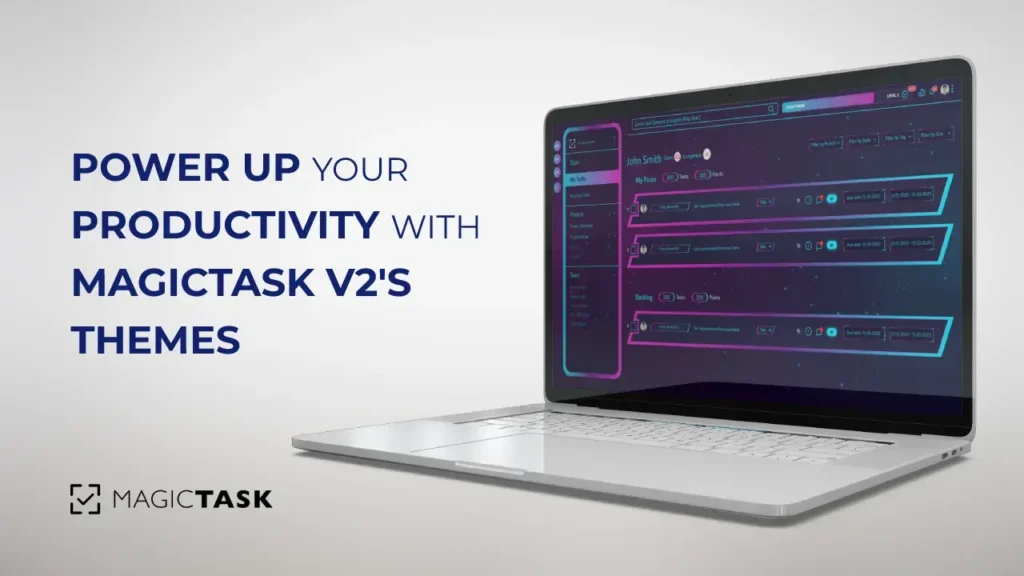
Power Up Your Productivity with MagicTask V2’s Themes

power up productivity with magictask v2 themes

Greetings, MagicTask Warriors! In our journey towards creating a productivity tool that is more than just a tool, we've incorporated elements that make task management fun, engaging, and rewarding. Today, we're going to take you on a tour of one such element – the immersive world of MagicTask V2's themes.

But, let us clarify when we talk about themes, we're not just referring to a cosmetic makeover of your workspace. No, MagicTask themes are far more than that. They're about transforming the concept of productivity into a game, a thrilling quest, a challenge to be conquered. They're about offering rewards that transcend the mere satisfaction of task completion. They're about turning the mundane into the magical.

In the realm of MagicTask, each theme is a reflection of your productivity journey, brimming with its own unique character and challenges. They are your companions in your quest for productivity, mirroring your achievements, and infusing your workspace with a unique blend of aesthetics and interactivity.

The best part? This immersive theme experience is not some future concept or an item on our wishlist. It's live, it's here, and it's now. You can experience the magic of MagicTask themes right this moment at app.magictask.io.

So, brace yourself as we delve deeper into the fascinating world of MagicTask themes. Join us as we explore the dynamics of theme leveling, the thrill of unlocking animations and sound effects, the pride in owning a rare theme, and the sheer joy of turning productivity into a thrilling game.

Let the adventure begin!

Enter the World of MagicTask Themes

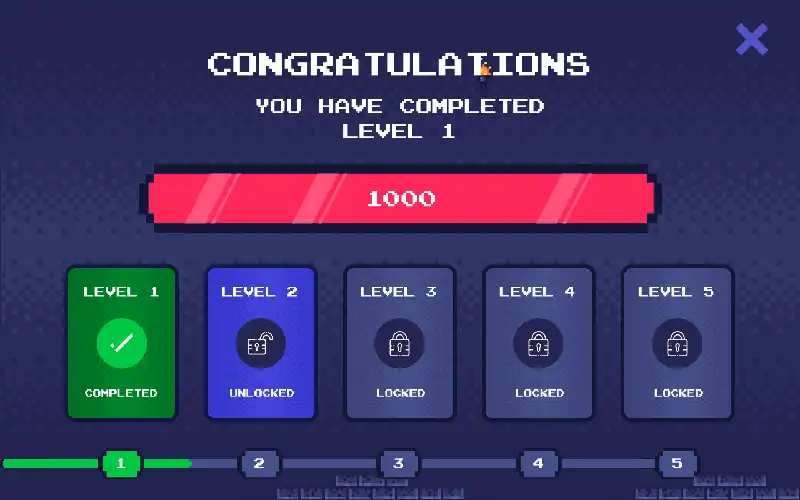
In the epic universe of MagicTask V2, we offer you a choice between eight distinct, intricately designed themes. But these aren't just for show. Each theme, aside from the Clean theme, levels up your productivity, unlocking new visual and auditory surprises to enhance your MagicTask experience.

Clean Theme: The vanilla of MagicTask themes, clean and unchanging, perfect for those who appreciate simplicity.

Glitch Theme: Embrace the chaos with visual distortions and digital noise, turning each task into a coding conquest.

Arcade Theme: Nostalgic pixel art and 8-bit sounds will make you feel like you're leveling up in an arcade game.

True Black Theme: Ideal for the stealthy night owls, with its dark hues, it's as if you're operating in 'Incognito Mode.'

Gaming Theme: This theme is for hardcore gamers, complete with RPG elements and console-inspired designs.

MCARS Theme: Feel like you're piloting a spaceship with this futuristic, interface-themed dashboard.

Futuristic Theme: Bold neon colors against dark backgrounds, evoking a cyberpunk aesthetic.

Purple Haze Theme: This theme has a dreamy, ethereal design, perfect for creative minds seeking inspiration.

Gaming Theme

The Psychology of Leveling Up

The concept of 'leveling up' has its roots deeply embedded in the world of gaming. It's a mechanic that has been psychologically rewarding gamers for decades. The concept is simple but effective – by rewarding players for their progress, games motivate further engagement and provide a sense of accomplishment.

Research in the field of psychology and game design supports the effectiveness of this approach. According to a study by Przybylski, Rigby, and Ryan, the desire for competence and mastery is a core psychological need, and video games are designed to fulfill this need by providing players with challenges that can be overcome through effort and skill1. The level-up system is a tangible representation of a player's progress, competence, and mastery.

In a similar vein, a research paper by Juho Hamari and Jonna Koivisto found that the provision of rewards, such as leveling up, significantly increased the perceived value of a game and the player's intention to continue playing [^2^].

Drawing from these psychological insights, MagicTask has integrated the concept of 'leveling up' into its productivity platform. By introducing the element of progression, we aim to make task management more engaging, enjoyable, and rewarding.

Przybylski, A. K., Rigby, C. S., & Ryan, R. M. (2010). A motivational model of video game engagement. Review of General Psychology, 14(2), 154–166.

Hamari, J., & Koivisto, J. (2014). "Working out for likes": An empirical study on social influence in exercise gamification. Computers in Human Behavior, 50, 333-347

Also Read: Designing MagicTask V3: Powering Up Empathy in Our Gamified Task Management System for Hardcore Gamers

Level Up and Unlock the Magic

Level Up MagicTask Themes

In MagicTask, the concept of leveling up is not just a symbolic representation of your progress, but it’s a transformative experience that brings an innovative twist to the realm of productivity. Each theme within the platform has the capacity to level up, evolving not only in its visual aesthetics but also in its behavior and interaction mechanisms.

As you journey through your to-do lists, complete tasks, re-prioritize items and contribute to your workspace, you earn points. These points are not merely numbers but a visual spectacle that adds to your overall MagicTask experience. They are visually represented in your personal 'Theme Bar', a unique progress tracker that adds a layer of game-like engagement to your productivity flow.

As you accumulate points, your Theme Bar gradually fills up, signifying your advancement toward the next theme level. This progression isn't just a numerical increase but a visible transformation of your theme, reflecting your productivity growth in an enjoyable and gratifying way.

But that's not all. As you reach new theme levels, you unlock additional features that further enhance your MagicTask experience. These range from new animations that bring your workspace to life, to sound effects that provide auditory cues and rewards for your progress. Each level brings with it a unique set of rewards, making the act of leveling up a core part of the excitement and motivation in your productivity journey.

This integration of game mechanics into productivity management isn't merely about making task management fun. It’s about making productivity feel rewarding and meaningful. It’s about turning the ordinary act of ticking off a to-do list into an extraordinary journey of personal growth and achievement. That's the magic we strive to unlock with each level up in MagicTask.

Ownership, History, and Exclusivity – Your Theme is Your Trophy

At MagicTask, we believe that your workspace should be a reflection of your unique personality and achievements. Hence, each theme you possess is not just a visual template, but a distinctive entity that embodies your productivity journey. In our ecosystem, it's an unspoken rule that you can't own duplicates of the same theme. Each theme is unique, and each has a personal journey to tell.

As you navigate through your tasks and to-dos, your theme becomes a living testament to your productivity. It accrues points from your diligence, mirroring your efforts in every workspace you manage. However, keep in mind that it's not all themes at once that share in this glory; only the theme you have currently equipped will receive these hard-earned points.

One of the most striking features of our themes is their exclusivity. Each theme comes with a mint number, a digital signature of its rarity. This could be anything like #3 out of 5000, instantly signaling its limited availability and unique status. This exclusivity elevates your theme from a mere digital asset to a coveted collectible, a trophy you can proudly showcase in your workspace.

But the story of your theme doesn't stop at its current state. It carries with it a version history, a timeline of its previous owners, leveling milestones, and ownership transfers. This history brings an additional layer of depth and narrative to your theme, making it more than just a workspace feature. It becomes a chronicle of different users' productivity journeys, imbued with their achievements and experiences.

This sense of ownership, history, and exclusivity intertwines with your productivity journey, turning your theme into a tangible badge of honor. It's a constant reminder of how far you've come and an inspiration for the milestones yet to be achieved. In the world of MagicTask, your theme is not just a productivity tool, but a trophy that reflects your dedication, growth, and uniqueness.

Dynamic Triggers – Power Up Your Theme

Glitch Theme

In MagicTask, themes transcend the realm of mere aesthetics. They are the vibrant soul of your workspace, offering an interactive, immersive experience that evolves with your productivity journey. One of the ways we achieve this is through dynamic triggers, a novel feature that brings your theme to life, transforming your task management into a more engaging and gratifying venture.

Dynamic triggers are a set of specific actions that, when executed, set off corresponding animations and sound effects. These could be anything from completing a task, re-ordering tasks, creating sub-tasks, or even something as simple as navigating between screens via the menu. These animations and sounds are not just fluff, they serve as instant, visual gratification that makes task completion more rewarding, and task management, in general, a lot more enjoyable.

But the magic doesn't stop there. As you level up your theme, these triggers evolve, becoming more frequent and intricate. The animations become more elaborate, the sound effects more immersive, and the overall experience more engaging. Imagine completing a task and witnessing a cascade of shimmering light sweep across your screen, or hearing a triumphant fanfare as you tick off a challenging item on your list. Each level-up reveals a new layer of interactive features that truly make your workspace come alive.

However, keep in mind that the potency of these triggers is contingent on the level of your theme. The higher the level, the more immersive the triggers. So, to unlock the full potential of these dynamic features, you need to keep leveling up. As you make progress in your productivity journey, so does your theme, unlocking more complex and engaging triggers. It’s a continuous cycle of achievement and reward, making your task management not just a chore, but a thrilling journey of discovery.

In essence, dynamic triggers in MagicTask turn your theme into a living, breathing entity. They power up your workspace, adding a layer of immersion that makes your productivity journey more tangible, more rewarding, and most importantly, more fun. So, keep leveling up and let your theme echo your accomplishments in the most vibrant way possible!

Theme Rarity and Your Productivity Journey – An Embodiment of Your Efforts and Achievements

Themes in MagicTask are not merely about aesthetics – they stand as a testament to your productivity journey. The rarity and difficulty of your theme are reflective of your path, marking your struggles and victories alike. Rarities range from common to grandmaster, indicating the uniqueness of your theme, while difficulty levels from easy to helldive X2 signify the challenges you've embraced on your productivity quest.

On a personal level, I've been enthralled by the journey of leveling up the Purple Haze theme. Classified as 'Legendary' in rarity and boasting a difficulty rating of 'Helldive X2', the Purple Haze theme represents a challenging yet rewarding endeavor. It has been my constant companion for the past four months, it's stunning visuals and immersive audio encapsulating my productivity journey.

So far, I've amassed over 100,000 points, inching closer to the ultimate level with just 26,000 points to go from a total of 128,000 points. This journey hasn't been a cakewalk by any means. Yet, the thrill of earning each point, the anticipation of unlocking the next level, the satisfaction of triggering a new animation – it's been an exhilarating ride.

The Purple Haze theme serves as a visual and aural reminder of my hard work, perseverance, and achievements. Leveling up a theme, particularly one of high rarity and difficulty, is no easy feat. However, each level unlocked is a testament to your efforts, turning your theme into a symbol of your productivity journey.

The process of nurturing and growing your theme in MagicTask is more than a productivity strategy – it's a unique narrative of your journey, filled with challenges, achievements, and personal growth.

The Future of MagicTask Themes – Embracing the Unknown, Innovating the Experience

The world of MagicTask is ever-evolving, and themes are central to this narrative of continuous innovation. As we gear up for MagicTask V3, we are poised at the threshold of exciting possibilities. While we are yet to map out the complete trajectory of the role of themes in the upcoming version, we are certain that they will play a pivotal part in shaping the future user experience.

Themes in MagicTask are not just tools to jazz up your interface. They are, essentially, your companions on your productivity journey. They level up with you, mirror your achievements, and infuse an element of gaming thrill into your daily tasks. With V3, we aim to take this experience several notches higher.

We're exploring the idea of expanding the range of themes, and introducing new ones that cater to diverse tastes and preferences. Our aim is to offer a palette of themes, each unique in its aesthetics, rarity, difficulty level, and dynamic triggers, thus ensuring that your interaction with MagicTask is truly personalized.

Furthermore, we're contemplating introducing more customization options, allowing you to fine-tune your theme to reflect your personality and style. And of course, we're planning to add even more dynamic triggers, making the process of leveling up and unlocking new features a more immersive and rewarding experience.

However, our vision for the future of MagicTask themes extends beyond these enhancements. We're working towards transforming MagicTask from a productivity tool into a full-fledged gaming experience. Imagine a world where every task completed, and every goal achieved, brings with it the thrill of reaching a new level in a game. That's the world we're aiming to create with MagicTask V3.

While the future is still being written, one thing is certain: the journey will be exciting. So stay tuned for updates, and continue to level up. In the world of MagicTask, productivity is not just about ticking off tasks from a list. It's an epic journey of personal growth, a thrilling game where every achievement is celebrated. So, equip your theme, power up your productivity, and let's create magic together!

Designing MagicTask V3: Powering Up Empathy in Our Gamified Task Management System for Hardcore Gamers

Designing MagicTask V3 Powering Up Empathy

Hey fellow gamers! This week, we've been grinding hard on the object model for MagicTask V3, nailing down those attributes and leveling up our system. But we've hit a side quest – a potential new user brought up an epic question: How will MagicTask V3 incorporate empathy in its gamification process? So, we're going to hit pause on the object model and switch to this intriguing topic. In this blog post, we'll explore this question and deep dive into how empathy can turn our gamified task management system into a next-level experience for hardcore gamers like us.

What is Empathy?

Now, as a hardcore gamer, I've come across the word "empathy" numerous times, but I never really dived into its true meaning. So, before we continue, let's power up our knowledge and get our definitions straight, shall we? According to the dictionary, empathy is "the ability to understand and share the feelings of another." In other words, it's about forming emotional connections and experiencing what others are going through.

Empathy is more than just sympathizing with someone; it's about truly grasping their emotions, challenges, and perspective. In gaming terms, think of it as stepping into another player's avatar and experiencing the game through their eyes. This powerful ability allows us to better relate to others, cooperate in a team, and create a more inclusive and enjoyable gaming environment. Empathy is an essential component of any game, especially in a gamified task management system like MagicTask V3. So, let's gear up and explore how empathy can enhance our gaming experience!

Why Empathy is Important in Gamification

Empathy

Enhanced user engagement:

Empathy levels up the connection between gamers and the gamified system. By understanding and responding to our emotional needs, the platform morphs into a more immersive, adrenaline-pumping, and enjoyable experience.

Building a supportive community:

Empathy forges a tight-knit guild where gamers feel at ease sharing their epic moments, in-game struggles, and achievements. This sense of camaraderie acts like a powerful buff, boosting motivation and resilience within the gaming community.

Better user retention:

When gamers feel understood and supported, they're more likely to stay loyal and engaged with the platform. Infusing empathy into the design can ramp up user satisfaction and inspire long-term commitment to the game.

Promotes positive behavior:

Empathy-driven design can impact how gamers interact, encouraging them to be more compassionate and supportive towards each other. This positive behavior can ultimately create a more harmonious and enjoyable gaming experience.

Human-centered design:

By focusing on empathy, designers prioritize the human aspect of the gamified system, ensuring it's not just an effective tool for leveling up our productivity, but also a genuinely emotionally engaging and meaningful experience for the gaming community.

Also Read: Designing MagicTask V3: Crafting the Ultimate Gamified Task System with ChatGPT (Part 1)

Empathy in Other Gamified Task Management Systems

In other gamified task management systems, the game devs have tapped into the power of empathy to create epic, immersive experiences that keep users hooked. For instance, they've unleashed features like customizable avatars, co-op missions, and motivational messages to forge a more player-focused environment. These platforms often rally users to share their achievements, battle strategies, and support one another in leveling up their productivity game, creating a sense of camaraderie and shared understanding.

By infusing empathy into their core game mechanics, these systems put the emotional well-being of users front and center, ensuring their task management experience is efficient and productive, emotionally rewarding, and wickedly fun. With empathy in our arsenal, we can conquer any challenge, both in-game and IRL!

Specific Examples of Empathy in Other Gamified Task Management Systems

Habitica

Habitica is a gamified task manager that allows users to create and customize avatars to represent themselves in a role-playing game-like environment. Users can collaborate and support each other in completing their tasks by joining parties and participating in group quests. This fosters empathy by allowing users to share their experiences, offer encouragement, and celebrate their victories together.

Todoist Karma

Todoist Karma is a feature within the popular task management app Todoist. It gamifies productivity by giving users a Karma score that increases as they complete tasks and maintain good habits. Users can compare their Karma scores with friends and colleagues, encouraging empathetic behavior as they recognize and celebrate each other's accomplishments.

Forest

Forest is a productivity app that incorporates empathy by helping users stay focused while also contributing to a greater cause. Users plant virtual trees while they work, and for each tree planted, real trees are planted by Forest's partner organizations. This creates a sense of empathy and shared responsibility as users work towards their personal goals and contribute to a global environmental cause.

SuperBetter

SuperBetter is a gamified task management system designed to help users build resilience and achieve their goals by completing various challenges. The app encourages users to enlist "allies" – friends or family members who can provide support and encouragement throughout the journey. This social aspect fosters empathy by creating a supportive network of people who can empathize with each other's challenges and celebrate their successes.

Beeminder

Beeminder is a goal-tracking app that incorporates empathy allowing users to pledge money on their goals. If users fail to meet their goals, the pledged amount is donated to a charity or an anti-charity (an organization the user dislikes). This unique approach to gamification encourages users to empathize with the potential recipients of their donations, creating an added layer of motivation and emotional investment in achieving their goals.

Also Read: Designing MagicTask V3: Crafting the Ultimate Gamified Task System with ChatGPT (Part 2)

How MagicTask V3 Incorporates Empathy (*Features not finalized and subject to change)

Encouraging Collaboration and Social Interaction

collaboration for completing tasks

Dude, MagicTask V3 knows how to party! With parties and guilds, you can team up with your friends to tackle tasks like a boss. Join or create a party, invite your buddies, and collaborate on projects like never before. Share progress, keep an eye on each other, and even throw down some friendly competition on the leaderboard.

Guilds in MagicTask V3 are where you can meet other peeps with the same interests or goals. Join a guild based on your favorite themes, like fitness, personal development, or productivity, and connect with others to level up together.

Personalized Avatars and Emotional Connection

MagicTask V3 ain't just about getting stuff done – it's about making it personal. Customize your avatar, deck it out with gear you earn from leveling up, and express yourself like a true gaming legend.

And guess what? MagicTask V3's got pets and bosses, too! Pets are your loyal companions, leveling up and evolving as you progress. Bond with your pets and overcome challenges together. Bosses, on the other hand, represent the big baddies you've gotta defeat. By forging an emotional connection with these in-game elements, you'll be more in tune with your own struggles and achievements, and those of your friends and fellow users.

Motivating and Supporting Users Through Gamification

MagicTask V3 uses gamification to amp up your motivation and get you pumped to reach your goals. Earn experience points, level up, and celebrate your accomplishments with achievements like unlocking new themes or nailing a certain number of tasks. It's all about that personal satisfaction, bro.

Plus, the loot drop system in MagicTask V3 is designed to reward your hard work and persistence. Score avatar accessories, power-ups, and special abilities by completing tasks and taking down bosses. These rewards not only make the user experience more epic but also give you a sense of achievement and recognition, fostering empathy for your own victories and those of others.

Adaptability to Individual Needs and Preferences

Empathy is all about understanding and adapting to the needs and preferences of others. MagicTask V3's got your back with a customizable and adaptable system that suits your style. Create and organize tasks, projects, and folders the way you like it. Choose from a variety of themes to make the user interface and overall experience match your vibe.

Whether you're into minimalism or crave a more vibrant and dynamic look, MagicTask V3 lets you tailor your experience, fostering empathy and understanding for the diverse needs and preferences of its users.

Conclusion

In conclusion, MagicTask V3 is more than just a gamified task management system – it's a game-changer that brings empathy to the forefront of productivity. With a focus on collaboration, personalization, motivation, and adaptability, it caters to the diverse needs and preferences of its users. By incorporating empathy into its core design, MagicTask V3 delivers a more engaging, supportive, and enjoyable experience for hardcore gamers and casual users alike.

So, gear up, join the party, and get ready to level up your productivity game with MagicTask V3. With its unique blend of gamification and empathy, you'll not only be smashing tasks and achieving your goals but also fostering a deeper emotional connection with your in-app persona and fellow users. It's time to unite, collaborate, and conquer the productivity world with MagicTask V3!

Designing MagicTask V3: Crafting the Ultimate Gamified Task System with ChatGPT (Part 2)

Designing MagicTask V3 with ChatGPT Part 2

Hey there, fellow productivity ninjas and gaming enthusiasts! It's time to hit "Continue" on our quest to slay procrastination, unlock epic achievements, and level up our lives. In Part 1, we introduced you to our gamified task management system and the magic of Object-Oriented UX (OOUX). We embarked on a journey through the pixelated world of our system, defining the objects, actions, and relationships that turn your daily grind into a thrilling RPG adventure. If you haven't read Part 1 yet, be sure to check it out here.

Now, hold onto your controllers and keyboards, as we dive deeper into the heart of our system. In Part 2, we'll focus on the crucial final piece of the OOUX puzzle: attributes. We'll explore how these characteristics help shape each object and enhance the overall user experience, making our gamified task management system more immersive and engaging. So grab your energy drinks, and let's power-up for a closer look at how defining attributes in OOUX levels up your productivity!

What is an Attribute in OOUX?

Hey there, gamers! Before diving deeper into our game dungeon, let's ensure we're all familiar with the basics. In the realm of Object-Oriented UX (OOUX), an attribute is a core concept you'll need to know. So, let's talk about what attributes are and why they're essential in our epic OOUX adventure.

An attribute in OOUX is a characteristic or property of an object that helps define its identity and role in the system. Think of attributes as the special traits or stats that give our game characters and items unique flavor and utility. In OOUX, these attributes provide critical information about each object, guiding us in designing the user experience around them.

For example, in our gaming system, a "Weapon" object might have attributes like "Damage," "Range," and "Durability." These attributes help shape how users interact with the weapon and how it functions in the game world.

Why are attributes crucial in OOUX? Well, my fellow dungeon-crawlers, attributes are the building blocks of a well-designed user experience. By identifying and defining the attributes of each object, we can create a more intuitive and immersive game that caters to the needs and desires of our gaming community. Attributes enable us to provide our players with clear, consistent, and engaging experiences, ensuring they return for more epic quests and boss battles.

So, as you venture forth into the OOUX world, remember to keep your attributes sharp and well-defined. They're the secret weapon that will help you level up your UX game and become the hero of your own gaming saga!

Leveling Up the Object Model in Lucidchart:

Alright, fellow gamers, after our epic back-and-forth boss battles to define and power up the attributes for each object, it was time to respawn at Lucidchart to update our legendary object model diagram. Picture this: A visual map of our gaming universe, illustrating the objects, their relationships, actions, and now, their fully-loaded attributes.

Our object model has leveled up big time since we first hit the "Start" button, and the upgraded diagram now showcases the detailed game lore we've crafted through our teamwork. In Lucidchart, I equipped my trusty mouse and keyboard, journeying through each object to add or tweak the attributes as needed based on our epic in-game dialogues.

This epic quest to update the object model in Lucidchart boosted our EXP and understanding of the gaming system and dropped some sweet loot for our team. It made it easier to visualize the intricate web of connections between different objects and sparked better communication among our fellow party members. The revamped object model in Lucidchart now stands as a comprehensive dungeon map for any future raids, ensuring that everyone's on the same guild page regarding understanding the system and its components. Let's keep grinding and unlock those achievements, gamers!

Using ChatGPT to Help Define the Attributes

As a hardcore gamer, I know the importance of having the right gear, and ChatGPT is like having a legendary sidekick, ready to assist in defining the attributes for our gamified task management system. Sure, I've got plenty of knowledge about gaming and productivity, but sometimes even the most experienced players need extra help to unlock hidden potential. That's where ChatGPT comes in.

Leveraging the power of ChatGPT, we embarked on an epic brainstorming session to identify and refine the attributes of each object in our system. We tackled this quest together, combining my gaming expertise and ChatGPT's AI-driven insights to create a robust and engaging experience for our users. The process was like a thrilling co-op mission, with ChatGPT and I bouncing ideas off each other and refining the attributes to perfection.

With ChatGPT's assistance, we managed to define attributes that not only make each object in the system unique but also enhance the overall user experience. It was like having a game designer NPC guiding us through the process, ensuring that every aspect of our gamified task management system was on point.

Thanks to this dynamic duo of my gaming know-how and ChatGPT's AI prowess, we've crafted a system with attributes that bring the world of our gamified task management system to life. And now, fellow gamers, we invite you to join us on this journey as we explore the intricacies of these attributes and level up your productivity like never before!
ChatGPT

Real Examples of My Conversations with ChatGPT

Example 1:

User: Hey ChatGPT, can you help me define some attributes for the "Feedback" object in our gamified task management system?

ChatGPT: Sure! Here are some attributes for the "Feedback" object:

  • Feedback ID
  • User ID
  • Feedback Type
  • Feedback Text
  • Submitted Date

User: Good start, but let's also include the status of the feedback (New, In Progress, Resolved) and the response from the admin, if any.

ChatGPT: Alright, here's the updated list of attributes for the "Feedback" object:

  • Feedback ID
  • User ID
  • Feedback Type
  • Feedback Text
  • Submitted Date
  • Status (New, In Progress, Resolved)
  • Admin Response

Example 2:

User: ChatGPT, let's work on the "Pomodoro Timer" object. Can you list some attributes for it?

ChatGPT: Sure! Here are some attributes for the "Pomodoro Timer" object:

  • Timer ID
  • User ID
  • Work Duration
  • Short Break Duration
  • Long Break Duration
  • Timer Status
  • Remaining Time

User: Good job! But, let's also include the number of completed pomodoros, start timestamp, end timestamp, and the pomodoro streak.

ChatGPT: Alright, here's the updated list of attributes for the "Pomodoro Timer" object:

  • Timer ID
  • User ID
  • Work Duration
  • Short Break Duration
  • Long Break Duration
  • Timer Status
  • Remaining Time
  • Completed Pomodoros
  • Start Timestamp
  • End Timestamp
  • Pomodoro Streak

As you can see from these real-life examples, working with ChatGPT is like having an interactive brainstorming session with a fellow gamer. While ChatGPT is a powerful AI, it still requires feedback and guidance to refine its understanding and make the best suggestions. This back-and-forth process ensures that the final list of attributes captures the essence of our gamified task management system and creates an immersive user experience.

Our dynamic collaboration allowed us to unlock hidden potential and turn our productivity system into a thrilling RPG adventure. So, fellow gamers, as you embark on your quests to level up your productivity, remember that the power of collaboration – both with fellow players and AI companions – can lead to truly epic results.

What Does the Current Object Model Look Like?

Ready for the next level, gaming aficionados and productivity champions? It's time to reveal the current object model of our gamified task management system. With OOUX as our guiding light, we've meticulously crafted a comprehensive map of our system's objects, actions, relationships, and attributes. In this section, we'll take a closer look at the overall structure, giving you a bird's-eye view of the interconnected world that awaits you. Onward, brave adventurers!
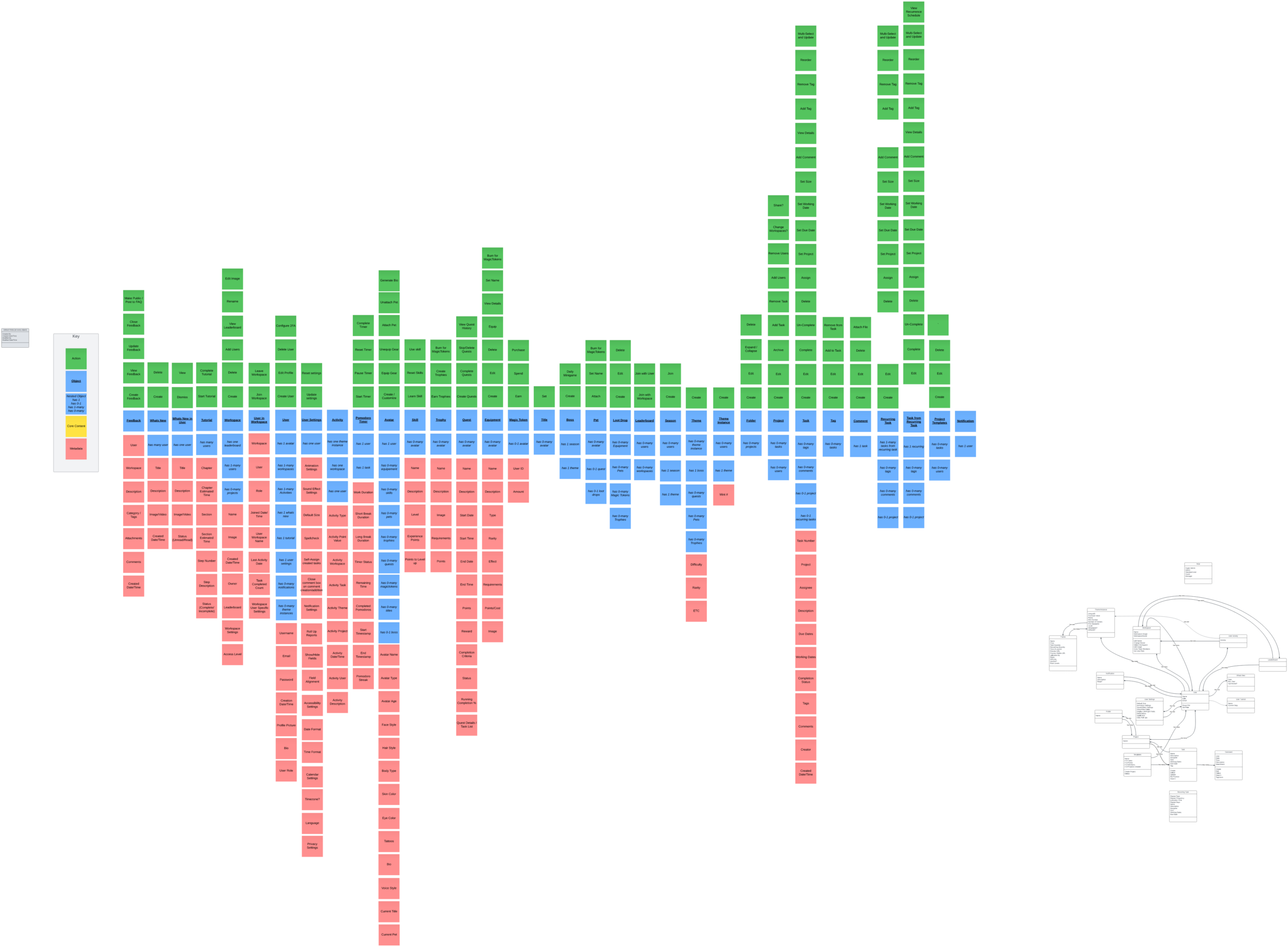
MagicTask New Object Map

Object Name:

Feedback

Description:

Feedback is a feature that allows users to communicate their thoughts, opinions, and suggestions about the platform.

Purpose:

The purpose of Feedback is to help improve the platform by gathering valuable insights and suggestions from users, allowing the development team to identify areas for improvement.

Relationships:

  • User
  • Workspace

Actions:

  • Create Feedback
  • View Feedback
  • Update Feedback
  • Close Feedback
  • Make Public/Post to FAQ

Attributes:

  • User
  • Workspace
  • Description
  • Category / Tags
  • Comments
  • Created Date / Time
  • Object Name:
  • What's New

Description:

Whats New is a feature that showcases the latest updates, features, and improvements made to the platform.

Purpose:

The purpose of Whats New is to keep users informed about the latest changes and updates, helping them stay up-to-date with the platform's development.

Relationships:

  • (None)

Actions:

  • Create
  • Delete
  • Dismiss
  • View

Attributes:

  • Title
  • Description
  • Image / Video
  • Created Date / Time

-—————————————————————————————————-

Object Name:

  • Whats New in User

Description:

Whats New in User is a personalized version of the Whats New feature, tailored to individual users.

Purpose:

The purpose of Whats New in User is to provide users with a customized view of the latest updates, ensuring that they receive information relevant to their interests and usage patterns.

Relationships:

  • (None)

Actions:

  • Dismiss
  • View

Attributes:

  • Title
  • Description
  • Image / Video
  • Status (Unread/Read)

-—————————————————————————————————-

Object Name:

  • Tutorial

Description:

Tutorial is a feature that offers step-by-step guidance to help users learn how to use the platform effectively.

Purpose:

The purpose of Tutorials is to assist new users in getting acquainted with the platform's functionalities and improve their overall user experience.

Relationships:

  • has many users

Actions:

  • Start Tutorial
  • Complete Tutorial

Attributes:

  • Chapter
  • Chapter Estimated Time
  • Section
  • Section Estimated Time
  • Step Number
  • Step Description
  • Status (Completed/Incomplete)

-—————————————————————————————————-

Object Name:

  • Workspace

Description:

Workspace is a collaborative environment where users can create, manage, and organize projects and tasks.

Purpose:

The purpose of a Workspace is to provide a centralized location for users to collaborate, track progress, and complete tasks efficiently.

Relationships:

  • has one leaderboard
  • has 1-many users
  • has 0-many projects

Actions:

  • Create
  • Delete
  • Add Users
  • View Leaderboard
  • Rename
  • Edit Image

Attributes:

  • Name
  • Image
  • Created Date/Time
  • Owner
  • Leaderboard
  • Workspace Settings
  • Access Level

-—————————————————————————————————-

Object Name:

  • User in Workspace

Description:

User in Workspace represents the relationship between a user and a workspace, defining their role, permissions, and other workspace-specific settings.

Purpose:

The purpose of User in Workspace is to manage users' access and permissions within a specific workspace, ensuring a productive and secure collaboration environment.

Relationships:

  • Workspace
  • User

Actions:

  • Join Workspace
  • Leave Workspace

Attributes:

  • Workspace
  • User
  • Role
  • Joined Date/Time
  • User Workspace Name
  • Last Activity Date
  • Task Completed Count
  • Workspace User Specific Settings

-—————————————————————————————————-

Object Name:

  • User

Description:

User represents an individual account on the platform, with their own unique settings, preferences, and interactions.

Purpose:

The purpose of a User is to provide a personalized experience for each person using the platform, allowing them to customize settings, manage tasks, and interact with other users.

Relationships:

  • has 1 avatar
  • has 1-many workspaces
  • has 1-many activities
  • has 1 whats new
  • has 1 tutorial
  • has 1 user settings
  • has 0-many notifications
  • has 0-many theme instances

Actions:

  • Create User
  • Edit Profile
  • Delete User
  • Configure 2FA

-—————————————————————————————————-

Object Name:

  • User Settings

Description:

User Settings contains various personalization options and preferences for a user's experience on the platform.

Purpose:

The purpose of User Settings is to allow users to customize their experience, making the platform more enjoyable and efficient for their needs.

Relationships:

  • has one user

Actions:

  • Update Settings
  • Reset Settings

Attributes:

  • Animation Settings
  • Sound Effect Settings
  • Default Size
  • Spellcheck
  • Self-Assign created tasks
  • Close comment box on comment creation/addition
  • Notification Settings
  • Roll up reports
  • Show/Hide fields
  • Field Adjustment
  • Accessibility Settings
  • Date Format
  • Time Format
  • Calendar Settings
  • Timezone
  • Language
  • Privacy Settings

-—————————————————————————————————-

Object Name:

  • Activity

Description:

Activity is a record of a user's actions within the platform, such as completing tasks or participating in events.

Purpose:

The purpose of an Activity is to track user engagement, monitor progress, and provide insights into user behavior.

Relationships:

  • has one theme instance
  • has one workspace
  • has one user

Attributes:

  • Activity Type
  • Activity Point Value
  • Activity Workspace
  • Activity Task
  • Activity Theme
  • Activity Project
  • Activity Date/Time
  • Activity User
  • Activity Description

-—————————————————————————————————-

Object Name:

  • Pomodoro Timer

Description:

Pomodoro Timer is a time management tool that helps users break their work into intervals, typically 25 minutes, separated by short breaks.

Purpose:

The purpose of a Pomodoro Timer is to improve focus and productivity by promoting structured work and break sessions, ultimately reducing mental fatigue.

Relationships:

  • has one user
  • has 1 task

Actions:

  • Start Timer
  • Pause Timer
  • Reset Timer
  • Complete Timer

Attributes:

  • Work Duration
  • Short Break Duration
  • Long Break Duration
  • Timer Status
  • Remaining Time
  • Completed Pomodoros
  • Start Timestamp
  • End Timestamp
  • Pomodoro Streak

-—————————————————————————————————-

Object Name:

  • Avatar

Description:

Avatar represents a user's virtual persona within the platform, which can be customized and upgraded with various attributes, such as equipment, skills, and pets.

Purpose:

The purpose of an Avatar is to gamify the user experience, providing a sense of personalization and accomplishment as users progress and achieve milestones.

Relationships:

  • has one user
  • has 0-many equipment
  • has 0-many skills
  • has 0-many pets
  • has 0-many trophies
  • has 0-many quests
  • has 0-many MagicTokens
  • has 0-many titles
  • has 0-1 boss

Actions:

  • Create/customize
  • Equip Gear
  • Unequip Gear
  • Attach Pet
  • Unattach Pet
  • Generate Bio

-—————————————————————————————————-

Object Name:

  • Skills

Description:

Skills represent abilities and knowledge that a user's avatar can acquire, learn, and develop within the platform.

Purpose:

The purpose of Skills is to enhance user engagement and motivation by providing a sense of progression and achievement as users improve their avatars.

Relationships:

  • has 0-many avatar

Actions:

  • Learn Skills
  • Reset Skills
  • User Skill

Attributes:

  • Name
  • Description
  • Level
  • Experience Points
  • Points to Level up

-—————————————————————————————————-

Object Name:

  • Trophies

Description:

Trophies are virtual awards that a user's avatar can earn for accomplishing specific goals or milestones within the platform.

Purpose:

The purpose of Trophies is to provide users with a sense of achievement, motivation, and recognition for their accomplishments in the system.

Relationships:

  • has 0-many users

Actions:

  • Earn Trophies
  • Create Trophies

-—————————————————————————————————-

Object Name:

  • Quest

Description:

Quests are challenges or tasks that a user's avatar can complete to earn rewards, such as equipment, pets, MagicTokens, and Trophies.

Purpose:

The purpose of Quests is to encourage user engagement, foster a sense of adventure, and promote the completion of tasks and activities within the platform.

Relationships:

  • has 0-many users

Actions:

  • Create Quests
  • Complete Quests
  • Skip/Delete Quests
  • View Quest History

-—————————————————————————————————-

Object Name:

  • Equipment

Description:

Equipment consists of items that a user's avatar can acquire, wear, and utilize to enhance its abilities, appearance, and performance within the platform.

Purpose:

The purpose of Equipment is to provide users with a sense of progression, customization, and personalization for their avatars while also enhancing their abilities.

Relationships:

  • has 0-many users

Actions:

  • Create
  • Edit
  • Delete
  • Equip
  • View Details
  • Set Name

-—————————————————————————————————-

Object Name:

  • Magic Tokens

Description:

Magic Tokens are a form of virtual currency that users can earn and spend within the platform on various items, such as equipment, pets, and other in-game perks.

Purpose:

The purpose of Magic Tokens is to incentivize users to engage with the platform, complete tasks, and participate in activities by rewarding them with a currency they can use to enhance their experience.

Relationships:

  • has 0-many users

Actions:

  • Earn
  • Spend

-—————————————————————————————————-

Object Name:

  • Titles

Description:

Titles are customizable labels that users can earn and assign to their avatars as a form of recognition for their achievements and status within the platform.

Purpose:

The purpose of Titles is to provide users with a way to showcase their accomplishments and establish a sense of identity within the platform.

Relationships:

  • has 0-many users

Actions:

  • Set

-—————————————————————————————————-

Object Name:

  • Boss

Description:

A Boss is a powerful, unique enemy that a user's avatar can battle during special events, such as seasonal or themed encounters.

Purpose:

The purpose of Bosses is to create exciting challenges and memorable experiences for users within the platform, encouraging them to engage with the system and collaborate with others to overcome these challenges.

Relationships:

  1. has 0-many users
  2. has 1 season
  3. has 1 theme

Actions:

  • Create

-—————————————————————————————————-

Object Name:

  • Pet

Description:

Pets are virtual companions that users can acquire, customize, and interact with within the platform. Pets may also provide various in-game benefits or participate in quests and activities.

Purpose:

The purpose of Pets is to enrich the user experience within the platform, offering users a customizable and engaging element that can also help them progress in the system.

Relationships:

  • has 0-many users
  • has 0-1 quests
  • has 0-1 loot drops

Actions:

  • Attach
  • Set name

-—————————————————————————————————-

Object Name:

  • Loot Drops

Description:

Loot Drops are randomized rewards that users can obtain by participating in activities, completing quests, or achieving specific milestones within the platform. Loot Drops may contain equipment, pets, MagicTokens, trophies, and other valuable items.

Purpose:

The purpose of Loot Drops is to incentivize user engagement within the platform by offering a chance to obtain valuable and unique rewards, thus increasing motivation and overall enjoyment.

Relationships:

  • has 0-many Equipment
  • has 0-many Pets
  • has 0-many MagicTokens
  • has 0-many Trophies

Actions:

  • Create
  • Edit

Delete

Object Name:

  • Leaderboard

Description:

A Leaderboard is a ranking system that displays the top-performing users within a specific workspace or across multiple workspaces, based on their achievements and accomplishments.

Purpose:

The purpose of Leaderboards is to encourage friendly competition and motivate users to engage more actively within the platform.

Relationships:

  • has 0-many users
  • has 0-many workspaces

Actions:

  • Join with Workspace
  • Join with User

-—————————————————————————————————-

Object Name:

  • Season

Description:

A Season is a time-limited event within the platform that offers unique challenges, quests, and rewards for users. Each Season usually revolves around a specific theme and may introduce new content.

Purpose:

The purpose of Seasons is to keep the platform fresh and engaging for users by offering time-limited content and rewards, encouraging users to participate more actively during the event.

Relationships:

  • has 0-many users
  • has 1 season
  • has 1 theme

Actions:

  • Create
  • Join

-—————————————————————————————————-

Object Name:

  • Theme

Description:

A Theme is a central concept or motif that defines the visual and narrative elements of a Season, Boss, or other aspects of the platform. Themes may introduce new quests, pets, trophies, and other content related to the specific motif.

Purpose:

The purpose of Themes is to provide a cohesive and immersive experience for users, offering new content and challenges that align with the overall concept.

Relationships:

  • has 0-many theme instances
  • has 1 boss
  • has 0-many quests
  • has 0-many pets
  • has 0-many trophies

Actions:

  • Create

-—————————————————————————————————-

Object Name:

  • Theme Instance

Description:

A Theme Instance is a user's personalized instance of a specific Theme, tracking their progress, achievements, and rewards associated with that Theme.

Purpose:

The purpose of Theme Instances is to provide users with a tailored experience within a Theme, allowing them to track their progress and accomplishments.

Relationships:

  • has 0-many users
  • has 1 theme

Actions:

  • Create

-—————————————————————————————————-

Object Name:

  • Folder

Description:

A Folder is an organizational tool within the platform that allows users to group and manage multiple Projects together for easier navigation and management.

Purpose:

The purpose of Folders is to help users keep their work organized and structured, making it simpler to find, access, and manage their Projects.

Relationships:

  • has 0-many projects

Actions:

  • Create
  • Edit
  • Expand / Collapse
  • Delete

-—————————————————————————————————-

Object Name:

  • Project

Description:

A Project is a specific initiative or goal within the platform that consists of multiple Tasks to be completed by users. Projects can be assigned to different Workspaces and can involve collaboration among multiple users.

Purpose:

The purpose of Projects is to help users break down larger objectives into smaller, manageable Tasks, facilitating collaboration and progress tracking.

Relationships:

  • has 0-many tasks
  • has 0-many users

Actions:

  • Create
  • Edit
  • Archive
  • Add Task
  • Remove Task
  • Add Users
  • Remove Users
  • Change Workspaces
  • Share

-—————————————————————————————————-

Object Name:

  • Task

Description:

A Task is a single unit of work within a Project, representing an action or objective that needs to be completed by a user or a group of users.

Purpose:

The purpose of Tasks is to help users manage and track their progress towards completing Projects by breaking them down into smaller, actionable steps.

Relationships:

  • has 0-many tags
  • has 0-many comments
  • has 0-1 project
  • has 0-1 recurring task

Actions:

  • Create
  • Edit
  • Complete
  • Un-Complete
  • Delete
  • Assign
  • Set Project
  • Set Due Date
  • Set Working Date
  • Set Size
  • Add Comment
  • View Details
  • Add Tag
  • Remove Tag
  • Re-Order
  • Multi-Select and Update

-—————————————————————————————————-

Object Name:

  • Tag

Description:

A Tag is a label that can be attached to Tasks, allowing users to categorize, filter, and organize them based on specific criteria or themes.

Purpose:

The purpose of Tags is to enhance task organization and enable users to quickly find and manage tasks that share common characteristics or belong to specific categories.

Relationships:

  • has 0-many tasks
  • Actions:
  • Create
  • Edit
  • Add to Task
  • Remove from Task

-—————————————————————————————————-

Object Name:

  • Comment

Description:

A Comment is a piece of feedback or communication that can be added to a Task by a user, allowing for discussion and collaboration among team members.

Purpose:

The purpose of Comments is to facilitate communication and collaboration among users, allowing them to share ideas, ask questions, and provide updates on task progress.

Relationships:

  • has 1 task

Actions:

  • Create
  • Edit
  • Delete
  • Attach File

-—————————————————————————————————-

Object Name:

  • Recurring Task

Description:

A Recurring Task is a task that repeats on a regular basis, based on a specified frequency or schedule. It is a specialized type of task that generates new instances of itself according to the defined recurrence pattern.

Purpose:

The purpose of Recurring Tasks is to help users manage and track tasks that need to be completed on a recurring basis, ensuring that they are consistently addressed without the need for manual duplication.

Relationships:

  • has 1-many task from recurring task
  • has 0-many tags
  • has 0-many comments
  • has 0-1 project

Actions:

  • Create
  • Edit
  • Delete
  • Assign
  • Set Project
  • Set Due Date
  • Set Working Date
  • Set Size
  • Add Comment
  • Add Tag
  • Remove Tag
  • Re-Order
  • Multi-Select and Update

-—————————————————————————————————-

Object Name:

Task from Recurring Task

Description:

A Task from Recurring Task is a single instance of a Recurring Task, created according to the recurrence pattern defined for the parent Recurring Task.

Purpose:

The purpose of Tasks from Recurring Tasks is to help users manage and track individual occurrences of a recurring task, allowing them to edit, complete, or delete specific instances without affecting the overall recurrence pattern.

Relationships:

  • has 1 recurring task
  • has 0-many tags
  • has 0-many comments
  • has 0-1 project

Actions:

  • Edit
  • Complete
  • Un-Complete
  • Delete
  • Assign
  • Set Project
  • Set Due Date
  • Set Working Date
  • Set Size
  • Add Comment
  • View Details
  • Add Tag
  • Remove Tag
  • Re-Order
  • Multi-Select and Update

-—————————————————————————————————-

Object Name:

  • Templates

Description:

A Template is a predefined structure for Projects or Tasks that can be used to quickly create new instances with similar configurations, saving time and promoting consistency across the system.

Purpose:

The purpose of Templates is to streamline the creation process of Projects and Tasks, ensuring that users can quickly and consistently set up new items with the desired structure and settings.

Relationships:

  • has 0-many tasks
  • has 0-many users

Actions:

  • Create
  • Edit
  • Delete
  • Create project from template

-—————————————————————————————————-

Object Name:

  • Notification

Description:

A Notification is a message or alert that informs a User about important events, updates, or actions related to their work or the system itself.

Purpose:

The purpose of Notifications is to keep Users informed about relevant events and updates, ensuring that they are aware of important changes, new assignments, or deadlines that require their attention.

Relationships:

  • has 1 user

Conclusion

And so, fellow gamers and productivity warriors, we've reached the end of Part 2 of our epic journey through the world of our gamified task management system. We delved deeper into the realm of OOUX, shedding light on the attributes of each object, and showcased how ChatGPT played an invaluable role in brainstorming and refining the system's components. Together, we traversed the landscape of our object model, taking you on a guided tour of its interconnected elements.

But fear not, our adventure is far from over. In the upcoming Part 3 of this thrilling saga, we'll delve even further into the heart of our system, defining the acceptance criteria for each action and generating a comprehensive PRD (Product Requirements Document) that will guide our intrepid design team as they bring our gamified task management system to life. So, stay tuned, and prepare for the next level of our quest to conquer productivity and transform our daily tasks into a captivating RPG experience!