



Change Realm Skip to main content

Monotasking Explained: What It Is and How to Master It

monotasking

Feeling overwhelmed with too many tasks and not getting much done?

You’re not alone. In fact, over 50 percent of employees find themselves stuck in the multitasking hamster wheel and realize their productivity isn’t what it could be.

That’s where monotasking comes in—a breath of fresh air for focus and efficiency.

Imagine the clarity and satisfaction of seeing one task through to the end without the constant interruptions of multitasking.

Less distraction, more engaging work and better results—it's no wonder why single-tasking is proven to work for personal productivity and happiness.

And with dedication and a small shift in how you do daily tasks, monotasking can be a part of your daily routine.

Read further as we breakdown what monotasking is, how it truly helps, and how you can master it.

Let’s get started.

What is Monotasking? The Science Behind Monotasking
What is monotasking

Monotasking is focusing on one task at a time. This is different from multitasking, where you try to juggle multiple tasks at once. 

Research shows monotasking can boost productivity because it’s how your brain processes information naturally. The human brain processes tasks sequentially, not simultaneously. 

This means when you focus on one complex task, like reading or problem-solving, the prefrontal cortex performs better. 

Task switching, on the other hand, leaves what’s called “attention residue,” where your focus lingers on the previous task and reduces performance on the current one. 

Cognitive science shows your brain has limited attentional resources, so every time you switch tasks, those resources get depleted faster. You’re using more brain resources like glucose—and as a result, you're left exhausted.

When you monotask, you form deeper neural connections that reduce stress hormones. Your work sessions are calmer and more productive, and you see a boost in how you problem-solve and think creatively. 

As you build your “monotasking muscles,” you’ll see better quality in your work as your attention span increases and decision fatigue decreases over time.

So not only are you more productive with monotasking, but your work sessions are more calm, creative and collected—and this has plenty of trickle-down benefits.

Monotasking Benefits

The proof is in the pudding—monotasking is proven to work with our biology, not against it.

When you monotask your way to completing tasks, you work in alignment with how your brain processes information, you create less stress hormones, and your memory improves. 

It’s a no-brainer, right?

Let’s explore how single-tasking can have real-world benefits to your personal and professional life.

1. Longer Attention Span

Is our attention span a mere 8 seconds? Falling behind, even, a Goldfish? Although it’s decreasing, the 8-second attention span has been debunked.  

What’s real is that our attention span is dependent on the task we engage in. The more riddled a task is with distractions, the less attention we can pay to it.

So, it’s no surprise that screen tasks are seeing lower and lower attention spans, with some studies estimating our average at 40 seconds.

This is where monotasking prevails. 

By practicing monotasking regularly, you resist the urge to task switch and you retain information better over time.

2. Better Time Management

There just isn’t enough time in a day to accomplish tasks. Let alone a week, a month or a year for bigger projects. 

With monotasking, you’ll become better at time management by prioritizing tasks. 

It’s simple—when you improve your task management, you’ll have more time to do the things you enjoy. 

You’ll focus on the most important things, making you more disciplined and efficient—and that means a much, much better work-life balance.

3. Improved Listening Skills

Listening is critical to just about everything we do—from having healthy relationships to creating quality work.

Studies even show that 70% of employees suffer from poor listening skills.

Misunderstandings, damaged relationships, reduced productivity, lowered morale—the problems caused by poor listening skills are endless.

By single-tasking, you’ll give your full attention when interacting with others. Your listening skills will improve, which will benefit your relationships in just about any setting.

4. Better Workplace Morale

Wondering why you're too tense and stressed at work?

Multi-tasking could be a reason. 

Studies show that dividing your attention among more than one complex task creates fear, sadness, and a more tense work environment.

By monotasking, you’ll experience less mental fatigue and cognitive overload. You’ll have the stamina to be a more positive and empowering force in the workplace.

Monotasking Myths

We’ve all heard a co-worker say this before, “you can get more done if you juggle multiple tasks.”

Think about it: How do extremely productive people like Elon Musk and Richard Branson manage so many big companies?

Well, this is flat-out wrong. 

Studies clearly show that we’re less productive when we task-switch. 

Unfortunately, “getting more done” is just one monotasking myth, among a sea of others. 

Let’s explore more common single-tasking misbeliefs. 

1. Monotasking is Slow and Inefficient

Many people think multitasking is key to getting more done in less time. 

This idea is fuelled by the perception that we’re actually doing more than one task at once.

However, that’s far from reality.

What’s actually taking place is “task-switching”—-meaning we constantly rotate between different tasks, wasting up to 40% of productive time.

So if you think you’re slower with monotasking, think again.

2. You Can Train Your Brain to Multi-task

“I’ll get better at multi-tasking if I just practice more” is a common misbelief.

Scientific research shows your brain can’t process multiple tasks at once without a drop in efficiency—no matter how much you practice.

In reality, if you practice multitasking, all you’re doing is perfecting the sporadic art of switching between tasks, over and over.

Combine that with lower-quality output, and you have a recipe for disaster.

3. Monotaskers are Less Successful

Another myth is that monotaskers are less successful than multitaskers.  

While it sounds impressive to be able to manage multiple tasks at once, research shows otherwise.  

Multitaskers have difficulty learning and recalling information, make more mistakes and are at risk of burnout. So, focusing on one task is likely to lead to better outcomes.

If you think that  “productive gods” like Elon Musk and Richard Branson are multi-tasking their way to uber success—think again. 

They’re known to dedicate long periods of time to specific projects while having a swath of people to rely on.

Practical Tips to Master Monotasking

steps to master monotasking

With monotasking insights to help you be more productive, along with common myths dispelled—now, let’s get into the practical strategies you can use to make monotasking work for you.

You’ll learn how to set up your digital workspace, manage your time, and track your progress—all while staying engaged through proven gamification techniques.

Let’s dive in. 

1. Organize Your Physical Space

If your office setting is filled with physical clutter, you’ll find it challenging to do deep work on a single task. Here are some tips to declutter your physical space for monotasking:

  • Create a clean, minimal desk setup with only the essentials visible.
  • Have a clear desk policy where everything goes back in its box after use.
  • Use physical barriers or room dividers if you’re in a shared space to block out visual distractions.
  • Keep the things you use most often within arm’s reach so you don’t have to move, and separate areas for different activities like focused work, reading or creative tasks.

2. Optimize Your Digital Workspace

You can’t monotask without a tidy digital workspace. No ifs, ands, buts or maybes. 

Here’s how you can start your journey into a new and improved digital workspace that’s built for monotasking:

  • Uninstall never-used desktop shortcuts and close irrelevant browser tabs
  • Create folder and file hierarchy by organizing your files into appropriate folders
  • Reduce context switching by creating a dedicated workspace for each project
  • Configure your notification settings to block out during focused work periods
  • Use browser extensions that block distracting websites during work hours, and consider a second monitor setup with a clear purpose for each screen.
  • Perform a seasonal cleaning of your digital workspace—for example, every 4 months if you are a power user.

How MagicTask Optimizes Your Digital Workspace-

Your digital workspace is the foundation for deep-focused work and MagicTask makes this easy. 

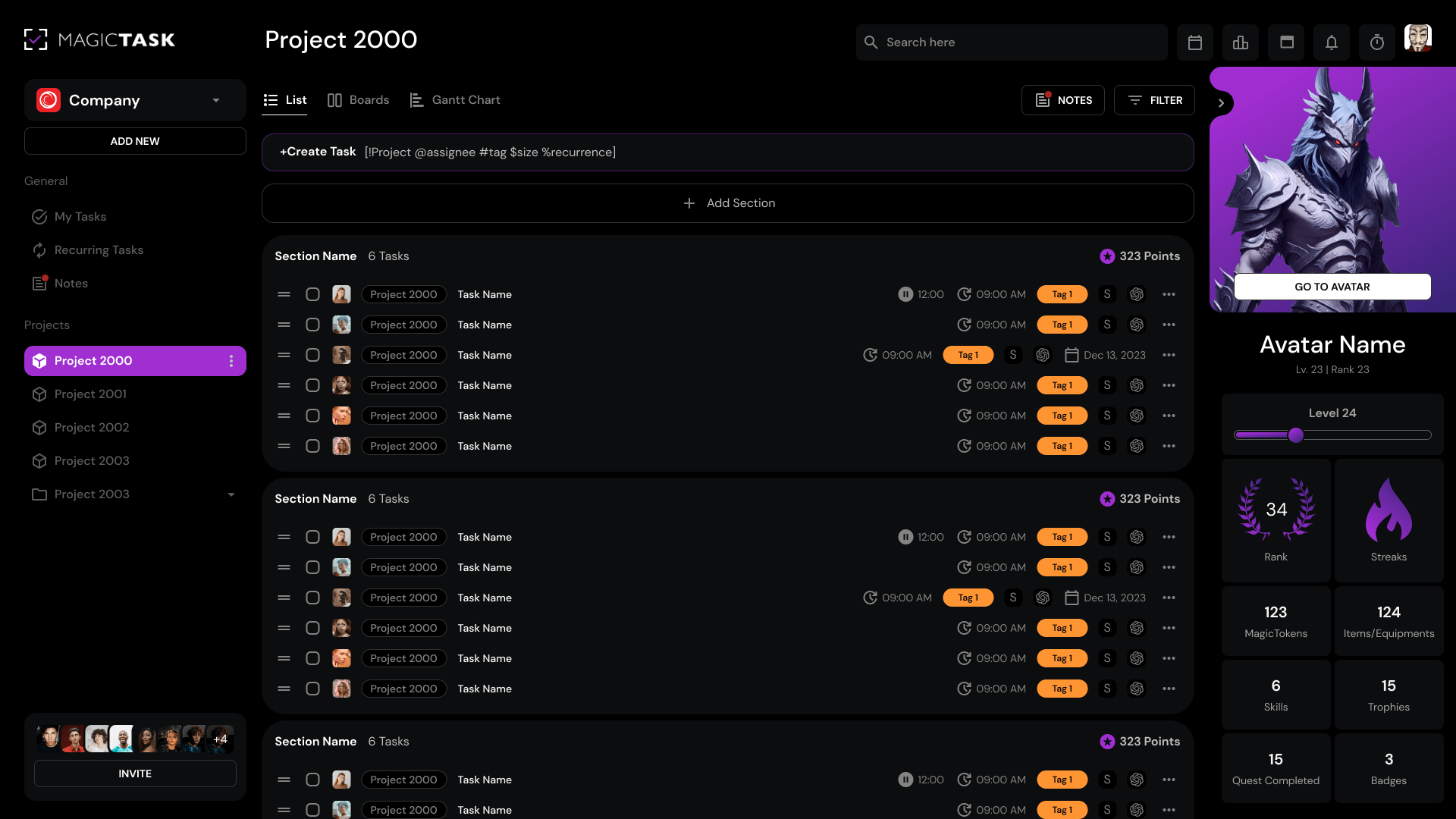
From text shortcuts to full-screen mode, here’s how MagicTask can help:

  • Organize Tasks with Text Shortcuts: When you need to organize your work, you can quickly create and arrange project folders with simple text inputs. This keeps your workflow streamlined and efficient.
  • Dedicated Project Templates: You can use engaging and visually stimulating project templates for repeatable workflows to help you maintain an organized digital workspace.
  • Engaging Elements (Points System and Virtual Rewards): When you’re rewarded for completing tasks, you’ll be motivated to keep your digital space tidy.
  • Clean and Lightweight Interface: This removes the visual noise that fragments attention—no more cluttered screens or overwhelming menus.
  • Full-Screen Mode: Block out visual distractions, like multiple windows and apps, with full-screen mode.

3. Improve Your Time Management

91% of employees say they could benefit from better time management at work.

It’s likely this same group of people aren’t practicing monotasking. 

The connection is clear: Without better time management, your monotasking efforts are to no avail.

Here are some critical time management strategies to make monotasking a reality:

  • Try time blocking, where you dedicate specific time slots to single tasks
  • Use the Pomodoro Technique with 25-minute focused work sessions followed by short breaks. As you get more comfortable, try extending the sessions.
  • Schedule your most challenging tasks during your peak energy hours.
  • Build buffer time between tasks to allow for proper mental transitions.
  • Set realistic deadlines for task completion, and don’t overcommit to multiple projects at once.

How MagicTask Benefits Your Time Management-

MagicTask makes managing your time engaging by combining project management and gamification features in one central platform. 

The platform is designed to help you engage in deep work. Whether it’s the point system rewards, unlocking achievements, or dedicated themes, here’s how MagicTask can keep you focused for longer:

  • Earn Points for Good Time Management: Bigger tasks earn more points, so you’ll tackle the hard projects and break them down into smaller tasks.
  • Unlock Achievements and Level Up: As you complete tasks, you’ll unlock achievements and level up, creating a progression system that encourages good time management habits.
  • Flag Priority Tasks: The priority flagging feature adds another layer of fun, you can visually highlight important tasks and earn bonus points for completing high-priority tasks on time.
  • Custom Project Templates: Dedicated and custom templates save you time and reward you for keeping your processes organized.
  • Think of MagicTask as Building Your Productivity Kingdom: Each task you complete, whether it’s a quick small task or a complex project broken down into subtasks, contributes to your overall progress and unlocks new themes and rewards.

4. Better Focus

Monotasking and better focus go hand-in-hand. 

Without the ability to concentrate for long periods of time, you’ll be prone to cognitive switching costs that keep you from reaching the deep creative state of flow. 

So here are some important focusing tips that will help you on your journey toward monotasking enlightenment:

  • Book your calendar for meeting-free days for focused work
  • Reduce background noise with noise-cancelling headphones
  • Don’t let notifications on your desktop and mobile dictate your day. Turn them off.
  • Keep the day’s main priorities at a minimum. Start with two per day.

How MagicTask Helps You Focus-

Focus sessions turn into an engaging and rewarding experience with MagicTask. 

Through our unique mix of productivity and gamification features, you’ll have an environment and toolset that’s optimized for you to concentrate for longer periods. 

Here are some of the platform’s standout features when it comes to improving your focus:

  • Prioritize Essential Tasks: By creating a dedicated, engaging workspace for different teams, along with flagging important tasks, you can concentrate on what matters most.
  • Get Rewarded For Focusing: As you maintain your focus and complete tasks, you’re rewarded with points and achievements, creating a positive feedback look that encourages sustained attention.
  • Engaging Environment: MagicTask’s virtual world environment, complete with animations, sounds and engaging graphics, acts as a shield against external distractions.
  • Less Like Work, More Like Fun: You can level up, unlock new themes and climb up the leaderboards by completing each task, making you focus on work that feels less like a chore and more like a productive journey.

5. Tracking and Adjusting

If you can’t track and measure, then you can’t improve. Not only is it simple, but tracking and adjusting is critical for monotasking. 

Here are some measuring tips for getting the most out of your single-tasking efforts:

  • Keep a focus journal to note when and why you drift.
  • Document what works and what doesn’t to fine-tune your approach.
  • Set specific, measurable goals for focused work sessions and review regularly.
  • Use time-tracking tools to see how you spend your time and what patterns emerge in your productivity.

MagicTask Takes Your Tracking To New Heights-

Equipped with detailed analytics and roll-up reports, your journey for sustained monotasking will never be easier with MagicTask.

Here’s how the innovative platform can help you track and optimize your previous task performance:

  • Document Status: Comment on each task and project while having the option to upload 10GB file attachments so you can fully record your progress. This keeps your documentation organized for insights.
  • Detailed Analytics: Use the analytics in MagicTask V3 to see team performance, task completion percentages and project timelines.
  • Data Analysis: This shows you where to improve, where to allocate resources and where to mitigate risks
  • Develop Strategies: Once you see the data patterns, decision-making becomes easy, and you can develop monotasking strategies that work.
  • Find Insights: Using the platform’s tracking tools to give you analytics and metrics to improve completion rates, resource allocation and project health

Implementing Monotasking in Daily Life

Improved memory, better relationships, more work/life balance, higher quality work—it’s clear that monotasking’s benefits change lives. 

But, big positive change don’t come easy. 

Making monotasking part of your daily routine is no different. It requires daily practice and perseverance.

However, with the right planning, tools and guidance, you can train to monotask like it’s second nature. 

Here’s how you can start:

Morning Habits

To start monotasking in your daily life, focus on defining specific time blocks for different daily tasks. 

For example, In the morning, dedicate 15 minutes to planning your day. 

Prioritize your tasks and move only 2-3 of them to a focused block to avoid feeling overwhelmed.

  1. Emails: 30 minutes strictly for emails. Respond to urgent messages, and don’t check them outside this window. Magic Task’s full-screen mode can help with this.
  2. Task Planning: Spend a short time planning your tasks using a tool like MagicTask.  Its “focus area” feature will help you prioritize what needs attention now and store the rest for later.

Workday Tips

  • Deep Work Blocks: 90 minutes for main projects. Turn off notifications to keep distractions out. Use tools, like MagicTask, that support this structure and allow you to focus on one task.
  • Task Transition: Finish or reach a natural break point before switching tasks. This will prevent mental fatigue and increase productivity.

Meeting Etiquette

Pre-meeting preparation: Review materials beforehand. During meetings, stay engaged by closing other apps and taking notes by hand, which will prevent mind wandering.

Evening Routine

Make time in the evening to wrap up.  Review what you’ve achieved and update your task list for tomorrow. 

With MagicTask, you can tally your points for the day and week, unlocking new themes as you go.

End the day with a calming activity like meditation so you transition from work to personal time.

By following this routine optimized for monotasking, you can focus and be more productive while reducing stress and making your workflow more efficient.

Tools and Resources for Monotasking

Monotasking isn’t a solo journey, nor can it be achieved on willpower alone. 

You need the right mix of tools and resources to set yourself up for single-tasking success.

From easy-to-use focus timers to project management platforms, these resources can help you optimize for deeper work that creates better outcomes.

MagicTask

Built specifically for monotasking, MagicTask stands out by adding gamification to how you manage projects. 

With its custom themes, points system, and virtual world environments, you can immerse yourself in a unique, engaging world of project management. 

Pomodoro Timers

Pomodoro timers like Focus Keeper help you manage your work sessions by breaking tasks into smaller chunks. You work for 25 minutes and take a 5-minute break. 

This keeps you refreshed and focused.  Another option is Forest, an app where you “grow” virtual trees and turn your concentration into a game.

Time Timers

For distraction-free focus, Time Timer is a great tool. Its visual countdown helps you stay focused, and the simple design supports multiple time-blocking sessions. 

Meanwhile focus apps can block distracting websites, manage notifications and offer custom intervals to fit your needs.

Project Management Tools

Use tools like Notion to organize your space. Task management, database and customizable views will keep your environment clutter-free. 

With these, you can make monotasking more effective than juggling multiple tasks and increase your productivity and happiness in life.

Conclusion

The research doesn’t lie–-monotasking prevails over multitasking in just about every context, from personal health to social life to workplace productivity. 

When you focus on one task at a time, you engage in deeper work and, as a result, complete your tasks with better care and precision.

However, monotasking requires discipline. So to help expedite your journey towards monotasking sainthood, here’s a recap:

  • Monotasking is concentrating on one task at a time. It works because our brains are designed to process tasks sequentially.
  • Monotasking is proven to improve your productivity, listening skills and work/life balance.
  • Multi-tasking is a myth. In reality, what happens is task switching, where you constantly switch between tasks. This depletes your brain resources and induces recovery time every time you switch.
  • Set yourself up for monotasking success by optimizing your digital workspace, improving your focus and your time management, and measuring your progress. Tools like MagicTask are dedicated to this.
  • You can make monotasking part of your daily routine with the right tools, tips and guidance.

Ready to try monotasking out? 

Explore MagicTask, the innovative platform that mixes project management with engaging gaming features like custom graphics, animations and a points rewards system. 

With our platform, designed for monotasking, you’ll start your journey towards better productivity the right way.

One task at a time.

12 Proven Strategies to Improve Collaboration in the Workplace

improve collaboration in workplace

Knowing how to improve collaboration in the workplace is the key to building a productive and successful team. Strong collaboration leads to higher productivity and innovation and creates a more connected and engaged work environment.

However, many teams struggle with common challenges like poor communication, siloed departments, and conflicting priorities. The good news? These obstacles can be overcome with the right strategies in place.

In this guide, we’ll explore proven strategies to help you break down barriers, improve collaboration between teams, and create an environment where everyone works together to achieve their goals.

Whether you’re leading a team or looking to improve how your colleagues work together, these tips will give you the tools you need to succeed.

12 Strategies to Boost Collaboration in the Workplace

Creating a collaborative workplace doesn’t have to be overwhelming. These 12 strategies are designed to address common challenges, inspire teamwork, and help your teams work smarter together. Whether you’re tackling communication gaps or fostering trust, these tips will set your team up for success.

1. Foster a Collaborative Culture

A collaborative culture doesn’t happen overnight—it requires deliberate effort to create an environment where teamwork thrives. At its core, a collaborative culture encourages employees to share ideas openly, work together towards shared goals, and support one another’s success.

Here’s how you can foster such a culture in your workplace:

Key Components of a Collaborative Culture

Aspect Why It Matters
Psychological Safety Employees feel safe to express ideas without fear of judgment or retaliation.
Trust and Respect Teams function better when members trust and respect one another.
Open Communication Clear and transparent communication builds stronger relationships.
Aligned Values A shared mission and values unify teams and foster collaboration.


Practical Steps to Foster a Collaborative Culture

  • Lead by Example: Leaders should model collaborative behavior, such as sharing credit, seeking input, and showing appreciation for team efforts.
  • Encourage Cross-Functional Collaboration: Break down silos by creating opportunities for employees from different departments to work together on projects.
  • Implement Peer Recognition Programs: Celebrate collaborative achievements with peer-nominated awards or team shoutouts during meetings.
  • Provide Collaboration Spaces: Design physical or virtual environments (like brainstorming rooms or collaboration platforms) that encourage teamwork.
  • Host Regular Team Check-Ins: Use brief, structured meetings to align team members on progress, challenges, and goals.

Action Plan

  1. Evaluate Current Culture: Use surveys or focus groups to assess whether employees feel encouraged to collaborate.
  2. Create Collaboration Guidelines: Develop a set of principles for teamwork, such as openness, respect, and shared accountability.
  3. Train Managers: Equip leaders with skills to foster collaboration, such as active listening and conflict resolution.
  4. Monitor Progress: Use key performance indicators (KPIs), like team satisfaction scores or project completion rates, to measure improvements.

By intentionally building a culture that values collaboration, you set the foundation for lasting success. This strategy not only enhances teamwork but also contributes to higher employee morale and innovation across your organization.

2. Implement Clear Communication Channels

Effective collaboration begins with clear communication. Without well-defined channels, messages can get lost, misunderstood, or delayed, leading to confusion and inefficiency. By implementing structured communication channels, teams can ensure that everyone stays informed, aligned, and empowered to contribute effectively.

Why Clear Communication Channels Are Essential

Challenges Without Clear Channels Benefits of Clear Communication
Miscommunication leads to missed deadlines Improved efficiency and timely decision-making.
Duplication of work due to lack of clarity Clear ownership of tasks reduces redundant efforts.
Frustration over missed updates Enhanced trust and collaboration with transparency.


Types of Communication Channels to Consider

a. Synchronous Channels (Real-Time):

    • Video conferencing tools (e.g., Zoom, Microsoft Teams).
    • Instant messaging platforms (e.g., Slack, WhatsApp).
    • In-person meetings or huddles for quick alignment.

b. Asynchronous Channels (Non-Real-Time):

    • Email for formal and detailed communication.
    • Project management tools (e.g., MagicTask, Trello, Asana) to track updates.
    • Recorded videos or written updates for team-wide messages.

Best Practices for Clear Communication Channels

  • Define Communication Protocols: Create guidelines for when and how to use specific channels. For example:
    • Slack for quick updates or questions.
    • Email for formal communications or detailed reports.
  • Centralize Information: Use a shared platform where all team members can access important files, schedules, and updates (e.g., Google Workspace or SharePoint).
  • Leverage Visual Tools: Use visuals like flowcharts or diagrams to communicate complex ideas more effectively.
  • Encourage Regular Updates: Schedule daily stand-ups, weekly check-ins, or monthly reviews to keep everyone aligned.
  • Monitor Noise: Reduce unnecessary communication clutter by discouraging overuse of channels for irrelevant updates.

Action Plan to Improve Communication Channels

  1. Audit Existing Channels: Identify gaps in your current communication methods.
  2. Select the Right Tools: Choose platforms that suit your team’s needs (e.g., instant messaging for quick updates or project management tools for tracking progress).
  3. Train Team Members: Ensure everyone understands how to use the tools effectively.
  4. Create Feedback Loops: Regularly gather feedback on how well the communication channels are working and adjust as needed.

By establishing clear communication channels and protocols, you not only improve workplace collaboration but also create a foundation of trust, transparency, and efficiency. The result? A more aligned and productive team.

3. Define Roles and Responsibilities Clearly

Clear roles and responsibilities are critical for effective collaboration. When everyone understands their specific tasks and how they contribute to the bigger picture, teams can work more efficiently and avoid conflicts or redundancies. This clarity minimizes confusion, ensures accountability, and fosters a stronger sense of purpose among team members.

Steps to Define Roles and Responsibilities

a. Start with a Team Role Assessment:

    • List all tasks or deliverables required for the project or team function.
    • Map out the skills and expertise of team members.

b. Use a Responsibility Assignment Matrix (RACI):

    • Define who is Responsible, Accountable, Consulted, and Informed for each task.
    • Example:
Task Responsible (R) Accountable (A) Consulted (C) Informed (I)
Design Draft Designer Creative Lead Marketing CEO
Project Timeline Project Manager Team Lead Development Team All Stakeholders


c. Align Roles with Goals:

    • Connect each role to team objectives so members understand how their work contributes to the overall success.

d. Document and Communicate Roles:

    • Use a shared document or project management tool to make roles visible and accessible.

e. Regularly Review and Adjust:

    • Reassess roles during milestones or when team dynamics change to ensure continued alignment.

Action Plan for Teams

  • Kickoff Meeting: Host a meeting to outline each member’s role and expectations clearly.
  • Role Cards: Create simple "role cards" that summarize key responsibilities for each position.
  • Feedback Mechanism: Encourage team members to share if they feel overburdened or if responsibilities need adjustment.

By defining roles and responsibilities clearly, you create an environment where each team member understands their value and how their contributions drive success. This strategy reduces inefficiencies, boosts accountability, and allows for smoother collaboration.

4. Encourage Regular Feedback

Feedback is the backbone of effective collaboration. When team members consistently share insights, suggestions, and constructive criticism, they create a continuous improvement cycle. Regular feedback helps identify roadblocks, enhance individual and team performance, and strengthen relationships within the workplace.

Benefits of Regular Feedback

Challenge Without Feedback Benefit of Regular Feedback
Small issues escalate into larger problems Problems are addressed early and resolved.
Employees feel undervalued or overlooked Team members feel heard and appreciated.
Performance stagnates due to lack of guidance Skills and processes improve consistently.


How to Incorporate Feedback Effectively

a. Build a Feedback-Friendly Culture:

    • Foster an environment where feedback is viewed as a tool for growth, not criticism.
    • Lead by example by welcoming feedback from your team.

b. Establish Feedback Mechanisms:

    • One-on-One Meetings: Personalized sessions to address individual performance and goals.
    • Team Debriefs: Group discussions after projects to reflect on successes and areas for improvement.
    • Anonymous Surveys: Encourage honest feedback through tools like Google Forms or SurveyMonkey.

c. Train Team Members on Giving Feedback:

    • Encourage the use of constructive frameworks like the "Start-Stop-Continue" model:
      • Start: Actions the person should begin doing.
      • Stop: Actions that may hinder progress.
      • Continue: Positive behaviors worth maintaining.

d. Act on Feedback:

    • Show that feedback is valued by implementing suggestions where feasible.
    • Communicate how feedback has influenced changes to reinforce trust.

Action Plan to Encourage Feedback

  • Schedule Feedback Sessions: Include structured feedback opportunities in team calendars, such as bi-weekly check-ins or quarterly reviews.
  • Use Technology: Tools like 15Five or Officevibe can facilitate ongoing feedback loops in a digital workspace.
  • Celebrate Growth: Highlight examples where feedback has led to positive outcomes, reinforcing its importance.

Example Feedback Formats

Format Purpose Frequency
One-on-One Meetings Discuss personal development and goals Monthly
Team Retrospectives Reflect on project successes After projects
Anonymous Surveys Gather team-wide feedback Quarterly


By embedding feedback into your team’s culture, you create an adaptable, inclusive, and continuously evolving workplace. This strategy builds trust, fosters personal and team growth, and ensures collaboration is as effective as possible.

5. Provide Collaboration Tools and Technology

Collaboration thrives when teams have access to the right tools. Whether your team is in the office, remote, or hybrid, having effective technology can bridge gaps, enhance communication, and keep everyone on the same page. The key is selecting tools that align with your team’s needs and using them to simplify—not complicate—workflows.

Choosing the Right Tools for Your Team

The market is saturated with collaboration tools, so how do you pick the right ones? Consider these factors:

  • Ease of Use: Tools should be intuitive enough for everyone to adopt without frustration.
  • Integration Capabilities: The tool should integrate seamlessly with existing platforms (e.g., Slack with Google Drive).
  • Team-Specific Needs: For example:
    • Remote teams may prioritize video conferencing (Zoom).
    • Cross-functional teams may need project management software (MagicTask, Trello).
  • Cost vs. Value: Ensure the investment aligns with the tool’s benefits for your team.

Top Collaboration Tools and Their Features

Category Tool Example Features
Communication Slack, Microsoft Teams Instant messaging, file sharing
Project Management MagicTask, Asana Task assignments, progress tracking
Document Collaboration Google Workspace Real-time editing, cloud-based storage
Visual Collaboration Miro, Figma Virtual whiteboards, design collaboration


Implementing Tools Effectively

  1. Start Small: Introduce one or two tools at a time to avoid overwhelming your team.
  2. Provide Training: Host workshops or tutorials to help team members maximize the tool’s potential.
  3. Set Guidelines: Define how and when to use each tool. For example:
    • Use Slack for quick questions and updates.
    • Use Asana for tracking project deadlines.
  4. Monitor Adoption: Review how tools are used and adjust based on team feedback.

Common Pitfalls and How to Avoid Them

  • Overloading Teams with Tools: Too many tools can create confusion. Consolidate wherever possible.
  • Ignoring Feedback: Regularly ask for input to ensure tools meet your team’s needs.
  • Neglecting Updates: Outdated tools can slow workflows; stay on top of version updates and new features.

By investing in tools that streamline communication, task management, and collaboration, you empower your team to focus on what matters most: achieving goals efficiently and effectively.

6. Promote Diversity and Inclusion

Diversity and inclusion are the cornerstones of a truly collaborative workplace. A diverse team brings together unique perspectives, experiences, and problem-solving approaches, while inclusion ensures every team member feels valued and empowered to contribute.

Together, they create an environment where innovation flourishes and collaboration becomes second nature.

How to Foster Diversity and Inclusion in the Workplace

  1. Cultivate Inclusive Leadership:
    • Leaders should model inclusive behavior by listening actively, valuing different viewpoints, and creating a safe space for dialogue.
    • Example: Start meetings by inviting input from quieter team members.
  2. Enhance Recruitment Practices:
    • Broaden your hiring pipeline to include diverse talent pools (e.g., through partnerships with underrepresented groups).
    • Use blind resume screening to reduce unconscious bias.
  3. Celebrate Differences:
    • Host cultural appreciation days or encourage employees to share stories about their backgrounds during team meetings.
    • Example: Highlight cultural holidays with team-wide events or newsletters.
  4. Offer Training and Education:
    • Provide workshops on unconscious bias, cultural sensitivity, and inclusive language.
    • Example: Conduct monthly sessions to build awareness about diversity and inclusion best practices.
  5. Create Equal Opportunities:
    • Develop mentorship programs that connect employees from different backgrounds to leadership opportunities.
    • Regularly assess pay equity and promotion criteria to ensure fairness.

Metrics to Measure Inclusion

Metric How to Track It
Employee Engagement Scores Conduct anonymous surveys to gauge inclusion.
Diversity in Leadership Roles Track the representation of diverse groups.
Retention Rates Across Demographics Compare retention rates among diverse groups.


Action Plan to Promote Diversity and Inclusion

  1. Conduct an Audit: Review current policies and practices to identify gaps in diversity and inclusion.
  2. Set Specific Goals: For example, aim to increase diverse hires by 15% over the next year.
  3. Establish Accountability: Create a committee or appoint leaders responsible for tracking progress.
  4. Celebrate Milestones: Share progress with the team to build momentum and show commitment.

7. Offer Team-Building Activities

Team-building activities are essential for fostering trust, strengthening relationships, and enhancing collaboration among team members. These activities go beyond just fun—they create shared experiences that improve communication, break down barriers, and help teams work better together in the long run.

The Role of Team-Building in Collaboration

Challenge Without Team-Building Benefit of Team-Building
Lack of trust leads to conflicts Builds trust and a sense of camaraderie.
Poor communication slows progress Encourages open dialogue and active listening.
Siloed teams miss opportunities to collaborate Brings people together to solve problems creatively.


Types of Team-Building Activities

  1. Problem-Solving Challenges:
    • Activities like escape rooms, hackathons, or puzzles encourage critical thinking and teamwork.
    • Example: Divide the team into small groups and have them solve a mystery or complete a task under a time limit.
  2. Outdoor Adventures:
    • Hiking, team sports, or obstacle courses build trust and cooperation in a non-work environment.
    • Example: Organize a "team hike and picnic" to encourage casual interactions and connection.
  3. Workplace Games and Simulations:
    • Office trivia, role-playing scenarios, or board games can promote collaboration in a low-pressure setting.
    • Example: Use games like "Two Truths and a Lie" to help team members learn more about each other.
  4. Skill-Sharing Workshops:
    • Team members share a hobby or skill, such as photography, cooking, or coding, to foster appreciation and knowledge sharing.
    • Example: Host a "lunch and learn" where employees can teach their peers something new.

How to Make Team-Building Effective

  • Know Your Team: Choose activities that align with your team’s preferences and comfort levels. Not everyone may enjoy physical activities, so include a mix of options.
  • Focus on Collaboration, Not Competition: Avoid activities that overly emphasize winning, as they can alienate some participants.
  • Set Clear Objectives: Define what you hope to achieve—improved communication, trust-building, or conflict resolution.
  • Incorporate Reflection: After the activity, hold a brief discussion about what worked, what didn’t, and how lessons learned can be applied to work scenarios.

Action Plan for Incorporating Team-Building

  1. Survey Your Team: Collect input on what activities they would enjoy and find meaningful.
  2. Plan Regular Events: Schedule team-building at least quarterly to maintain momentum.
  3. Collaborate on Planning: Involve team members in organizing activities to increase participation and engagement.
  4. Track Outcomes: After each event, evaluate its impact on team morale, communication, and collaboration.

8. Set Shared Goals and Objectives

Shared goals are a unified force within teams, giving members a clear sense of purpose and direction. When everyone understands what they are working toward—and why—it’s easier to align efforts, maintain focus, and foster collaboration. Shared objectives also reduce misunderstandings, minimize duplication of work, and ensure that all team members are moving toward the same outcomes.

Steps to Set Shared Goals

  1. Start with the Big Picture:
    • Define overarching organizational goals and communicate how team objectives support them.
    • Example: If the company’s goal is to increase customer retention, a shared team goal might focus on improving onboarding experiences.
  2. Collaborate on Goal-Setting:
    • Involve team members in creating goals to ensure buy-in and alignment.
    • Example: During a brainstorming session, allow team members to suggest metrics they believe reflect success.
  3. Make Goals SMART:
    • Goals should be:
      • Specific: Clearly define the desired outcome.
      • Measurable: Use metrics to track progress.
      • Achievable: Set realistic expectations.
      • Relevant: Ensure goals align with organizational priorities.
      • Time-bound: Assign deadlines to drive urgency.
  4. Break Goals into Milestones:
    • Divide larger goals into smaller, manageable tasks with clear deadlines.
    • Example: A product launch goal might include milestones like completing market research, finalizing prototypes, and running marketing campaigns.
  5. Review and Adjust Regularly:
    • Hold periodic check-ins to evaluate progress and make adjustments as needed.
    • Example: Use bi-weekly meetings to assess whether the team is on track or if priorities need to shift.

Example of a SMART Goal

Goal SMART Breakdown
Increase customer retention by 15% Specific: Focus on retaining existing customers.
Measurable: Track retention rate increase.
Achievable: Target is based on historical data.
Relevant: Supports the company’s growth strategy.
Time-bound: Achieve by the end of the next quarter.


Best Practices for Aligning Goals

  • Visualize Progress: Use tools like dashboards or progress trackers to keep goals visible.
  • Foster Accountability: Assign clear owners for each goal or milestone.
  • Celebrate Milestones: Acknowledge and reward achievements along the way to maintain motivation.
  • Connect to Individual Roles: Help team members understand how their responsibilities contribute to the bigger picture.

Action Plan for Setting Shared Goals

  1. Host a Goal-Setting Workshop: Dedicate time for the team to collaborate on defining objectives.
  2. Create a Goal Tracker: Use a shared document or software to make progress transparent.
  3. Incorporate Goals into Meetings: Regularly revisit shared goals during team check-ins to maintain focus.
  4. Evaluate Outcomes: After achieving a goal, review what worked, what didn’t, and apply those lessons moving forward.

9. Encourage Knowledge Sharing

When team members share their expertise and insights, it strengthens the organization's collective intelligence. Encouraging knowledge sharing not only improves collaboration but also prevents silos, accelerates problem-solving, and fosters innovation.

How to Foster Knowledge Sharing

  1. Create a Central Knowledge Hub:
    • Use Notion, Confluence, or Google Workspace to store documents, guides, and best practices.
  2. Host Knowledge-Sharing Sessions:
    • Schedule regular "lunch and learn" events where team members present insights or skills.
  3. Implement Mentorship Programs:
    • Pair senior employees with juniors to transfer knowledge and build relationships.
  4. Reward Sharing Behavior:
    • Recognize team members who contribute valuable insights during meetings or in knowledge hubs.

Action Plan

  • Conduct a Knowledge Audit: Identify gaps in documentation or expertise.
  • Leverage Technology: Adopt tools that make knowledge sharing easy and accessible.
  • Encourage Open Dialogue: Create a safe space for team members to share ideas without fear of judgment.

10. Provide Training and Development Opportunities

Teams that invest in learning and development build stronger collaboration skills and perform better overall. By upskilling employees, organizations enable them to communicate effectively, manage conflicts, and work together more cohesively.

Benefits of Training for Collaboration

Skill Developed Impact on Collaboration
Communication Skills Improves clarity, reducing misunderstandings.
Conflict Resolution Techniques Ensures smoother interactions.
Project Management Skills Enhances teamwork and task coordination.


Training Ideas

  1. Soft Skills Workshops:
    • Topics: Active listening, emotional intelligence, or conflict resolution.
  2. Technical Training:
    • Tools like MagicTask or Asana to improve project management.
  3. Team Dynamics Courses:
    • Workshops on effective collaboration techniques or personality assessments like DISC or MBTI.

11. Recognize and Reward Collaborative Efforts

Acknowledging teamwork reinforces the value of collaboration and motivates employees to keep contributing. Recognition can be as simple as a public shoutout or as formal as a team award ceremony.

Ways to Recognize Collaboration

  1. Public Acknowledgment:
    • Highlight contributions during team meetings or in company newsletters.
  2. Tangible Rewards:
    • Gift cards, extra vacation days, or team outings to celebrate milestones.
  3. Team Recognition Platforms:
    • Use tools like Bonusly or Motivosity to allow peer-to-peer recognition.

Action Plan

  • Set a Recognition Schedule: Weekly or monthly acknowledgment of collaborative achievements.
  • Gather Feedback: Ask employees how they prefer to be recognized.
  • Celebrate Together: Ensure recognition feels inclusive by focusing on team efforts.

12. Establish Conflict Resolution Mechanisms

Disagreements are inevitable, but how teams handle conflict can either strengthen or weaken collaboration. Having clear conflict resolution mechanisms ensures issues are addressed constructively and don’t derail teamwork.

Steps to Establish Effective Conflict Resolution

  1. Create Clear Policies:
    • Develop guidelines for addressing conflicts, such as escalating issues to managers when necessary.
  2. Train Teams in Conflict Management:
    • Conduct workshops on mediation, active listening, and empathy.
  3. Encourage Open Communication:
    • Promote a culture where employees feel comfortable voicing concerns early.
  4. Designate Neutral Mediators:
    • Assign HR or team leads as mediators for unresolved disputes.

Conflict Resolution Framework

Step Action
Identify the Issue Allow all parties to share their perspectives.
Focus on the Problem Keep discussions centered on the issue, not personal attacks.
Explore Solutions Brainstorm options that address everyone’s needs.
Agree on a Resolution Ensure all parties commit to the chosen path forward.


Conclusion

Effective collaboration drives productivity, innovation, and stronger teams. By applying these strategies and leveraging tools like MagicTask, you can simplify workflows, enhance communication, and keep your team aligned on shared goals. Start today, and let MagicTask help your team collaborate smarter and achieve more.


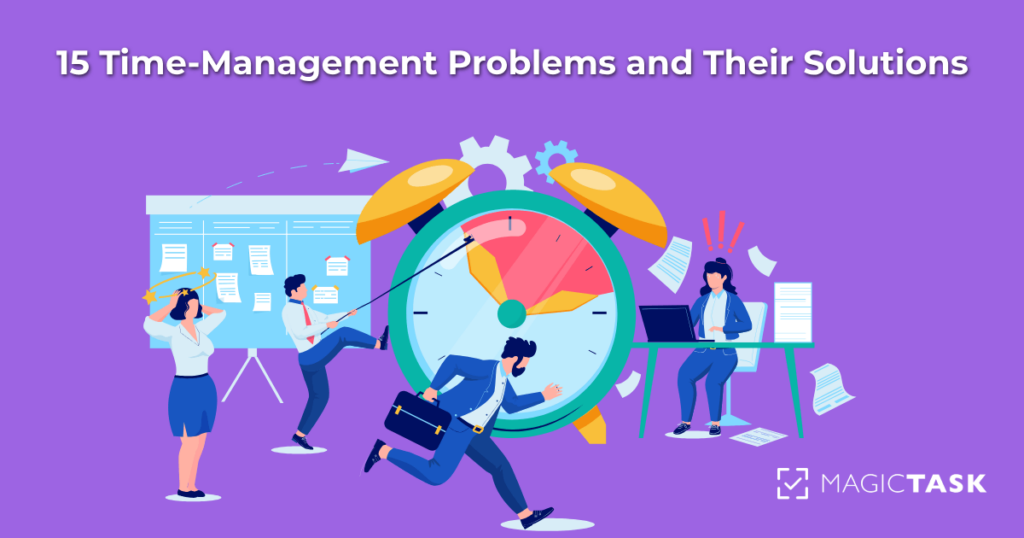
15 Time-Management Problems and Their Solutions

time management problems and solutions

Managing time can feel like an uphill battle. Did you know 82% of people don’t use a time management system? It’s no wonder so many of us feel overwhelmed by endless to-do lists and never-ending demands.

But here’s the thing: good time management isn’t about cramming more into your day. It’s about working smarter, creating balance, and focusing on what truly matters.

In this blog, we’ll break down 15 common time-management struggles and share practical, easy-to-apply solutions. Whether you’re trying to keep up with deadlines or carve out time for yourself, these tips will help you take back control of your time—and your life.

Time-Management Problems and Solutions

If you’re struggling with time management, you’re not alone! From endless task lists to procrastination, time management problems can leave you feeling stuck.

Now, let’s take a closer look at what’s holding you back—and how to fix it.

Problem 1: Overwhelming To-Do Lists

Ever looked at your to-do list and felt completely paralyzed? When tasks pile up, it’s easy to lose focus and stress more than getting things done.

Solution?

The key is to simplify. Start by breaking your list into manageable priorities using a system like the Eisenhower Matrix. This approach helps you sort tasks into four categories: urgent and important, important but not urgent, urgent but not necessary, and neither urgent nor essential. You'll feel more in control by tackling the most critical tasks first.

Another tip? Limit yourself to three to five must-do tasks each day. Keeping your list short not only makes it more achievable but also gives you a sense of accomplishment as you check things off. Remember, it’s not about doing everything—it’s about doing the right things.

Problem 2: Procrastination

We’ve all experienced that lingering pull to delay tasks until the last possible moment. Whether it’s because the task feels daunting or you’re distracted by less important activities, procrastination has a sneaky way of derailing your day.

Solution

To combat procrastination, start by breaking large tasks into smaller, manageable pieces. For example, instead of thinking, “I need to finish this entire project,” focus on one specific step, like “Create an outline.” Tackling smaller portions feels less intimidating and helps build momentum.

Pair this with time-blocking—schedule uninterrupted chunks of time for focused work, and stick to those slots. Procrastination loses its grip when you take control of how and when you work.

Problem 3: Constant Interruptions

Interruptions can feel relentless—emails, texts, notifications, or even coworkers dropping by for a “quick question.” These constant distractions disrupt your flow and leave you struggling to refocus, stretching simple tasks into drawn-out marathons.

Solution

Establish boundaries to protect your focus time. Let others know when you’re unavailable, or try using visual cues like a “do not disturb” sign or a status indicator on workplace chat apps.

For personal focus, silence notifications, use productivity tools like MagicTask, and also use website blockers or noise-canceling headphones. Scheduling uninterrupted work blocks during your most productive hours can also make a huge difference. This helps you regain control and preserve your mental energy.

Problem 4: Poor Planning

Without a clear plan, it’s easy to spend more time deciding what to do than actually getting things done. Days that start without direction often end with the frustrating feeling of wasted time.

Solution

The key to better planning is preparation. Before the day begins, spend a few minutes the night before organizing your priorities. Identify the most important tasks and slot them into your schedule. Tools like task managers or digital calendars can simplify this process, giving you a clear roadmap.

Approaching your day with a plan improves productivity and reduces the stress of constantly making decisions on the fly.

Problem 5: Multitasking

Multitasking might seem like the ultimate productivity hack, but it’s often the opposite. Splitting your attention between tasks decreases focus and increases the likelihood of mistakes, making everything take longer.

Solution

Switch to single-tasking. Use the Pomodoro Technique, where you work on one task for 25 minutes without interruption, followed by a short break. This approach keeps your attention laser-focused and helps you work more efficiently.

Another strategy is to group similar tasks to avoid context switching. For example, handle all your emails in one go instead of constantly checking throughout the day. This way, you stay in the zone and maintain momentum.

Problem 6: Lack of Clear Goals

It’s hard to feel productive when you’re unsure what you’re working toward. Without clear goals, you risk spending time on tasks that don’t align with your priorities or long-term plans.

Solution

Set clear, actionable goals using the SMART framework—Specific, Measurable, Achievable, Relevant, and Time-bound. This helps ensure your daily tasks are purposeful and aligned with larger objectives.

For example, instead of saying, “I need to work on my presentation,” reframe it as, “Complete the introduction slides by noon today.” When you’re clear about what success looks like, it’s easier to stay focused and motivated.

Problem 7: Underestimating Time Needed for Tasks

Ever start a task thinking it’ll take just 15 minutes, only to find yourself working on it hours later? Underestimating how long tasks are required can throw off your schedule and lead to rushed, incomplete work.

Solution

The best way to fix this is by practicing time-blocking. Allocate specific blocks of time for each task, being realistic about how long they’ll take. Add a 15–20% extra time buffer for unexpected hiccups or delays.

Over time, you’ll better estimate task durations and can plan your days more accurately, leaving less room for frustration and last-minute scrambles.

Problem 8: Not Delegating

Trying to do everything yourself can feel noble, but it’s a fast track to burnout. When you refuse to delegate, you overload yourself and risk slowing down progress for everyone involved.

Solution

Start by identifying tasks that don’t require your specific expertise or attention. Delegate these to team members who are capable of handling them. Use tools like task managers or shared platforms to track progress and ensure accountability.

Delegation isn’t about relinquishing control but working smarter by focusing your energy where it’s needed most.

Problem 9: Ineffective Prioritization

When everything feels equally important, it’s easy to waste time on low-impact tasks while neglecting what truly matters. Ineffective prioritization can leave you busy but not productive.

Solution

Learn to differentiate between genuinely critical tasks and those that can wait. One practical approach is the 80/20 rule (Pareto Principle), which suggests focusing on the 20% of tasks that deliver 80% of your results.

Another helpful strategy is to review your to-do list at the start of each day and highlight your top three priorities. Tackling these first ensures that the most important work gets done even if your day is interrupted.

Problem 10: Perfectionism

Perfectionism might seem like a strength, but it often leads to endless revisions, missed deadlines, and unnecessary stress. The pursuit of perfection can paralyze progress and make simple tasks take far longer than they should.

Solution

Adopt the mindset that “done is better than perfect.” Set realistic standards for your work and stick to them. If you find yourself overanalyzing or constantly tweaking, ask: “Is this additional effort truly adding value?”

Focusing on progress over perfection can help you complete tasks more efficiently without sacrificing quality.

Problem 11: Lack of Energy Management

Even the best time-management strategies won’t work if you’re trying to push through tasks when your energy is low. Many people overlook the importance of managing their energy, not just their time.

Solution

Pay attention to your natural energy patterns throughout the day. Are you more alert in the morning, or does your focus peak in the afternoon? Schedule high-priority or demanding tasks during these peak energy periods.

For lower-energy times, tackle simpler tasks like responding to emails or organizing files. Pair this with healthy habits—staying hydrated, eating nutritious meals, and taking regular breaks—to maintain steady energy levels.

Problem 12: Forgetting Tasks or Deadlines

Few things are more stressful than realizing you’ve forgotten an important task or deadline. It not only disrupts your workflow but can also damage trust with colleagues or clients.

Solution

Stay on top of your schedule by using digital tools like task management apps or calendar integrations. Set reminders for deadlines and recurring tasks to ensure nothing slips through the cracks.

For larger projects, break them into smaller milestones and set alerts for each step. This keeps you on track and helps prevent last-minute surprises.

Problem 13: Overcommitting

Saying “yes” to too many responsibilities can lead to an overwhelming workload, poor results, and a constant feeling of being stretched too thin. Overcommitting often stems from a fear of disappointing others, which ultimately harms your productivity.

Solution

Learn to say “no” politely but firmly. Before committing to something, take a moment to evaluate whether it aligns with your priorities and if you can handle it.

When you can’t decline, negotiate deadlines or delegate parts of the task to make it more manageable. Protecting your time isn’t selfish—it’s essential for maintaining focus and delivering quality results.

Problem 14: Poor Meeting Management

Unproductive or unnecessary meetings are notorious time-wasters. Without clear objectives, they can drag on, leaving participants feeling frustrated and behind on their work.

Solution

Limit meetings to only what’s essential. Before scheduling one, ask: “Could this be handled through an email or a quick message?” For meetings that are truly necessary, set clear agendas and share them in advance so participants come prepared.

Keep meetings short and focused, with specific outcomes. Consider ending them with a quick recap to ensure everyone leaves with clarity on the next steps.

Problem 15: Burnout and Lack of Breaks

When you’re constantly working without pausing, burnout can sneak up on you. It drains your energy, diminishes focus, and makes you less productive.

Solution

Prioritize regular breaks to recharge both mentally and physically. Use techniques like the Pomodoro Technique to schedule short breaks during work sessions.

Don’t underestimate the value of self-care—whether it’s taking a walk, meditating, or simply stepping away from your desk for a few minutes. Regular downtime helps you maintain your energy and stay productive in the long run.

So, How MagicTask Can Help Solve Time-Management Problems?

While strategies and frameworks are invaluable, the right tools can make all the difference in streamlining your time management. That’s where MagicTask steps in. Designed to tackle common productivity challenges, MagicTask simplifies your workflow, boosts efficiency, and helps you stay on top of your game.

Here’s how MagicTask can transform the way you manage your time:

1. Effortless Task Management

MagicTask streamlines the way you handle tasks, making it easy to create, organize, and prioritize your workload. Its clean, intuitive interface removes unnecessary complexity, so you can focus on what matters most.

  • Add tasks quickly and categorize them for better organization.
  • Assign deadlines and priorities without feeling bogged down by complicated options.

This simplicity ensures that managing your to-do list doesn’t feel like yet another task on your plate.

2. Gamified Productivity

One of MagicTask’s standout features is its gamification system, designed to make task management engaging and fun. Completing tasks unlocks themes, animations, and sound effects, turning your daily routine into a rewarding experience.

  • Level up as you complete tasks and unlock new visual elements.
  • Personalize your workspace with dynamic themes, keeping things fresh and motivating.

By adding an element of play, MagicTask transforms mundane chores into opportunities for achievement.

3. Collaborative Capabilities for Teams

For those working in teams, MagicTask offers real-time collaboration features that make group projects seamless. Everyone stays in sync, with updates and changes reflected instantly.

  • Assign tasks to team members with clear priorities and deadlines.
  • Monitor progress to ensure accountability and keep the project moving forward.

This makes it easier to delegate effectively and ensures everyone knows their role.

4. Customization and Personalization

MagicTask lets you adapt your workspace to fit your style and needs. Its customizable features ensure that your task management process feels uniquely yours.

  • Organize projects into separate workspaces to maintain clarity.
  • Use themes to create a workspace that inspires and energizes you.

This level of personalization makes MagicTask more than a tool—it becomes an extension of how you work best.

Ready to experience the future of task management? Sign up now and transform the way you work.

Conclusion

Managing time effectively can feel overwhelming, but the right strategies and tools can simplify it. By addressing common challenges—like procrastination, poor planning, and burnout—you can reclaim control over your day and focus on what truly matters.

MagicTask offers a fresh, innovative approach to task management, turning daily responsibilities into an engaging, streamlined experience. It’s not just about getting things done—it’s about enjoying the process along the way.


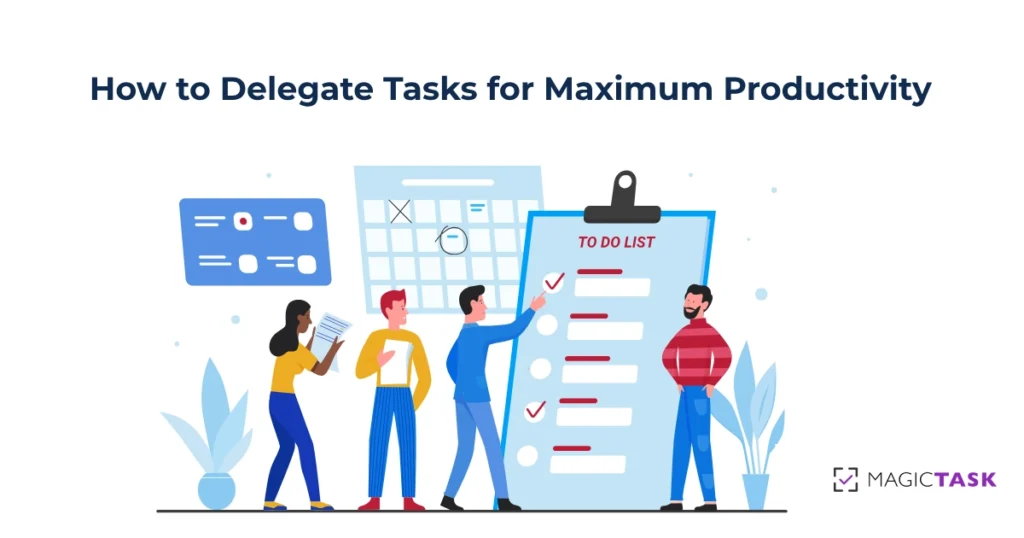
How to Delegate Tasks for Maximum Productivity

how to delegate tasks effectively

Have you ever felt so bogged down by small tasks that you barely had time for the bigger picture? You’re not alone—75% of managers face the same challenge daily.

Mastering the art of task delegation can free up your valuable time and help you focus on high-priority tasks while empowering others to take ownership of responsibilities.

But, effective delegation isn’t just about handing off work—it’s about strategically assigning tasks to the right people, ensuring alignment with their skills and expertise. When done correctly, delegation enhances overall productivity and fosters collaboration and growth within a team.

In this guide, we’ll talk about the benefits of delegation, share easy steps to do it right, and explore tools to make task management a breeze.

Let’s get started!

Why Delegation Matters?

Delegation is a cornerstone of effective leadership. It offers numerous benefits, such as:

  • Reduces workload and prevents burnout: By sharing responsibilities, leaders can focus on strategic tasks, reducing stress and avoiding burnout.
  • Empowers team members and builds trust: Assigning tasks to others fosters a sense of ownership and confidence, strengthening trust within the team.
  • Improves team efficiency and productivity: Delegation allows tasks to be handled by those best suited for them, enhancing overall team performance.

Conversely, poor delegation can lead to micromanagement, missed deadlines, and decreased morale, underscoring the importance of mastering this skill.

Challenges in Delegating Tasks

Delegating tasks often come with a set of fears and reservations, which can hold back even the most efficient professionals. Common concerns include:

  • “What if it’s not done correctly?”
    This fear stems from a lack of trust or confidence in others’ abilities. The solution lies in providing clear instructions and ensuring expectations are well-communicated. When team members know exactly what’s required, they’re more likely to deliver quality results.
  • “I can do it faster myself.”
    While this may be true in the short term, consistently handling every task yourself can lead to burnout and limit productivity. Delegating tasks to others may take initial effort, but it ultimately frees up time for more critical responsibilities.
  • “It’s hard to let go of control.”
    For many, letting go of tasks feels risky. Using tools to monitor progress, like task management platforms, can provide peace of mind. By tracking milestones and outcomes, you retain oversight without micromanaging.

Addressing these fears with practical solutions makes delegation easier and strengthens team collaboration and efficiency.

Steps to Delegate Tasks Effectively

Delegation isn’t just about assigning tasks—it’s about creating a system where work is distributed strategically, aligning responsibilities with the strengths and capacities of your team. When approached thoughtfully, it can transform how you and your team operate, leading to greater productivity and growth. Here’s how to delegate effectively:

Step 1: Identify What to Delegate

The first step in delegation is deciding which tasks can and should be handed off. Think about the work consuming too much of your time or requiring a skill set that others in your team might already excel at. Consider these categories:

  • Time-intensive tasks that pull you away from strategic responsibilities.
  • Repetitive activities that can be streamlined by someone else.
  • Lower-priority items that don’t require your direct attention but still need completion.

By being selective and intentional, you’ll ensure your focus remains on high-value work.

Step 2: Choose the Right Person

Once you know what needs delegating, the next step is finding the best person to take it on. This involves matching the task to someone whose skills, interests, and workload make them the ideal fit.

Consider who can take on additional responsibilities and who might benefit from a growth opportunity. Delegating thoughtfully strengthens your team’s engagement and ensures tasks are completed efficiently.

Step 3: Communicate Clearly

To set your team up for success, it’s essential to provide clarity about what needs to be done and how. Explain the task’s objectives, its importance, and your expectations. Be specific about deadlines and priorities, but avoid micromanaging how the work gets done.

For instance, instead of saying, “Write a report,” be clear about the scope: “Draft a one-page summary of quarterly sales, highlighting key trends and insights.”

Clear communication empowers your team to meet or exceed expectations.

Step 4: Set Deadlines and Priorities

Effective delegation requires a clear timeline. Establish realistic and meaningful deadlines, ensuring the task aligns with your team’s broader goals.

Prioritizing tasks also helps avoid confusion, especially when juggling multiple responsibilities. Leveraging task management tools can make organizing and communicating these priorities seamless.

Step 5: Monitor Progress Without Micromanaging

While it’s essential to stay informed about progress, hovering over every detail can be counterproductive. Use tools like dashboards or check-ins to track milestones and address any roadblocks.

This approach balances trust and accountability, creating a sense of ownership while keeping projects on course.

Step 6: Provide Feedback

Delegation is also an opportunity for development. Offering constructive feedback helps your team refine their skills while recognizing good work boosts motivation and morale.

Celebrate their contributions and provide insights for improvement—it’s a win-win that fosters growth and trust.

Bonus Tips for Effective Delegation

As you refine your delegation approach, consider these advanced strategies:

  • Trust your team and avoid the urge to micromanage. Instead, guide them when needed and focus on outcomes, not processes.
  • When delegating tasks, share the bigger picture—what’s the end goal? This empowers your team to take ownership and make informed decisions.
  • Save time with templates for recurring tasks. These standardized frameworks make delegation faster and more consistent.

By following these steps and strategies, you’ll lighten your workload and create a more engaged and capable team, setting everyone up for long-term success.

Common Mistakes to Avoid When Delegating Tasks

Delegation can seem deceptively simple, but subtle missteps can derail even the best-intentioned efforts. Here are some lesser-discussed mistakes that can undermine your delegation strategy:

1. Delegating Without Considering Team Dynamics

Leaders often overlook how interpersonal relationships and team dynamics affect task execution. Assigning a task to someone who struggles to collaborate with others or pairing conflicting personalities can create unnecessary friction, delaying progress.

Avoid it by: Pairing tasks with individuals or teams that work well together, fostering a collaborative and positive work environment.

2. Delegating Based on Availability Instead of Capability

It’s easy to hand off tasks to whoever appears least busy, but availability doesn’t always align with skill or interest. Delegating this way can result in subpar results and missed opportunities for personal growth.

Avoid it by: Assessing who has the right skill set and passion for the task, even if it takes longer to distribute work.

3. Relying Solely on Verbal Instructions

Verbal communication alone can lead to misunderstandings, especially for complex tasks. Without a written reference or checklist, team members may forget critical details, leading to rework and wasted effort.

Avoid it by: Documenting tasks clearly in writing, using tools to track responsibilities, and providing accessible resources for clarification.

4. Not Delegating “Upward” When Necessary

Delegation isn’t just about passing tasks down the chain—it also involves knowing when to escalate responsibilities. Failing to delegate upward to your own leadership when facing resource constraints or needing strategic direction can leave you overburdened and the task at risk.

Avoid it by: Recognizing when tasks or decisions require higher-level input and communicating these needs effectively to your leaders.

5. Assuming Delegation Ends With Task Completion

Delegating tasks is often treated as a one-and-done process, but it’s also an ongoing opportunity to evaluate and optimize workflows. Leaders who fail to review and learn from the delegation process miss out on ways to improve efficiency and strengthen their team.

Avoid it by: Conducting post-task reviews to identify what worked well and what could be done better next time, ensuring continuous improvement.

How MagicTask Can Help Delegate Tasks Effectively

Delegating tasks is only as effective as the tools you use to manage and monitor progress. MagicTask streamlines the delegation process, enabling leaders and teams to work smarter, not harder.

With its user-friendly interface and powerful features, MagicTask makes assigning, tracking, and completing tasks a seamless experience. Here’s how it can help you delegate more effectively:

1. Simplified Task Assignment

MagicTask allows you to assign tasks in just a few clicks. You can match tasks to the right people by detailing the skills required and setting clear priorities. Customizable fields ensure that your team has all the necessary information upfront, reducing the chance of misunderstandings or delays.

2. Clear Communication of Goals and Expectations

With MagicTask, you can attach detailed instructions, set deadlines, and outline desired outcomes for every task. This ensures that your team understands what needs to be done and why it matters. Features like comments and file sharing enable ongoing collaboration, keeping communication centralized and efficient.

3. Prioritization Made Easy

MagicTask’s intuitive prioritization tools let you label tasks by urgency and importance. Whether you’re dealing with high-stakes projects or routine responsibilities, the platform ensures that everyone knows what to tackle first, avoiding bottlenecks and confusion.

4. Progress Tracking at a Glance

Monitoring progress is key to successful delegation, and MagicTask excels in providing real-time updates. Visual dashboards, progress bars, and customizable reports make it easy to see what’s on track and where additional support might be needed—all without micromanaging.

5. Recurring Task Automation

For tasks that repeat regularly, MagicTask offers templates and automation features. This saves time and ensures consistency across recurring workflows, making delegation faster and more reliable.

Why Choose MagicTask?

MagicTask isn’t just a task management tool—it’s a solution designed to make delegation stress-free and highly effective. By centralizing task information, fostering communication, and providing robust tracking, MagicTask empowers you to delegate confidently. Whether you’re leading a small team or managing a large-scale project, MagicTask adapts to your needs, ensuring that every task is handled efficiently.

Start delegating smarter with MagicTask, and see how it transforms your work. Sign up today and experience the difference!

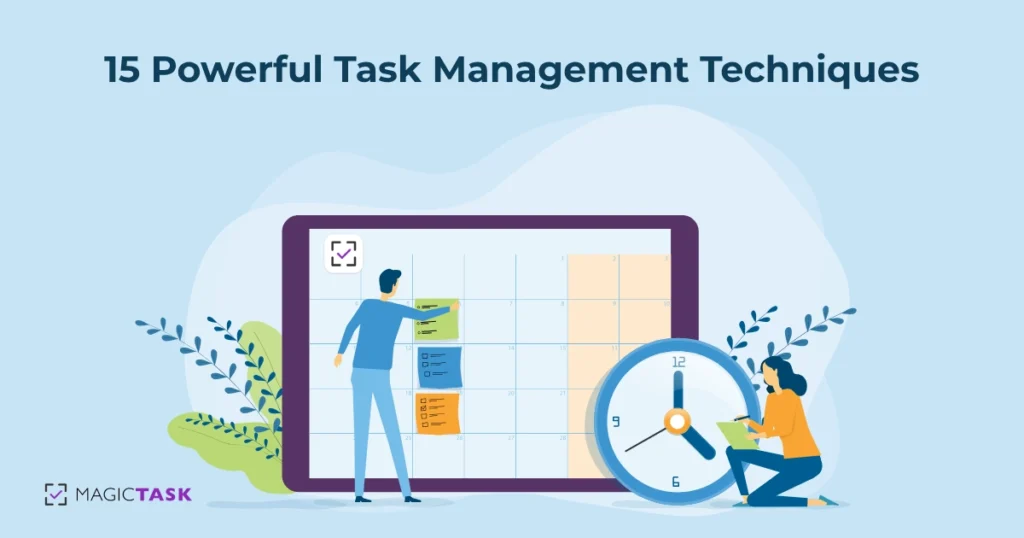
15 Powerful Task Management Techniques

task management techniques

Effective task management techniques are essential for anyone aiming to stay organized and productive, whether in personal projects or professional pursuits.

Task management, at its core, is about structuring, prioritizing, and tracking tasks in a way that aligns with specific goals, helping reduce stress and enhance efficiency. Different task management techniques are proven to manage tasks efficiently based on their unique workflow needs.

In this guide, we will explore 15 powerful techniques that can transform how you approach daily tasks and manage complex projects. From prioritizing urgent tasks to breaking down larger goals, these strategies are designed to help you optimize both time and focus, making it easier to achieve more without feeling overwhelmed.

Let's begin!

1. Prioritize Tasks with the Eisenhower Matrix

The Eisenhower Matrix is an effective task management technique. In this method, we prioritize tasks based on urgency and importance. The tasks are organized into four distinct quadrants:

  • Urgent and Important: These tasks demand immediate attention and usually have pressing deadlines or significant consequences if delayed. Examples include project delivery deadlines, critical client issues, or health-related emergencies.
  • Important but Not Urgent: These tasks are essential for long-term success but can be scheduled for later. Examples might include strategic planning, professional development, or setting personal goals.
  • Urgent but Not Important: Tasks in this quadrant are often interruptions that don’t necessarily contribute to long-term goals. For instance, answering non-essential emails, handling minor requests, or attending non-critical meetings.
  • Neither Urgent nor Important: These tasks don’t require immediate action and typically don’t impact overall objectives. Examples include unnecessary administrative work, excessive social media scrolling, or sorting through unimportant emails.

By regularly assessing tasks using this matrix, you can maintain focus on what matters most while minimizing time spent on less impactful activities.

2. Break Down Goals Using the SMART Method

The SMART method is a well-established approach for setting clear, actionable goals by focusing on five key attributes:

  1. Specific: Goals should be precise and clearly defined. For example, instead of a broad aim like “get healthier,” a specific goal would be “exercise three times a week.”
  2. Measurable: A goal needs to be trackable to assess progress. “Read 12 books this year” is measurable, allowing you to check your pace over time.
  3. Achievable: Goals should be realistic, given the time and resources available. If you’re new to running, aiming for a marathon next month may not be achievable, but training for a 5K might be.
  4. Relevant: Each goal should align with your broader ambitions or values. If your focus is career development, a relevant goal might be to “complete a professional certification this quarter.”
  5. Time-bound: Assigning a timeframe creates urgency and helps prevent procrastination. A time-bound goal could be “finish drafting my article by Friday.”

Breaking down large objectives into SMART goals allows you to take manageable steps, keeping motivation high and progress consistent. 

3. Master Time Blocking for Structured Days

Time blocking is a productivity method that involves scheduling specific blocks of time for particular tasks or activities throughout the day.

By dedicating distinct periods to focused work, meetings, and even breaks, time blocking helps eliminate distractions and maintain a structured workflow. This approach allows for a clear day overview, making it easier to stay on track and avoid multitasking.

The advantages of time blocking are numerous. It encourages a deep focus on one task at a time, reducing the mental fatigue of constantly switching between activities. It also makes it easier to set boundaries, allowing for more intentional breaks and preventing work from spilling into personal time.

Modern task management tools integrate with calendars, enabling seamless time blocking. By syncing tasks with your schedule, these tools can streamline time allocation, helping to reinforce boundaries and keep each day well-organized and productive.

4. Embrace the "Two-Minute Rule"

The "Two-Minute Rule" is a simple yet impactful technique designed to handle small tasks immediately rather than letting them pile up.

The rule suggests that if a task takes two minutes or less to complete—whether it’s replying to a quick email, organizing a file, or making a brief call—it’s best to do it immediately. You can prevent these minor tasks from accumulating into a daunting backlog by addressing them as they arise.

Applying the Two-Minute Rule leads to quick wins that can create positive daily momentum. No matter how small, each completed task reduces the mental load and frees up mental space. This makes concentrating on larger, more complex projects easier without the lingering stress of unfinished minor tasks hanging in the background.

5. Apply the Pomodoro Technique for Focus

pomodoro technique

The Pomodoro Technique is a time management method that breaks work into intervals, traditionally 25 minutes long, followed by a 5-minute break. Developed by Francesco Cirillo in the 1980s, this technique aims to maintain focus and prevent burnout by working in short, focused bursts. After completing four "Pomodoros," or work intervals, a longer break of 15–30 minutes is taken to recharge.

To get the most out of the Pomodoro Technique, try these tips:

  • Choose a single task to focus on for each Pomodoro to avoid the distraction of multitasking.
  • Set a timer for the 25-minute interval, and commit to working on that one task without interruptions.
  • Use the short breaks between intervals to step away from your workspace, stretch, or refresh with a quick walk.
  • Evaluate and adjust your tasks at the end of each more extended break, ensuring that your remaining tasks align with your goals for the day.

This technique is effective for those who struggle with focus or feel overwhelmed by large tasks, making it easier to make consistent progress without feeling exhausted.

6. Delegate Tasks Wisely

Delegating tasks is essential for effective time management, especially when managing multiple responsibilities or working within a team.

Knowing when to delegate is vital; tasks that are routine, time-consuming, or can be handled by someone with the right skills are ideal candidates for delegation. This approach lets you focus on higher-priority responsibilities requiring direct involvement or specialized expertise.

When delegating, it’s essential to communicate clearly. Provide a clear brief, outline expectations, and set deadlines. This ensures the person taking on the task has all they need to complete it successfully.

Additionally, regularly check in on progress without micromanaging. Use collaborative tools that make it easy to assign tasks, set deadlines, and monitor progress, helping the delegator and the person taking on the task stay aligned and productive.

By delegating wisely, you can free up time for critical tasks, reduce burnout, and create an environment of shared responsibility.

7. Use Task Batching to Reduce Context Switching

Task batching is a productivity technique in which similar tasks are grouped and completed, minimizing the mental energy wasted switching between unrelated activities. By focusing on one type of task at a time, you can maintain a steady rhythm, improve efficiency, and reduce the stress of multitasking.

For example, designate a specific time block for addressing all emails simultaneously instead of responding to emails sporadically throughout the day. Similarly, if you’re working on content creation, allocate a batch of time to focus solely on writing or editing multiple pieces. This way, your mind remains engaged with similar tasks, allowing you to work more smoothly without the constant disruption of shifting gears.

Task batching is particularly useful for reducing context switching, making it easier to stay focused and accomplish more in less time.

8. Build a Realistic To-Do List

Creating a realistic to-do list is key to managing your workload without feeling overwhelmed. One practical approach is focusing on 3-5 main daily tasks. By narrowing down your daily priorities, you can concentrate on what truly matters without getting bogged down by an overly ambitious list. This approach helps prevent the discouragement that often comes from leaving tasks unfinished.

When building your list, prioritize tasks based on urgency and importance, and be mindful of your time constraints. Choose tasks that align with your main goals for the day, and avoid adding unnecessary items just to fill space. This practice fosters a sense of accomplishment, allowing you to finish each day with tangible progress on essential tasks.

9. Conduct Regular Progress Reviews

Regular progress reviews are essential for aligning your tasks with your long-term goals. Setting aside time each week and month to assess your progress can help you identify what’s working, what needs adjustment, and how to prioritize your upcoming tasks.

Weekly reviews allow you to track short-term achievements and address any obstacles before they become larger issues. On the other hand, monthly reviews give a broader perspective, helping you evaluate whether you’re on track with your goals and whether adjustments are needed in your overall strategy. By consistently checking in on your progress, you can maintain focus, stay accountable to your goals, and make informed decisions that drive you forward.

This habit boosts productivity and ensures that your daily efforts contribute meaningfully to the bigger picture.

10. Minimize Distractions

Creating a distraction-free workspace is key to maintaining focus and productivity. Here are some practical tips to help minimize interruptions:

  • Declutter your workspace: A clean, organized space reduces visual distractions and makes it easier to focus on tasks.
  • Set boundaries: Communicate with those around you, whether at home or in the office, to let them know your focus hours. Wearing headphones can also signal that you're in a work mode.
  • Limit digital distractions: Turn off non-essential notifications on your devices, and consider using apps or browser extensions that block distracting sites while you work.
  • Schedule breaks: Allow for short, intentional breaks throughout your day to step away from work and recharge, making it easier to return with renewed focus.

Reducing distractions helps you stay on task and accomplish more in less time, creating a work environment that promotes both focus and productivity.

11. Set Deadlines for Accountability

Setting realistic deadlines is a powerful way to stay motivated and keep tasks on track. When you assign a specific due date to a task, it creates a sense of urgency, making it easier to prioritize and focus on completing it. Deadlines help break down larger projects into manageable steps, each with its timeline, preventing procrastination and ensuring steady progress.

Deadlines also build accountability, especially when paired with reminders that prompt you to stay on schedule. Task management tools simplify this process by allowing you to set due dates, receive reminders, and track the status of each task.

This structure helps you stay organized, boosting both motivation and efficiency by ensuring you’re consistently moving forward.

12. Follow the Pareto Principle (80/20 Rule)

The Pareto Principle, commonly known as the 80/20 Rule, suggests that 80% of outcomes are often the result of just 20% of efforts. In terms of productivity, this means that a small number of high-impact tasks can lead to the majority of your results.

Identifying and focusing on these critical tasks allows you to maximize efficiency and make substantial progress without feeling overwhelmed by less essential activities.

To apply the Pareto Principle effectively, start by evaluating your tasks and asking yourself which ones directly contribute to your primary goals. Prioritize these high-impact tasks, which are likely to drive the most value.

Regularly reassess your workload to ensure you spend most of your time on activities that make a meaningful difference. This approach lets you streamline your efforts, concentrating on what moves the needle.

13. Keep a Task Journal

Maintaining a task journal is an effective way to track progress, celebrate small wins, and identify areas for improvement. By recording daily accomplishments, you create a space to acknowledge your efforts, boosting motivation and providing a sense of achievement, no matter how small the tasks.

A task journal also allows you to observe patterns over time. Noticing which types of tasks you consistently complete and which tend to linger can offer insights into your productivity habits and help you adjust your approach as needed.

By regularly reviewing your entries, you can identify obstacles, refine your workflow, and set realistic goals based on what works best for you. Over time, this journal becomes a personal roadmap to productivity, showing your growth and helping to keep you on track.

14. Use Visual Task Management Boards

Kanban boards are a powerful tool for visualizing progress and managing tasks.

By displaying tasks as cards on a board, typically organized into columns like "To Do," "In Progress," and "Done," Kanban boards offer a clear view of where each task stands in the workflow. This visual approach helps with task prioritization, makes it easy to identify bottlenecks, and keeps your focus on the current tasks without losing sight of what’s completed or upcoming.

The drag-and-drop functionality of modern task management tools makes using Kanban boards even more intuitive. Moving tasks between columns feels natural and allows you to quickly update progress, creating a dynamic system that adapts as priorities shift. This hands-on approach to task management enables a seamless, organized workflow where progress is visible at a glance.

15. Learn to Say No

Learning to say "no" is an essential skill for effective task management. Protecting your time and energy allows you to focus on tasks that align with your goals and priorities, helping you avoid the burnout that often comes from over-commitment.

When you take on too many responsibilities, your productivity and well-being can suffer, making it harder to accomplish what truly matters.

To decline tasks politely, try expressing appreciation for the opportunity and briefly explaining your current commitments.

For example, you might say, “I appreciate you thinking of me for this, but I’m focusing on a few key projects right now.” If appropriate, suggest another person who could help or offer to assist later when your schedule allows. Setting these boundaries with respect and clarity allows you to maintain positive relationships while staying true to your priorities.

Conclusion

Mastering task management can transform how you approach daily tasks and long-term goals. Using these strategies, you can prioritize effectively, stay focused, and progress steadily.

Adding tools like MagicTask can help you fine-tune your task management approach. MagicTask offers the features you need to bring these methods to life, from clean, fast tasks UI to recurrent tasks and themes.

Ready to take control of your productivity? Explore MagicTask and see how it can help you achieve more with less stress.

10 Work-From-Home Hacks to Level Up Your Productivity

Work from Home Productivity Hacks

Have you ever wondered whether working from home makes you more or less productive? According to the latest research, fully remote employees are surprisingly less productive than their in-office counterparts. 

Now, this doesn’t necessarily mean working from home is a bad idea. In fact, several studies have shown that hybrid workers – those who work from home on some days and from company premises on other days – are just as productive as their office-bound colleagues. 

This proves that remote work arrangements have their fair share of benefits. The trick for remote workers is to make deliberate choices that maximize their productivity. This article highlights ten tried-and-tested work-from-home hacks for improved productivity. 

1. Creating a Dedicated Workspace

Working remotely affords you the flexibility to work from anywhere, be it your living room, gazebo or kitchen countertop. Still, it’s important to have a designated work zone that allows you to concentrate on work and minimize distractions. 

If you have a spare room, this is the best place to set up your home office. But even without an extra room, you can improvise and convert other unused areas into workstations. The space underneath a staircase, an unused corner in the living or dining room, a loft, closet space, the nightstand section—all these areas can be transformed to serve as home offices. 

What’s important is ensuring that your workspace has the following:

  • Natural or overhead lighting – the area should be well-lit to prevent unnecessary fatigue and eye strain. 
  • Ergonomic furniture – should have ample space to fit an ergonomic desk and chair for optimal comfort.
  • Storage options – incorporate storage units to store your office supplies, such as wall-mounted shelves.

2. Structuring Your Day Like an Office Workday

As a remote employee, it can be tempting to work without a routine. After all, one of the greatest perks of this arrangement is the freedom to set your own working hours. 

However, you should structure your day like an office workday to maximize your productivity. In fact, you should create a work-from-routine that suits your lifestyle. 

Start by establishing your working hours. You’ll want to set these for when you’re most productive. For some, this could mean the typical 9-to-5. However, others might prefer 8-to-4 or 12-to-8 or other. What matters is that you follow the routine to the letter. 

Once you’ve determined your work hours, create blocks of time and assign tasks accordingly. Figure out the most vital tasks and schedule them when your focus is at its highest. At the same time, determine the lower-priority tasks. Such activities should be tackled when your focus starts to wane. 

3. Utilizing Technology and Tools

magictask v3 tasks dashboard

Leveraging tools can also boost your productivity when working from home. These technologies aid in managing tasks, coordinating with colleagues and accessing/ storing crucial information. Each of these tasks contributes to your overall productivity. 

Task management tools like MagicTask can be particularly beneficial. This platform lets you organize tasks into lists and assign priority levels. 

This then makes it easy to identify the tasks that should be handled first and the ones that should be handled later. This tool also facilitates collaboration by allowing users to share tasks with team members. 

4. Managing Distractions at Home

You might not realize it, but distractions are among the biggest killers of productivity. Every interruption interferes with your ability to focus, making it harder to embark on the task at hand. 

In fact, research shows that it takes nearly 23 minutes to refocus once you’ve been distracted. If you do the math, you lose a whopping one hour of productivity if you’re distracted thrice. To avoid this, here are a few tips to help you manage distractions when working from home:

  • Set time-bound goals – creating goals with specific timeframes will help you maintain focus for that predetermined period. You're less likely to fall for distractions since you’re working towards completing the goal.
  • Turn all notifications off -Another way to maintain razor-sharp focus is to turn off all notifications. Set aside time during your long breaks to check them so you’re not distracted during your working hours. 
  • Block social media – This might seem extreme, but it’s necessary if you can’t control your social media usage. Install an app or website blocker restricting access to these social networks while working.
  • Avoid multitasking – don’t be tempted to juggle work and house chores, as this can easily hamper your productivity. Instead, create a schedule and stick to it. If it’s time to work, then focus on that. If it’s time to unplug, then step away from work and relax or do chores.


5. Keeping a To-Do List

Creating a to-do list is another hack for maximizing your productivity as a remote worker. It offers two main benefits: accountability and structure. 

Writing down everything you need to do helps you see the big picture. You can then break it down into small, manageable tasks or milestones that can be tracked. This will ensure that you stay on top of projects and remain organized. 

And with tools like MagicTask, creating a to-do list is a breeze. Once you have an account, you can create task lists with their respective details, deadlines, and priority levels. 

6. Setting Clear Boundaries With Household Members

You may find it challenging to be productive when you’re always distracted by family members. 

So, one thing you should do is establish clear limits. Let your family know they can’t disrupt you during work hours. Adding a visual symbol—like a “Do not Disturb” or “Stop” sign—is an excellent way to set boundaries, especially for kids. Having a designated workstation also helps to enforce these boundaries. 

At the same time, it’s important to unplug at the end of the day. Once you’re done working, detach yourself from work-related activities and spend time with your family. When you make time for them, they will also find it easy to respect your work boundaries the rest of the time. 

7. The Importance of Regular Breaks

While some remote workers easily fall for distractive activities, others become workaholics. Here’s the thing: both of these extremes negatively impact your productivity. In fact, a 2014 study revealed that workers’ output starts plummeting after a 50-hour work week. This shows that working longer or harder doesn’t necessarily make you more productive. 

So, instead of working nonstop, take regular breaks. Create a routine that incorporates these breaks. Better yet, use time management hacks like the Pomodoro, which slots in breaks after every 25 minutes of work. 

Allowing your mind and body to rest helps you rejuvenate. This allows you to resume work with greater creativity, focus, and decision-making ability. 

Pomodoro Timer

8. Staying Physically and Mentally Healthy

Just because you’re working from home doesn’t mean you put your physical and mental health on the back burner. In fact, these areas should take center stage if you want to boost your productivity. 

Prioritizing self-care ensures you have a clear mind and relaxed body to tackle the day’s activities. You can make better decisions, be more creative, and maintain focus for longer. In a recent survey, the respondents cited greater productivity as one of the perks of indulging in self-care. 

Here are a few tips to keep you physically and mentally healthy when working from home:

  • Nourish yourself – prepare nutrient-rich meals and snacks, and hydrate regularly
  • Schedule regular workouts – They don’t have to be strenuous, though. This can be as simple as going for a stroll or stretching at your desk.
  • Get sufficient sleep – ensure you sleep for the recommended 7 to 9 hours every night. This gives your body time to relax and re-energize. 
  • Schedule time off – don’t skip your vacation or leave days. Taking time off is essential to recharge your body and mind. 
  • Look for hobbies – spare time to engage in leisure activities outside your work routine. These are great for destressing and boosting your creativity.


9. Regular Communication

Working remotely doesn’t mean you have to cut off connections with colleagues. On the contrary, it’s more important to maintain connections with coworkers. 

Maintaining a collaborative environment is sure to boost your productivity and morale. As a bonus, it also minimizes loneliness and isolation, which you’re vulnerable to due to the nature of your work. Here are a couple of tactics that might help:

  • Arrange virtual breaks – whether taking a coffee or lunch break, consider inviting fellow remote workers to join you.
  • Learn new skills together – whether a sport, work-related skill or other shared interest, invite your coworker and learn together. For instance, you can learn a new language together, especially if it contributes to your career development.
  • Use visual collaboration software – these programs allow you to communicate with your team in real time. Mural is a good case in point. It allows remote workers to connect, correspond, brainstorm, and plan on a shared platform.


10. Reviewing and Adjusting

You might not get your work-from-home routine right the first time. So, it’s important to review your schedule and practices regularly. This will help you determine what is or isn’t working and adjust accordingly. 

For instance, if you realize you’re more productive in the afternoon than in the morning, you could switch things around. This means tackling lower-priority tasks early in the morning and the high-priority ones during peak productivity hours.  

Conclusion

Working from home can blur the lines between your professional and personal lives, compromising productivity. The key is realizing this early on and making necessary changes to maximize productivity. 

Some of the most effective productivity tips for remote work include having a designated work area and creating a to-do list. Additionally, set clear limits, manage distractions, and leverage productivity tools and technology. Keeping in touch with coworkers and taking regular breaks also helps you operate optimally.

The Evolution of Productivity Tools Over the Years

Productivity Tools

The evolution of productivity apps from basic task organizers to complex ecosystems indicates a dynamic change driven by changing work habits and technological advancements.

Initially, productivity tools were mere task and project management applications, but they have morphed into platforms incorporating automation, AI, and advanced user interface designs, among other technologies.

This change reflects the broader trend toward digital optimization, which aims to enhance individual productivity and team collaboration.

To understand the evolution of productivity tools better, we look at how the tools have developed over the decades.

The Genesis of Productivity Tools

The history of productivity tools can be traced back to the 18th and 19th centuries. At the time, people relied on pen and paper to document or express their thoughts and ideas. The emphasis here was on patience and meticulousness, not efficiency.

As expected, pen and paper were slow, tedious, and yielded little productivity, especially in spaces that handled many transactions, such as banks.

The typewriter overcome these challenges, revolutionizing productivity. Christopher Latham Sholes invented the first typewriter in the 1860s, paving the way to its popularity and invaluable role in offices and homes for decades.

Although the typewriter increased productivity in workplaces, earlier models often jammed, and the lack of shift keys to switch between capital and lowercase letters reduced efficiency. Sholes experimented with many other designs, culminating in the typewriter we know today, along with the famous QWERTY keyboard layout.

By comparison, this development enhanced users’ efficiency, speed, and productivity. Typewriters were famous for several decades until personal computers emerged in the 1980s.

The computers came equipped with word processors like WordPerfect and WordStar, which simplified formatting, editing, and spell-checking capabilities, solving most problems encountered when using the typewriter.

The emergence of Microsoft Word software further enhanced productivity in workplaces because it made writing, sharing digital files, and editing even simpler.

Another tool that shaped the genesis of the productivity tools was the Rolodex. Developed in 1956, it was the earliest CRM system invented. The device stored customers’ contacts to enable companies to track customer interactions.

However, finding contacts using the Rolodex was painstakingly slow and tedious, especially for sales and marketing professionals who needed to be in constant liaison with customers. As such, developers invented CRM software which centralized customer data and enhanced productivity.

The discovery of the Internet in the 1990s saw CRM applications take a giant leap forward. Developers could now harness its capabilities to allow businesses to access customer data from anywhere in real time. This feature is still handy in modern workplaces for employees working remotely.

Today, CRM software is an all-in-one solution, helping sales, marketing, customer service, and data analytics departments to tailor interactions and deliver the best customer experiences. An all-in-one solution enhances productivity and enables businesses to save costs because they don’t need to set up software for each department.

The Era of Internet-based Tools

The emergence of the Internet in the 1990s significantly revolutionized productivity tools. It led to the discovery of new tools that have transformed how we communicate, store, and share documents.

Email, or electronic email, was one of the productivity tools developed during this period. It was created in 1971, but its prevalence increased in the 1980s and 1990s. It has since evolved into a personal and business communication tool, as evidenced by renowned email clients like Hotmail and Yahoo.

Google entered the scene later, and it has since dominated this space. The company introduced an electronic email program and a tool to store documents, providing up to a gigabyte of storage. This incentive attracted many users to the program.

Today, email has become an invaluable part of our lives and enhancements such as multimedia content, security, and personalization make it a critical communication and productivity tool.

Marketers send personalized emails to potential clients based on preferences, user behavior, and demographics. Extra features like videos, images, and GIFs make the texts more engaging than plain texts, capturing the user’s attention longer.

Cloud computing is another productivity tool discovered during the Internet era. Although the concept can be traced back to 1963, it only became prevalent in the late 1990s with Salesforce being the first company to apply the technology.

Cloud computing allowed anyone with internet access to access programs. As a result, purchasing software on demand was easy, saving businesses time and money.

While emails eased communication between professionals, they needed to collaborate when working on a common task. This need birthed another productivity tool: collaborative software.

Its roots can be traced back to the 1940s, but it wasn’t until the 1980s that it became a buzzword. The pioneer, educator C.A. Skip Ellis, developed it to support groups of people working on a common task, and he referred to it as groupware.

The software became prevalent in the 1990s as developers leveraged the Internet and cloud computing to develop Internet-based applications that enhanced collaboration and the formation of online communities.

Collaborative software has since evolved from mere communication tools to conferencing mediums and now to coordination tools. Today, professionals can work on a single document via collaborative platforms like Google Docs.

The Mobile Revolution and Productivity

The mobile revolution has undoubtedly transformed the work landscape. Just as smartphones have become invaluable in our lives, they also make an employee’s life more comfortable and satisfying.

A study of 1500 U.S.-based workers found that 62% of the respondents agreed that mobile devices played a vital role in enhancing productivity. Smartphones now support sophisticated email, video conferencing, instant messaging, and collaboration apps, allowing employees to work from anywhere at any time.

Whether working from home or the local coffee shop, workers can work on complex projects, communicate with team members, and coordinate tasks using mobile devices. This level of flexibility motivates employees to do their best.

Moreover, task management tools, private clouds, and video conferencing software help manage tasks, share information, and communicate in real time.

That’s why more corporations provide their employees with apps to facilitate remote business operations. And, these mobile device management solutions are optimized to avoid data and network security breaches.

Also Read: Revolutionizing Workplace Culture with MagicTask V3: A Game-Changer for Company Owners

A.I. and Automation in Productivity Tools

MagicTask V3 Dashboard

While flexibility at the workplace is critical, more organizations are shifting focus to maximizing efficiency and effectiveness. AI-powered productivity tools help meet these needs by optimizing work processes, augmenting output, and facilitating more intelligent decision-making.

AI productivity tools can be traced back to the mid-20th century, when AI was primarily developed to mimic human thinking to help solve complex problems. Machine learning and computing power followed suit, further enhancing AI capabilities by introducing task automation.

That’s why modern AI productivity tools can perform tasks autonomously, ranging from data analysis to communication and information retrieval. They help organizations automate repetitive tasks like data organization and scheduling meetings, freeing up valuable time for employees to focus on high-value tasks.

Tools like Google Calendar and Microsoft Outlook use AI to suggest optimal meeting times and automatically organize tasks.

Similarly, virtual assistants like Apple’s Siri, Google Assistant, Amazon’s Alexa, etc, help manage tasks through voice commands, set reminders, answer questions, and control other smart devices, enhancing overall productivity without manual intervention.

Thanks to advancements in artificial intelligence, machine learning, and evolving workplace dynamics, future developments in productivity tools are poised to be transformative.

The integration of blockchain technology, for example, will likely enhance security and transparency during data handling, addressing the growing concerns about data in this digital age.

We’ll also see a surge in integrating virtual and augmented reality technologies to create more immersive and interactive user experiences.

When used with AI and automation, these advancements signal a future where productivity apps enhance efficiency and reshape how we conceptualize and execute tasks.

A shift towards cloud-based development environments will also increase to provide flexible and scalable solutions that cater to the dynamic needs of developers and businesses alike.

The premise is to create environments that enhance team collaboration, minimize operational costs, and streamline app development processes. This makes cloud-based development environments attractive to organizations of all sizes.

Embracing the Hybrid Work Model

We can’t overlook the evolving nature of modern workplaces. Many organizations now support hybrid work models to allow employees to work as they please.

Some employees work better in an office, while others prefer working from home without commuting, and balancing their needs enhances productivity.

Productivity tools are critical in supporting hybrid work environments by improving communication, collaboration, and an organization’s overall efficiency.

Messaging platforms like Zoom, Slack, and Microsoft Teams facilitate real-time communication, while project management software like Trello and Asana help teams manage tasks, track progress, and collaborate on projects efficiently.

Cloud storage services like Dropbox and Google Drive allow teams to store and share documents in real time, allowing remote and in-office employees to collaborate seamlessly.

Final Thoughts

The evolution of productivity tools is a testament to our relentless pursuit of efficiency, collaboration, and innovation. From the humble beginnings of pen and paper to the sophisticated AI-powered tools of today, we've come a long way. As technology continues to advance at an unprecedented pace, the future of productivity tools is incredibly exciting. We can anticipate even more integrated, intelligent, and intuitive tools that will seamlessly blend into our work and personal lives, empowering us to achieve more than ever before.

If you're ready to experience the next generation of productivity tools, look no further than MagicTask. Our gamified task management system is designed to make your work more enjoyable and rewarding. With features like themes, rewards, and challenges, MagicTask transforms mundane tasks into engaging experiences. Don't get left behind in the productivity revolution – try MagicTask today and unlock your full potential!

9 Essential Goals to Boost Your Productivity in 2024

MagicTask V3 Tasks Dashboard

The benefits of productivity are well known. You get to finish projects faster, be happier, and feel less stressed. 

The question of how to be productive is what many struggle with. How can you ensure that you’re spending your time wisely? What’s the best way to avoid distractions at work?

The secret is to set and maintain productivity goals. Working with objectives creates attention and urgency while giving you a sense of purpose. This article lists nine essential productivity goals that will make you more fruitful in your endeavors.

1. Define Clear and Measurable Goal

Goal-setting is an excellent first step in helping you achieve productivity. 

However, you need to ensure that you’re creating specific and quantifiable goals. According to the goal-setting theory proposed by psychologists Gary Latham and Edwin Locke, setting specific goals can boost productivity by up to 25%. 

Other studies show that the more precise you are with your goals, the higher the likelihood of achieving them. This raises the question: how do you set clear goals? Here are a few tips for effective goal setting:

  • Define an objective – state the outcome you’d like to see by accomplishing the goal.
  • Write down the goals – jotting them on paper provides a visual reminder.
  • Set a timeline – create a deadline for achieving your goals. This way, you will have to take the necessary steps to accomplish the goal within the set timeframe.
  • Choose measurable goals – this is necessary to track your progress. For instance, your goal could be to work undistracted for eight hours daily.

2. Prioritize Tasks and Responsibilities

Creating a to-do list is an excellent way to ensure you’re getting work done. But, it doesn’t necessarily help you achieve productivity. You could spend all your time and energy on non-essential tasks while deadlines for vital projects loom.

Enter task prioritization– it entails defining the order in which you will complete tasks. Prioritizing forces you to sort tasks based on their relevance so that you can work on them in the correct order. 

Ultimately, this helps you spend your time, energy and other resources wisely. And the best part? There are several task prioritization techniques available, making this process a breeze. Examples include:

  • Eat the Frog First: This approach requires you to identify and tackle the hardest task first before everything else. 
  • The ABCDE method involves rating tasks based on their significance level. A represents the most vital tasks (accorded top priority), while E represents the least important. 
  • Eisenhower Matrix – this method requires you to classify tasks into four groups as follows:
    • Urgent and important – these are the tasks you should prioritize.
    • Urgent but not important – feel free to delegate these tasks to teammates.
    • Not Urgent and not important – these tasks shouldn’t be on your to-do list to begin with.
    • Important but not urgent – these tasks can be scheduled for later.

3. Enhance Time Management Skills

Many are aware of the importance of managing their time effectively. Yet statistics show that 82% of individuals don’t have a distinct time management strategy. If you fall under this category, consider adopting one. This will ensure that you’re spending time on the most crucial tasks, thus, maximizing your productivity. 

Time management goes hand in hand with task prioritization. After creating the order of completing tasks, allocate time for each one. Here are three time management techniques that might come in handy:

  • Time Boxing involves assigning time intervals to tasks. This approach requires ample discipline, as you must stay within the predetermined timeframe. Essentially, you cannot continue with the task once the duration elapses, even if it’s incomplete. The intervals can range from a couple of minutes to several months. 
  • Time Blocking entails dividing your work week or day into specific time slots. Then, you assign a time block to each task.
  • Pomodoro: With this approach, you spend 25 minutes on a specific task and then take a 5-minute break. Repeat this cycle four times before taking a longer 15- to 30-minute break.

Pomodoro Timer in MagicTask V3

4. Develop a Routine for Success

For some, the word routine conjures up images of monotonous, boring tasks. However, routines don’t have to be dull. More importantly,  they’re among the most powerful tools for achieving productivity. 

Studies show that following a routine boosts one’s cognitive ability. Cognitive ability constitutes memory formation, concentration and reasoning. 

That nap you take every afternoon might seem trivial. But this short period is what gives your body time to relax and rejuvenate. This way, you can focus better on the afternoon tasks. Here are a few more habits you should incorporate into your routine for optimal productivity: 

  • Start your day with a morning routine 
  • Schedule breaks
  • Adopt healthy habits: healthy meals, getting sufficient sleep, exercising regularly
  • Break down projects into smaller, manageable tasks

5. Embrace Continuous Learning

Investing in continuous learning is another productivity goal that should be at the top of your list. This means being deliberate about expanding your knowledge and skill set. 

The beauty of this is that you can choose the learning mode that suits you best. This could involve taking a formal course, informal learning, attending a training program, or shadowing your colleagues. 

“**What do I stand to gain?**” For one, this helps you hone your current skills and retain crucial knowledge related to your profession. This, in turn, enhances your work performance and productivity. 

Secondly, it makes you more adaptable. We live in a fast-paced world where market conditions, regulations and technologies change on a whim. Ongoing learning helps you keep abreast of the latest trends. Thanks to this, you can adapt easily and remain competitive in your field. 

6. Implement a Digital Detox

Did you know that the average American looks at their phone a whopping 96 times? Furthermore, those aged between 18 and 24 years glance at their cell phones twice as much! 

With such statistics, it’s clear that we have become overly dependent on our mobile gadgets. This higher dependency decreases focus, increases stress and lowers productivity.

Digital detox has emerged as an effective means of curbing the addictive nature of tech devices. This doesn’t necessarily mean you ditch technology altogether (although you can if you want to). Rather, it means striking a healthy balance between technology use and productive activities. 

Unplugging helps your body and mind to reset. This way, you can resume work more energized, boosting productivity. Here are a few tips for a digital detox:

  • Downgrade your phone – buying a phone that supports fewer apps makes it easier to unplug.
  • Schedule time away from technology – if you use tech gadgets for your work, schedule time away from screens. 
  • Create zero-tech zones – ban phone use from your bedroom, dining area and more.


7. Improve Physical and Mental Well-being

If you’re like most employees, you’re always juggling between work and familial obligations. This forces you to put physical and mental well-being on the back burner. 

But as research shows, improving productivity means prioritising overall health. In fact, this study involving call centre respondents found that a 1-point increase in happiness led to a 12% productivity boost.  Here are a few ideas to help you stay physically and mentally healthy:

  • Make time for physical activity – exercising not only boosts your energy but also increases blood circulation to the brain. This sharpens your focus and alertness, which translates to better work performance and productivity. 
  • Follow a healthy diet – whether eating a snack or a full-blown meal, look for nutritious options. 
  • Get a good night’s sleep – aim for 7 to 9 hours of uninterrupted sleep. Creating an evening routine can help you achieve this more easily.

8. Foster a Productive Work Environment

Access to technology, effective communication channels and workplace culture are examples of factors that affect your productivity. 

But did you know that your work environment has just as much impact? That’s right, this setting can make or break your productivity. Whether you work remotely or in a traditional workspace, pay attention to these factors if you want to be more productive: 

Reduce noise levels

Do you prefer to work in complete silence? Or, would you rather play a bit of music in the background? If it’s the latter, stick to manageable noise levels to minimize distractions. 

Leverage natural lighting

Poor lighting can lead to eye fatigue, lower concentration and sometimes cause headaches. Consider working in a well-lit area and leveraging natural light whenever possible.

Consider ergonomic office furniture

Contrary to popular belief, ergonomic furniture is not some fancy equipment reserved for the affluent. Rather, it’s a fundamental requirement for every office worker. This furniture supports your natural curvature as you work, increasing your comfort and productivity in the process.

9. Set Up Accountability Systems

Do you struggle to commit to your personal goals? If you do, setting up an accountability system might help. 

The easiest way to do this is to share your goals with someone you trust. This individual will check in regularly to ensure you stick to your objectives. That said, you’ll need to find a cheerleader in your life. The kind who supports you, not one who constantly makes you doubt yourself. 

If finding a trustworthy individual is challenging, technology offers a great alternative. Task management apps like MagicTask can help you track your tasks and goals, ensuring you stay on course even without a personal cheerleader.

MagicTask V3 Dashboard

Final Thoughts

Increasing your productivity in 2024 is easier than you think. You just have to take the first step of setting productivity goals. With consistency and determination, you will find yourself being more productive than you were. 

Examples of these goals are creating a productive work environment, setting up a routine, and adopting a time-management technique. Similarly, embrace continuous learning and prioritize your physical and mental well-being.

How to Set Team Goals to Maximize Efficiency and Productivity

Set Team Goals

It’s difficult for workers to achieve company goals when they don’t understand their respective roles. 

Sadly, the majority of employees sail in this boat. According to Gallup’s research, in which they questioned company employees globally, only about 50% of them “strongly agree” that they know what’s expected of them at their workplaces. 

One of the primary responsibilities of a team leader is to assist their employees in setting and achieving goals. However, as the above study reveals, they aren’t handling this responsibility efficiently. 

To help you out, this article provides a detailed overview of team goal setting. Read on to learn how you can set goals for your team.

The Importance of Goal Setting in Teams

Before we look at the ‘how’, it’s important to highlight the benefits of setting team goals. These perks include:

Facilitates Easy Collaboration

One reason why leaders should set team goals is that it enhances collaboration. It encourages employees to share skills with their colleagues and help each other when faced with challenges. This leads to a strong comradeship that enables the company to succeed.

Offers Direction and Purpose

Team objectives act as a roadmap, ensuring employees have a clear sense of direction. 

Communicating the desired results enables each member to understand their roles and contributions. This, in turn, improves their work performance. Research shows that setting team goals yields 20% to 25% improvement in work performance. 

Improves Employee Satisfaction

Accomplishing the personal goals you set in life elicits a sense of joy and pride. Team goals are not any different. 

When team members accomplish the goals you set for them, they feel more fulfilled. This improves employee satisfaction, which is linked to other benefits like reduced absenteeism and higher retention rates. 

Identifying Team Goals That Maximize Efficiency

If you’re a team leader, you’ve probably thought of numerous objectives you would like your team to achieve. However, having multiple goals doesn’t automatically mean your team will achieve them. And, if you try to force them on your team, you’ll likely be disappointed. 

A better way to approach this is to work with the members to identify realistic, achievable goals. This is how you should go about it:

Examine the Company’s Objectives

Before diving into the specifics of team goals, it’s essential to have a clear understanding of the company's overarching objectives. These are the primary targets the organization aims to achieve, such as increasing revenue, enhancing customer satisfaction, expanding market share, or innovating new products. These goals provide a foundation upon which team goals are built, ensuring alignment and coherence across all levels of the organization.

Brainstorm Ideas With Your Team

Once you have a clear understanding of the company’s overarching objectives, the next step is to involve your team in the goal-setting process. Brainstorming with your team ensures that the goals are realistic, achievable, and aligned with both the company’s needs and the individual aspirations of team members. This collaborative approach not only fosters a sense of ownership and commitment but also brings diverse perspectives and innovative ideas to the table.

Align Team Goals With Individual Goals

After gathering feedback from everyone, identify team goals that align with the members’ aspirations. 

For instance, assume that the company’s core objective is to improve its online presence. 

One of your team members wishes to become a successful influencer and already has a large following on their social media accounts. 

Instead of hiring an external social media manager, you can assign that particular role to your team members. This way, they can boost the company’s online presence while simultaneously honing their influencing skills (more on goal alignment later in the article.)

Tools and Techniques for Setting Team Goals

There are several tools and methods you can use to establish team goals. The most commonly used are:

SWOT Analysis

This acronym stands for Strengths, Weaknesses, Opportunities, and Threats. It helps you identify suitable objectives by analyzing the company’s strengths and weaknesses. Follow these steps to set team goals using SWOT:

  • Sketch your SWOT matrix – draw a four-section grid and label the four sections: strengths, weaknesses, opportunities and threats.
  • Brainstorm ideas to fill each quadrant – With the help of your team members, evaluate the organization’s strengths and weaknesses. The remaining quadrants (O and T) deal with external factors. So, analyze your industry to identify market gaps and potential challenges.
  • Form action plans – Having identified the four factors, it will much easier to determine the next steps. What actions can your team take to overcome weaknesses or seize available opportunities? These actions represent the team’s goals.


Gamification

Badges

If the SWOT analysis feels complicated, gamification is an alternative approach for team goal setting. 

This simply means integrating gaming elements into the goal-setting process. Using such a technique encourages employee engagement, and boosts motivation and productivity. Here’s how to go about it:

  • Identify core objectives – Using the tips mentioned earlier, identify the main goals. Do you wish to increase company sales? Or, perhaps, improve customer service?
  • Choose a gamified task/project management tool – The next step is to select a gamified task/project management tool. Ideally, the platform should fit your goals and easily integrate into your business workflow.
  • Develop challenges – Look for challenges that correspond to the team’s goals. These activities should be equal parts fun and challenging. The idea is to encourage participation of the entire team. 
  • Identify meaningful rewards – Choose suitable rewards that will motivate your team. These can be extra vacation days, gift cards, or opportunities for career development.


Are you thinking of setting your team’s goals using this approach? If so, consider using MagicTask. 

The tool makes goal setting easy and fun by incorporating gaming features. You earn points whenever you create or assign tasks to team members, and team members earn points by completing assigned tasks. 

An added bonus of using this tool is that it makes goal-monitoring management feel like child’s play. You can track your members’ to-do list items and provide feedback accordingly. 

Setting SMART Team Goals

Regardless of the tool you use, there are a few points you should keep in mind when setting team goals. 

To be more specific, aim to set SMART goals. This acronym represents specific, measurable, achievable, relevant, and time-bound goals. Let’s look at each of these aspects in more detail:

  • Specific: state the particular result you’d like when you achieve the goal, e.g. increase social media following by 30%
  • Measurable: whenever possible, choose goals whose progress or success can be quantified.
  • Attainable: while it’s good to be ambitious, set goals that your team can achieve. 
  • Relevant: the goal should correspond to the firm’s vision and values.
  • Time-based: develop a timeframe for accomplishing the specified goals.

Aligning Team Goals with Individual Aspirations

By now, you should have a solid understanding of how to identify goals for your team. However, it’s a bit more complicated than it sounds. That’s because you also have to ensure that team goals align with those of individual team members.  

This alignment ensures that every individual’s objectives are in sync with the organization's wider mission and vision. It also means that every team member knows how their roles contribute to the business’s success. So, why is goal alignment so crucial?

1. Improves Employees’ Motivation

One benefit of goal alignment is that it motivates employees by giving them a sense of purpose. A vivid understanding of how their roles contribute to the firm’s success motivates them to work on the team's goals.   

2. Boosts Productivity

With greater motivation, it’s not surprising to learn that goal alignment also improves productivity. According to Gartner, it can increase by as much as 22%.

3. Easier to Review Employees’ Performance

Aligning goals allows you to create a framework for reviewing individual employee performance. It helps you to figure out what success means for every team member. This way, you can monitor their progress and offer relevant insight and support.

The perks of aligning team goals with individual member goals are clear. The only question left is, how do you achieve this alignment? Here are a few tips that might help:

Communicate company goals from the top down

The role of the CEO is to relay the company’s mission and vision to the executives. 

Once they do, it’s your responsibility as a team leader to communicate this information to your team. This does not mean relaying the same message verbatim. Instead, you should translate how this information applies to your department and individuals.  

Acknowledge individual wins

Another way to achieve goal alignment is to celebrate individual wins. If a team member makes a significant contribution, acknowledge them. This helps them feel valued, hence, boosting their motivation. 

Leaderboard

Monitoring and Measuring Goal Progress

Every once in a while, it’s important to evaluate your team’s performance. This will help you know their progress towards achieving goals. Plus, it can shed light on team members’ strengths and weaknesses. Here are a few recommendations on how to do this:

Monitor Key Performance Indicators (KPIs)

There are a couple of metrics you can use to evaluate your team’s performance, such as:

  • Output quality – Start by assessing the consistency of results across the board. Is each team member delivering premium-quality work?
  • Client satisfaction—Soliciting feedback from customers can also illuminate team members' performance. If possible, ask clients to rate their experience on a scale of 1 to 10. This will tell you whether team members are delivering excellent or subpar services. 
  • Error recurrence – There’s nothing wrong with making mistakes. However, this is not an excuse for employees to repeat errors. If one of your team members constantly makes the same mistake, it means they’re not paying attention, and it reflects poor performance.

Assess Attendance and Completion

You can also assess your team’s performance based on their absenteeism and completion rate. 

A team member who is constantly absent affects the team’s efficiency in accomplishing goals. Similarly, one who submits projects past the deadline compromises the team’s workflow. 

On the other hand, workers who are always present and complete their projects within the specified timeframes boost the team’s performance. This also shows they understand their respective roles in the team’s dynamics. 

MagicTask can also help you monitor your team's progress. It contains an in-built analytics module, which uses several KPIs to show each member’s input. As such, you’ll be able to see the best- and worst-performing members by checking their daily, weekly, or monthly MagicTask points. 

Also Read: How to Use Task Management Tools to Track Your Goals

Conclusion

Setting and communicating team goals is vital for a company’s overall success. It gives employees a sense of purpose and direction, thus, improving their efficiency and productivity. Besides, several tools are available to help you set team goals. You can use a SWOT analysis, gamification, and backward goal-setting, among others. 

Whichever approach you use, be sure to set objectives that are specific, measurable, realistic, and relevant to the organization. It’s also wise to consult your team when setting goals. This way, you can set up ones that benefit the company and align with the ambitions of the team members.

10 Simple Habits to Help You Get Organized at Work

Task Organized in MagicTask V3 Dashboard

Have you been racking your brain on the best ways to improve your productivity at work? Here’s one idea you might not have considered: organizing your workplace environment. Although it sounds rather simple, it has a massive effect on your work performance. 

Maintaining a clean workspace improves concentration, minimizes stress, and increases motivation, all of which boost productivity. A Staples Corporation study found that 94% of employees reported feeling more productive when they worked in an uncluttered environment. 

The good news is that organizing your workspace doesn’t take much. This article lists ten simple workplace habits to help you get organized. 

1. Declutter Your Workspace

Many workers need to realize the strong link between cleanliness and mental well-being. A messy workstation can make you feel overwhelmed and stressed. 

That’s why decluttering your workspace is so important. More than tidying up your desk, it gives you control over your work environment. This minimizes unnecessary stress and anxiety, improving your focus. Follow these four steps to declutter your workstation:

  1. Remove everything: Start by removing all your work supplies from the desk and arranging them neatly on the floor. 
  2. Sort the items: Laying everything on the floor makes sorting them into relevant and irrelevant categories easier. Go through each item, placing it in one of three piles: keep, store, and junk. The first pile is for frequently used items, while the second comprises essential but less frequently used items. The last pile consists of things you don’t use.
  3. Place the items in their respective spots: Once you’re done sorting, place each item in its rightful place. Arrange the first pile neatly on your desk. Store the second batch of items in drawers, shelves, or boxes. Donate or, better yet, throw the last pile in the trash.
  4. Declutter daily: At the end of each day, spare five minutes to put your items in their designated storage areas. This keeps your work environment and mind organized.


2. Prioritize Your Tasks

A high workload can lead to disorganization. With so many tasks demanding your attention, you can quickly lose track. 

Instead of managing all these tasks simultaneously, consider classifying them based on relevance. This process is known as task prioritization. It helps you maintain organization by deciding which tasks are most vital to focus your time and energy on. 

For illustration purposes, let’s examine a task prioritization technique like the Eisenhower Matrix. This tool requires you to organize tasks into four groups based on urgency and importance. Here are the four categories and how to treat each one:

Important and Urgent

Failure to do these tasks has severe repercussions. As such, you should prioritize and work on them immediately.

Important and Not Urgent

These tasks don’t have distinct deadlines. However, they play a part in your overall success.  This category of tasks can be scheduled for later.

Urgent but Not Important

Although these tasks matter, they don’t require your individual input. As such, you can delegate them to your colleagues or junior staff. 

Not Important and Not Urgent

These are merely distractions. Remove them from your schedule completely.

3. Set Clear Goals

Another simple habit that’s guaranteed to improve your organizational skills is setting goals. 

Goal setting involves two things: creating an objective(s) and setting a realistic timeline for achieving the goal. The latter part, allocating a specific timeframe, helps you stay organized. It ensures that you’re focusing your time and energy on only tasks that align with your end goal. 

When it comes to setting goals, avoid being vague. Experts recommend using the S.M.A.R.T. acronym to get the most out of this. This means setting goals which are:

  • Specific: setting clear objectives increases the likelihood of achieving them.
  • Measurable: set goals that can be measured. This will make it easy to monitor your progress.
  • Attainable: create objectives that you can actually achieve within the predetermined timeframe.
  • Relevant: identify the “why” behind creating each goal. Is it well-intentioned? Does it align with your overall ambitions?
  • Time-bound: set a deadline for achieving your goals.

4. Implement Time Management Techniques

Learning how to get organized at work also requires you to implement time management techniques. 

Any one of the methods below can help you plan your schedule properly. This reduces the risk of spending time on unnecessary or distractive activities. Examples of these time-management techniques are: 

Pomodoro

Implementing the Pomodoro technique is fairly straightforward. It involves working on a specific task for a predetermined period before taking a short break. 

Typically, an individual works uninterrupted for 25 minutes and then takes a 5-minute break. After undertaking four such Pomodoro sessions, you’ll take a slightly longer break of 15 to 30 minutes. 

Pomodoro Timer in MagicTask V3

Time-Blocking

As the name implies, this approach requires you to split your day/week into time blocks. Next, allocate a task for each block. For instance, you can decide to hold client meetings between 9 a.m. and 11 a.m. every day.  

5. Develop a Filing System

An International Data Corporation report found that employees spend a staggering two and a half hours looking for information. 

So, if a typical work day is eight hours, you spend more than 30% of your time searching through drawers or sifting through piles of digital documents. This wastes valuable time and leads to disorganization. If you want to be more organized, implement a filing system for your digital and physical files. 

For physical documents, you can use any one of these options:

  • Numerical: create a cross-reference index that can be used to organize files numerically.
  • Alphabetical: this technique allows you to arrange files based on clients’ names, places, or subject matter.
  • Chronological: ideal for organizing files that involve dates or deadlines.


For digital files, consider one of the following tools:

  • Google Drive: this is a cloud-based suite that lets you keep, organize, and even share electronic files. 
  • Dropbox: stores documents in different formats, including heavy CAD files and videos with 4K resolution.

The idea is to store your paperwork more neatly, enabling easier accessibility. 

6. Limit Multitasking

For a long time, companies have listed multi-tasking as one of the skills they look for in candidates. In fact, many employees are asked to undertake additional tasks and projects that weren’t included in their job descriptions.

This is because multi-tasking has always been regarded as a means of increasing efficiency. But as new studies reveal, this couldn’t be further from the truth. 

The human brain is not wired to tackle multiple projects simultaneously. Multitasking only compromises your ability to focus and retain details. This, in turn, slows you down and makes you less efficient. Instead of juggling numerous tasks concurrently, try focusing on one at a time. 

7. Schedule Regular Breaks

Some people assume that working non-stop for numerous hours helps them achieve more. But this is a far cry from the truth. 

Research shows that workers who take frequent breaks are more productive than their so-called “work martyrs.” A break lasting between 30 seconds and 5 minutes can boost productivity by up to 13%.

Taking breaks helps you decompress, so you resume work more rejuvenated and relaxed. Additionally, breaks present an opportunity to reassess your day’s goals. You get to pause and take inventory of the tasks you have or have not done, leading to better organization.  

8. Create Routines

MagicTask V3 Dashboard

Another simple habit that’s guaranteed to help you achieve work organization is creating a routine.

A routine is a series of pre-determined activities you undertake during the day. In other words, it means planning your day’s tasks in advance. This gives you a framework for how you’ll spend your time; thus increasing productivity and efficiency. 

Another benefit of working with a routine is that it eliminates decision fatigue. Having to go back and forth about which tasks to do, when to do them, and how long to spend on each, quickly depletes your mental energy. A preset schedule prevents you from wasting such 

time and energy. 

9. Learn to Say No

Saying "no" to anyone, let alone your boss, is difficult. Many fear disappointing their employers, while others feel overwhelmed by guilt if they say no.

Regardless, learning to say no is important, especially if it's for the right reasons. If you can only manage your current workload, you shouldn’t be signing up for additional projects. 

This will only hurt your productivity. You'll find it harder to concentrate on your current tasks and feel unnecessarily anxious and stressed. Here are a few instances where you should stand your ground and say No:

  • You have a tight schedule
  • There are alternatives (delegating the task to a colleague)
  • The extra task(s) does not align with your work
  • The task is not a match for your skills

10. Continuous Improvement

Adopting the habits mentioned above is a great first step. However, it’s also good to review your progress regularly. Spare a few minutes every week to evaluate how the new strategies impact your organization and work performance. 

Is the filing system you implemented helping? What about the time management techniques? Did you accomplish the goals you created at the start of the week? 

Answering these questions offers insight into your progress. They’ll help you determine which habits are helping and which ones need some tweaking. 

Conclusion

Maintaining organization at your workplace can boost your productivity and reduce overall stress. The beauty of this is that it doesn’t take a lot to be organized. Simple habits like decluttering your workstation, setting specific goals, and adopting a filing system can improve your organization. 

Other productivity tips that can help you be more organized include taking regular breaks, creating a routine, and limiting multitasking. Lastly, it’s important to learn the art of saying No. This way, you can focus on the tasks at hand, leading to higher-quality results.