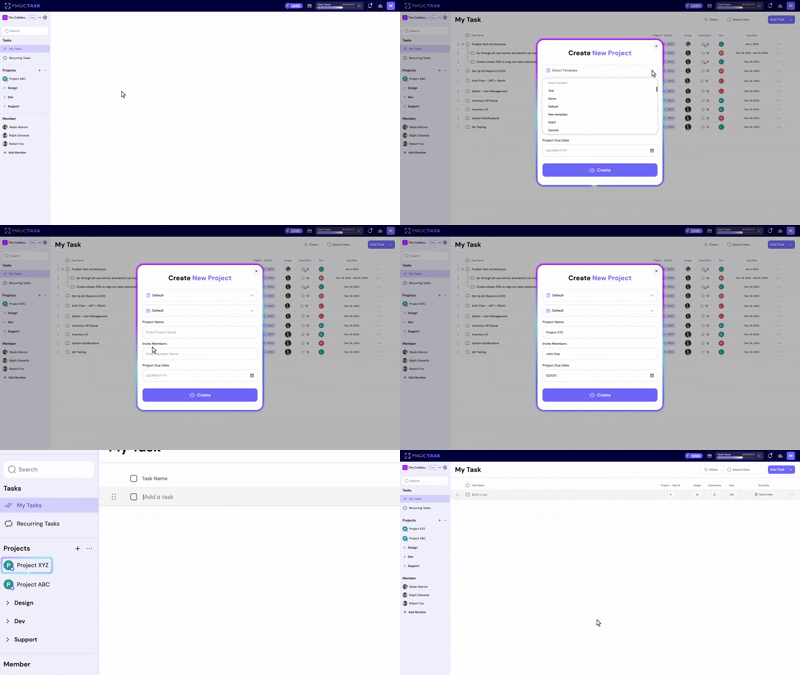



Change Realm Skip to main content

From Chaos to Flow: Build Unbreakable Focus with MagicTask

From Chaos to Flow: Build Unbreakable Focus with MagicTask

Do you ever finish a full day of “work” and wonder what you actually accomplished? You weren’t idle. You were busy, but your focus never quite landed where it mattered. According to research, people switch tasks every 40 seconds on average, and even brief interruptions can dramatically reduce overall focus and productivity. 

That constant fragmentation breaks your flow, the mental state where you’re fully engaged, thinking clearly, and making real progress without fighting your attention. When you’re in flow, everything falls into place one by one. But in a world full of alerts, tabs, and multitasking, reaching that state can feel rare.

In this post, we’ll explore how to move from daily chaos into that state of sustained, meaningful focus through simplicity, intention, and systems that help attention stick.

Why Focus Is Hard to Maintain Today
Why Focus Is Hard to Maintain Today

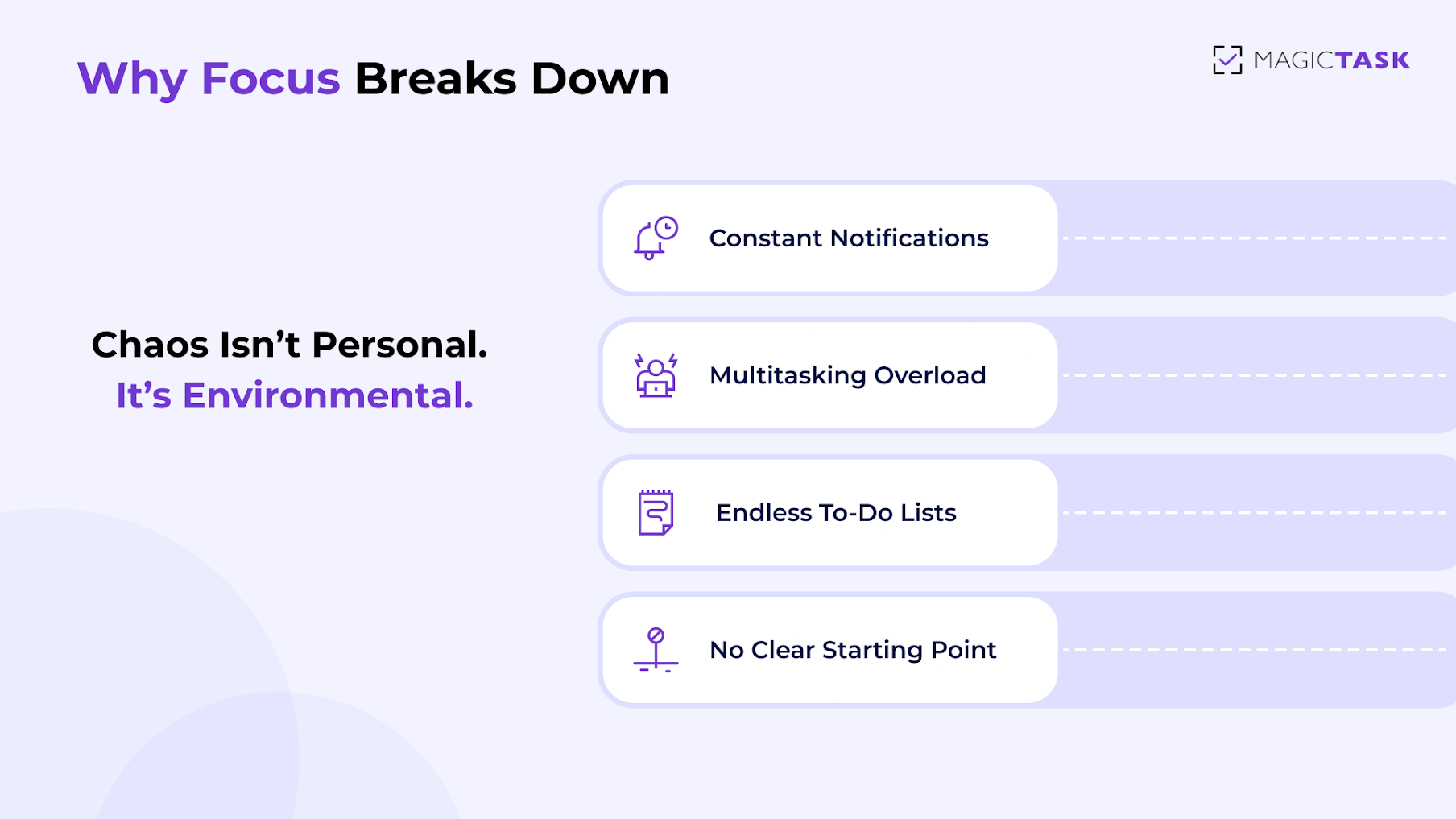
Focus hasn’t become harder because we suddenly lack discipline. It’s harder because our environment demands attention in a hundred different directions at once.

●      Too many inputs: You try to start a task, but Slack and email notifications interrupt every few minutes. By the time you return to your work, you’ve forgotten where you left off.

●      Multitasking overload: You jump between a spreadsheet, a Google Doc, and your inbox, all at the same time**.** It feels productive, but mentally, you’re restarting over and over again.

●      Endless task lists: Your to-do list has 25 items with no clear starting point. So instead of tackling something meaningful, you choose the quickest task just to feel busy.

●      Lack of structure: You tell yourself you’ll “get into deep work later,” but urgent requests and small tasks fill the entire day. There’s no place for flow to enter your work state.

Over a full day, those tiny distractions add up and leave us mentally exhausted before meaningful work even begins. The problem is the chaos surrounding you. And until that changes, flow will remain something you stumble into, instead of something you can reach on demand.

What It Really Takes to Reach a Flow State

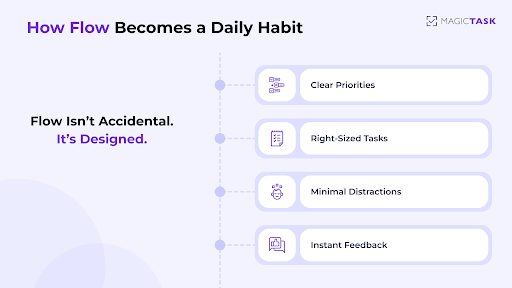
When your mind knows exactly what to focus on and gets clear feedback along the way, attention naturally deepens. The goal is to set up an environment where focus feels effortless. Let’s break down what that looks like in real life.

Clear Goals and One Defined Task

Flow begins with clarity. When you sit down knowing exactly what you’re working on, your brain doesn’t need to negotiate or choose. It can simply begin. Compare that to days when your task list is vague, like “work on the presentation,” “plan next sprint,” “catch up on emails.” Those lack direction, and direction is what guides focus. A simple, specific goal, like “solve the login issue” or “draft the intro paragraph,” gives your brain a path.

Once the choice is made, switching temptation fades. You stop bouncing between tasks and settle into one, allowing momentum to build. Flow isn’t about working on everything. It’s about committing to one thing long enough to make real progress.

Balanced Difficulty

Flow happens in the sweet spot, just hard enough to be engaging, but not so difficult that it feels overwhelming. Think of the difference between solving a tricky puzzle versus facing an impossible one. The first pulls you in. The second shuts you down. The same goes for work.

When tasks match your skill level, they create curiosity and drive. If they’re too easy, boredom sets in. If they’re too complex, anxiety and procrastination take over. In flow, your brain is stretched. You feel capable, not lost. That balance keeps you moving forward, one small win at a time. It’s the moment when you catch yourself thinking, “I can do this,” and suddenly two hours pass without noticing.

Minimal Distractions in the Environment

Every notification, tab switch, or “quick check” fractures attention, forcing your brain to climb back into focus again and again. It’s like trying to run while stopping every few steps. You never build rhythm.

Minimizing distractions doesn’t require total silence or monk-like discipline. It simply means creating a space that supports attention instead of breaking it. That might be closing tabs unrelated to the task, silencing notifications, or setting boundaries around communication during focus blocks. When your environment is calm, your brain has room to think deeply and follow ideas to completion, the core of flow.

Immediate Feedback That Reinforces Progress

One of the biggest triggers for flow is seeing your effort pay off in real time. Humans are wired to respond to feedback. It’s why finishing a paragraph, solving a bug, or checking off a task feels good. That micro-reward gives your brain the dopamine hit that makes you keep going. Without feedback, work can feel endless or abstract, making focus harder to maintain. With it, motivation renews itself. You begin to associate deep work with progress rather than exhaustion.

It’s the subtle sense of momentum that keeps you immersed longer than you planned. Flow thrives on that loop of work, feedback, and satisfaction, repeated until time seems to move differently.

How to Reduce Chaos and Build Focus With Simple Systems

More often, flow starts with a few small systems that remove friction and make focus easier to reach. The problem is that your brain is constantly pulled in different directions. When you simplify what competes for your attention, focus shows up more naturally.

It’s the small choices you make before you start working, like what to prioritize, what to ignore, and how to create space for deep attention. Put them together, and chaos begins to settle. Instead of reacting all day, you can finally create a work environment where focus has room to breathe.

1. Prioritize Tasks Based on Impact

One of the biggest reasons chaos takes over your day is that urgent tasks push their way to the front, while high-impact work quietly sits in the background. When everything feels immediate, it’s easy to spend hours reacting instead of progressing. That’s why shifting your focus from urgency to impact is so powerful. It helps you decide what actually deserves your attention, not just what’s shouting the loudest.

A simple way to do this is through a decision matrix, often called the Eisenhower Matrix, which helps categorize tasks based on their true value. Instead of asking, “What needs to be done first?” ask, “What moves my work forward?”

Here’s a clear breakdown:

Category of Task Urgent Not Urgent
Important Do now: Critical tasks that are both time-sensitive and high-impact. Schedule + protect: Long-term, meaningful tasks that deserve focused, deep work.
Not Important Delegate or batch: Tasks that feel urgent but don’t meaningfully move work forward. Reduce or eliminate: Low-value or distracting tasks that add noise without results.

This matrix helps you spot the real game-changers, the tasks that move you forward versus the ones that just keep you busy.

When you prioritize impact-driven work:

●      You start important tasks sooner

●      Deep work becomes predictable, not accidental

●      Your energy goes toward progress, not just maintenance

Chaos thrives when urgency rules. Flow emerges when you choose tasks that matter.

2. Use Task Batching and Time-Blocking for Uninterrupted Work

One of the simplest ways to reduce chaos is to stop treating every task as if it needs attention the moment it appears. Task batching and time-blocking help you reclaim control by grouping similar activities together and assigning them dedicated windows.

Think of batching as putting tasks into categories of emails, admin work, design, and meetings, rather than scattering them throughout the day. Instead of answering messages every time your phone buzzes, you block a 30-minute window to handle all communication at once. The effect is immediate: you stay in one mental mode longer, which reduces context switching and preserves energy.

Here’s how it looks in real life:

  • Batch emails: Instead of responding throughout the day, you schedule two windows: 10:30 AM and 4:00 PM.
  • Dedicated communication time: During those blocks, you reply, forward, organize, and clear your inbox in one session.
  • Protect deep work: The rest of the morning becomes a focus block for creative or strategic tasks, uninterrupted.
  • Reduced stress: You no longer feel the urge to “just check,” because email already has a planned home in your schedule.

You still handle messages. You just don’t let them hijack your attention all day.

3. Create Focus Rituals

Flow becomes easier to reach when your brain recognizes familiar signals that say, “It’s time to focus now.” These cues just need to be consistent. When you sit in the same spot, open the same tools, or follow a small pre-work routine, your mind starts to associate those actions with concentration.

For example, you might clear your desk, put on instrumental music, and set a 25-minute timer before beginning deep work. Over time, that sequence becomes a trigger. The moment you start it, your brain shifts gears faster. You skip the warm-up phase and get into flow more quickly.

Focus rituals are about creating calm, predictable conditions where attention doesn’t have to fight to show up.

4. Declutter Digital Spaces

A cluttered digital environment is one of the quickest ways to sabotage focus. Even if you’re not actively clicking on every open tab or window, your brain still registers them as unfinished tasks. It’s like trying to concentrate in a room full of half-built projects. Mentally, there’s always something tugging at you.

Here are a few simple ways to declutter without a major overhaul:

●      Close tabs you don’t need for the current task. Even three tabs feel calmer than twelve.

●      Minimize background apps. If it’s not part of the work, it doesn’t need to be open.

●      Use one main workspace instead of multiple dashboards. Fewer places to check = fewer distractions.

●      Clear your desktop or downloads folder weekly. Small resets prevent digital chaos from piling up.

You want to face a screen that reflects what you’re focused on right now. When your environment stops competing for attention, flow becomes far easier to reach.

Turning Flow Into a Daily Habit With MagicTask

 The real transformation happens when those moments stop being occasional and start becoming consistent. That’s where the right systems and the right tools, like MagicTask, can make all the difference.

Now let’s look at how MagicTask helps turn flow from a lucky streak into a daily habit.
Turning Flow Into a Daily Habit

A Minimal UI That Reduces Cognitive Noise

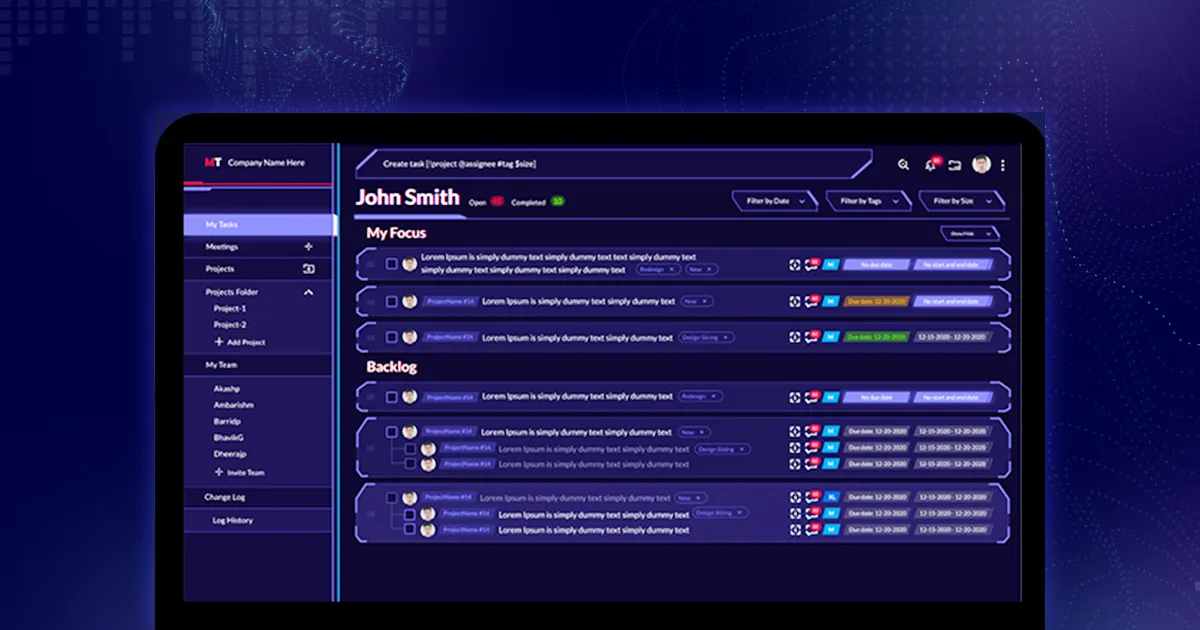
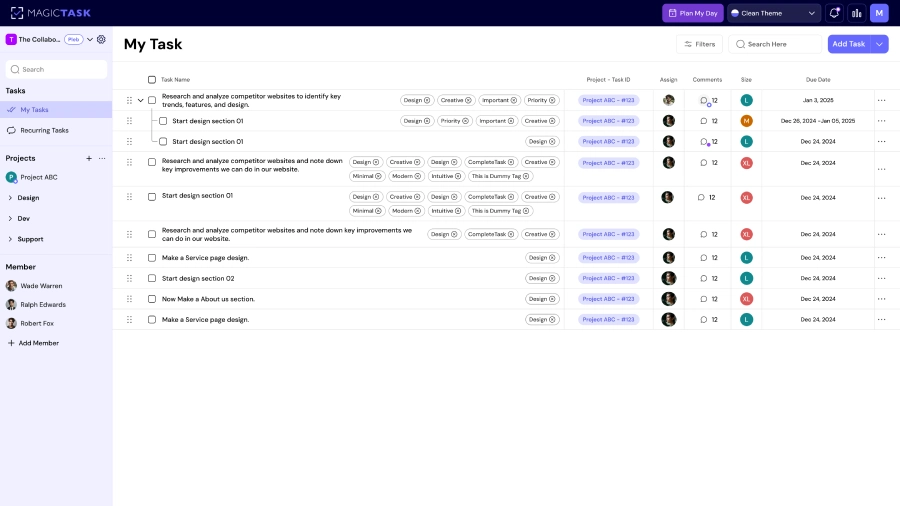
Flow thrives in simplicity, and MagicTask’s interface is designed with that principle in mind. Unlike traditional task dashboards packed with widgets, categories, and notifications, MagicTask keeps your workspace clean and distraction-free. When you open the app, you’re greeted with clarity where there’s a structured backlog, a focused task lane, and progress markers that don’t overwhelm the screen.

This minimal design reduces the mental friction of deciding what to look at and where to start. Instead of scanning, clicking, and reorganizing, you can transition into work quickly. The environment does half the focusing for you. With fewer visual inputs and fewer decisions, your brain has more space to settle into deep concentration and remain there longer.

Task Sizing Helps You Choose the Right Work for Flow

Flow depends on balanced challenges, not too hard, not too easy. MagicTask’s S/M/L/XL task sizing makes that balance easy to find. When you categorize tasks by effort upfront, you can match them to your current energy and available time. That means you enter flow more often because the task fits the moment, not the ideal scenario.

Size Difficulty Ideal Flow Use
S Light Short sessions, warm-ups
M Moderate Steady deep work blocks
L High Peak energy periods
XL Extended Multi-session flow work

Sizing prevents overwhelm and creates realistic expectations, which reduces the fear of starting, one of the biggest barriers to flow.

XP and Micro-Feedback Reinforce Flow in Real Time

Flow requires a sense of progress, and MagicTask builds that into the experience. Every completed task adds XP, levels up your theme, and triggers subtle visual or audio cues. These micro-rewards are psychological reinforcement. Your brain receives a dopamine cue that says, this is working, keep going.

Here’s why this matters:

●      Small wins sustain momentum

●      Progress feels visible, not abstract

●      Motivation renews without external pressure

Instead of checking a box and moving on, you feel the completion. That feedback loop encourages you to stay in the zone longer and return to focused work more often, making flow less fragile and more repeatable.

Daily Flow Sessions Build a Stronger Focus Identity

Flow becomes part of who you are when practiced consistently. MagicTask supports this identity shift by making daily flow sessions easy to schedule and rewarding to track. When you routinely move tasks into “My Focus,” size them realistically, and finish them with satisfying feedback, you begin to internalize a new narrative: I’m someone who focuses deeply.

Over time:

●      Tasks take less effort to begin

●      The brain associates the app with concentration

●      Progress history reinforces commitment

Flow stops being a lucky occurrence and becomes predictable. Each day builds on the last, strengthening a habit and an identity grounded in focus, clarity, and calm productivity.

Conclusion

Flow is a skill you can build with clarity, structure, and systems that support focus instead of fighting it. When you reduce noise, choose the right task for your energy, and get immediate feedback on your progress, work stops feeling chaotic and starts feeling intentional.

MagicTask is built around those principles. Its clean interface clears mental space, task sizing helps you start with confidence, and XP rewards reinforce momentum. With repeated flow sessions, focus becomes less accidental and more predictable, something you can rely on rather than hope for.

If you’re ready to move from scattered days to meaningful progress, schedule your first flow session in MagicTask today and see how quickly chaos turns into clarity.
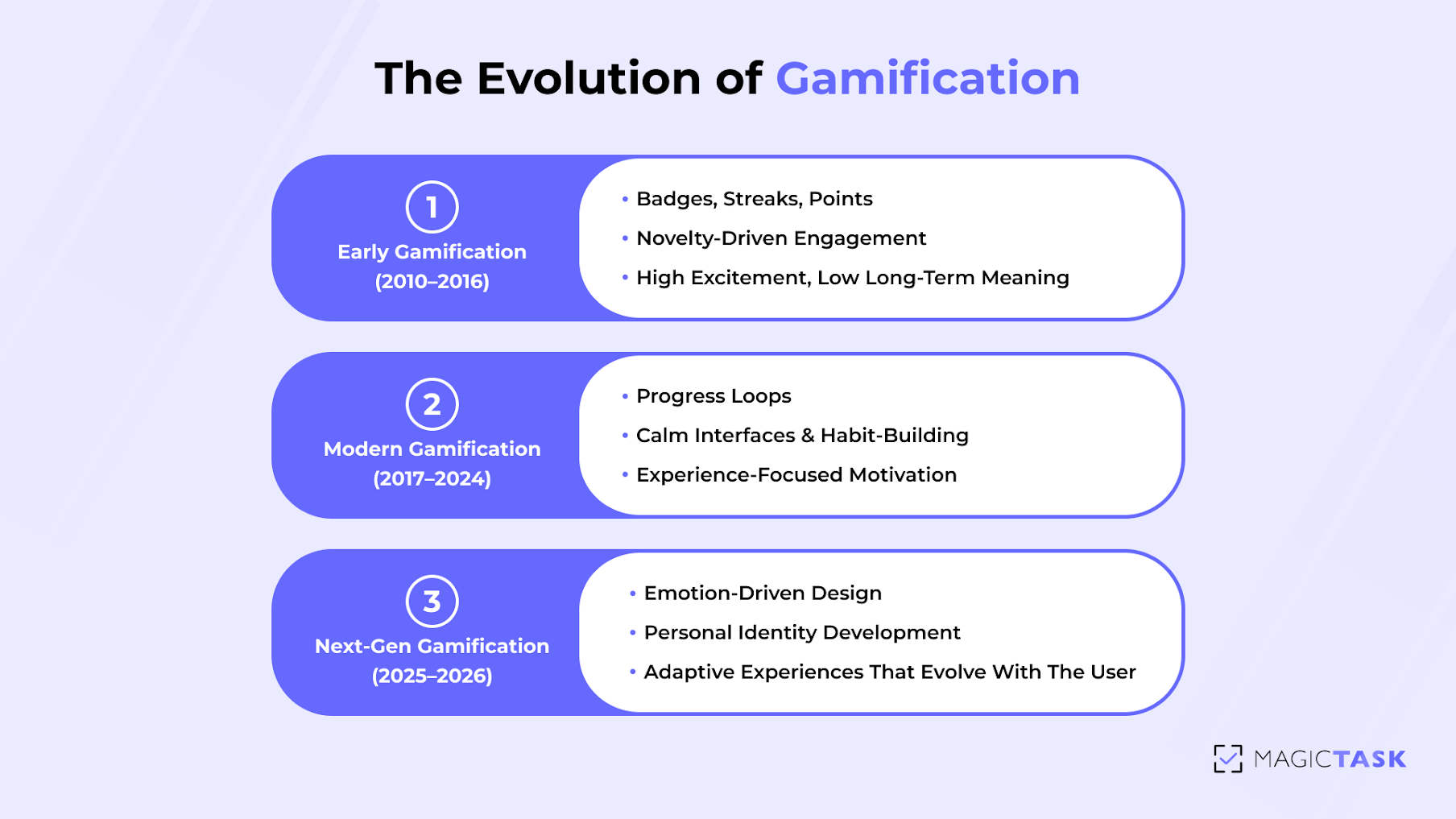
Next-Gen Gamification: What 2026 holds for task management tools

Next-Gen Gamification

Gamification used to be simple; add a badge here, a streak there, and call it “engaging.” But that phase didn’t last long. We got the badges, we smiled once, and then we ignored them forever.

Now things are changing. And it’s not subtle.

A recent study found that when gamification taps into real human needs, like autonomy, progress, and satisfaction, engagement rises dramatically. In other words, people don’t want points…. They want a purpose.

It makes total sense. Work is more demanding, and nobody wants tools that feel robotic or cold. We want something that keeps us moving, reminds us of our progress, and actually feels good to use. 

That’s why the next generation of gamified productivity is about emotion, identity, and connection. And with MagicTask’s design built around progress, personalization, and community, we’re already stepping into that future.  

The Evolution of Gamification in Work Tools

The evolution of gamification

Before we look ahead to what 2026 will bring, let’s rewind for a moment and see how far gamification has already come.

Early Gamification

If you rewind a decade, gamification looked a lot like giving out gold stars in elementary school. Companies were experimenting with “fun,” but most of it was surface-level. 

You remember the era:

  • Foursquare turned checking into places into a race for badges and mayorships.
  • Fitbit made steps feel like a game long before “10K a day” went mainstream.
  • Duolingo introduced streaks and XP, and suddenly everyone thought they were at least kind of learning French.
  • Even early workplace tools tried to sprinkle in leaderboards, hoping competition would magically fix motivation.

And guess what? It worked… but only for a while.

People loved the rush of earning a badge or watching a streak climb. These were the training wheels of gamification, and honestly, they’re a bit addictive. 

But here’s the thing no one said out loud at the time: Points kept us engaged, but they didn’t keep us connected.

You know the streak you maintain with your friends on Snapchat? It’s a rush when you see the points, but what happens when you see those points don’t actually get you anything? The novelty wears off. The badge walls blended together. What we gained in quick engagement, we lost in long-term meaning.

Early gamification taught the world that motivation can be sparked by rewards, but it can only be sustained by purpose.

And that realization is exactly what pushed gamification into its next phase, one where the experience matters more than the badgebook.

Modern Gamification

As the shine wore off early gamification, something interesting happened. People didn’t want more badges; they wanted better ones. Badges tied to progress. Points tied to meaning. Motivation tied to something that actually felt human;

That’s when modern gamification began to take shape.

Companies started shifting their approach: 

  • Headspace replaced streak obsession with gentle encouragement and “You showed up today” messages.
  • Strava moved beyond trophies and leaned into storytelling. Your runs became part of a larger narrative, not just a number.
  • Notion brought in playful emojis, minimal design, and a calm interface to make organization feel less like a chore.

And then there’s MagicTask, which took a different approach entirely. Instead of “gamifying productivity” in the traditional sense, it leaned into progress loops, the feeling you get when a theme levels up, when XP jumps after completing a task, when your workspace reacts to what you’ve accomplished. It’s gamification that resonates.

Instead of gamifying for excitement, teams began designing for experience:

  • Was the tool calming or overwhelming?
  • Did it make people feel capable, or guilty?
  • Was progress visible in a way that felt satisfying, not stressful?

Modern gamification became less about chasing the next star and more about creating an environment that gently nudges you toward consistency, the kind of consistency that builds actual habits, not just a high score.

And that shift laid the foundation for what’s coming next. Which brings us to where things are headed in 2026.  

Next-Gen Gamification

If early gamification was about excitement, and modern gamification is about experience, the next era is about emotion.

People aren’t looking for productivity apps that “keep them on track.” They want tools that feel supportive, energizing, and genuinely aligned with who they are. That shift is already shaping the next generation of gamification.

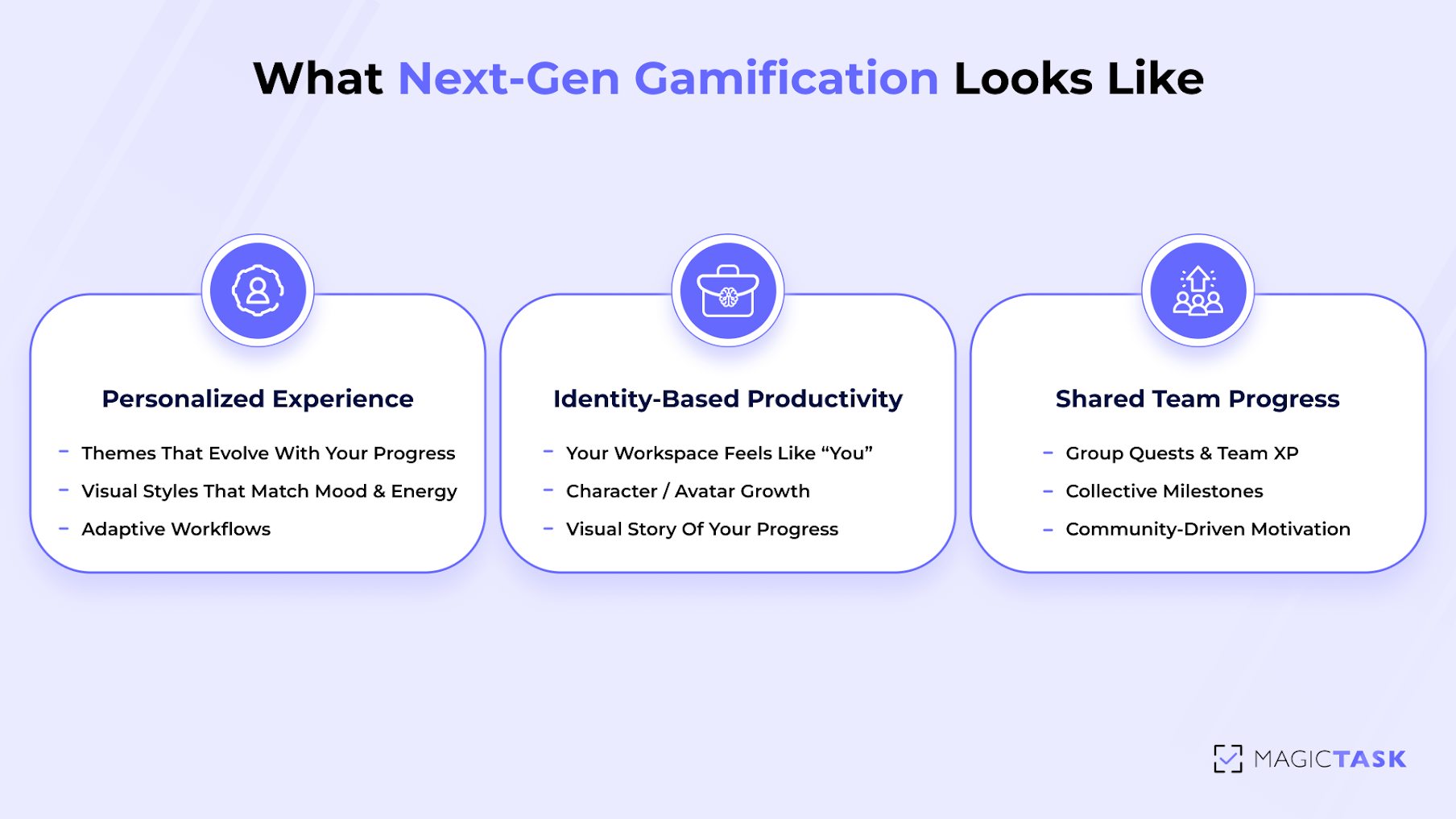
Future task tools will focus on things like:

  • Emotional cues that match energy levels
  • Visual styles that reflect personal taste and creativity
  • Workflows that adapt to your rhythm instead of forcing you into rigid structures

Instead of earning points for completing tasks, users will build a sense of personal identity: 

“This is how I work. This is who I am becoming.”

This is where MagicTask is already ahead. Instead of pushing users through a strict achievement system, it creates an environment where progress feels natural: themes that change with you, feedback that responds instantly, and a workspace that feels more like a companion than a dashboard.

The next wave of gamification will deepen that relationship, blending motivation with emotion, and turning productivity into something that feels personal, intuitive, and even a little bit comforting.

And as we move closer to 2026, that emotional connection will become the difference between a tool you “use”… and a tool you actually return to. 

The Shift from Rewards to Meaningful Motivation

For years, gamification revolved around collecting things. And while those rewards were fun at first, people don’t stay motivated by trinkets… they stay motivated by meaning.

Today’s users want tools that make their work matter. Not just another XP bump or shiny badge, but a feeling that their effort connects to something bigger, like progress, growth, identity, and momentum.

It’s the difference between:

  • “You earned 10 points.” and
  • “You moved closer to becoming the person you want to be.”

One is a reward. The other is a reminder.

This shift is backed by psychology. Researchers have found that external rewards trigger short bursts of effort, while intrinsic motivation creates behaviors that last. Think about it. You don’t read 20 books a year because someone gave you a sticker. You do it because each page feels like a step toward the version of you you’re proud of.

And this is where next-gen gamification is headed. 

Future tools will lean into:

  • Emotional satisfaction → feedback that feels earned and personal
  • Identity-building → a visual journey that reflects who the user is becoming
  • Personal growth loops → small wins that stack into real transformation
  • Reflective progress → users seeing not just what they did, but who it’s shaping them into

MagicTask already understands this. Instead of bombarding users with badges, it uses:

  • Themes that evolve with you
  • XP that feels like personal momentum, not a scoreboard
  • Sound and visual cues that quietly say, “Nice. Keep going.”
  • Progress loops that make even small wins feel like steps forward

The impact is subtle but powerful: Meaning, not mechanics, is becoming the heartbeat of gamified productivity. And it’s a shift that will define the next era of work tools. 

Personalization and Experience Design

If early productivity tools felt like spreadsheets and modern tools feel like clean dashboards, the future will feel more like stepping into a space that’s yours. A place that understands how you work, what motivates you, and even how you’re feeling that day. 

That’s the direction task management is headed.

People want a workspace that reflects their personality, their pace, and their preferences. A tool that feels almost like a companion rather than an application.

Imagine opening your task app and it adapts instantly:

  • The theme shifts based on your energy level
  • Your interface brightens or calms depending on your mood
  • Your “quest board” evolves as your goals evolve
  • Your avatar grows with you, visually tracking your commitment

This is where next-gen gamification is going: identity-driven productivity.

You’ll build a visual story of your progress. You’ll see your “character” level up, your themes evolve, your achievements stack into a narrative that feels deeply personal.

We already see hints of this future in MagicTask’s design:

  • Themes that level up with your workflow
  • Custom visuals that match your style
  • Subtle sound cues that reinforce rhythm and focus
  • An interface that feels alive, not static

It’s not personalization for the sake of aesthetics. It’s personalization that helps people feel connected to their work. It reinforces ownership. It turns your daily grind into something that looks and feels like you.

Because when a tool understands you, you naturally want to grow with it. 

The Rise of Shared Progress and Team Gamification

One of the most exciting shifts coming to gamified productivity is the move from solo progress to shared progress. Because work rarely happens alone. And motivation? It multiplies when people feel like they’re part of something bigger than themselves.

The future of gamification is social. 

Think less “everyone for themselves” and more “we’re leveling up together.” Teams will take on shared quests, unlock group achievements, and celebrate collective wins. Finishing a sprint will feel like completing a mission as a squad.

Picture this:

  • A marketing team earns XP together for launching a campaign
  • A customer success squad is hitting a group milestone for response time
  • A product team completing a “Feature Quest” and unlocking a team reward
  • Company-wide leaderboards where the goal isn’t competition, but community

Work becomes a multiplayer game in a way that reinforces collaboration, alignment, and shared accountability.

With shared boards, team visibility, and progress tracking that everyone can see, teams stay connected to each other’s efforts. When someone moves a task forward, everyone feels the momentum. 

As we move toward 2026, this idea of collective gamification will only grow stronger.

What next-gen gamification looks like

Conclusion

The future of gamification isn’t about stacking up badges or chasing louder animations. It’s about shaping work in a way that feels engaging, meaningful, and deeply human. A workspace that doesn’t just organize your tasks, but energizes you. A system that rewards progress, not just completion.

MagicTask is already stepping into that future. It transforms everyday tasks into a journey, one filled with momentum, shared wins, and progress you can actually feel. It’s not just a tool; it’s the evolution of how we stay motivated and connected in the modern world.

If you want to see where gamified productivity is headed, try MagicTask and experience it firsthand. Start today, join the movement, and be part of what’s next.

ADHD in the Workplace: An Employer’s Guide to Boost Team Performance

ADHD in the Workplace: An Employer’s Guide to Boost Team Performance

ADHD in the workplace is more common than many employers realise, and it directly affects performance, engagement, and team cohesion. 

Around 5% of adults live with ADHD globally, which means in any average-sized team, at least one person is likely navigating work with difficulty.

While these individuals often bring creativity, innovation, and high-intensity problem-solving, traditional task systems tend to work against their strengths. When project workflows aren’t built to support neurodiversity, it leads to missed deadlines, dropped tasks, and team friction.

So how do you support ADHD minds without lowering the bar for performance, focus, or accountability?

That’s what this guide is for. You’ll gain a clear understanding of how ADHD manifests at work, what strategies are actually effective, and why a tool like MagicTask is designed to support neurodivergent teams without adding extra work.

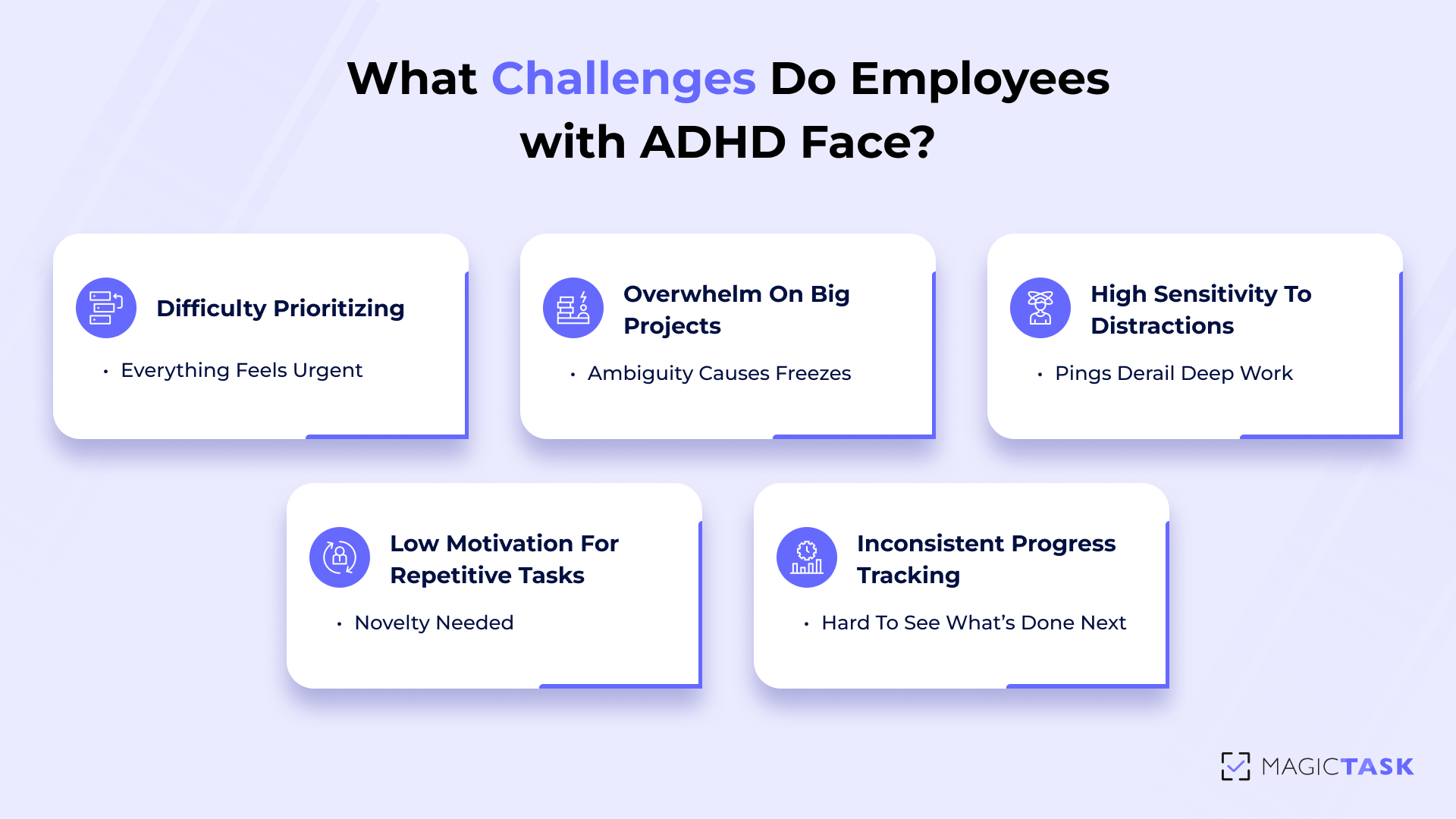
What Challenges Do Employees with ADHD Face at Work?

Workplaces thrive on structure, prioritization, and consistency, yet those same elements can create hidden barriers for employees with ADHD. These individuals bring immense creativity, energy, and problem-solving ability, but often hit roadblocks in environments not built for neurodiverse thinking.

What Challenges Do Employees with ADHD Face at Work

Difficulty Prioritizing Tasks and Deadlines

Employees with ADHD often struggle with executive functioning, which affects their ability to prioritize. When everything feels equally urgent, it becomes difficult to decide where to begin. This can lead to either hyperfocus on low-priority tasks or decision paralysis that delays all progress.

Some common challenges include: 

  • Overestimating small tasks and spending too much time on low-impact work.
  • Underestimating large tasks, leading to last-minute rushes or missed deadlines.
  • Difficulty sequencing tasks, unsure which steps need to come first.
  • Getting distracted by novelty, diverting attention from important priorities.
  • Feeling overwhelmed by lists, making it hard to choose a starting point.

Without visible priority cues, important deadlines may slip—not due to carelessness, but because internal urgency signals that neurotypical employees often rely on naturally are harder to generate.

Overwhelm When Projects Aren’t Broken into Smaller Steps

Large projects with vague goals can feel insurmountable to someone with ADHD. Without a clear breakdown into manageable tasks, they may freeze or procrastinate because the task feels too mentally ambiguous. 

For example, “Create client report” offers no guidance on where to start or how to measure progress. Breaking it into steps like “Gather sales data,” “Draft analysis,” and “Design slides” makes it more approachable and achievable. 

Sensitivity to Distractions

ADHD brains are often described as having a “racecar engine with bicycle brakes.” In today’s workspaces, filled with notifications, open office chatter, and multitasking demands, this sensitivity becomes a daily challenge. 

Every ping, conversation, or visual clutter becomes a new stimulus to process. This makes it hard to stay in a productive state, especially for tasks requiring sustained focus or attention to detail. Even a well-intentioned Slack message can derail 20 minutes of deep work.

Struggles with Motivation During Repetitive Tasks

Routine tasks can quickly feel dull or draining for ADHD employees. Their brains are wired to seek novelty and stimulation. As a result, tasks that others find easy, like updating spreadsheets or processing similar tickets, can feel unbearable over time. 

Motivation dips, and the task is either delayed or abandoned altogether. Without some form of positive reinforcement or novelty, the repetition becomes a mental roadblock. 

Inconsistent Progress Tracking

Many employees with ADHD rely heavily on external structure to stay on track. Without visual progress markers or reminders, they may lose sight of what’s done, what’s next, and what’s important. This can lead to skipped steps, incomplete handoffs, or frustration when it’s time to report progress. 

While neurotypical employees may be able to “hold the plan in their head,” ADHD team members often benefit from visual, structured systems that externalize priorities and milestones. 

How Employers Can Improve Focus and Productivity (with MagicTask)

Understanding the challenges is only the first step. The next and most critical move is to take intentional action that supports how ADHD employees think and work best. MagicTask helps with this. 

Break Work into Smaller, Clearer Tasks

Large, ambiguous tasks are a hidden productivity killer, especially for employees with ADHD. A task like “Work on campaign” or “Fix website issues” doesn’t provide enough clarity to trigger action. It leaves too much room for interpretation, which can result in procrastination, anxiety, or missed expectations.

That’s where task decomposition comes in. Instead of treating a deliverable as a single to-do, you break it down into main tasks and subtasks. This method offers two powerful benefits:

  • Cognitive Relief: When a task is broken down into clear, specific steps, it instantly becomes more approachable. Employees no longer have to juggle all the pieces mentally; the structure does the heavy lifting.
  • Actionable Visibility: Subtasks show exactly what needs to happen next. This helps ADHD team members maintain forward momentum, especially when switching contexts or resuming work after interruptions.

In MagicTask, breaking work into subtasks is fast and frictionless. You can:

  • Create a main task (e.g., “Prepare Product Launch”)
  • Add subtasks like “Write email copy,” “Design launch banner,” “Schedule posts,” etc.
  • Mark off each subtask for visible progress and a sense of achievement

This approach turns ambiguity into action. It makes projects feel doable, keeps your team aligned, and ensures no detail slips through the cracks, especially for those who think differently.

Visualize Priorities as a Team

Clear priorities can make or break productivity, especially for team members with ADHD, who often struggle to decide what to tackle next when faced with a wall of tasks. Without a visual system to guide focus, even the most capable employees can lose momentum or fall behind.

In MagicTask, teams can drag and drop tasks into a clear, ranked order, making priorities instantly visible to everyone. No digging through layers of dashboards. No second-guessing what’s urgent.

This simple yet powerful interaction helps in three ways:

  • Real-Time Alignment: Managers and team members can collaborate on the same view, quickly adjusting task order as deadlines shift or new blockers emerge. Everyone stays on the same page, without needing long status meetings.
  • Mental Clarity for ADHD Brains: Seeing tasks laid out from top priority to low urgency helps reduce decision fatigue. ADHD team members know exactly where to direct their attention, which helps lower stress and increase follow-through.
  • Frictionless Flexibility: With a quick drag-and-drop, tasks can be re-prioritized without rewriting or reshuffling complex lists. The interface stays clean and minimal, which reduces the clutter that often overwhelms neurodivergent users.

Visualizing priorities isn’t just good project hygiene; it’s how you turn daily work into focused progress for every mind on your team. 

Clarify Complexity With Task Sizing

For employees with ADHD, the size of a task isn’t just a planning detail; it’s a psychological cue. A vague or oversized task like “Finish report” can feel insurmountable and trigger procrastination or mental fatigue. On the other hand, a well-scoped, appropriately sized task helps clarify effort, reduce overwhelm, and make progress feel possible.

MagicTask solves this with a simple but powerful feature: task sizing. 

Every task can be marked as S, M, L, or XL, giving team members a visual sense of how much time and energy it will take. This sizing system helps ADHD employees pace their workload more effectively, balance high-effort tasks with lighter ones, and avoid burning out on hidden “time bombs.”

It also helps managers assign work more equitably. Instead of giving someone five tasks that look equal but feel wildly different in scope, you’re aligning expectations and removing ambiguity. 

Here’s a quick way this plays out:

Task Size Time Needed Example
S (Small) 5–10 minutes Reply to an email
M (Medium) 30 minutes Write a short status update
L (Large) 1–2 hours Draft a blog post
XL (Extra Large) Half a day or a full day Build a product roadmap

This structure turns task planning into a confidence-building process and helps ADHD team members stay productive without mental overload. 

Track Progress Easily with a Clear Hierarchy

ADHD minds often thrive with structure, not in the form of rigid rules, but as visual systems that reduce mental clutter and make progress visible. One of the biggest challenges in managing projects is seeing how the parts fit together. That’s why a clean hierarchy is essential.

MagicTask uses a simple but effective project → task → subtask structure that breaks down complexity into digestible layers. At the top, projects hold your high-level objectives. Within them, tasks represent actionable items. If a task is too big, you can split it further into subtasks — each with its own owner, size, and deadline.

This approach gives ADHD team members several advantages:

  • No more overwhelm: When work is broken down visually, it’s easier to focus on the next small step instead of the entire mountain.
  • Instant context: You can see what each task contributes to, helping employees connect daily work to larger goals — which boosts motivation.
  • Better accountability: Managers can glance at a project and understand what’s moving and what’s stuck, without chasing updates.

Instead of relying on memory or scattered notes, your team has a clear visual roadmap, one that respects different working styles and keeps progress transparent at every level. 

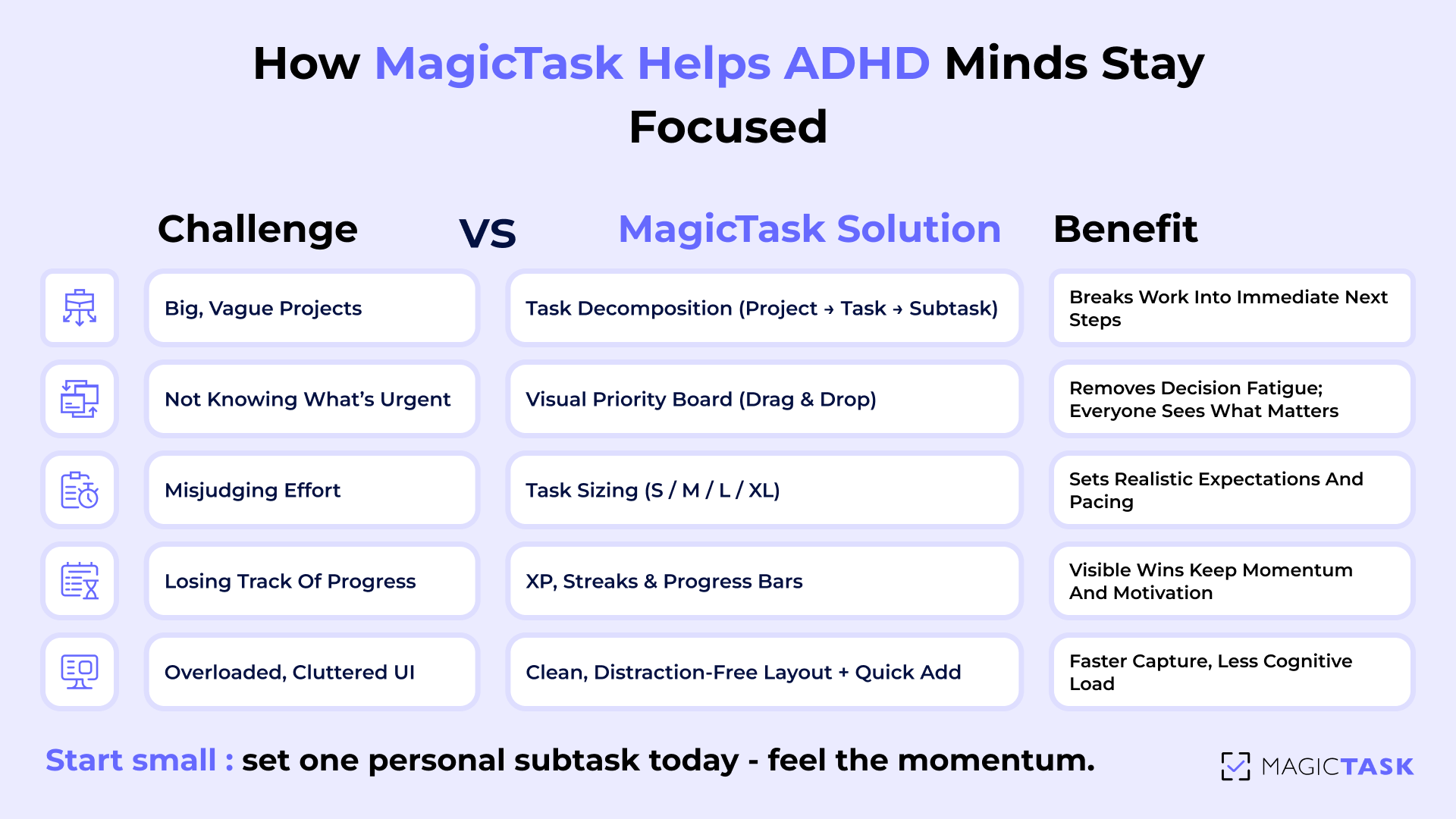
Why MagicTask Helps ADHD Minds Focus Better?

Many task tools are built for structure but not necessarily for focus. For professionals with ADHD, the biggest challenge often is staying engaged with the process of doing it. Overloaded interfaces, confusing navigation, and uninspiring task lists can quickly lead to frustration, avoidance, or inconsistent follow-through.

Why MagicTask Helps ADHD Minds Focus Better

MagicTask takes a different approach. It’s intentionally designed to reduce friction and increase motivation, two things that ADHD brains thrive on when supported properly.

  • Clean, distraction-free interface: Employees aren’t bombarded with options, tabs, or hidden menus. The layout is visually simple and intuitive, which helps eliminate cognitive overload and lets users focus on what matters right now.
  • Quick setup, minimal ramp-up time: The platform avoids long onboarding flows and unnecessary complexity. This makes it easier for new users, especially those who feel overwhelmed by traditional tools, to adopt and stick with it.
  • Gamification built for daily motivation: Users earn points for completing tasks and can unlock visual rewards like themes, sounds, and custom skins. This system adds a layer of intrinsic motivation that helps transform repetitive tasks into a more engaging experience.

These aren’t just features. They’re behavioral design elements that align with how neurodivergent minds operate. MagicTask doesn’t force users to change how they work. Instead, it creates a space where focus, momentum, and follow-through feel natural.

Management Practices That Work Better with MagicTask

Introducing a new tool is only effective if it’s paired with intentional practices. MagicTask is a framework for helping teams work smarter, stay engaged, and reduce mental clutter. 

When managers and employees align on workflows and make the most of the platform’s gamification features, the result is a team that moves faster, communicates more clearly, and celebrates progress along the way.

Introduce MagicTask as the Single Source of Task Management

Consistency is crucial. By designating MagicTask as the central hub for all tasks, teams avoid fragmented communication and lost assignments. Managers should communicate that every project, deadline, and update lives in the same system. This establishes clarity, reduces confusion, and gives everyone a shared view of priorities.

Train Managers on Key Workflows

Managers play a pivotal role in making the system effective. Training should focus on workflows that both reduce cognitive load and leverage the app’s gamified structure:

  • Mind Dump Sessions: Encourage team members to clear mental clutter by dumping all tasks into MagicTask before organizing priorities.
  • Task Prioritization and Sizing: Teach managers how to help employees assign task sizes (S/M/L/XL), providing clarity on effort and expected focus.
  • Comments for Centralized Communication: Use task comments to consolidate feedback, questions, and updates—keeping discussions tied to actionable items.

These practices create a rhythm where work feels organized rather than overwhelming, making it easier for employees to stay on track and managers to monitor progress.

Encourage Employees to Engage with Gamification Features

MagicTask’s gamified elements aren’t just for fun. They actively support motivation and focus. Managers can foster adoption by encouraging employees to:

  • Personalize their workspace with themes that energize them.
  • Stay motivated by climbing the leaderboard and celebrating small wins.
  • Turn tasks into achievements using points, streaks, and visual rewards.

When these habits are reinforced, tasks stop feeling like chores and start feeling like challenges you can win, making focus and completion natural outcomes.

Conclusion

Supporting employees with ADHD isn’t just an act of inclusion, but a strategy that elevates team performance. MagicTask brings structure, clarity, and gamification together in a single tool, making it easier for everyone to stay focused, motivated, and organized. 

By fostering an environment that meets diverse working styles, employers empower every team member, ADHD or not, to thrive, achieve goals, and perform at their best.

Ready to see the difference for yourself? Try MagicTask today and experience a task management system designed to work with your brain, not against it. Turn overwhelming lists into achievable wins, stay motivated with interactive progress, and finally enjoy a workspace that keeps you focused and energized, every single day.

Ivy Lee Method: A Simple Routine to Stay Productive Every Day

Ivy Lee Method: A Simple Routine to Stay Productive Every Day

Most professionals end the day with more tasks than they started with. To-do lists sprawl, priorities blur, and the sense of progress slips away in the noise of digital tools. 

Over 100 years ago, an executive coach named Ivy Lee gave business leaders a deceptively simple solution, one that still works today. It was a 6-task system designed to bring focus, momentum, and clarity into every workday.

The method is so timeless, it still shows up in leadership circles, productivity books, and team playbooks. But that method used pen and paper, something that won’t be so effective in today’s digital world.

That’s where MagicTask comes in. It combines the elegance of the Ivy Lee Method with a modern, gamified system that makes it easy to stick to and even enjoyable.

Let’s break down how it works, where traditional routines fall short, and how you can use MagicTask to bring the Ivy Lee Method to life in 2025. 

What Is the Ivy Lee Method?

The Ivy Lee Method is one of the simplest and most enduring productivity techniques still in use, and it dates back to 1918.

It began when Charles M. Schwab, then-president of Bethlehem Steel, asked productivity consultant Ivy Lee for advice on improving his team’s efficiency. Lee gave Schwab a 15-minute coaching session and a single instruction: at the end of each workday, have your executives write down the six most important tasks they needed to complete the next day, and then rank them in order of priority.

Lee's advice was as follows:

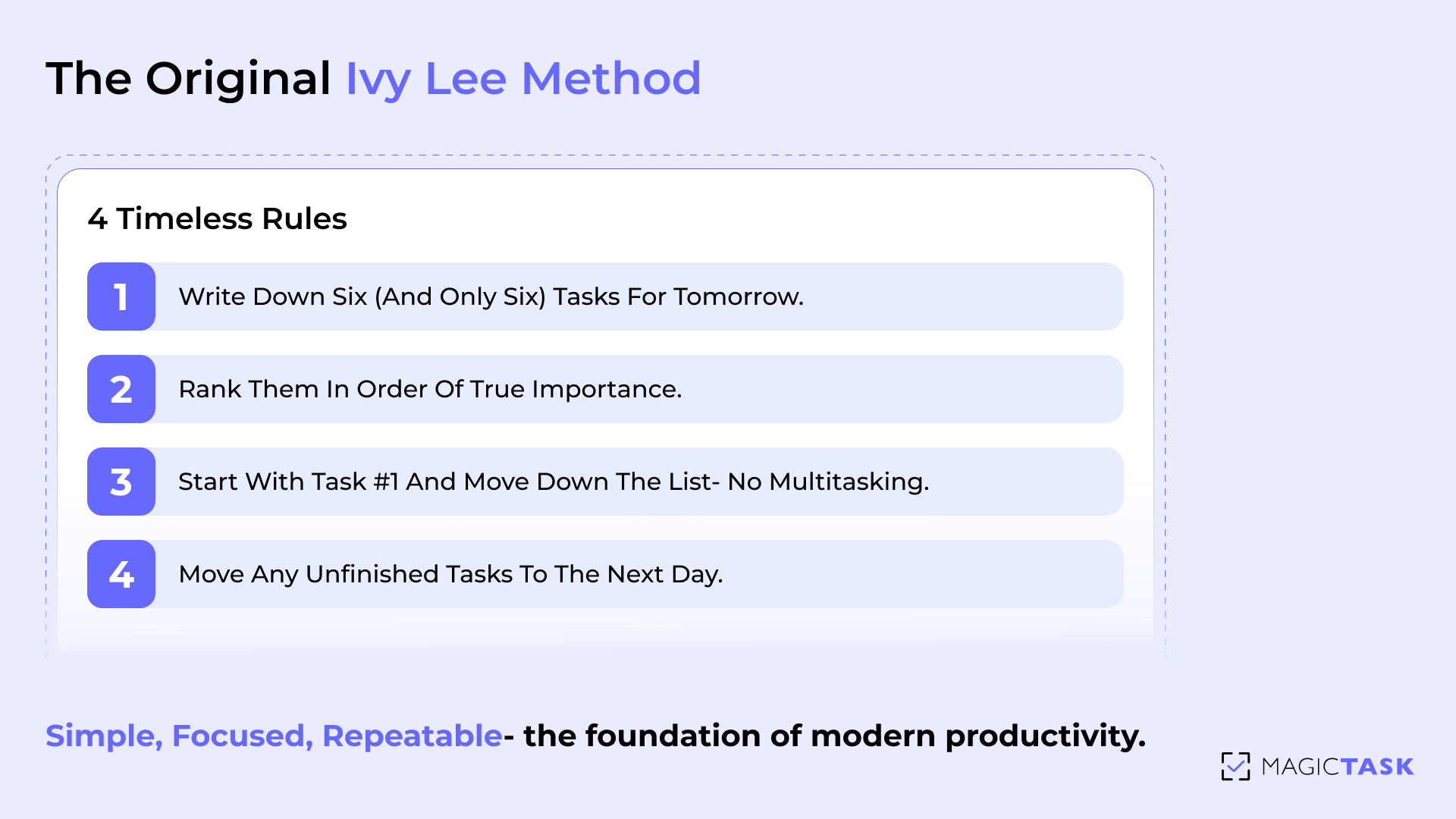
  1. Write down six (and only six) tasks for tomorrow.
  2. Rank them in order of true importance.
  3. Start with task #1 the next day and work your way down — no multitasking.
  4. Move any unfinished tasks to the next day’s list.

After a few weeks of using the system, Schwab was so impressed by the results that he reportedly sent Lee a check for $25,000, the equivalent of over $500,000 today.

It worked then because it was simple, focused, and easy to repeat. And over 100 years later, that clarity still cuts through the noise.

What Is the Ivy Lee Method

Why It Falls Short Today

The Ivy Lee Method was built for a world with fewer interruptions, slower communication, and static priorities. In 1918, six handwritten tasks could carry you through an entire day without much change. Today’s work reality looks very different.

1. Multiple Tasks Compete for Attention

The Ivy Lee Method assumes a linear workday, one where you can calmly move through six prioritized tasks in sequence. But modern workflows rarely operate like that. You’re pulled into meetings, asked to review something “quickly,” or hit with last-minute fire drills. Suddenly, your #2 tasks get bumped by five unplanned requests.

Even worse, most professionals today don’t have just six tasks — they have dozens, scattered across emails, chat apps, project dashboards, and sticky notes. Picking six feels impossible when everything feels urgent.

This overload leads to:

  • Decision fatigue about what deserves to make the list.
  • Missed priorities as reactive tasks take over.
  • Mental stress from knowing there’s more than six items waiting in the background.

Without a flexible, visible system, the Ivy Lee Method can feel like a nice idea that collapses under the weight of modern work chaos.

2. Digital Distractions Disrupt the Flow

When the Ivy Lee Method was created in 1918, there were no Slack messages, calendar pings, or app notifications pulling your focus every five minutes. Today, most professionals operate in environments saturated with digital noise. Every time your phone buzzes or your browser flashes a new tab, your focus breaks, and with it, the flow you need to work through a prioritized list.

Even if you start your day with a clear list, staying on task is another challenge entirely.

Common digital distractions include:

  • Incoming emails that feel urgent (but rarely are)
  • Chat notifications from teammates
  • Calendar events breaking up your work blocks
  • Temptation to check social media or refresh dashboards

These distractions fragment your attention and weaken your ability to move through tasks with intention. Without a system that reinforces focus and rewards progress, even the best list can become background noise. 

3. Team Visibility & Shifting Priorities

The Ivy Lee Method works best in a world where your priorities stay stable from one day to the next. But in modern team environments, priorities can change by lunchtime, and without real-time visibility, your carefully ranked list can quickly become outdated.

When tasks are planned on paper or in a private system, teams face two major problems:

  • No shared visibility: Teammates can’t see what you’re working on or where they can support you.
  • Lack of alignment: Project priorities shift, but your to-do list doesn’t — causing delays, missed expectations, and duplicated work.

In fast-moving teams, static systems don’t reflect dynamic reality. Without a way to re-prioritize collaboratively or adjust based on shared goals, even a focused method like Ivy Lee starts to break down.

That’s why a modern task system needs to bridge personal focus with team visibility. In the next section, you’ll see how MagicTask does exactly that — adding the flexibility, transparency, and motivation the Ivy Lee Method needs to thrive in 2025. 

How MagicTask Supercharges Ivy Lee

MagicTask brings structure, visibility, and motivation to the classic six-task routine. Instead of relying on pen and paper or hoping you'll remember to reprioritize throughout the day, MagicTask gives you a digital flow that makes this method sustainable.

How MagicTask Supercharges Ivy Lee

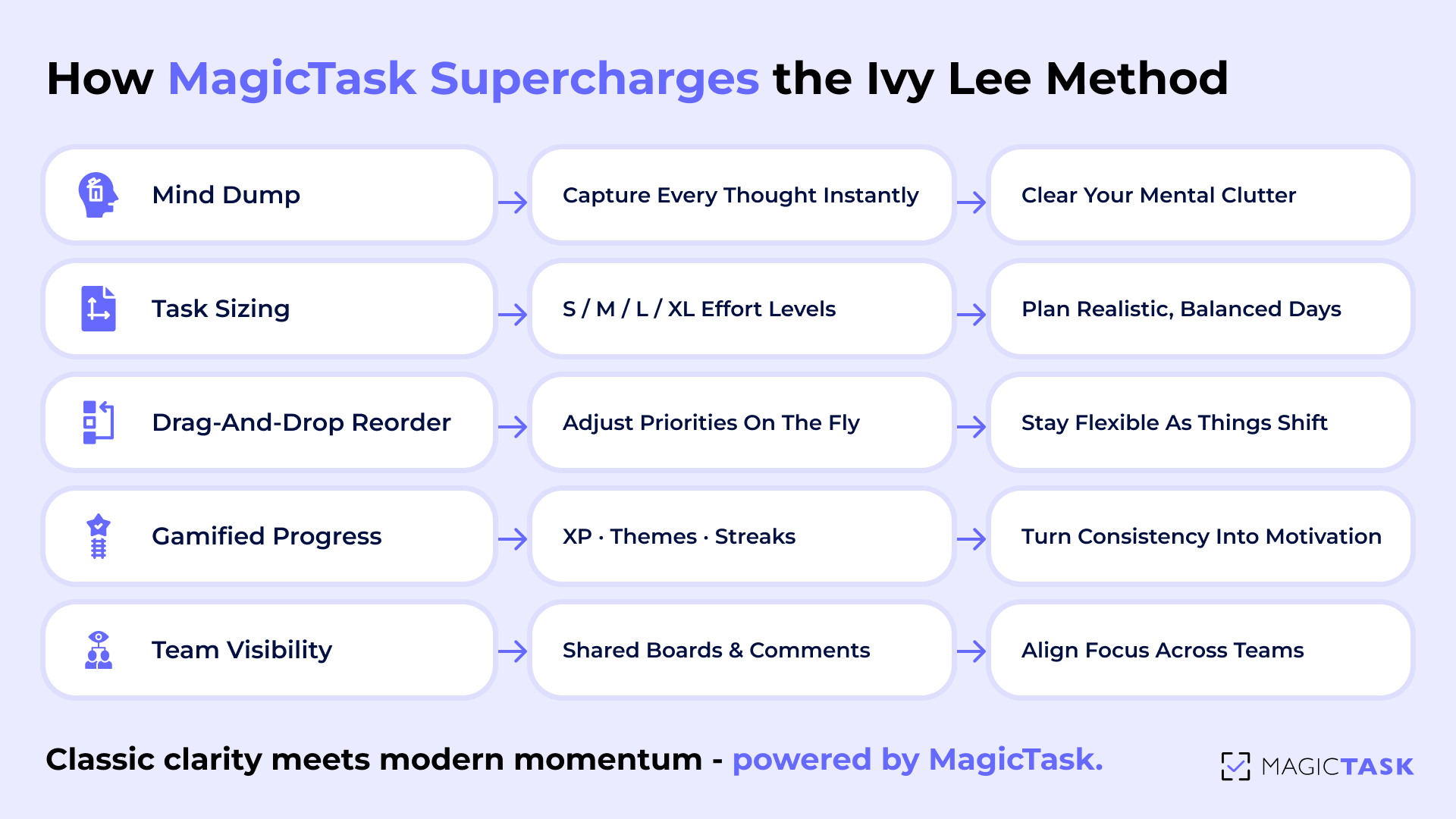
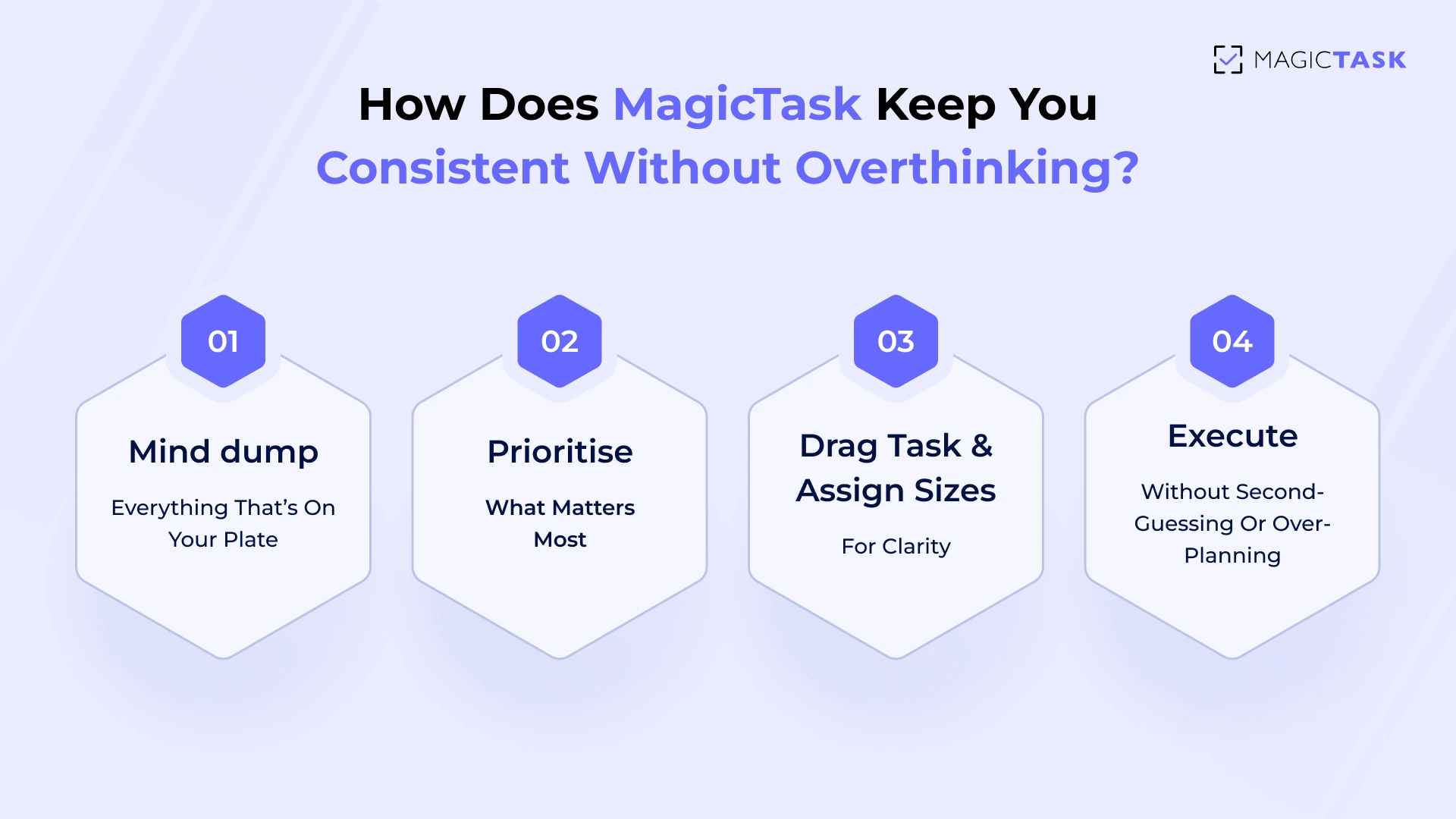
1. Mind Dump: Clear Your Mental Cache

The first step in modernizing the Ivy Lee Method with MagicTask is a full mind dump, getting every task, idea, or loose end out of your head and into a trusted system.

Mental clutter drains your focus. Studies show that people spend nearly 47% of their waking hours thinking about something other than what they’re doing, while physical and mental clutter split their attention, making it harder to concentrate. If your brain is juggling reminders, priorities, and half-finished thoughts, productivity suffers.

MagicTask turns the mind dump into a frictionless habit:

  • Tap into the “Add Task” flow and unload everything — work, personal, urgent, unclear.
  • Don’t worry about structure yet. Just get it out.
  • Use voice or keyboard, whichever feels faster in the moment.

Once your mental cache is cleared, you’re ready to bring focus back to what really matters — your priorities for the day. 

2. Task Sizing for Realistic Planning

One of the biggest reasons the Ivy Lee Method can fall apart in modern workflows is that not all tasks are created equal. Writing down six things without understanding their complexity leads to burnout, skipped tasks, or an unrealistic day plan.

That’s where MagicTask’s task sizing system adds depth without adding friction.

MagicTask uses a simple sizing system — S, M, L, XL — to help you gauge how much time and focus each task demands. Here’s how that typically looks:

Task Size Effort Level Time Needed Examples
S Quick, no setup Under 10 minutes Reply to email, set calendar reminder
M Moderate, focused 20–30 minutes Draft client update, run report
L Deep work 45–60 minutes Write article, prep presentation
XL High effort / multi-step 90+ minutes Build proposal, fix bugs, onboard hire

When you’re using the Ivy Lee Method inside MagicTask, sizing your tasks gives you clarity on:

  • How many you can realistically complete
  • Where to place deep work
  • Which tasks might need to be split or deferred

It’s about finishing what matters without overcommitting. Task sizing keeps your list honest. 

3. Drag-and-drop Reprioritization

Reprioritization is inevitable in modern work. While the Ivy Lee Method encourages a clear starting point, it assumes that priorities remain static from morning to evening, but real life doesn’t work that way. Clients call. Urgencies change. Your energy dips mid-afternoon. And suddenly, your sixth task needs to become your first.

With MagicTask, you don’t have to abandon the method — you just make it fluid. The drag-and-drop functionality lets you instantly reorder your daily six as new information comes in. There’s no rewriting, no breaking focus, no need to open a different tool.

You stay anchored to your plan, but now you have the freedom to pivot when it matters. That flexibility turns a rigid method into a living system, one that moves with your day instead of resisting it. 

Gamification Keeps the Routine Engaging

The Ivy Lee Method is simple — but simplicity alone doesn’t guarantee consistency. In traditional setups like pen and paper or basic task lists, the initial motivation fades quickly. MagicTask injects staying power into the method by gamifying the routine, turning task completion into a rewarding experience instead of a mental chore.

Here’s how it works, and why it makes such a difference:

  • Visual Progress That Feels Good: Every completed task earns experience points (XP), contributing to visible progress within your MagicTask theme. This visual feedback loop taps into your brain’s reward system, turning small wins into satisfying momentum.
  • Leveling System That Encourages Consistency: As you plan daily, complete tasks, and maintain the routine, you level up. This adds a sense of personal growth beyond just “checking boxes.” It transforms productivity into a game, one you want to keep playing.
  • Theme Unlocks That Keep Things Fresh: Hitting certain milestones unlocks new UI themes, giving your workspace a fresh look. This subtle visual evolution rewards long-term use and reduces routine fatigue, keeping the method engaging over weeks and months.
  • Daily Rewards That Reinforce Habits: Simply showing up and following through becomes part of your streak with rewards for consistency. This makes you more likely to stick with your plan even on low-energy days.
  • Behavioral Design That Drives Focus: MagicTask uses behavioral triggers to encourage daily use, such as nudges, visual streaks, and feedback sounds. These are reinforcements designed to strengthen your planning habit in a low-effort, high-impact way.

Instead of relying on sheer willpower to keep the Ivy Lee Method going, MagicTask builds a feedback loop that sustains you. It makes the process enjoyable, and when productivity feels good, it becomes a lifestyle, not a temporary fix. 

Team Alignment & Visibility

Traditional Ivy Lee routines are built for individual focus, but modern teams need shared visibility to stay aligned. MagicTask expands the method’s solo structure into a collaborative workflow. 

Once each team member sets their daily top six, others can view, comment, and coordinate around those priorities. It removes ambiguity, prevents overlap, and surfaces blockers before they cause delays. 

Because tasks are sized and ordered, teammates can instantly understand someone’s workload without long check-ins or status meetings. This creates a shared rhythm across departments, one where focus is personal but direction is collective. It keeps teams moving together, not just individually. 

Daily Routine Example (Ivy Lee + MagicTask)

Great systems don’t just help you plan better — they help you show up consistently. That’s where the Ivy Lee Method shines. You decide your priorities today, so tomorrow starts with clarity. And inside MagicTask, this classic method turns into a daily loop you’ll actually look forward to. Here’s how it works in practice.

Here’s how the Ivy Lee Method comes to life inside MagicTask as a repeatable, energising daily workflow:

Evening Reset → Pick and Rank Your SixEnd the day by reviewing everything in your mind dump. Choose the six tasks that matter most for tomorrow. Use task sizing (S, M, L, XL) to avoid overloading yourself, then drag them into order of priority. This closes the day with clarity and sets you up for momentum in the morning.

Morning Kickoff → Start With #1 in MagicTaskLog in and head straight to your #1 task. No overthinking, no scrolling. Just execute. The clean UI and visual structure reduce distractions, so you can get into flow right away.

During the Day → Capture New Tasks Without Losing FocusNew priorities always pop up, but don’t let them derail your focus. Drop them into your mind dump or “inbox” space, then return to your current task. You’ll process them during your next reset, not in the middle of deep work.

End of Day → Review & Carry ForwardWrap up with a quick review. Celebrate what you finished (and enjoy the gamified rewards). Any unfinished tasks? Reassess and re-rank them for tomorrow. This daily loop strengthens consistency and reduces mental fatigue.

Tips to Make It Stick

If six tasks feel overwhelming at first, start with just three. The goal is progress, not pressure. Mix in different task sizes so your day doesn’t get overloaded.  Stacking multiple XL tasks often leads to frustration and burnout. 

Keep your number one task visible and, when possible, share it with your teammates. This signals what you need uninterrupted focus on and helps reduce unnecessary context-switching. Small habits like these make the Ivy Lee Method easier to follow and far more sustainable over time. 

Conclusion

The Ivy Lee Method has lasted over a century for one reason: it works. Its elegance lies in its simplicity, just six tasks, ranked by priority, and tackled with focus. But staying consistent with this system in today’s fast-paced, distraction-filled environment takes more than a notebook.

MagicTask modernises the method without losing its core. You still get the clarity of the original framework, but now it’s enhanced by smart features like task sizing, drag-and-drop planning, and motivating gamification that rewards your progress. It’s everything the Ivy Lee Method promised — made sustainable for modern teams and individuals.

Try setting your first six tasks in MagicTask tonight. See how good it feels to start tomorrow with clarity, focus, and a little bit of fun.

Building a Gamified Work Culture Where Teams Thrive

Building a Gamified Work Culture Where Teams Thrive

Did you know that some of the most successful teams actually treat work like a game? I know that sounds odd, but research backs it up. 

A study published in the International Journal of Environmental Research and Public Health found that gamified approaches, things like friendly challenges, clear goals, and instant feedback, can make teams more engaged, creative, and effective. 

And it makes sense, doesn’t it? When you approach work the way a gamer approaches a new level, with focus, curiosity, and a bit of competitive fun, even the toughest projects start to feel more like a quest than a chore. 

In this post, we’ll explore how building a gamified work culture can turn everyday tasks into opportunities for growth, collaboration, and genuine excitement.

How Work Culture Shapes Team Productivity

Free snacks and ping pong get your team into the door but they’re not motivation enough. The real test of culture shows up on a Monday morning. How your team approaches the first task of the week. How they follow through on goals when energy dips. How they respond when deadlines shift. That’s what defines culture.

And it’s doing one of two things: helping your team thrive or quietly holding them back.

Lasting change doesn’t come from another pep talk or offsite. It comes from reshaping the environment people work in every single day.

Positive vs Negative Work Culture

Every workplace has a culture, whether it’s intentionally shaped or left to form on its own. How do people communicate under pressure? Who steps up when a project hits a snag? How does your team handle unexpected challenges? Culture shows up in how work gets done and how people respond when things go wrong.

A positive culture keeps teams aligned, engaged, and accountable. People know what’s expected, they support each other, and they’re motivated to show up and do their best. 

As Mike Tyson famously said, “A happy fighter is a dangerous fighter.” 

The principle applies to teams too. When employees feel supported, recognized, and connected to their work, they tackle challenges with energy, perform at a higher level, and consistently deliver results. Productivity flows naturally because the environment encourages progress, collaboration, and excellence.

A negative culture, on the other hand, creates friction. Tasks get delayed, communication breaks down, and teams work in silos. Even high performers start burning out when they feel disconnected or unsupported.

In fast-moving teams, culture is about the systems and tools that shape daily behavior. Are your workflows making it easy to do the right thing? Does your digital workspace guide focus instead of creating friction? Choosing the right tools reinforces good habits and helps teams operate at their best.

The Environment Principle

A team’s productivity is shaped by the environment they work in. As Atomic Habits explains, behavior follows design. When the environment makes good habits easy, teams perform better naturally.

Today, the digital workspace is the environment. The tools your team uses every day either support focus or create friction. A cluttered workspace or bloated dashboard can derail even the most motivated employees.

Here’s how environment shapes behavior in modern teams:

  • Friction creates fatigue. When tools are complex or unintuitive, people resist using them. Productivity slows down.
  • Design directs behavior. Clean, visual systems guide attention to what matters most.
  • Clarity builds consistency. When the digital workspace reflects clear priorities, teams follow through effortlessly.
  • Gamified environments sustain momentum. Small wins, like completing tasks and seeing progress, keep motivation alive day after day.

A well-designed workspace doesn’t need constant management; it guides people automatically. That’s why platforms like MagicTask focus on simplicity and positive reinforcement because the right environment inspires progress. 

The Benefits of Gamified Work Culture

Traditional management tactics rely on pep talks, performance reviews, or team-building exercises that temporarily boost morale. But sustained engagement comes from systems that make progress visible and rewarding. That’s where gamified work culture steps in. 

1. Engagement Through Rewards

Progress is one of the strongest motivators in human behavior. When people can see their effort translate into visible, meaningful outcomes, they stay engaged longer and perform better. Gamification builds on this principle by turning everyday work into a rewarding experience filled with feedback, recognition, and visible progress.

Companies using gamification techniques have seen about a 48% increase in employee engagement, which shows that they have a measurable impact. 

Instead of checking off endless tasks, employees experience work as a dynamic cycle of achievement. Each completed task contributes to something tangible, a sense of progress that feels immediate and satisfying.

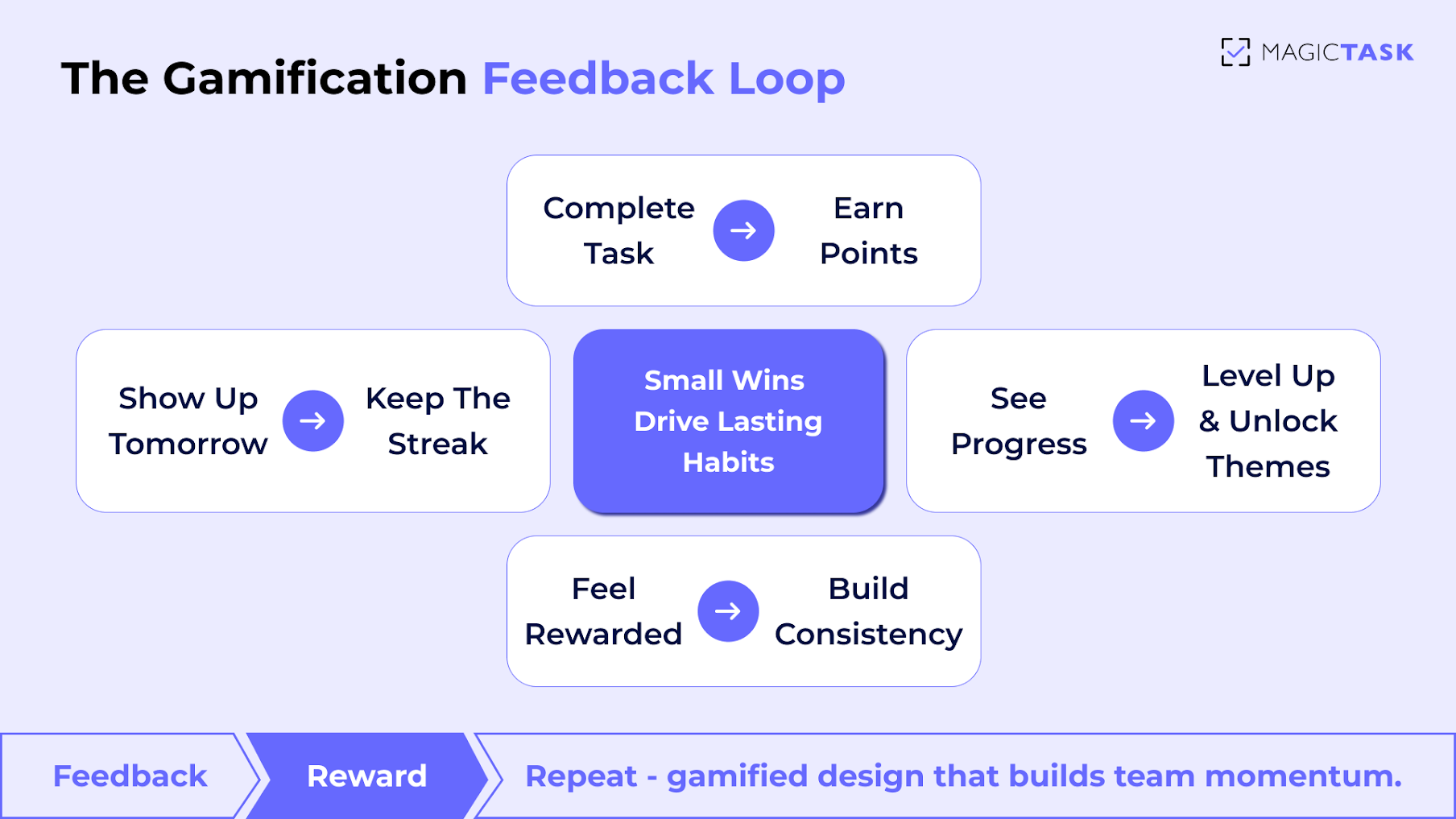
The Gamification Feedback Loop

Here’s how gamified rewards keep teams engaged:

  • Visible progress loops: Points, levels, and progress bars show advancement instantly.
  • Micro-rewards for effort: Small wins after each task keep motivation consistent.
  • Completion satisfaction: Tasks feel rewarding, not routine.
  • Team recognition: Collective progress builds a sense of shared success.

Over time, these feedback loops turn daily work into something employees actually look forward to. Each finished task delivers a small win — a reminder that effort matters and progress is always visible.

2. Accountability and Visibility

When progress is visible, accountability becomes effortless. Teams stay aligned because everyone can see what’s being done, who’s contributing, and how their work connects to the bigger picture. Transparency turns into motivation — not through micromanagement, but through shared awareness.

Gamified systems enhance that visibility by giving every task a measurable outcome. Points, levels, and streaks show effort in real time, turning invisible progress into something tangible. People naturally rise to the occasion when their work is seen and valued.

Here’s how gamified visibility drives accountability across teams:

  • Clear contribution tracking: Everyone knows who’s moving projects forward.
  • Peer motivation: Visible progress fosters healthy competition and collaboration.
  • Reduced management load: Leaders spend less time chasing updates and more time supporting.
  • Shared responsibility: Teams align around collective goals instead of siloed efforts.

This kind of open, game-like transparency replaces the anxiety of constant check-ins with the satisfaction of mutual progress. Accountability becomes part of the game.

3. Consistency Over Motivation

Motivation is fleeting. It spikes during launches, deadlines, or team events, then fades. What truly sustains performance is consistency: the quiet rhythm of progress that builds over time. Gamified systems nurture that rhythm by rewarding small, repeated actions instead of waiting for big wins.

When employees earn points or see visual progress for each completed task, they get continuous reinforcement. The focus shifts from “feeling motivated” to simply showing up and taking the next step. That’s how habits form — through repetition rewarded in real time.

Here’s how gamification turns consistency into a natural part of the workflow:

  • Daily feedback loops: Each task completed provides an instant sense of accomplishment.
  • Incremental rewards: Progress is built one step at a time, keeping momentum steady.
  • Visible streaks and milestones: Teams stay engaged through ongoing recognition.
  • Low-pressure accountability: No guilt for missing a beat — just encouragement to start again.

Over time, this rhythm of steady progress compounds into real results. Instead of waiting for bursts of motivation, teams develop habits that make productivity second nature.

4. Collaboration and Identity

A strong work culture is about how teams come together. Gamified systems create a shared sense of purpose and identity, where everyone knows their role and contribution matters. When progress is visible and rewards are tied to team goals, collaboration naturally increases.

Gamification fosters a collective mindset. Teams rally around challenges, celebrate wins together, and develop an identity rooted in accomplishment. This shared experience strengthens cohesion and encourages members to support each other, creating a workplace where collaboration isn’t optional — it’s built into the system.

Here’s how gamification reinforces collaboration and identity:

  • Shared goals: Teams see how individual tasks contribute to larger objectives.
  • Collective recognition: Successes are celebrated as a group, not just individually.
  • Healthy competition: Leaderboards and progress tracking spark engagement without undermining teamwork.
  • Team identity: Gamified achievements cultivate pride in being part of a high-performing, results-driven team.

By turning work into a shared game, employees feel connected, accountable, and proud of the team they belong to, transforming culture into a driving force for productivity. 

Building a Gamified Work Culture with MagicTask

MagicTask turns gamified work culture from concept into practice. At MagicTask, we’ve completed 70,000+ tasks, showing how gamification drives real progress and engagement. Points, levels, and progress loops make work visible, rewarding, and motivating. 

Teams stay aligned, celebrate small wins, and maintain momentum, transforming the digital workspace into an environment that naturally guides productivity and collaboration. 

Points and Task Sizes

MagicTask rewards progress with a clear, points-based system that reflects the effort behind each task. Assigning sizes to tasks—Small, Medium, Large, or XL—gives employees a visual cue of complexity while making contributions measurable. 

Completing tasks earns points, giving teams and leaders a clear sense of effort versus reward. This approach encourages focus, prioritization, and steady progress.

Task Size Description Time Required Points
S Quick, low-effort task <15 min 10
M Moderate effort 15–30 min 25
L High-effort task 1–2 hours 50
XL Complex, multi-step project More than 2 hours 100

By visually framing tasks and tying them to points, MagicTask makes productivity tangible and motivating, turning everyday work into achievable milestones. 

Level-Up Themes and Motivation Loops

MagicTask turns progress into a dynamic, engaging experience. As tasks are completed, users unlock animations, sound effects, and new visual themes, creating a sense of advancement beyond simple checkmarks. These small, interactive rewards keep morale high and inject energy into daily workflows.

By linking task completion to visible, enjoyable feedback, MagicTask prevents tool fatigue and maintains engagement over time. Motivation becomes self-reinforcing: the more users accomplish, the more the environment celebrates their progress, encouraging consistent focus and momentum.

Shared Boards and Rankings

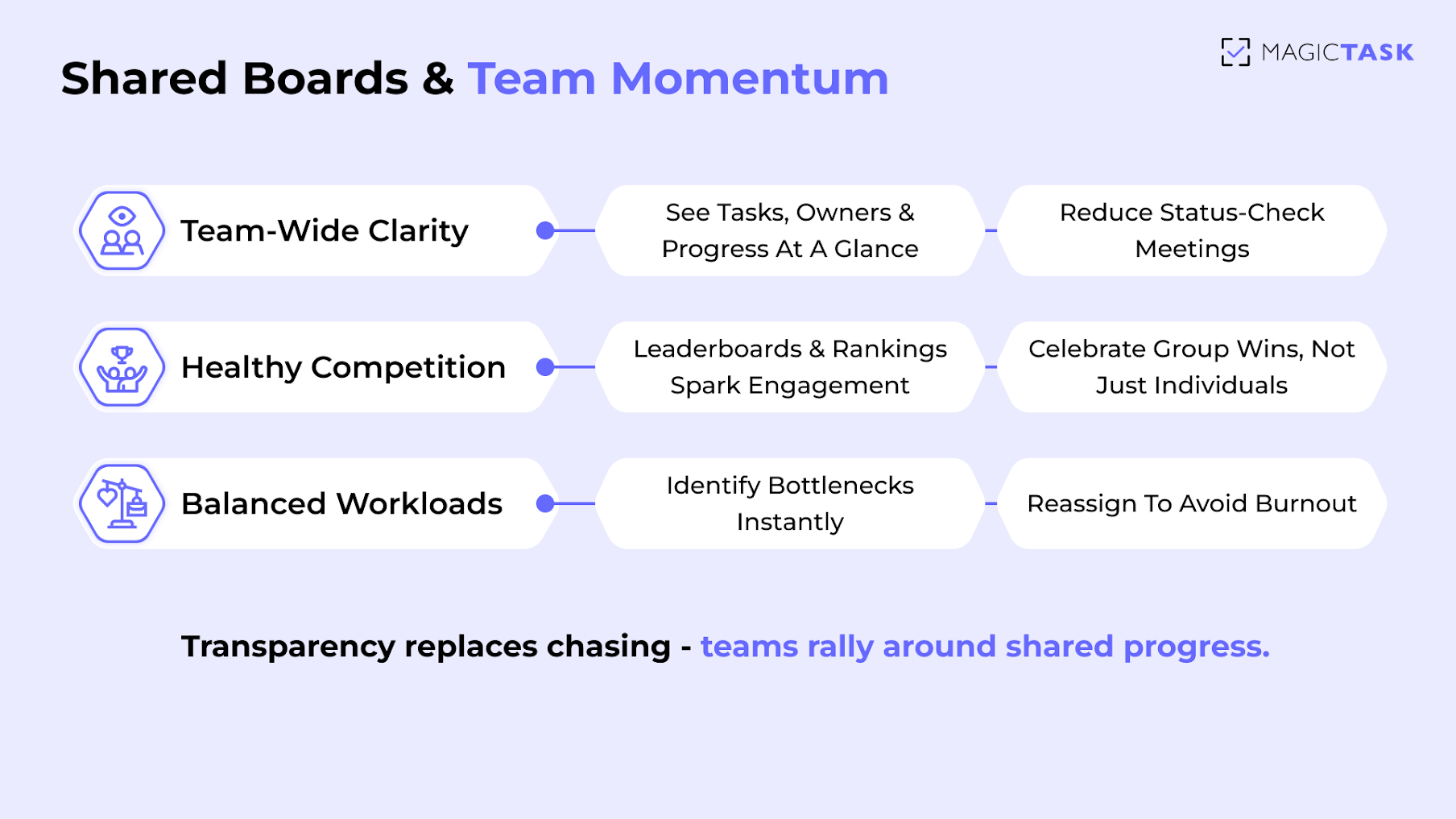
Transparency drives accountability, and MagicTask makes it effortless. Shared boards give teams a clear view of who’s working on what, while rankings and progress indicators highlight contributions in real time. This visibility encourages collaboration and healthy competition without micromanagement.

Key benefits of shared boards and rankings include:

  • Team-wide clarity: Everyone sees tasks, priorities, and progress at a glance.
  • Healthy competition: Leaderboards motivate individuals while reinforcing team goals.
  • Balanced workload: Managers can quickly identify bottlenecks or uneven distribution.
  • Enhanced collaboration: Visibility encourages peer support and knowledge sharing.

By combining transparency with gamified recognition, MagicTask helps teams stay aligned, engaged, and motivated to deliver results together. 

Shared Board

Simple, Distraction-Free UI

MagicTask keeps the focus where it belongs: on tasks, priorities, and progress. The clean, uncluttered interface removes the noise and complexity found in many traditional tools, so teams can work efficiently without feeling overwhelmed. 

By stripping away unnecessary dashboards, menus, and notifications, MagicTask turns task management into an intuitive, enjoyable experience. When tools are easy to use and visually clear, teams engage naturally, complete work faster, and maintain momentum without the frustration of navigating bloated software. 

Conclusion

A thriving work culture doesn’t rely on motivation alone. It relies on systems that make progress visible, rewarding, and effortless. Gamification turns everyday tasks into achievable milestones, promotes accountability, and reinforces collaboration, creating an environment where teams naturally perform at their best.

MagicTask brings these principles to life. Points, levels, shared boards, and a distraction-free interface transform the digital workspace into a platform that sustains engagement, builds consistency, and celebrates progress. Teams don’t just complete tasks—they thrive, innovate, and enjoy the process along the way.

How to Break Project Deliverables into Clear, Actionable Tasks

Break Project Deliverables into Clear, Actionable Tasks

Project deliverables are supposed to drive progress, but too often, they become a source of confusion.

Vague, oversized deliverables, such as “launch campaign” or “rebuild onboarding,” sound ambitious but leave your team stuck asking, “Where do we even start?” 

Without a system to break deliverables into clear, actionable tasks, execution stalls and deadlines slip. Projects that looked promising in planning meetings suddenly feel chaotic. 

The fix isn’t more meetings or tighter oversight. It’s the structure.

In this blog, you’ll learn a simple framework for turning complex deliverables into trackable action steps and how to implement it using MagicTask, a gamified task management system designed to reduce overwhelm and increase team clarity. 

Let’s break it down. 

What Does “Breaking Deliverables into Tasks” Really  Mean?

Deliverables and tasks often get lumped together, but they’re not the same. A deliverable is the outcome you’re trying to produce. A task is a specific, concrete step that someone takes to achieve a goal. 

Think of a deliverable as the destination, and tasks as the directions.

For example, the deliverable is: “Launch new website”

So, the tasks will be:

  • Design homepage mockup
  • Write About Us page copy
  • Test contact form functionality
  • Finalize SEO metadata
  • Deploy to production

Without this kind of breakdown, teams tend to either spin their wheels or skip critical steps. A vague deliverable leads to multiple interpretations, resulting in confusion, duplication, and rework.

Clarity is about setting clear expectations and ensuring real accountability. When every task is defined, sized, and assigned, projects move faster because no one is guessing what “done” really means.

This is the heart of project execution: turning big-picture ideas into small, finishable actions.  

Selecting the Right Task Management Tool for Clarity

Even with a well-defined deliverable, your system will fall apart without the right tool to support it.

Most project slowdowns aren’t due to a lack of intent, but rather a lack of visibility, structure, or accountability. The tool you choose either makes work easier to manage or harder to follow through. 

A solid task management tool should make project clarity feel automatic.

That means:

  • A clean, distraction-free interface so nothing gets lost in the noise.
  • The ability to size and prioritize tasks based on effort and urgency.
  • Flexibility to adapt as the scope shifts, without breaking the system.

MagicTask was designed to do precisely this. Instead of dumping all tasks into a single, endless list, it gives you structure through task sizing, drag-and-drop prioritization, and simple project organization.

You can see what needs to happen, when, and who’s responsible without micromanaging or switching between tabs. 

Turning Project Deliverables into Clear Action Items with MagicTask

Turning Project Deliverables into Clear Action Items

If your current tool creates more friction than flow, it’s time to rethink it. MagicTask makes it easier to break big goals into meaningful actions and actually follow through. 

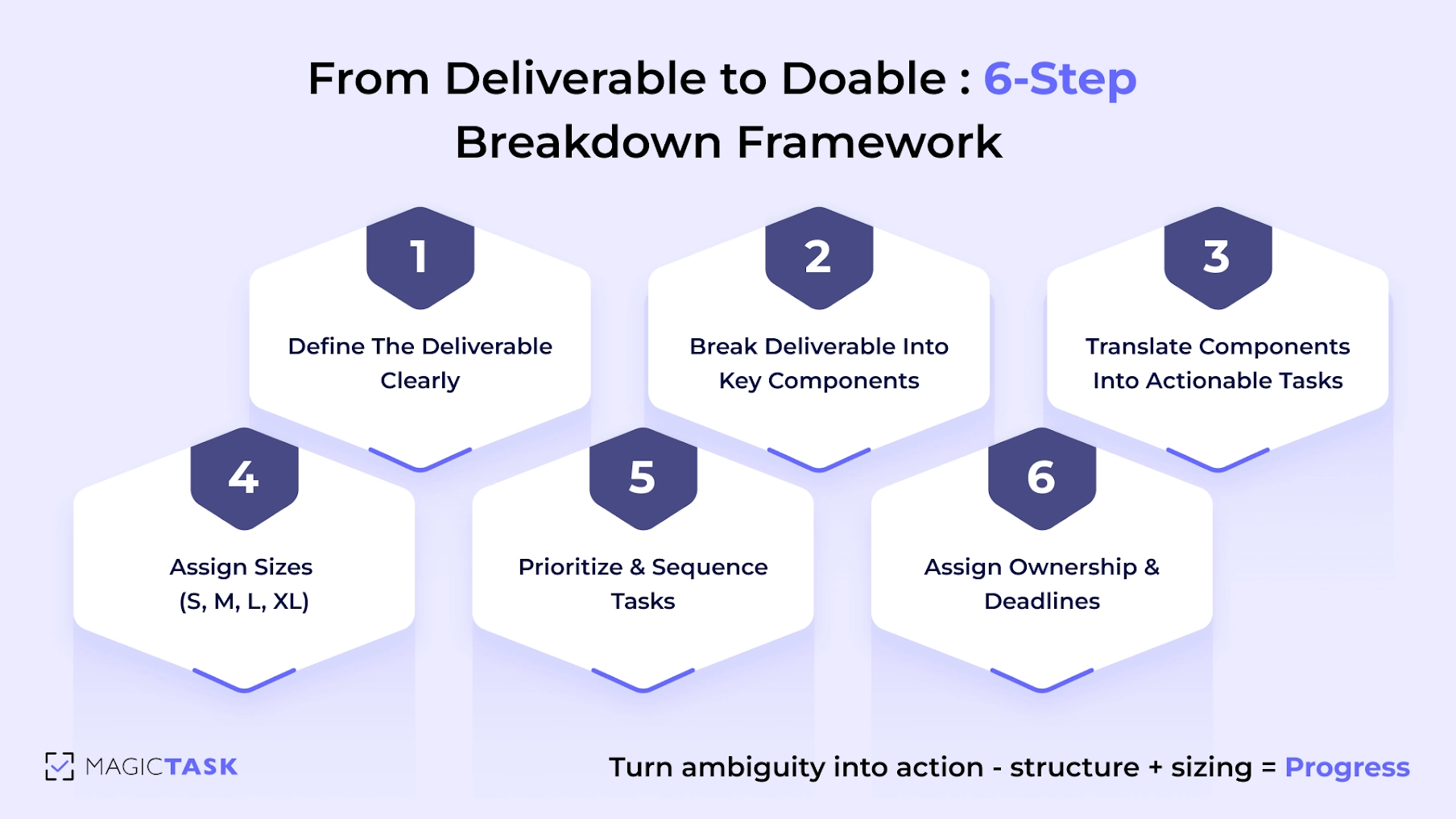
Step 1: Define the Deliverable Clearly

Every strong project starts with a clearly defined outcome. Before assigning tasks or estimating timelines, you need to articulate what exactly needs to be delivered and what “done” looks like.

A deliverable isn’t just a vague idea, such as “website redesign” or “client onboarding.” It’s a specific, tangible outcome your team can work toward. The more precisely it’s defined, the easier it becomes to reverse-engineer into actionable tasks. 

Ask yourself:

  • What is the final output?
  • Who is it for?
  • What problem does it solve?
  • What are the key requirements for it to be considered complete?

Example: Launch new website

Clear definition:

“A fully functional marketing website with five pages (Home, About, Services, Blog, Contact), responsive across all devices, integrated with CMS, and approved by leadership.”

When deliverables are this specific, the path forward becomes much easier to map, and the team can align around a shared understanding from day one.

MagicTask helps capture and document this level of clarity right inside your workspace, ensuring no one’s operating off assumptions. 

Step 2: Break Deliverable into Key Components

Once you’ve clearly defined your deliverable, the next step is to break it down into logical components or phases. This creates structure, turning a large goal into manageable sections that are easier to plan, assign, and execute.

Think of this step as outlining the major “chapters” of the project. If the deliverable is launching a new website, your components might look like:

  • Design: wireframes, mockups, approvals
  • Content: copywriting, asset sourcing, SEO setup
  • Development: front-end build, CMS integration
  • Testing: QA checks, responsiveness testing
  • Launch: domain setup, deployment, stakeholder review


Each component acts as a container for actionable tasks. Without this step, teams often jump straight into task creation, only to end up with a long, chaotic list that lacks context. 

Inside MagicTask, you can create folders or projects to reflect these key components. This keeps your workspace organised, reduces overwhelm, and ensures that every task ties back to a meaningful section of the deliverable. It also makes it easier to delegate ownership and track progress within each phase. 

Step 3: Translate Components into Actionable Tasks

With your project components clearly mapped out, it’s time to convert them into real tasks, the kind that actually get done, not just talked about.

The rule here is simple: every task should be small, specific, and start with a verb. This shifts your team from vague intentions to clear, executable actions.

Let’s take the “Content” component from a website project. Instead of a bulky, unclear task like “Handle content”, break it down into:

  • Write About Us page copy
  • Source product images from the design team
  • Upload blog articles into CMS
  • Add SEO metadata to the homepage and blog

Each of these can be done, tracked, and checked off, reducing procrastination and boosting progress. 

Actionable tasks make it easier to:

  • Assign clear ownership
  • Estimate effort accurately
  • Avoid rework caused by confusion
  • Keep projects moving, even across handoffs

Inside MagicTask, this kind of granularity fits perfectly. You can input tasks quickly, add task sizing (next step), and drag them into priority order, creating momentum without micromanagement.

This is where execution starts to feel doable. 

Step 4: Assign Sizes (S, M, L, XL)

Once tasks are broken down, you need a simple way to gauge effort at a glance. MagicTask utilizes a system of S, M, L, and XL to maintain an intuitive and fast interface.

Sizing gives your team clarity on how much time or energy each task requires, without obsessing over exact time estimates. It also helps balance workloads, spot bottlenecks early, and build realistic daily plans.

Think of sizing as effort-based, and not duration-based. A 15-minute task that requires deep thinking might be Medium, while a repetitive 30-minute task could be Small.

Task Size Description Effort Level Example
S Quick, low-friction task < 15 minutes Fix typo, send email, rename file
M Moderate task with 1–2 steps ~30 minutes Draft short copy, update landing page
L Larger task requiring deep focus or setup ~1 hour+ Create mockup, write blog draft
XL High-effort task or small project on its own 2+ hours or multiple sessions Build deck, design homepage section

MagicTask’s gamified experience is directly tied to sizing. You get more points for finishing larger tasks, which creates momentum instead of burnout, especially when XL tasks are broken into subtasks or complemented with a few Small wins.

This sizing system turns ambiguity into visibility. Everyone knows what to expect and how to make the most of the day. 

Step 5: Prioritize and Sequence Tasks

Once your tasks are clearly defined and sized, the next step is to put them in the correct order. 

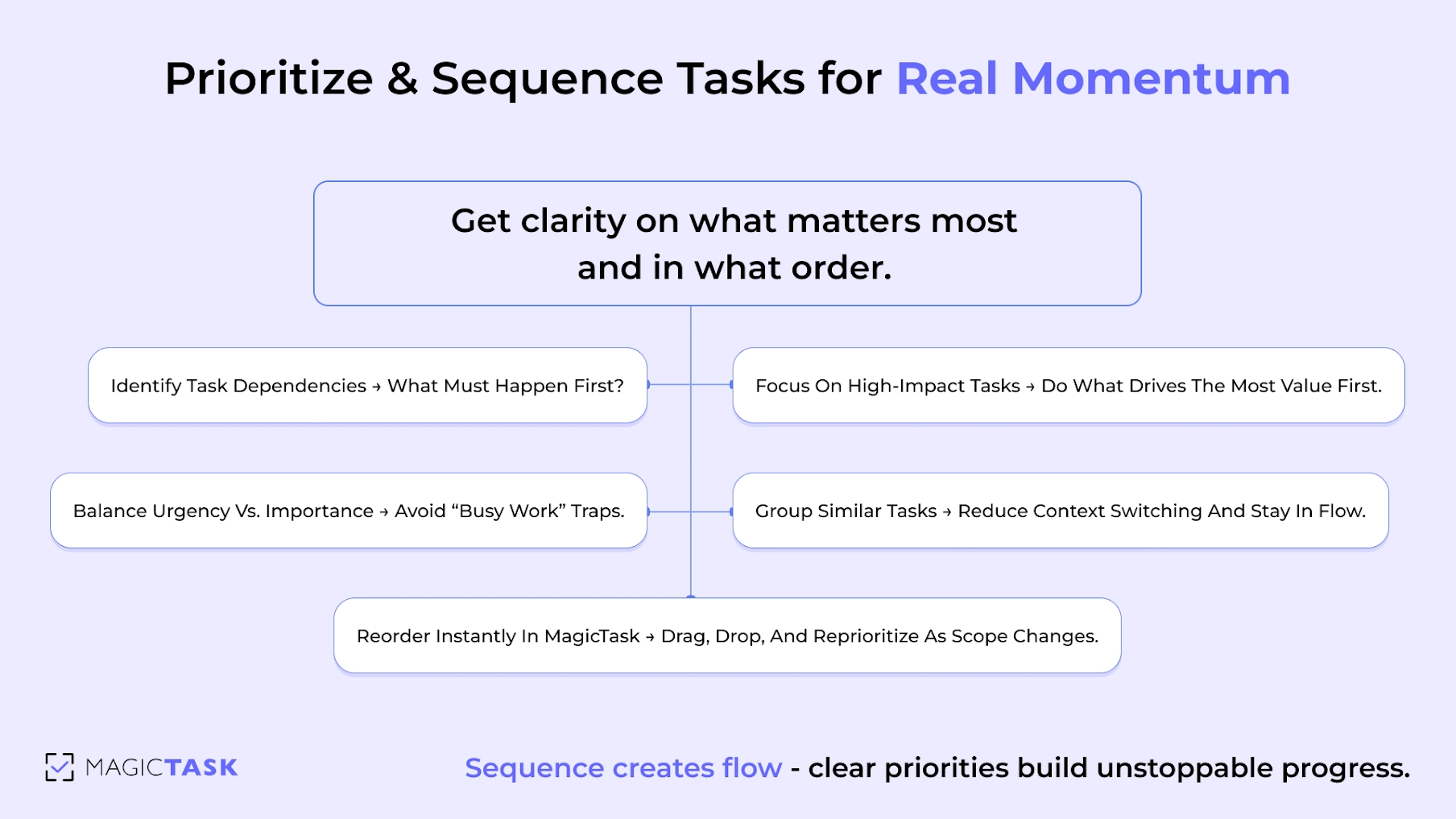
Start by identifying any task dependencies. Which tasks must be completed before others can begin? These create a natural order of operations. For example, you can’t “Test Contact Form” before you “Build Contact Form.”

Prioritize and Sequence Tasks

Then look at impact vs. urgency.

Which tasks drive the most value? Which ones are time-sensitive? Prioritizing based on these criteria helps your team focus on what actually moves the project forward, rather than just reacting to whatever feels loudest.

Sequencing tasks helps reduce context-switching and enables flow-state work. Group similar tasks or structure your week around project phases (e.g., design before development).

MagicTask supports this naturally through drag-and-drop task ordering inside folders or projects. The clean layout makes your priorities visible at a glance, and rearranging them takes seconds. When priorities shift, and they will, the system flexes with you. 

Step 6: Assign Ownership and Deadlines

Clarity doesn't stop at defining tasks. It’s just as crucial to assign ownership and timelines. Without a clear owner, tasks fall through the cracks. Without a deadline, they stretch indefinitely. This step turns your plan into real accountability.

Assign one owner per task, even if multiple people are involved in the task. One person should always be responsible for driving the task forward or flagging blockers. This eliminates confusion and prevents the “someone else will do it” trap.

Deadlines should be realistic, based on task size, dependencies, and team availability. Avoid overloading team members with too many large tasks at once.

Here’s how to structure this step effectively:

  • Assign a single task owner – Ensure there's no ambiguity about who’s responsible.
  • Set a deadline – Based on the task size (S, M, L, XL) and priority.
  • Add notes/context – If needed, include links, files, or key instructions.
  • Communicate expectations – Everyone should know what’s due when, and what success looks like.

With MagicTask, assigning ownership and deadlines is seamlessly integrated into the workflow.

You can quickly tag a team member, select a due date, and keep the entire project timeline visible without clutter or chaos. It's delegation without micromanagement.

How MagicTask Simplifies Task Delegation and Team Alignment

Managing project deliverables is about keeping everyone aligned as those pieces move. MagicTask turns delegation and coordination into a lightweight, visual, and habit-forming process that doesn’t require chasing people down or managing a sea of Slack messages.

Once your tasks are structured and sized, MagicTask makes it easy to assign ownership, set deadlines, and give every team member visibility into who’s doing what. Each task clearly indicates who’s responsible, its size (S, M, L, XL), and when it’s due, all at a glance.

There’s no need to dig through cluttered dashboards or nested subtasks. The clean interface allows teams to focus on execution, not project administration. And because it’s gamified, completing tasks becomes intrinsically motivating, not just another checkbox.

You get:

  • Clear accountability without micromanagement
  • Real-time visibility without status meetings
  • Teamwide motivation through points, streaks, and progress themes

As a result, everyone knows what to do, when to do it, and why it matters. MagicTask doesn’t just organize work. It organizes teams around progress. 

Common Mistakes to Avoid

Even with the right tools and a solid framework, small missteps can derail project momentum.

Many teams rush the breakdown process or oversimplify it, leading to confusion, delays, or missed deadlines. These errors create real execution risks that ripple across your team.

Here are a few mistakes to watch out for:

  • Creating vague tasks: A task like “Work on design” doesn’t give clear direction. Use action verbs and specificity (e.g., “Create homepage wireframe in Figma”).
  • Leaving tasks too large: If a task can’t be completed in a single focused work session, it’s likely too big. Break it down into smaller chunks that can actually be scheduled and finished.
  • Skipping dependencies or sequencing: Without mapping task order, teams often start the wrong task too early or get blocked because a critical step is not yet complete.
  • Not refining the task breakdown when scope changes: Projects evolve. When they do, revisit your task structure. Outdated or misaligned tasks quickly lead to wasted time and duplicate efforts.

Avoiding these mistakes builds the kind of clarity and flow that high-performing teams rely on.

Conclusion

Breaking significant project deliverables into clear, actionable tasks isn’t just a best practice; it’s the foundation for team clarity, accountability, and momentum. When your task structure aligns with the proper workflow, your team spends less time second-guessing and more time making genuine progress.

MagicTask makes this entire process smoother. From sizing tasks for better planning to visual sequencing, drag-and-drop prioritization, and effortless team assignments, it’s built to turn complexity into clarity.
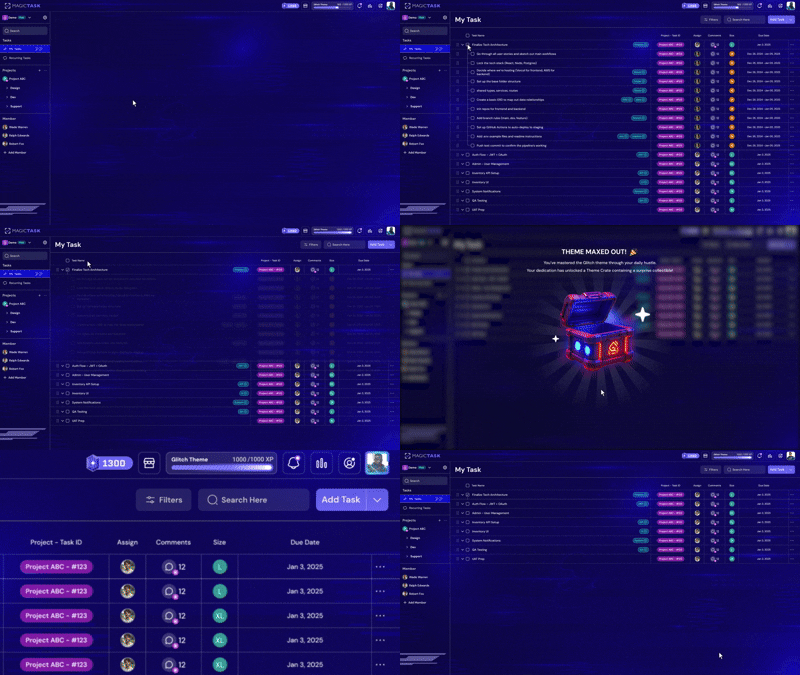
If your current task system feels chaotic or overwhelming, try breaking your next deliverable down in MagicTask. You’ll instantly see the difference in alignment, energy, and execution.


Why MagicTask Is the Best ClickUp Alternative

MagicTask vs ClickUp

Most teams start with the best intentions when they adopt a big all-in-one tool like ClickUp. It feels like the answer to everything, with dashboards, subtasks, and endless features all neatly packed into one platform. But somewhere along the way, that “everything tool” quietly turns into one more thing to manage.

Instead of streamlining work, it starts slowing you down. The daily log-ins feel heavier, projects get buried under layers of settings, and before long, the tool itself becomes part of the problem.

I’ve seen this happen firsthand, and it’s frustrating when the very thing meant to keep you organized becomes a source of friction.

That’s usually the point when teams start looking around. And lately, a lot of them have landed on MagicTask.

It takes a very different approach: lightweight, fast, and even a little fun, without forcing you through a steep learning curve.

In this post, we’ll dig into why so many people are rethinking ClickUp in 2025 and how MagicTask is carving out a place as a serious alternative.

Why Are Users Switching Away from ClickUp in 2025?

ClickUp has a lot of features packed into one, but for many users, it’s become more of a burden than a benefit.

Teams drawn in by its flexibility often find themselves bogged down by configuration, lag, and features they never fully use. What begins with excitement fades into fatigue, and adoption quietly drops off.

Here’s what users are struggling with most:

  • Too complex and bloated — most teams don’t need 50 features and 10 views per project
  • High learning curve — non-technical users get lost before they even get started
  • Slower performance — speed drops as you scale projects, killing momentum
  • Team adoption declines — after the initial rollout, usage often flatlines
  • Motivation disappears — when a tool feels like “just more work,” people avoid it

These frustrations don’t just slow productivity; they damage morale and make task management feel like a chore. That’s where MagicTask enters with a very different philosophy. Let’s look at why it’s quickly becoming the go-to ClickUp alternative in 2025.

What Makes MagicTask a Better Alternative to ClickUp?

MagicTask vs ClickUp

When teams look for a change, they want better focus, faster workflows, and a tool that doesn’t feel like work.

MagicTask strips away the noise and replaces it with clarity, momentum, and just enough structure to keep everyone moving.

1. Clean and Intuitive UI

MagicTask is designed to be frictionless from the moment you log in. Where tools like ClickUp overwhelm with sidebars, dropdowns, and nested menus, MagicTask gives you a clean workspace that feels light and fast. No endless configuration. No digging through layers just to update a task.

Everything you need and only what you need is visible at a glance. Your tasks, priorities, and themes are front and center, without noisy team feeds or redundant settings distracting you.

As a result, you spend less time managing your tool and more time actually doing the work. It’s a UI that respects your time and your focus, especially on days when energy is low and clarity is everything.

2. Gamified Experience That Drives Consistency

ClickUp has powerful features, but let’s be honest, it lacks joy. It’s a workhorse, not a motivator. MagicTask changes that by transforming your daily planning into a rewarding, game-like experience, designed to keep you coming back.

Instead of treating productivity as a chore, MagicTask provides you with visual and motivational signals every time you complete a task, plan your day, or stay on track. These aren't just gimmicks; they’re grounded in behavioral science. 

Gamification can increase task completion rates by up to 150% because it taps into how humans are wired: we respond to feedback, rewards, and visible progress.

Here’s how MagicTask builds those habits without the burnout:

  • XP and Leveling: Complete tasks and earn XP. As you level up, your profile evolves with a status that reflects consistency.
  • Theme Unlocks: Your workspace changes with your effort. The more consistent you are, the more custom themes you unlock, and a personal dashboard that feels earned.
  • Streak Tracking: You’re rewarded for showing up daily, even if you knock out just one task.a
  • Instant Feedback: Small animations, satisfying sounds, and task-complete haptics reinforce progress.
  • Zero Bloat: No badges for badge’s sake. Everything ties back to productivity.

This turns MagicTask into a system that wants you to succeed, one rewarding click at a time.

3. Built for Momentum

When every task feels the same, it’s hard to know where to start. Should you knock out a quick email or dive into a project update? Without clarity, you either overcommit your time or delay getting started altogether.

MagicTask solves this with a simple yet powerful system: task sizing. Every task is assigned a size — S, M, L, or XL — so you can instantly understand the effort required and plan your day accordingly.

This isn’t just about better time estimates. It’s about reducing mental load, improving follow-through, and creating momentum.

Here’s how it works:

Size Task Type Estimated Time Best Used When
S Quick tasks < 15 minutes You have a small window and want fast progress
M Routine or moderate tasks 15–30 minutes You’re in flow and want to keep moving
L Deep focus work 30–60 minutes You’ve carved out time for higher-impact output
XL Large deliverables or projects 2+ hours You need to break it down or time block intentionally

This structure helps you:

  • Plan your day around energy
  • Break down large tasks into doable chunks
  • Finish what you start and feel good doing it

Instead of staring at a wall of to-dos, you get a visual system that nudges you into action. That's how real progress gets built: one clear decision at a time.

4. Zero Bloat With Only the Features You Need

ClickUp tries to cover every use case: docs, goals, dashboards, whiteboards, mind maps, chat, sprint planning, automations, CRM features… the list never ends. But that’s exactly the problem.

Instead of clarity, you get clutter. 

MagicTask takes a different approach. Every feature is intentional and focused on helping you get tasks done without creating more overhead. No hidden menus, no nested views, and no dozens of feature tabs waiting to distract you from your actual work.

You’ll find:

  • A streamlined interface built for speed
  • A task system that prioritizes doing, not configuring
  • Built-in sizing, sorting, and planning
  • Visual rewards to make progress satisfying, not stressful

That way, you actually use the tool. Daily. Without dreading it.

MagicTask is for teams who’ve outgrown complexity, not because they can’t handle it, but because they don’t need it to work better. The bloat has been stripped away, leaving only what helps you finish more with less friction.

5. Simple for Solo Users & Engaging for Teams

Most tools either feel too technical for solo users or too dry for teams to rally around. MagicTask strikes the right balance. It’s frictionless enough that individuals can dive in without a tutorial, yet dynamic enough to keep entire teams motivated and aligned.

There’s no complex onboarding, no steep learning curve, and no rigid hierarchy of spaces and subtasks to decipher.

Instead, users get an interface they can pick up instantly, plus gamified feedback that turns daily progress into something people actually enjoy.

This is how MagicTask moves beyond “just another tool.” It becomes a system your team wants to use, not one they need to be pushed into. And when adoption comes naturally, productivity follows.

How Does MagicTask Keep Users Productive Without Overwhelm?

It’s easy to get buried under a mountain of tasks, especially when your system adds friction instead of reducing it. MagicTask is designed to keep you moving forward, not second-guessing your next step.

Beyond the UI and gamified structure, here’s what continues to keep users consistently productive:

1. Daily Mind Dump + Drag-to-Plan Workflow

Most task tools leave you with a stale to-do list by midday.

MagicTask keeps it dynamic. You start each day with a fresh mind dump, capturing everything, and then drag tasks into order of execution. It’s a ritual that resets your brain and brings clarity without having to rewrite your whole list.

2. Theme-Based Focus Environments

Themes inside MagicTask create a mood that supports focus. Whether it’s a minimalist space vibe or a cyberpunk hacker theme, you’re immersed in a setting that feels motivating, not monotonous.

3. Built-In Positive Reinforcement Loops

MagicTask isn’t shouting notifications at you all day. It rewards progress quietly but meaningfully. Every task checked off feeds into your point system, helping you level up, not just in the app, but in your habit-building mindset. This keeps you showing up, even on the slower days.

These details aren’t just “nice-to-haves”; they’re the behavior design decisions that make MagicTask an execution tool, not just a list.

Is MagicTask Right for Teams That Tried ClickUp and Gave Up?

Absolutely, especially if your team hit a wall with ClickUp’s complexity.

MagicTask was built for those who want to stay productive without needing a user manual.

If ClickUp felt like too many layers, too many features, or just too much of everything, you’re not alone.

Many teams set it up, push for adoption, and then quietly abandon it because it takes too much effort to maintain. MagicTask flips that experience.

It keeps things light, visual, and genuinely enjoyable without sacrificing structure. You can plan your day in minutes, not meetings.

Your team doesn’t need tech-savvy training or onboarding checklists to start using it. And thanks to the built-in gamification, engagement doesn’t just spike at the beginning; it actually sustains.

If your team needs:

  • Higher daily usage and fewer drop-offs
  • A simple, visual way to stay aligned
  • Less clicking and context-switching
  • A system that motivates people to want to use it

…then MagicTask is the next step. It doesn’t try to replace your work, it makes your work feel manageable again.

What Can’t Clickup Offer That MagicTask Does?

ClickUp is powerful, but its strengths become drawbacks for many teams. When every feature, view, and toggle is turned on, it’s easy to lose what's essential: ease of use, motivation, and clarity. MagicTask fills in those gaps. 

Below is a table comparing what MagicTask offers vs. what many users feel ClickUp struggles with.

Feature / Experience MagicTask ClickUp
Simple task sizing ✅ ❌
Gamified feedback loops ✅ ❌
Feature bloat ❌ ✅
Fast task capture from anywhere ✅ ❌
Clear priority drag-and-drop sorting ✅ ❌
Mood-boosting visuals & minimal distractions ✅ ❌
Habit-friendly daily rituals & progression ✅ ❌

Conclusion

ClickUp has the power, but too often, it brings the overwhelm with it. Complex configurations, steep learning curves, and bloated dashboards turn a promising tool into just another source of friction.

MagicTask takes a different path.

It’s built for people who want to enjoy getting things done without getting lost in setup, spreadsheets, or nested subtasks. With its lightweight interface, gamified feedback, and habit-friendly flow, it’s more than just a task manager. It’s a system you’ll actually want to use every day.

If ClickUp didn’t work for your team, MagicTask might be exactly what you’ve been looking for.

Ready to switch from complexity to clarity?

Try MagicTask and experience a task system that feels like progress 

How to Manage Tasks Efficiently with the 5-Step Planning Framework

5 step planning framework

Ever notice how some people breeze through projects while others can’t even get started? The difference isn’t talent or luck. It’s the process they use to handle tasks and actually finish them.

You see, most of us wing it when we face something new. We dive in, hope for the best, then wonder why we hit roadblocks or waste hours on the wrong priorities.

But there’s a better way. It’s a simple 5-step framework that changes how you approach any task, whether it’s writing a report or launching a side business.

And with the right tools behind it, this framework helps you get more done with less time and effort.

Let’s dive in.

How to Build an Efficient Task System (Framework + Tool Stack)

An effective task system doesn't require endless tweaking. It needs a repeatable structure you can trust. At the heart of that structure is a 5-step planning framework:

  • Capture everything in one place so nothing falls through the cracks
  • Clarify your tasks so you're not stuck rewriting them later
  • Organize your work by focus areas, not just dates
  • Prioritize what moves the needle instead of chasing noise
  • Plan your day with intention, not reactively

These five steps give you a clear, simple way to manage work at any scale. But here's the truth: just knowing the framework doesn't guarantee success.

Too many professionals start strong, but after a few days, friction builds. Things fall through the cracks, priorities blur, and the system collapses, not because the framework was wrong, but because the tool couldn't keep up.

I recommend using MagicTask because it was built to eliminate that friction. It supports each of these five steps with features designed to feel fast, intuitive, and even enjoyable.

MT app

Think of it like a blackjack system.

If you sit down with a clear strategy, you know when to hit, when to hold, and how much to bet. Follow it with discipline, and you don't need to make emotional decisions. You've already done the thinking.

You just trust the process and run the system. That's how you stay consistent, reduce mistakes, and build long-term success.

Step 1: Stop Relying on Memory, Capture Everything in One Place

Your brain was designed to solve one problem at a time. When you overload it with dozens of unresolved thoughts, your productivity stalls not because you’re doing too little, but because your attention is split across too many invisible threads.

Mind dump

In fact, a Harvard study found that people spend nearly 47% of their waking hours thinking about something other than what they’re doing. That kind of distraction actively makes you feel less satisfied. 

The solution?

Capture everything in one place, ruthlessly and consistently. Offload the mental noise and free your brain to do what it does best: 

Solve → Create → Act

Here’s what effective task capture looks like:

  • Do a complete mind dump at the beginning of each week or day. Get everything out of your head, no filter.
  • Log quick adds throughout the day, before small tasks get buried under context switching.
  • Avoid fragmentation. Don’t scatter tasks across emails, sticky notes, or messaging apps.
  • Use a system that’s accessible anytime. The best capture tool is the one you can reach in seconds.
📌 The problem: When notes live across email threads, whiteboards, random apps, and mental space, they’re easy to forget and hard to act on.

How MagicTask Helps:

MagicTask turns capturing tasks into a zero-friction experience. With its intuitive “Add Task” flow, you can dump a thought, idea, or to-do in seconds, without breaking focus. Add from anywhere, keep your flow moving, and trust that it’s all in one place.

Once everything is captured, you’re no longer carrying your task list around in your brain. You’re free to focus and execute. Now, it’s time to get rid of vague tasks.

Step 2: Eliminate Vague To-Dos — Make Every Task Actionable

Vague tasks look like this:

  • “Project update”
  • “Client outreach”
  • “Website fix”

They lack a clear outcome, a starting point, and direction. They force your brain to figure out the next step every single time you see them. That’s a drain on mental energy, and a recipe for procrastination.

Instead, you need to turn those foggy phrases into concrete, bite-sized actions. 

For example:

  • “Send Q3 client update email draft to marketing for review.”
  • “Follow up with Sam from Acme about contract signature.”
  • “Fix broken image link on homepage CTA section”

Actionable tasks remove ambiguity. You don’t need to think about what it means or where to begin; you just start.

And that’s where task sizing inside MagicTask makes this even easier. As you clarify your task, you also give it a size: S, M, L, or XL. Each one helps you scope effort and plan your day realistically.

Size Task Example
S Quick, under 10 minutes “Email John about file access.”
M Takes up to 30 minutes “Draft client proposal outline”
L Up to 1 hour or multi-step “Build Q4 financial summary deck”
XL Requires deep focus or multiple sessions “Design and build a new onboarding flow”

When every task is specific and right-sized, you avoid decision fatigue, reduce friction, and start finishing more with less stress.

Step 3: Replace Chaos with Structure — Organize for Visibility

Once your tasks are clear and actionable, the next challenge is visibility. Without structure, even the most well-written task list turns into a wall of noise.

Your brain loves context. When tasks are grouped by area of work, personal, client projects, and internal initiatives, it’s easier to focus, filter, and follow through.

Structure doesn’t need to be complex. In fact, simple structures work best:

  • Personal vs. Work folders to keep boundaries clear
  • Client Campaigns vs. Internal Ops for agency teams
  • Content Planning, Bug Fixes, Admin Tasks for startups

Without this level of organization, you end up with one long, disorganized task list. No hierarchy. No way to focus. Just clutter.

MagicTask solves this with a lightweight folder and project system that helps you organize by purpose without overcomplicating the setup. The clean UI means you won’t get lost in tabs, settings, or submenus.

Everything is drag-and-drop and always visible when you need it. You know where things live. And that makes it easier to keep moving.

Step 4: Don’t Do It All — Prioritize What Actually Moves the Needle

When every task feels equally urgent, you fall into reactive mode, jumping from one fire to the next without meaningful progress.

Task organization

The truth is, not everything needs your attention right now. The challenge is figuring out what does.

That’s where strategic prioritization comes in. Tools like the Eisenhower Matrix help you quickly filter through urgency and importance so you can focus on the few tasks that create the most impact.

Here’s how it breaks down:

Quadrant Description Examples
1. Urgent & Important Critical tasks that require immediate attention. Ignoring them causes real consequences.
  • Submit proposal before deadline
  • Fix a production bug
2. Not Urgent & Important High-leverage work that drives long-term results. Easy to postpone, but too valuable to ignore.
  • Plan next quarter’s roadmap
  • Build client strategy
3. Urgent & Not Important Tasks that demand time now but don’t drive much value. Often best delegated or batch-processed.
  • Reply to status emails
  • Confirm calendar invites
4. Not Urgent & Not Important Low-value distractions that feel like “work” but aren’t meaningful. Usually safe to ignore.
  • Tweak color coding
  • Browse dashboard themes

Once you understand this grid, task prioritization becomes less about guesswork and more about deliberate action.

And when you use a tool that lets you quickly drag, sort, and visually review your list, it’s easier to keep those top priorities in sight and in motion.

Step 5: Plan Each Day Like It Matters

A lot of people start their day by opening their inbox and letting someone else’s priorities take over.

Without a plan, even the most productive hours get lost in meetings, distractions, or low-impact busywork.

Daily planning creates a structure that protects your time. It ensures your best energy is spent on the work that actually moves things forward.

It also removes decision fatigue. You’re not scrambling to figure out what to do next every hour.

Here are a few practical methods to structure your day with intention:

  • Time Blocking: Reserve fixed windows for high-focus work, meetings, admin, and breaks. Treat these blocks like appointments that are non-negotiable.
  • Pomodoro Technique: Work in 25-minute sprints followed by short breaks to maintain energy and reduce burnout.
  • Deep Work Blocks: Protect at least one distraction-free block each day for meaningful, cognitively demanding work.

Systems like this only work when they’re easy to use consistently. That’s where MagicTask gives you an edge.

You can drag tasks into your day, sort them by size to match your available time, and see your calendar overlay to avoid overloading your schedule. It’s fast, visual, and built to help you focus, not micromanage.

Why This 5-Step Framework Works Best with MagicTask

Most task systems fail quietly, not because people lack motivation, but because their tools demand too much effort for too little payoff.

You start with energy, create a list, try to organise it… and within a week, the system becomes yet another task to manage.

MagicTask was designed to avoid that spiral. It aligns directly with this 5-step planning framework — but makes it effortless to follow and satisfying to stick with.

The interface stays frictionless. You don’t waste time wrestling with dropdowns or bloated workflows. Everything, from capture to prioritisation, happens fast, so planning doesn’t become a chore.

What seals the habit is gamification. You earn XP, level up your workspace themes, and see visual progress for daily consistency. Instead of waiting for big wins, you get rewarded for showing up, and that’s what makes the system self-reinforcing.

This framework works best not just because it’s clear, but because MagicTask makes it sustainable, fun, and nearly automatic.

Conclusion

A task system doesn’t need to be complicated — it needs to be consistent.

The 5-step planning framework (capture → actionable → organize → prioritize → plan) gives professionals and teams a repeatable way to work with clarity and control. But without the right tool, even the best framework breaks down.

MagicTask turns this system into a habit. It removes friction, rewards follow-through, and keeps everything in one place, so your to-dos stop piling up and start getting done.

If you're ready to stop juggling sticky notes and start managing your day with intention, it’s time to** build your task flow with MagicTask.**

Perfectionism Is Killing Your Productivity: Here’s How to Fix It

Stop perfectionism

If you’ve ever spent hours rewriting an email draft, tweaking a presentation, or reorganising your task list instead of actually starting the work, you’re not alone. Perfectionism feels productive because you’re doing something, but beneath the surface, it quietly drains momentum.  

High-performers often get stuck here. You want every project to be flawless, every detail to be airtight, and every outcome to exceed expectations.

The problem is that the pursuit of “perfect” traps you in an endless loop of overthinking, second-guessing, and unfinished work.

In this blog, you’ll learn why perfectionism stalls productivity, how to reframe your approach to getting things done, and how MagicTask makes consistent progress feel natural, maybe even addictive.

What’s Really Stopping You from Finishing Things?

Perfectionism often disguises itself as ambition, but at its core, it’s usually rooted in fear of failure, judgment, or losing control.

When you demand flawless outcomes, every task begins to feel heavier than it really is.

Instead of taking action, you start analysing every possible angle, drafting and redrafting, and holding off until the “right” moment arrives.

What’s Really Stopping You from Finishing Things

Here’s how perfectionism quietly slows you down:

  • Overthinking every detail until decisions feel impossible to make
  • Over-planning instead of executing, leaving little room for real progress
  • Delaying starts because the “perfect” conditions never seem to arrive
  • Avoiding imperfect outcomes, even when they would move you forward faster

As a result, you feel busy, but the needle barely moves. Your to-do list grows, yet meaningful progress stalls. You may even catch yourself starting multiple projects without finishing any because none of them ever feels “good enough.”

Over time, this constant cycle creates frustration, drains your energy, and erodes your confidence. 

Breaking free from this trap begins with recognising the pattern. It’s your approach that needs rewiring.  

How Do You Break the Perfection Loop and Actually Get Stuff Done?

When you constantly delay finishing because you’re chasing flawless results, progress suffers.

The key is to create systems that help you define success, manage your time, and move forward without second-guessing every decision. 

1. Define What “Done” Looks Like Before You Start

Before you start working on any task, take a moment to define what “done” actually looks like.

Without clear boundaries, perfectionism creeps in, and you end up tweaking endlessly instead of finishing. A clear “definition of done” sets expectations upfront, helps you prioritise, and removes the guesswork from deciding when to stop.

For example, instead of saying, “I’ll work on the client report,” define it as: “The report is considered done when the executive summary, charts, and recommendations are drafted, proofread, and sent for review.”

This simple shift creates clarity, reduces decision fatigue, and makes it easier to move forward confidently without spiralling into endless revisions.

2. Embrace Version 1 Thinking

Perfectionism thrives when you believe your first attempt needs to be flawless. Shifting to a “Version 1” mindset removes that pressure and focuses on getting something out instead of getting it perfect.

The goal isn’t to deliver the final masterpiece immediately — it’s to create a solid foundation you can refine later.

Here’s how to practice Version 1 thinking:

  • Start fast, iterate later – Get the first draft, prototype, or idea out without overanalyzing.
  • Shift focus from perfect to progress – Progress builds momentum, and momentum drives motivation.
  • Set limits – Give yourself boundaries on time and effort, so you don’t spiral into endless edits.

When you allow yourself to create imperfectly at first, you unlock creativity and speed. The final polish can come later, once there’s something tangible to improve. 

3. Time-Box Your Work

Perfectionism often shows up as endless tweaking. One way to break free from this cycle is to time-box your tasks. Instead of working until it “feels right,” you set a strict time limit for completing a task and commit to stopping when the timer ends. 

This forces you to focus on progress, not endless polishing, and builds trust in your ability to finish.

Here’s how different time-boxing approaches work in practice:

Approach How It Works Best For Example
Pomodoro Method Work in 25-minute sprints, followed by a 5-minute break. After four cycles, take a longer 15–30-minute break. Deep work without burnout Writing a blog section in 25 mins
Fixed Deadline Set a clear finish time and stick to it, regardless of outcome. Urgent tasks that can’t drag on Finish pitch slides in 2 hours
Task-Based Limits Assign time based on task size rather than difficulty. Managing multiple priorities 30 mins to review emails, 45 mins for meeting prep

When you box your time, you replace “perfect” with “finished,” which builds momentum and creates natural stopping points. 

4. Let Feedback Replace Internal Pressure

Perfectionism thrives when you keep your work hidden until it feels “ready.” The problem is, that moment rarely comes. Instead of endlessly refining in isolation, shift the focus from self-imposed pressure to external input. 

Sharing your work earlier invites collaboration, gives you fresh perspectives, and speeds up progress.

Here’s how to make feedback your ally: 

  • Share drafts early: Even rough versions provide a starting point for discussion.
  • Seek objective perspectives: External input often highlights what actually matters versus what you’re overthinking.
  • Use feedback loops: Set up regular check-ins or reviews to avoid sitting on work for too long.

The goal is to iterate faster. By getting feedback sooner, you spend less time trapped in the perfection loop and more time improving what truly matters.

How MagicTask Makes It Easier to Start, Focus, and Finish

Breaking free from perfectionism is about having the right system to guide your focus. That’s where MagicTask comes in.

Its gamified design, structured task sizing, and visual progress tracking make it easier to start, stay engaged, and actually finish what you set out to do.

Instead of wrestling with endless to-do lists, you get a tool that encourages action, rewards consistency, and keeps distractions to a minimum.

1. Task Breakdown and Sizing Helps You Start

Perfectionism often kicks in when tasks feel too big, too vague, or too intimidating to begin.

You stare at a long, undefined to-do list and start overthinking: Where do I start? What if I mess this up? That mental friction creates delays, and delays feed procrastination.

MagicTask solves this problem by helping you break large goals into smaller, structured tasks and then assign each one a task size — S, M, L, or XL.

These sizes aren’t just labels; they represent the estimated effort and focus required. Once you define the size, the task stops feeling overwhelming and starts feeling actionable.

Why Task Sizing Works

  • Removes ambiguity: A vague “Finish report” task becomes a series of smaller, defined actions.
  • Creates a natural starting point: You can pick smaller tasks first to build momentum.
  • Improves planning accuracy: You know exactly how much time to allocate based on size.
  • Boosts motivation: Smaller wins add up fast, giving you a sense of consistent progress.
Task Size Effort Level Example Task Impact on Progress
S (Small) 10–15 mins Reply to client email Quick win, builds early momentum
M (Medium) 30–45 mins Draft project outline Manageable focus, steady progress
L (Large) 1–2 hours Create presentation slides Requires deeper concentration
XL (Extra-Large) 3+ hours Finalise quarterly strategy Break into subtasks for efficiency

With this structure, you always know where to begin, how much time to budget, and what success looks like. Instead of chasing “perfect,” you focus on making measurable progress, one task at a time. 

2. Subtasks Are Organized, Not Overwhelming

One of the biggest triggers for perfectionism is seeing a massive project on your to-do list without knowing where to begin. The weight of that single “big task” can make it feel impossible to start. 

MagicTask solves this by letting you break projects into neatly organized subtasks, each one actionable, clear, and manageable.

Instead of dumping everything into one endless checklist, subtasks in MagicTask are grouped logically within their parent task. This structure gives you a visual roadmap, helping you understand what needs to be done first and what can wait. 

There’s no chaos, no scattered notes, and no constant context-switching. You simply focus on the next subtask in line, finish it, and move forward with confidence.

This approach keeps you from overthinking, reduces mental clutter, and turns big, intimidating projects into clear, achievable steps that keep momentum flowing.

3. Daily Planning Flow Keeps You Moving

MagicTask’s daily planning ritual helps you turn intention into action. Start your day by mind-dumping tasks, then drag them into order based on importance and effort. 

With your plan set visually, you avoid overthinking and slip naturally into execution mode. The system reduces mental clutter while keeping priorities in focus.

4. Progress Is Gamified to Rewire Your Mindset

Perfectionism thrives when progress feels invisible. MagicTask flips that dynamic by rewarding consistent action rather than flawless execution.

Each task you complete earns points, unlocks visual animations, and pushes your themes to the next level, creating a feedback loop that makes moving forward feel natural and rewarding.

Gamification works because it connects small wins to tangible rewards, helping you retrain your brain to value progress over perfection. Studies show that organisations using gamified systems experience up to a 90% increase in productivity. Instead of fixating on “perfect,” your focus shifts to completing tasks, building momentum, and celebrating measurable achievements.

Here’s how MagicTask helps you break free from the perfection trap:

  • Points for every task → Builds a sense of accomplishment immediately.
  • Theme-level progression → Visual milestones keep motivation high.
  • Instant feedback cues → Satisfying animations and sounds reinforce action.
  • Consistent reward cycles → Keeps you coming back, even on low-energy days.


MagicTask turns productivity into an addictive loop of achievable wins. Over time, you stop obsessing over flawless results and start training your mind to crave progress instead.

How Does Gamification Shift Your Mindset from Perfect to Progress?

Perfectionism often tricks you into believing you need to “feel ready” before taking action. That mindset leads to delays, overthinking, and endless tweaking. MagicTask turns this on its head by rewarding progress, not perfection. 

Instead of waiting for the “right moment,” you’re motivated to start, act, and complete tasks because each step forward gives you instant feedback and a sense of accomplishment.

Here’s how MagicTask shifts your focus from flawless results to consistent progress:

  • Rewards action, not hesitation – Points are earned for completing tasks, not perfecting them.
  • Theme-level growth – Progression systems make consistent action feel meaningful and visible.
  • Momentum-driven design – Small wins stack up, keeping you engaged and motivated.
  • Positive reinforcement – Animations, sounds, and points create a feedback loop that encourages starting, not stalling.

This shift rewires your brain to crave progress and momentum over flawless outcomes, helping you stay productive without getting stuck in the perfection trap.  

What Does a Productive (But Imperfect) Day Actually Look Like?

A productive day is about steady, intentional progress. When you let go of the need to get everything “just right,” you create space to focus on what truly matters. Instead of wasting time perfecting small details, you build momentum through action and structured planning.

Here’s what a balanced, progress-driven day looks like:

  • Start with a daily mind dump → Capture everything on your mind without filtering or judgment.
  • Time-block your execution → Allocate focused work periods but leave room for flexibility and last-minute changes.
  • Mix deep work with quick wins → Balance high-priority projects with smaller, lighter tasks to maintain energy.
  • Celebrate progress over polish → Done beats perfect every time. Progress compounds faster than waiting for “ideal” results.

By shifting the focus from perfection to completion, you stay consistent, build confidence, and keep your productivity flowing without burning out. 

How Does MagicTask Keep You Consistent Without Overthinking?

Staying consistent isn’t about doing more — it’s about removing friction so you can focus on progress. MagicTask makes this effortless by turning planning into a lightweight ritual instead of a stressful process.

MagicTask Keep You Consistent

You start your day with a daily planning flow inside MagicTask:

  • Mind dump everything that’s on your plate
  • Prioritise what matters most
  • Drag tasks into order for a clear execution path
  • Execute without second-guessing or over-planning

The clean, distraction-free interface keeps you focused; no bloated dashboards, noisy team feeds, or cluttered views to slow you down. Progress also feels rewarding, thanks to visual gamification. 

Points, levels, and theme upgrades give you instant feedback, which keeps motivation high even on low-energy days.

This combination of structure and simplicity builds a natural rhythm, helping you stay consistent without falling into the perfectionist trap. 

Conclusion

Perfectionism feels like productivity, but it quietly drains your time, energy, and creativity. While you’re stuck polishing details and overthinking outcomes, real progress slips away. It’s not about lowering your standards; it’s about shifting your focus from flawless execution to consistent action.

By using systems that reward momentum, you can maintain high-quality results without getting trapped in endless cycles of tweaking and hesitation.

MagicTask makes this shift seamless. Its lightweight, gamified approach turns productivity into something intuitive and even enjoyable. You’ll stay focused, finish tasks faster, and finally stop perfectionism from holding you back.

Progress beats perfect, and with MagicTask, building that habit becomes effortless.

Why MagicTask Is the #1 Todoist Alternative

MagicTask Todoist Alternative

Todoist has helped millions stay organized with its clean, checklist-based approach.

But as productivity needs evolve, so do the tools people use to stay on track. What starts as organized tasks often becomes an uninspired busywork.

In 2025, more users are looking for productivity tools that do more than organize. They want motivation, momentum, and a reason to keep going when the dopamine of crossing things off wears off.

That’s where MagicTask comes in. 

It’s a gamified productivity system that makes consistency feel rewarding. With visual themes, satisfying progress loops, and built-in accountability, MagicTask turns your to-do list into something you want to open.

Looking for a Todoist alternative that actually excites you to get things done?

Keep reading. This might just be the upgrade you didn’t know you needed. 

Why Are Users Looking for Todoist Alternatives in 2025?

Many professionals start with Todoist because it's familiar and reliable.

But over time, they find themselves disengaged, not because the app is broken, but because it no longer meets their evolving needs.

Today, users are expecting more from productivity tools. They’re not just looking for task organization, they want something that helps them stay engaged, consistent, and motivated over time.

Here's why many are exploring alternatives: 

  • Over-reliance on checklists can lead to a lack of motivation. While it's great for structure, checking boxes doesn't necessarily inspire action or progress.
  • Minimal visual engagement often leaves users feeling disconnected. A plain interface may feel efficient, but it doesn’t always invite daily use or spark creativity.
  • No built-in behavioral reinforcement means users must rely entirely on self-discipline. Without small wins or feedback loops, it’s easy to fall off.
  • Low team stickiness becomes an issue. New users join but rarely stay, as there’s little that draws them back or builds a habit around the tool.
  • Inconsistent usage patterns emerge. Without reinforcement or novelty, people revert to using the app occasionally, undermining its value as a daily driver.

If structure alone were enough, people wouldn’t be searching. The real challenge is staying engaged, and that’s where Todoist often falls short for today’s users. 

What Makes MagicTask Different from Todoist?

Before switching tools, most users aren’t just looking for “something different”; they want something better.

A task manager that keeps them engaged, works well with teams, and helps them stay consistent.

This is where MagicTask separates itself from checklist-style apps like Todoist.

1. A Gamified Experience That Rewards Progress

You know that tiny hit of satisfaction when you check something off a list? MagicTask takes that feeling and dials it up.

Instead of plain checkboxes, you complete tasks to earn points, level up your visual themes, and watch your productivity literally come to life. Animations respond, themes evolve, and progress becomes something you can see and feel, not just file away. 

It’s rooted in real psychology.

MagicTask Gamified Experience

Gamification works because it rewards behavior in the moment, nudging you to stay consistent, even on the days you’re dragging.

According to research, 89% of employees said gamified tools made them feel more productive, and over 60% said those same tools helped them stay motivated at work.

In MagicTask, tasks feed a loop of progress. The more you work, the more satisfying it becomes. And when that loop is this enjoyable, showing up every day doesn’t feel like a chore. It feels like momentum. 

2. Visual Feedback That Keeps You Engaged

Checking off tasks shouldn’t feel like sending them into a black hole. In MagicTask, every completed item sparks a moment of delight with animations that flutter, sounds that click, and themes that evolve. 

These micro-interactions aren’t just pretty details. They’re subtle reinforcements that tell your brain: “Nice work, keep going.”

This level of feedback helps build momentum, especially on days when the grind feels heavy. It taps into how our minds crave progress we can actually see.

Here’s what that looks like in practice:

  • Animations celebrate completion, offering a hit of satisfaction.
  • Leveling up your theme adds visible rewards for consistent effort.
  • Subtle audio cues and motion reinforce a sense of progress, not pressure.

This is about designing a tool that encourages consistent action, without overwhelming you. MagicTask turns task management into something you enjoy returning to, because you feel your progress, not just log it.

And that shift from passive to participatory is what keeps you engaged long after the to-do list is done.

3. Clean Interface for Individuals and Teams

Some tools make you feel like you need a training manual just to tick off a task. But not MagicTask.

The interface is lightweight, intuitive, and distraction-free, so individuals can focus and teams can move. You won’t find bloated menus or endless nested settings. Instead, you get exactly what you need, when you need it.

MagicTask clean UI

Solo users get a workspace that feels personal, not corporate. Teams get clarity without clutter. And because there’s no steep learning curve, adoption is fast and organic. No hand-holding. No “just give it a few weeks” onboarding excuses.

It’s clean where it counts, and that simplicity makes progress feel effortless. 

4. Smart Task Sizing to Add Structure

Some things take five minutes. Others take half a day and a gallon of coffee.

MagicTask’s built-in task sizing, S, M, L, XL, helps you account for that. Instead of treating everything like a checkbox, you assign effort at the moment of creation. It’s quick, intuitive, and surprisingly powerful.

This structure helps you balance your workload, avoid burnout, and plan your day with more intention. You can also glance at a project folder and instantly get a sense of how much work is ahead; no need to click into every task to gauge complexity.

Here’s how sizing works in MagicTask:

Size Effort Level Example
S Quick (5-15 min) Reply to an email, send a follow-up
M Moderate (30-60 min) Draft a client proposal, run a report
L Deep Work (1-2 hrs) Design a presentation, review analytics
XL Multi-Session Build a new campaign, conduct onboarding

How Does MagicTask Help Users Stay Consistent and Motivated?

Productivity tools often fall short not because they’re missing features, but because they can’t keep users engaged long enough to build habits.

MagicTask was built to solve that. It blends behavioral psychology with intuitive design to make staying consistent feel natural, not forced.

Instead of relying on willpower alone, MagicTask uses simple but powerful mechanics that encourage daily use:

  • Tasks earn points based on size, so you’re rewarded proportionally. Completing an XL task boosts your progress in visible, gamified ways.
  • Themes level up the more you use them, reinforcing your routine. You’re not just managing your tasks; you’re building streaks and watching your environment evolve with your momentum.
  • Friendly competition, either with yourself or within a team, keeps engagement high. It’s a gentle nudge to stay on track, not a pressure cooker.
  • No steep learning curve. The simplicity of MagicTask removes friction. You can jump in, get started, and actually enjoy coming back to it every day.

Staying consistent doesn’t have to feel like a grind. With MagicTask, it feels like progress.

Is MagicTask Suitable for Individuals and Teams?

Absolutely. MagicTask was designed with both solo users and collaborative teams in mind, without forcing either into a one-size-fits-all workflow.

For individuals, MagicTask offers personal structure, visual clarity, and momentum-building features like task sizing and theme progression. You don’t need a team to benefit your tasks, your pace, and your progress.

For teams, the experience scales naturally. You can assign tasks, share projects, and track progress without needing a complex setup or management overhead.

Leaderboard

Optional gamified elements like team leaderboards and point tallies add just enough motivation to keep everyone engaged, without becoming a distraction.

It’s especially well-suited for:

  • Product managers
  • Design teams
  • Engineering squads
  • Creative professionals who juggle speed with structure.


Whether you’re flying solo or leading a fast-moving group, MagicTask adapts to how you work, not the other way around.

What Can You Do in MagicTask That You Can’t in Todoist?

Task apps often share the same DNA: checklists, deadlines, and reminders. But MagicTask was built differently, especially for those who want productivity to feel rewarding, not robotic. While Todoist offers solid task management, it stops short of making the process engaging or fun.

MagicTask takes a bold step forward with features that blend structure and stimulation. It turns productivity into progression, not just another to-do.

Here’s a quick comparison to illustrate the difference:

Feature MagicTask Todoist
Gamified Progression Level up themes and earn points No
Task Completion Animations & Sounds Yes – Dynamic, engaging feedback No
Task Sizing Yes – Built-in for effort estimation Requires workaround
Visual Themes Yes – Themes that evolve with use Limited
Game-like Experience Yes No
Instant Motivation Feedback With points, sounds, and leveling No

Instead of another checkbox app, MagicTask offers you a more interactive, visual, and motivating way to manage your work.  

How Easy Is It to Switch from Todoist to MagicTask?

MagicTask is built to make the transition smooth, intuitive, and quick, so you can move from managing tasks to mastering them without the friction.

Here’s what makes the shift seamless: 

  • Quick onboarding: The interface is intuitive, clean, and welcoming. New users need no more than a few minutes to find their flow.
  • Minimal setup required: You don’t need to configure a dozen settings or integrations just to get started. The core features work out of the box.
  • No complex integrations needed: While MagicTask plays nicely with your calendar, you won’t be forced to connect a dozen tools just to see value.
  • Import/export support: Migration paths will make it easier to transfer projects or task lists, allowing you to pick up where you left off.

If you’ve used Todoist or any task manager before, MagicTask will feel familiar, but better. And if you’re completely new, it’s even easier to dive in.

Either way, you’re not climbing a steep learning curve; you’re stepping into a system designed to support action from the start. 

Who Should Switch from Todoist to MagicTask?

If you’ve ever found yourself starting strong with a task manager only to let it fade into the background, you’re not alone.

MagicTask was built for those who want a system that motivates action, not just records intention.

Here’s who will benefit most from making the switch:

  • Professionals who struggle with consistency. If you’ve bounced between productivity tools and never found one that sticks, MagicTask’s gamified experience helps reinforce habits and keep momentum alive, day after day.
  • Product managers and team leaders. Teams often drop off from tools that feel like a chore. MagicTask’s fun, intuitive UX encourages team participation and maintains high accountability without feeling heavy-handed.
  • Individuals who crave progress. MagicTask is all about seeing and feeling your progress. Visual feedback, point rewards, and leveling systems make every action feel worthwhile.
  • Teams looking for collaboration without the complexity. With optional competition, theme personalization, and a shared view of progress, MagicTask provides teams with clarity and energy, without adding layers of complexity.

If you’re ready to move beyond static checklists and into a system that actively supports how you want to work, MagicTask is the next step.

Conclusion

MagicTask isn’t just another task manager; it’s a rethink of what productivity should feel like.

In a world where traditional tools often fade into the background, MagicTask does the opposite. It energises your day, brings clarity to your work, and rewards you for showing up.

With gamified motivation, a beautifully clean interface, smart task sizing, and features that serve both individuals and teams, it reimagines how you build habits, manage priorities, and enjoy the process.

If Todoist has started to feel like a digital notepad —static, functional, but uninspiring —MagicTask is your upgrade. It’s not just about doing more. It’s about doing better, with more consistency, more fun, and more flow.

Try MagicTask for free and experience how productivity tools should work in 2025. Your tasks and your team will thank you.