


Change Realm Skip to main content

How to Use the Two-Minute Rule To Beat Procrastination

Two-Minute Rule To Avoid Procrastination

Procrastination is your worst enemy when you're trying to be more productive and get more things done. It's like the static friction we must all overcome before we start doing something.

Frequent procrastination can make us habitually late or delay our projects. It can make our life more stressful as we try to reach our goals in a shorter time.

With procrastination, we are our own worst enemies. So how can we procrastinate less? How can we motivate ourselves to get up and start doing what we've postponed?

This is where the two-minute rule can help you.

What is The 2-Minute Rule?

Procrastination is like the static force of friction that keeps us from moving a large box on the ground. Once we get the box moving, we can see that we need much less force to keep doing that. But it takes much more force to get it moving when it is resting.

Similarly, once we start doing the task, we can finish it easily; but just getting started on it often looks like a massive boulder in our path.

The two-minute rule can help us overcome this initial difficulty and avoid procrastination. David Allen introduced this concept for the first time in his book 'Getting Things Done.' The rule is designed to make it easy to build new habits.

The approach understands procrastination usually stems from the size of a task or the time it may take to finish it. For example, if we have a load of laundry to take care of, we may look at our dirty clothes, estimate that it may take an hour or so, and become afraid to commit that much time. Or sometimes, we spend way too much time thinking about it and not doing it.
2 Minute Rule

The two-minute rule also explains how we often plan our tasks and assign time, even for small things in our life, to avoid doing them. We end up piling up even small tasks like responding to an email or making an appointment until we just can't handle the stress of not doing it.

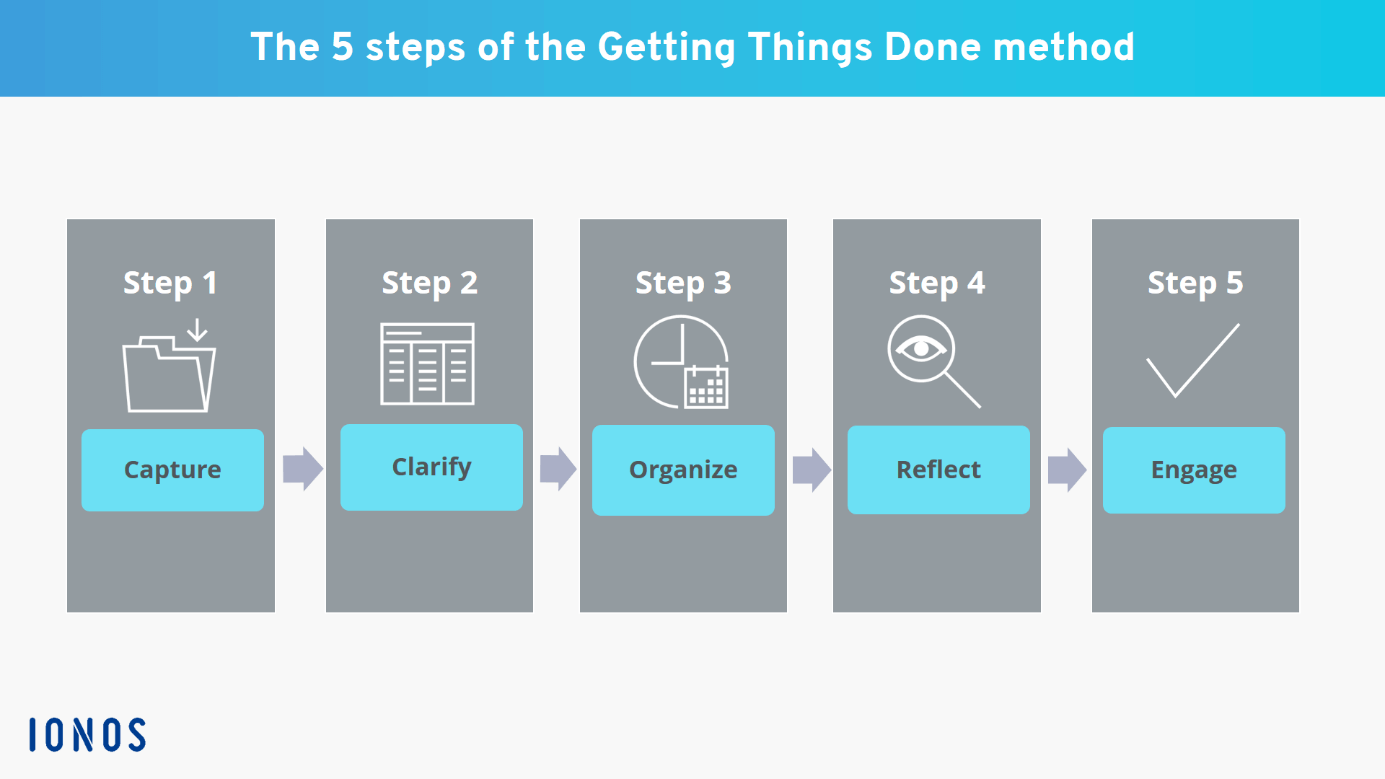
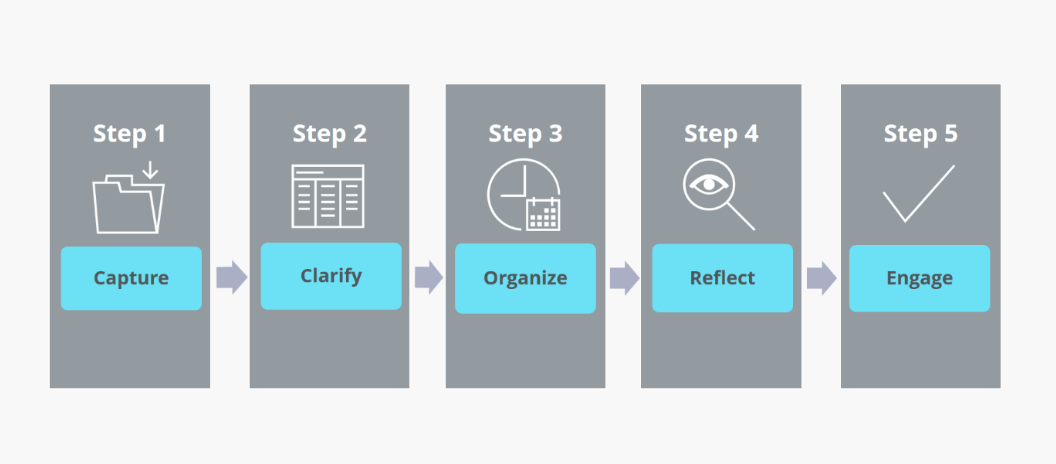
It is part of the Getting Things Done method, a popular productivity strategy. The GTD method is an attempt to reduce our cognitive load and focus on a task at a time while making us focus on our long-term goals.

Since its introduction, the two-minute rule has become very popular among CEOs and entrepreneurs. There are many famous figures who constantly try to supercharge their productivity using the rule. The approach has been featured in Forbes, CNBC, Business Insider, and many other news outlets.

Advantages of the 2-Minute Rule

Below we have enlisted some key advantages of the 2-minute rule:

1. It helps you avoid procrastination.

Many productivity techniques and methods help you plan out and get the maximum number of tasks done in a day. But these methods will only work if you do the tasks you've planned. In fact, the sheer number of tasks can cause you to freeze up and procrastinate further.

The 2-minute rule helps you tackle the tasks one after another without procrastinating. It enables you to break down your tasks into small pieces that add up together and check them off your to-do list. The approach is particularly great for the tasks that take little time but those you keep putting off.

2. It's simple and easy to implement

Most productivity techniques involve a lot of effort from your end. For instance, the Getting Things Done method requires you to write down all of your tasks, sort them based on different criteria, use multiple tools, and plan out how you'll tackle the various tasks. With the Pomodoro Technique, you have to list your tasks, set timers, and stick to a schedule.

These productivity methods help you achieve your goals and complete your tasks in the shortest time. But they all require considerable effort from your end. But the 2-minute rule is simple and hardly takes any time or resources to implement. You can be sure that you won't procrastinate on your productivity method.

3. It helps you build long-lasting habits.

To achieve long-term goals, you need to identify the tasks that contribute to them and make them a habit. For instance, if you want to finish a marathon the following year, you'll have to work out daily and build your stamina.

But we all know how we're way too excited when starting but soon lose interest and quit before achieving our goals. This is why gym memberships often skyrocket every new year, but members stop coming soon after.

When the results are not immediate, it isn't easy to stay on track. The 2-minute rule can help you stay on course by giving us small wins throughout the way.

4. It helps you get started.
Get Started

The most challenging part of completing a task is to get started, particularly when the task is time-consuming. Just like pushing a boulder, it becomes easier to take it to the finish line once we get going.

But often, we look at the tasks, consider the time and just put it off for later. Sometimes we do it even for the most minor tasks, such as writing down the grocery list.

The two-minute rule reduces the force we need to move the boulder. Instead of staring down an enormous task, we take care of a small part of it and then move on to the next once we get the ball rolling.

5. The approach demands the least effort from you.

The two-minute rule doesn't demand that you work at a specific time or follow a set of steps to finish your tasks. It doesn't need you to invest in productivity tools or equipment. The two-minute rule is designed to free you of the stress from the tasks you're pushing ahead.

The approach helps you finish your task on time without stressing you out. This is not something a lot of productivity techniques can claim. Some productivity techniques, while helping you manage more tasks, often require a lot of effort. The two-minute rule requires the least from you and offers you a lot.

How Does 2-Minute Rule Work?

There are two ways you can look at the two-minute rule.

First approach:

The first is that if you have a task that takes less than two minutes, do it the moment you define it. This part fits into Getting Things Done method. Within GTD, you have to either do, delegate, or defer your tasks. The two-minute rule is related to the 'do' aspect of it.

When you start, write down the list of tasks you must do. Of these, pick the tasks that will take you less than two minutes. And do it just then instead of setting aside time for it or planning it further. Of course, if you need assistance from someone else on the task, you can delegate it.

The theme behind this approach is that the time spent planning a task that takes less than two minutes is time you shouldn't be wasting. Or simply put, don't plan tasks that don't need planning, but rather just finish them.

For instance, don't set aside time to make a short phone call or reply to just one email. When you get the task, finish it off instead of setting reminders or adding it to your to-do list.

Second approach:

The second way to look at the two-minute rule is to take a large goal that will take a lot of time and energy and make it small.

For instance, imagine you've set a goal to write five pages of a book before you go to bed. This is a rather large goal and will take significant time and effort on your part to achieve. Instead of this, set a smaller goal that will take you just 2 minutes to complete. Maybe you can write just one paragraph before you go to bed every night, or you can write a general outline for the page.

Instead of doing an enormous task, you can take the first step, which will take you just two minutes. For instance, imagine you want to start painting 30 minutes a day from the next day onwards. Instead, for the next day, you can just ensure you check if you have all the equipment. If you don't, the next day you can just make sure you decide what you'll need.

It may look like you're not doing anything at a glance. But the fact is we often overestimate what we can do in a day and underestimate what we can do in a year.

Many people decide on their birthdays or New Years' eve that they'll start spending an hour in the gym or quit smoking from the next day onwards. They may try hard for the next two weeks or stick to this, but they most likely won't be able to. And when they fail to achieve this goal one day, they'll drop the plan altogether instead of trying to accomplish it the next day.

It's like telling yourself that you'd deadlift 75 kgs the day you start going to the gym. Instead of setting unattainable goals, set a very small goal, achieve it, and ride on that success all the way to the top.

If you find it difficult to form a habit, set ridiculously small goals for yourself and stick to them for a while. Don't try to climb Everest on the first day; just putting on your boots is enough for day one.

Supercharge Your Productivity and Overcome Your Procrastination With the Two-minute Rule

The two-minute rule is one of the very few productivities hacks you can implement right now. You can use plenty of tools, but you really don't need them for the two-minute rule.

If you want, you can list your tasks to figure out, which will take two minutes. Once you have the list, go through them and just check them off one by one.

How Can Freelancers Use MagicTask to Complete More Projects?

How Can Freelancers Use MagicTask

The last two years have seen a lot of full-time workers move on to build freelancing careers and create successful businesses. Compared to a regular 9-5 job, freelancing generally offers more flexibility and choice in how you work. Freelancers set their hours, choose who they work with, and have much more flexibility in their services.

But this doesn't mean that freelancing is easy. Unlike a full-time job where you'll be handling just one role, with freelancing, you're responsible for your entire business.

Let's explore the different challenges that freelancers face and how they can use MagicTask to manage them effectively.

Task Project Management Challenges Faced by Freelancers

One of the most important factors determining freelancer success in their processes. Seasoned freelancers and marketers would say that it's not one viral story or one huge client that gives you results; it's consistency.

To be successful, freelancers must build stable and robust processes that help them provide the best results to their clients.

Imagine you're a graphic designer who works with marketing organizations. You can't just wait around for inspiration to strike to get started. You need a process that helps you understand your client briefs and get you going.

Just about all the task management challenges that freelancers face revolve around this.

Onboarding

Most people who hesitate to freelance cite the potentially inconsistent stream of clients as one of the main reasons. Finding new clients is certainly one of the biggest challenges, but the process continues beyond a client saying yes to your pitch.

To find a steady stream of clients, you must consistently network, find potential leads, and follow up regularly. Once you identify a potential client, you have to work on a good pitch and speak to the client. If the client wants to work with you, you'll have to discuss how you will work together, draft a contract, and close the deal.

Every freelancer has processes to approach this that works with their style, the industry they operate in, and the nature of their work. What works for a copywriter in health tech may not work for a UI/UX designer in fintech. But this doesn't mean you can create a new process with every new client. You need a clear pipeline from identifying a new client to closing the deal. Building and maintaining this process is one of the main challenges freelancers face.

Managing multiple clients

Managing Multiple Clients

Freelancers rarely work with just one client. Depending on their workload and bandwidth, they handle anywhere from 3 to 10 clients simultaneously. This is often a necessity. Clients may cancel a project or stop working with them for some reason at any random time. In such situations, freelancers may find no work until they can find new clients.

More clients usually mean a higher monthly income and a consistent load of assignments. But managing them can be complicated. You have to be on top of all the assignments and deadlines and ensure that you maintain the quality of your work.

Compared to a full-time job, freelancers don't have a project manager who'll inform them of the tasks they must complete within a week or work on a given day. They have to consider the different deadlines and priorities and predict the effort they'll have to put in. Based on this, they must make decisions on the fly while keeping track of their energy.

Handling multiple projects

Some freelancers can treat individual clients as projects. This is common if they offer services that involve just one task, such as website copywriting services or graphic designing. Here the clients will hand them a brief, and they can run with it.

But for some freelancers, this approach won't work. Sometimes they offer a more extensive set of services, or their services include multiple types of tasks. For instance, consider a freelancer offering social media management services. They may be responsible for producing the content, creating the visuals and design, engaging with the audience, and maybe even collaborating with influencers and other brands. A similar situation arises when freelancers offer a complete app or website development services, product launch planning, or other services that require them to keep track of multiple projects.

Some freelancers may work with others in a similar industry to deliver a complete package to the client. To take the above example, a social media manager may get someone to prepare the graphics and another freelancer to work on the videos. They may focus on the overall strategy in the meantime.

Many freelancers often have their projects as well. Some offer courses on the same industries they freelance in, and some offer consultations.

Freelancers often get very good returns on such projects. Businesses also often find it easier to work with them since it's a much more hands-off approach. But this approach is challenging, takes a while to get the hang of, and can go wrong without proper planning.

Juggling different activities

Mult-tasking

Freelancers also have to focus on other aspects of their business besides the assignments from clients. They need to market their services and make their target audience aware of them. They must build a professional brand even if they don't establish an official business.

For some freelancers, this means building relationships within their industry. To make the most out of this, they must constantly research the events they want to participate in. They'll have to figure out who will be there, how to present their business, and plan their pitch. They need to allocate considerable resources for this, and they have to do this continuously.

In a different approach, some freelancers use social media to find their clients. For this, they need to constantly update their social media presence. They have to constantly produce content that presents themselves as experts in the industry. Different freelancers have their approaches to this. Some focus on just one platform, while others may have different platforms they get clients from.

Juggling these different activities means taking on the roles of the CEO, COO, marketing director, business development executive, and just about every position a business needs. And this can get overwhelming very soon.

Constantly changing deadlines and calendars.

Freelancers can have a rough idea of what's coming in the month ahead. But it's not easy or may not even be possible to plan what they'll do every day of the month.

Clients may assign projects throughout the month with different deadlines. Based on this, freelancers will have to constantly update their schedules. They have to take into account the deadline for other projects from various clients. And they may have to do this every day.

Unlike full-time employees, freelancers don't get paid per day. They may get paid by the hour, but in most instances, they get paid per assignment. So more work they can take up, the more they get paid. But if they're unavailable, the client may assign the work to someone else. They may even have to look for more work later that week if things go really wrong.

They can't miss deadlines either unless they have a really good reason. If there are delays in deliverables, it will affect their reputation, and they may find it challenging to find work later in their career. And failing to plan well is not a good enough reason for late deliveries.

How to Use MagicTask for Your Freelance Projects

MagicTask is a task management system designed to streamline the workflow for individuals and teams. Here's how you can use MagicTask to manage your freelance career efficiently.

MagicTask Dashboard

1. Create projects for different clients

When you onboard a new client, start a project on MagicTask. Add all your tasks related to the client to this new project. This will help you get a clear picture of the tasks from different clients, just like putting new assignments into separate inboxes.

2. Use labels to mark your tasks

MagicTask lets you add labels to your task. Users can use these labels as they see fit. Freelancers can use these labels to track the progress of their tasks. If you're into graphic design, you can tag different activities as 'received briefs,' 'in progress,' 'in review,' 'completed,' and other labels.

Freelances can use labels to handle their projects as well. They can use labels to mark the status of different tasks under these projects.

3. Set deadlines and due dates

MagicTask allows users to set start, end, and due dates, while most task management tools only have a due date feature. With these features, freelancers can effectively plan according to their working styles.

4. Use the My Focus area for the tasks for the day

Freelancers often need a lot of flexibility in their schedules, as discussed above. "My Focus" is a MagicTask feature freelancers can use to plan their day. When you start the day, you can look at your tasks and drag those you plan to tackle on the day to this section. This can help you make a quick list for the day instead of changing the plan throughout the day.

This feature will be helpful if you follow the Getting Things Done method. You can reduce your cognitive load and focus on what you're doing at the moment with this section.

5. Use theme levels and points to motivate yourself

One of the biggest questions people should ask themselves before they freelance is if they can motivate themselves. Can they push themselves out of bed every day and sit in front of the laptop? Especially when no manager calls you if you're late on your deliveries? Unlike a full-time job, the consequences of not being punctual or slacking off are not immediate. Neither are the benefits of putting all your energy into your work.

With MagicTask, you can gamify your workdays. The platform gives you points on tasks completed, which you can use to purchase new themes. The themes have a different look and feel and can keep you excited with sound effects and animations.

6. Set priorities on tasks

With MagicTask, you can set different priorities for your tasks.

With freelancing, priorities can change in a day or two. But it certainly helps to set priorities so that you can quickly figure out which ones to handle next.

While this can be helpful to give you a good picture of your pending tasks at a glance, this feature can also be beneficial if you work with a team. You can communicate which tasks need immediate attention and which can be done later.

7. Mark task size

Task size is a unique feature in MagicTask. You can mark your task as Small, Medium, Large, or Extra Large. But MagicTask doesn't give any specific meaning to it. It's up to you to decide what this means.

You can use these labels to denote the time it may take to finish a task or the revenue you may generate from it. Either way, this will help you give you a bird's eye view when you look at your tasks.

Manage Your Tasks and grow your freelance business quickly With MagicTask

MagicTask can give you a unified space to keep track of all your projects, clients, and deliverables, and with its gamified approach can keep you motivated throughout.

Try MagicTask and watch your productivity soar.

Eat The Frog Method: Do The Hardest Task First

Eat The Frog

Most people have this notion that productivity is about doing the maximum number of tasks in a day. While you can't deny the small dopamine rush of checking off a task on your to-do list, this approach may not always help you reach your long-term goals.

You may end up checking off all your small tasks first thing in the morning and get drained. You may end up putting off your more significant tasks that need more energy.

Inevitably you end up prioritizing more manageable tasks and procrastinating on the larger ones. The importance of tasks doesn't factor into your decisions.

If you think you're doing this a lot, you may find the "Eat The Frog" method useful.

What Does It Mean to "Eat The Frog"?

Eat the frog is a productivity method that productivity consultant Brian Tracy introduced in his book 'Eat That Frog!: 21 Great Ways to Stop Procrastinating and Get More Done in Less Time.'

He developed this technique to help practitioners focus all their energy on their day's most important tasks.

The technique advises practitioners to tackle their most important tasks first thing in the day. It doesn't necessarily mean the biggest task of the day; it could be what you dread doing or what you want to put all your energy into.

According to Brian Tracy, "the frog is the one you are most likely to procrastinate on if you don't do something about it."

Brian Tracy named this technique after the famous words of Mark Twain:

If it's your job to eat a frog, it's best to do it first thing in the morning. And If it's your job to eat two frogs, it's best to eat the biggest one first.

With this approach, you can focus your energy on what matters most. When you have too many tasks, you may put off your most difficult ones until the end. We often clear our easiest tasks first thing when we sit in front of our desks. At the end of the day, we may find that we didn't finish doing what's most important to us.

Another aspect of this is that when we focus our energy on completing the maximum number of tasks a day, we may forget to do what helps us reach our goals. We all have spent entire days cleaning the house or doing the laundry to justify not working on the budget or making a business plan. Eating the frog method helps us face our most challenging tasks head-on and help us reach our long-term goals.

How Does Eat The Frog Work?

Eat The Frog is easy to understand, even if it may take a while to implement it well.

Every day before you start your tasks, pick the most important one. As mentioned before, it can be something other than the one that takes the most time or a lot of effort (it could be). It's what you define as important, often the one you're dreading and most likely to procrastinate on.

Do this task before you do anything else. If you have two or more critical tasks, pick the difficult one first, finish it off, and then move on to the next one.

Make this a daily habit; tackle the most difficult or important task first thing in the morning before moving on to anything else. In the long run, this approach will help you overcome the fear of difficult tasks or stop procrastinating on them.

Combine Eat the Frog With Other Productivity Methods

Eat The Frog method can work for you even if you're using other productivity methods like Get Things Done or the Pomodoro Technique.

For instance, if you use the Get Things Done method and plan the tasks for the day or the week, add your most important task at the top of the list. Align your long-term goals with these tasks to these tasks. If you use the Pomodoro technique, try to finish your most important in the first 25 minutes or within the first Pomodoro.

You don't need to assign time for just one task alone first thing in the morning. You can set your targets according to your schedule and the nature of your work to figure this out. Some practitioners go for three or more important daily tasks aligned with their different goals. But it's important to find a steady number and stick to it, or you may procrastinate your tasks again.

Similarly, you can combine Eat The Frog with other techniques like time blocking, systemist, and other techniques. This method can augment your existing productivity techniques. It can give you that extra energy boost for the most critical tasks,

Key Tips to Eating Your Frogs

Here are a couple of tips to make the most out of this productivity method:

1. Choose Your Frogs Well

Choose your tasks

Your choice of frogs daily can determine how quickly you'll achieve your long-term goals. Generally, you should pick the task you're most likely to put off to another day as the first frog for the day.

But you should also consider your long-term plans when doing this. Picking the task we don't want to do is not always the right approach. For instance, it may not make sense to wash your clothes; the first thing in the day just because you procrastinate on your laundry.

When you pick your frogs, ensure you align them with your long-term goals.

2. Don't Procrastinate On Your Frogs

The whole point of this method is to stop procrastinating – to face your frogs. It is to help you reduce the starting friction and get you going.

But the technique is moot if you identify your frogs well but keep procrastinating. Plans and strategies are only as good as how you implement them.

When you procrastinate on your frogs, it can affect your entire day. They will keep hopping around inside your head, distracting you even if you manage to do the rest of your tasks.

Always eat your frogs' first thing in the morning.

3. Stick to It as You Would With Any Other Productivity Technique

Eat The Frog is not too complicated to implement. The Get Things Done method requires some planning to keep you going. The Pomodoro technique requires you to adhere to a schedule. Compared to this, Eat The Frog is easy.

It's as simple as picking the tasks you are likely to procrastinate on and doing them first thing in the morning.

So it's easy for you to forget this or not take it seriously. But to see the results, you must make this a habit and follow it regularly.

4. Don't Try to Eat More Than a Frog at a Time

Your frogs are usually the ones that drain your energy a lot or require all of your focus. One of the goals of this method is to give you that complete flow state when you can focus all your energy on one thing without any distractions.

Since these frogs are your most important daily tasks, you cannot afford to delay them or affect the quality of your output. Our brains are not parallel processors, they're more of serial processors. By trying to tackle more than one, we'll be overloading ourselves. This can affect the quality of your output.

5. Don't Decide Your Frogs Too Far in Advance

Plan your tasks in advance, yes, but don't plan your frogs at least until the night before.

Having a plan will help you manage all of your tasks effectively. It will ensure that you get everything done and on time. But life happens, priorities shift, and your plans must be flexible enough to include that. Planning the first thing you're going to do every day will take away this flexibility.

Every day before you start, look at your pending tasks and then identify your frogs. If you want to plan a bit, do this the night before.

6. Test and Figure Out How Many Frogs a Day Work Best for You

Not every productivity technique or method will work for everyone, however popular they're. You have to work with it for a while and tweak them as needed to make them work. Similarly, with the Eat The Frog approach, having just one frog a day may work for you. But if you wear a lot of hats at your workplace or in your personal life, you may need more than a single frog. In such situations, experiment with two or three frogs and find out which works for you.

Either way, remember that even if you have two or three frogs, you still have to pick one and then do it first, followed by the rest.

How to Eat Your Frogs With MagicTask

MagicTask Dashboard

MagicTask is a powerful task or project management tool for individuals and teams. The solution works around an individual's style instead of forcing users into a specific method. With MagicTask, users can keep track of their pending tasks and manage them effectively and efficiently.

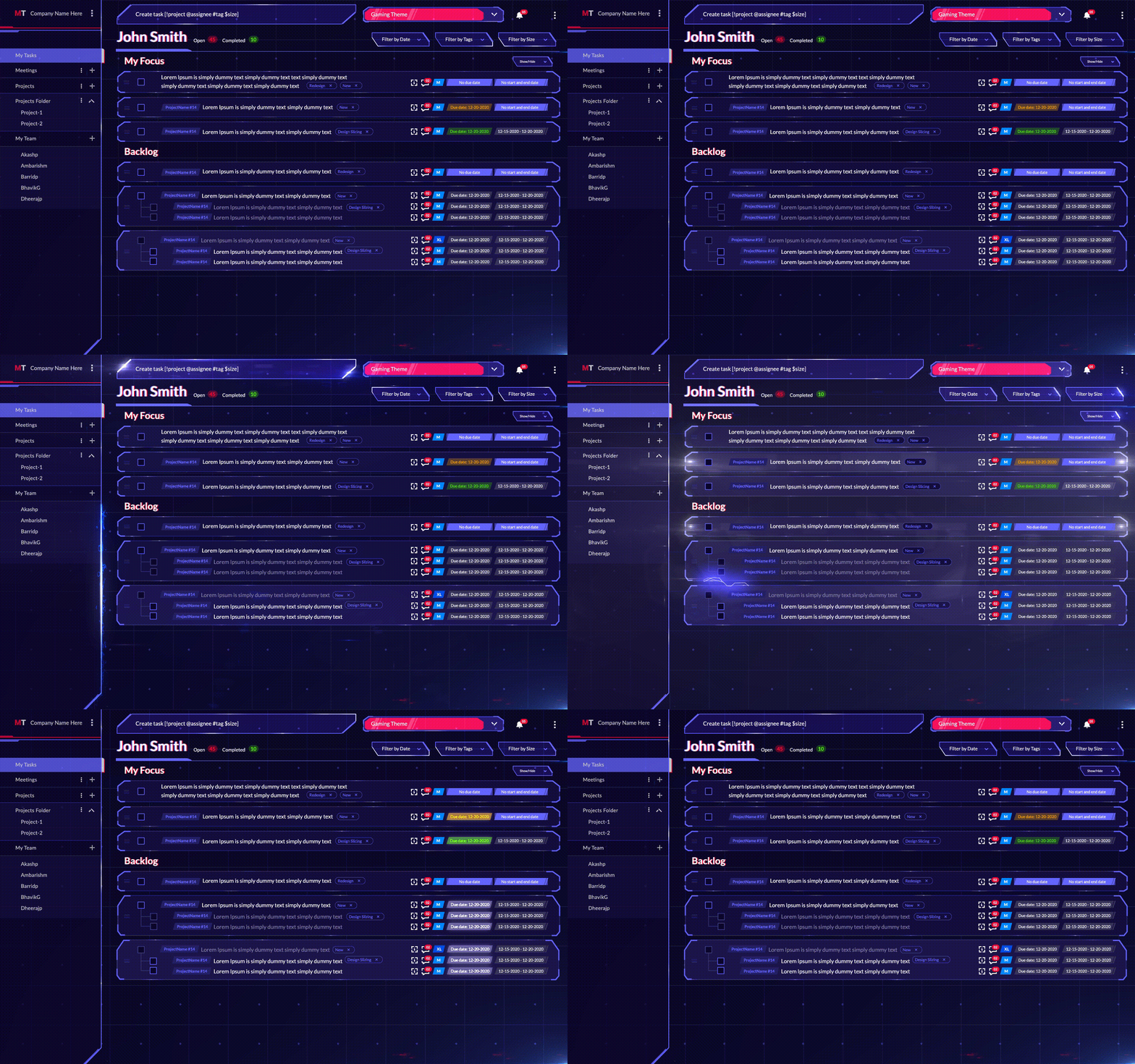
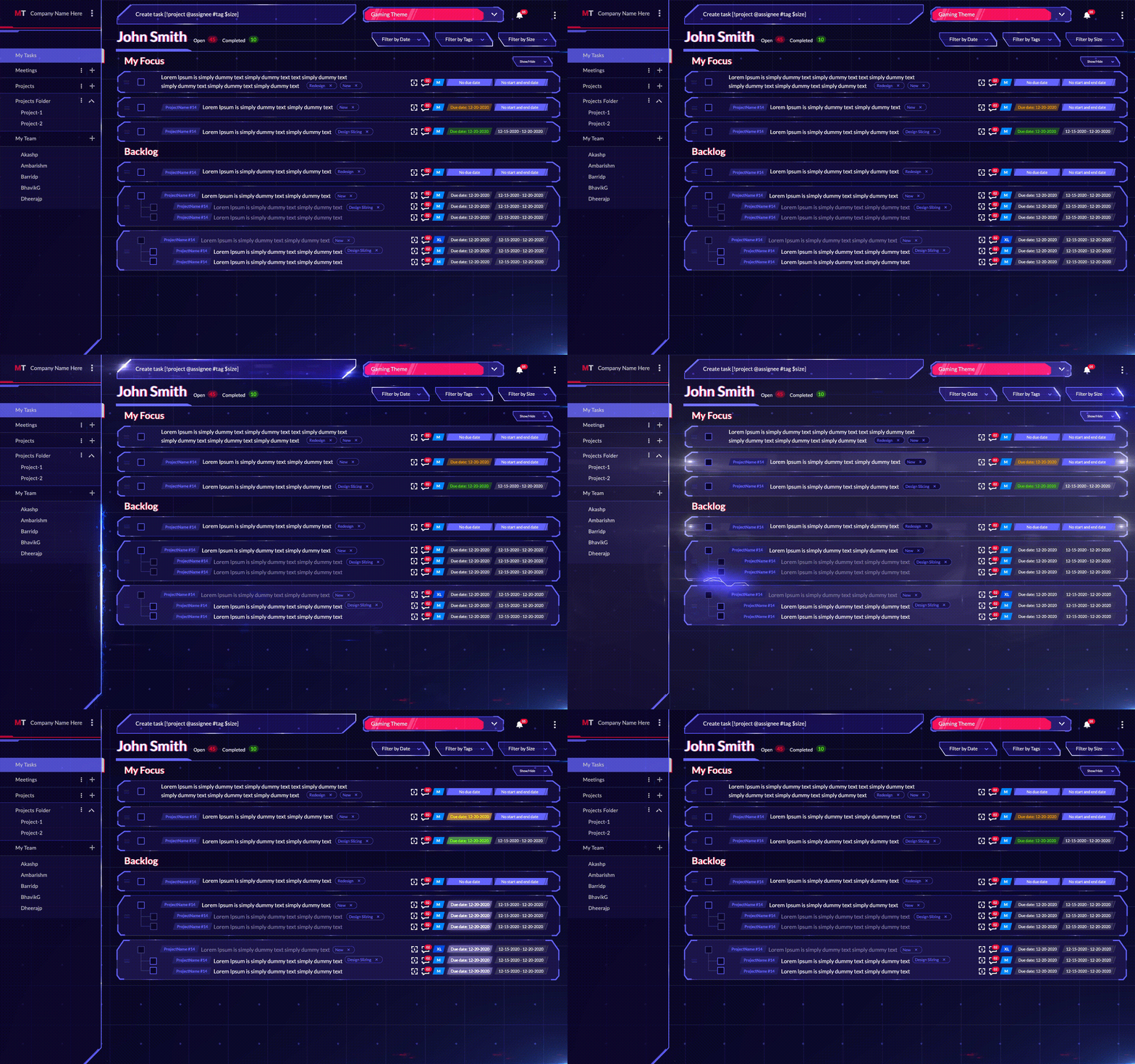
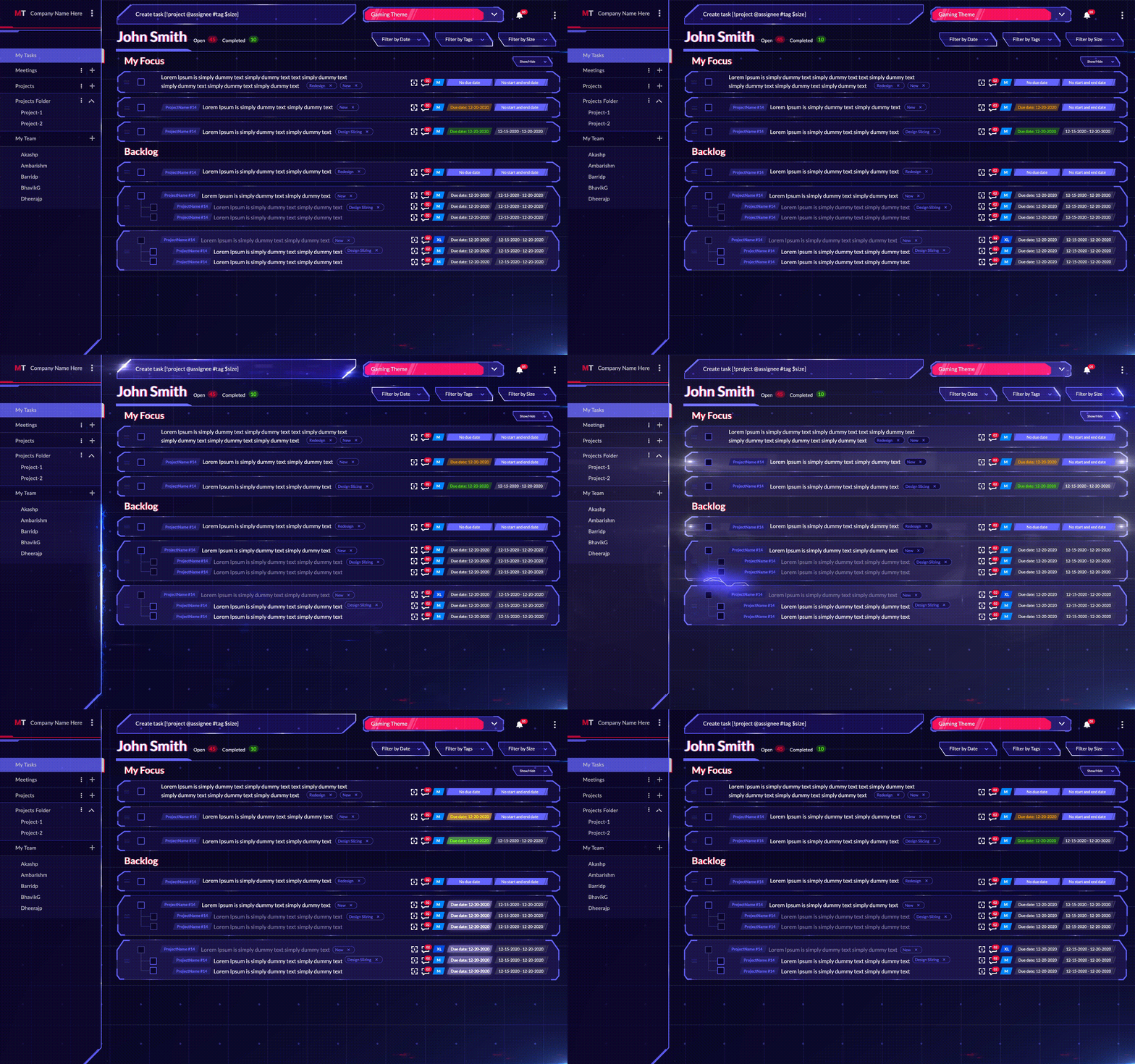
It divides your tasks into two sections: Backlogs and My Focus. When you create a new task, it gets automatically added to the Backlog. This view is available for all the projects and workspaces and the task list for the individual users.

When Eat The Frog practitioners start the day, they can look at all their pending tasks and move their frogs to the My Focus section. This helps them keep track of their most important tasks for their day and check them off first.

Besides this, the platform also lets you collaborate with your team members. You can assign them tasks you need help or assistance on and give them the complete details within the card. MagicTask also lets you set deadlines for the different tasks and set priorities for them.

When your team members open MagicTask, they can quickly figure out which tasks are essential and which can be set aside for later in the day. With this, they can decide on the frogs for the day.

MagicTask also has a completely gamified environment that motivates users to complete their tasks. The platform has many themes, giving the environment a new interface. Users can also compete with their team members and the platform's global user base.

Check it out now, it's free, and it will take your productivity to a whole other level.

How MagicTask Helps You Manage Tasks in a Fun & Entertaining Way

Manage Tasks in a Fun & Entertaining Way

Plenty of task and project management tools promise to make you more productive or efficient. But almost all of them follow a general or traditional theme, and every one of them requires the user to conform to its style of managing the tasks. This is what sets MagicTask apart from the rest of the pack.

MagicTask is a brand-new approach to task management. It was built by analyzing the existing tools and figuring out what works for users and what doesn't.

Unlike other task management tools, it is designed for more than just development teams. And it wasn't designed just to help you go through your tasks as fast as possible; it's made to let you have fun while at it.

How Magictask Make Task Management Fun and Entertaining?

When coming up with MagicTask, its founders wanted a solution that worked for users. They didn't want to create a user base that worked around the solution. They wanted users to look forward to opening MagicTask and completing their tasks.

Here are a few features of MagicTask that make it fun and exciting.

1. It's Easy to Use With a Small Learning Curve

MagicTask

This may not seem like the most MagicTask's most exciting feature. But think about the last time you had to spend hours trying to figure out software or a platform.

There's nothing more frustrating than starting to work with a new solution that's supposed to simplify your projects, and you have to watch a Youtube tutorial to figure out how it works. While designing MagicTask, the team wanted to avoid just that. MagicTask is made to get you going the moment you sign up.

The team built MagicTask from the ground up to be modern and exciting. But they also made it to be familiar. The interface is easy to figure out, and so is creating tasks, and projects, inviting teammates, and just about every aspect of the platform.

Unlike most task management platforms, MagicTask was designed to work with different styles of working. It's made to augment users' workflow without forcing them to stick to a defined pattern. For instance, some users prefer working in a 'hyperfocus' mode – focusing on one task at the moment and moving on to the next.

Some like planning out their entire day before they get started and then checking them off the list one by one. MagicTask lets users work how they're used to, the way they're most productive.
2. It Simplifies Communication Across Your Team

Accessible communication makes work less stressful. When your team can easily understand each other, you can spend more time working and less time talking. MagicTask makes it easy to communicate different tasks and projects with your teammates.

When you want your teammate to do something, you can create a task and put all the details there. You can add reference materials, screenshots, and anything else they may need within the task itself. You can also set the due dates and priority for the task and assign the task to your team.

If your team have any update or questions on the tasks assigned to them, they can leave a comment there. The relevant person can then answer them within the task itself. This approach improves clarity within the team.

You can avoid a lot of back and forth in group chats and calls. The team can also avoid scrolling through chats to get the details of an assignment. It would also make sure that the team won't forget them either.

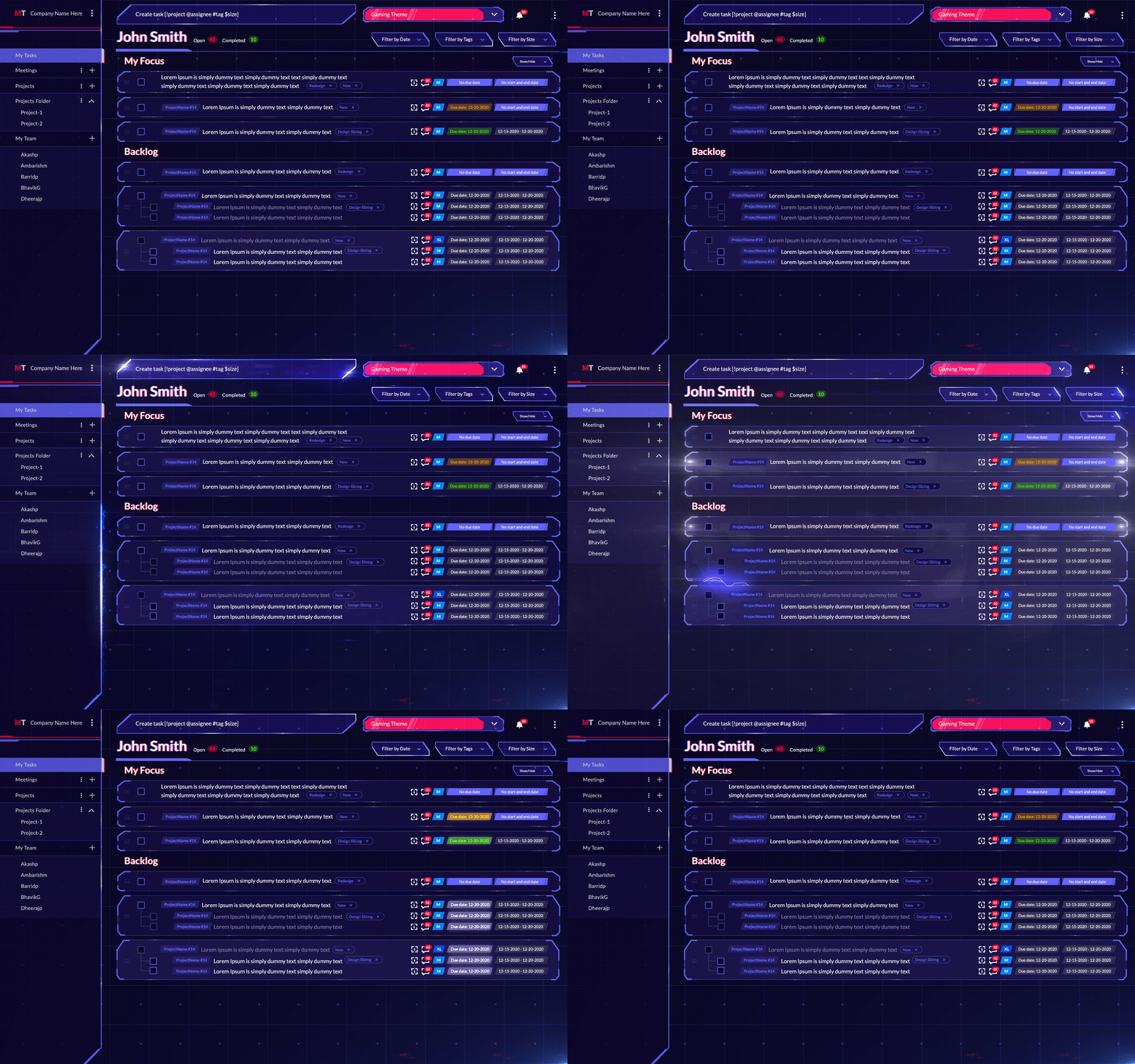
3. Theme Marketplace

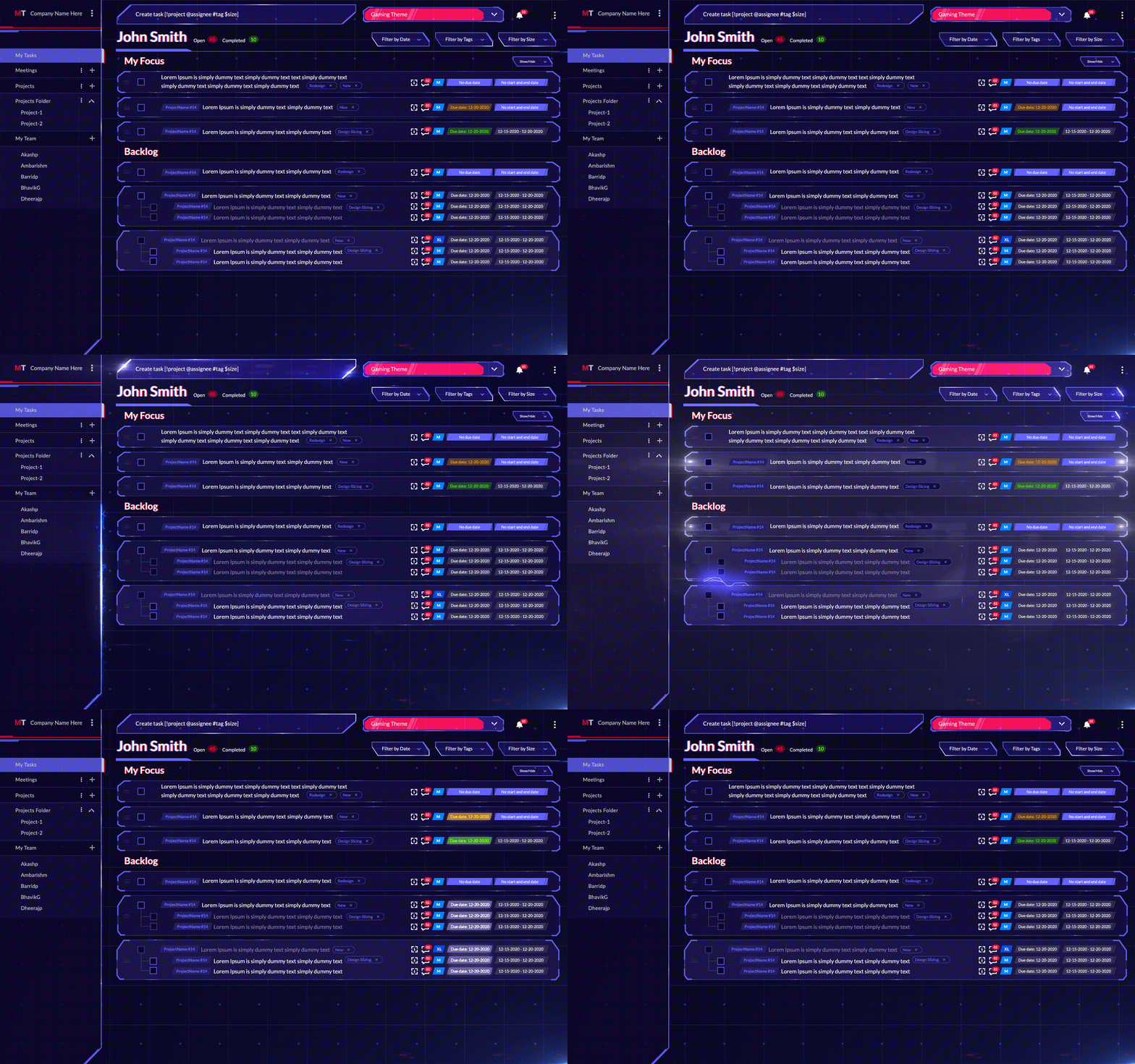
Gaming Theme

When using MagicTask, you don't have to be stuck using the same interface all day, every day. MagicTask has a fun and exciting theme marketplace with which you can completely transform your workspace. Each theme changes the look and feel of your workspace. They essentially give you a brand-new experience – without affecting your tasks or projects.

As of now, MagicTask has around eight themes, each with its own UI. There's a clean theme that looks just like any other software – if you want a simplistic approach. If you prefer dark mode, there's a True Black theme or a Purple Haze if you want to keep it funky. If you wish to switch things up further, there are also Arcade, Gaming, Glitch, and Futuristic City themes.

MagicTask team is continuously working on new themes to keep things exciting. These themes aren't unlimited; each is available only for limited users. When you buy a new theme, you'll get a card with a number denoting how many users had got the theme before you did. For example, if you were the tenth person to buy the theme, your card would show the number ten.

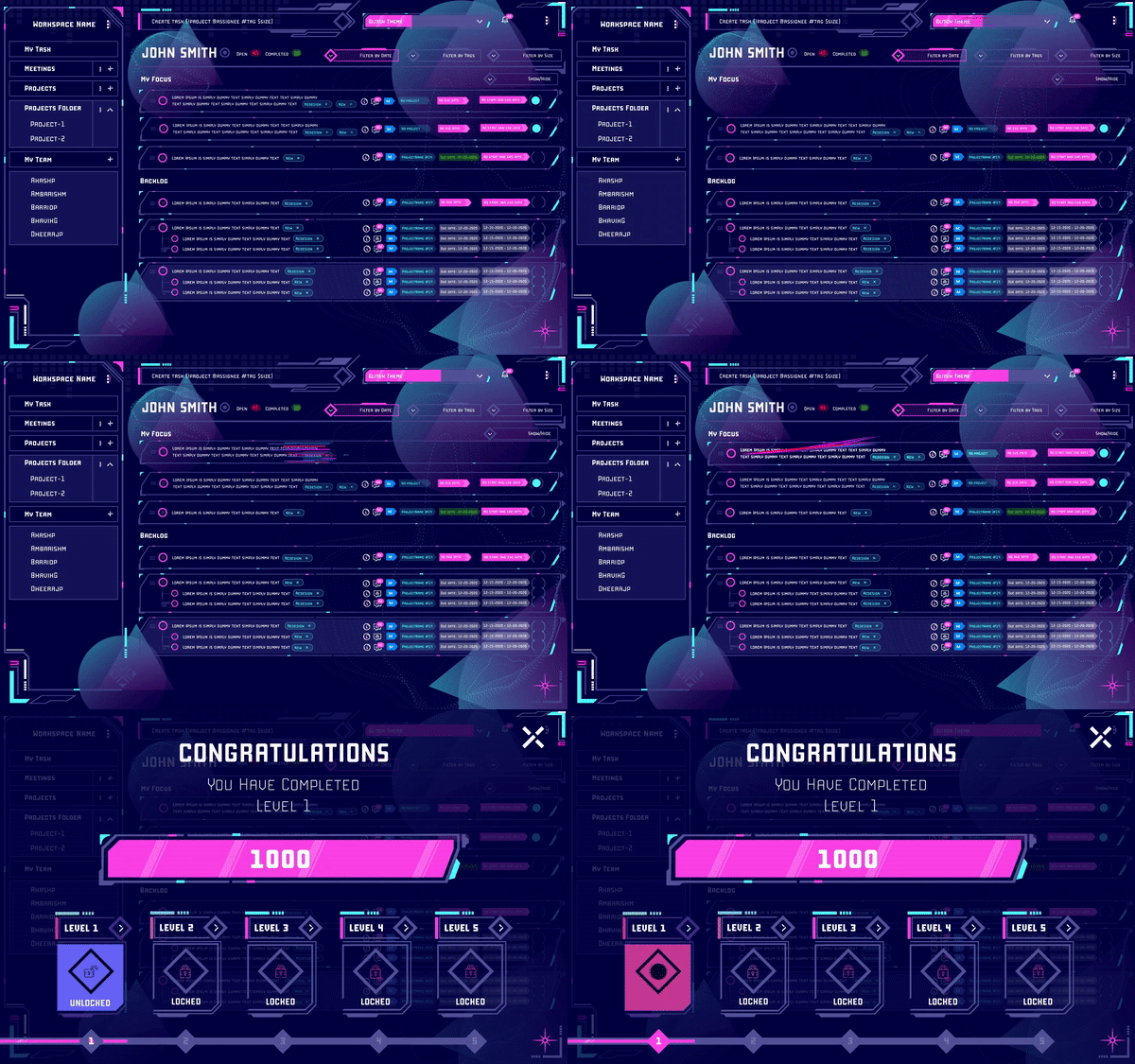
The themes on MagicTask aren't static; as you use them and complete more tasks, you'll level up your themes unlocking more features and effects.

These themes help keep task management exciting on MagicTask.

4. Compete With Your Team as Well as Other Users

We're all familiar with how leaderboards can make you more productive. It brings out the competitive spirit in you. If you're working alongside a team, it motivates everyone to put their best foot forward and complete their tasks as quickly as possible.

MagicTask has built-in gamification that rewards users with points as they complete tasks. The system bases the rewards on a proprietary algorithm. The admins don't have to worry about creating a system that offers proportional rewards.

As users complete more tasks, the system will reward them with more points allowing them to level up and unlock new themes.

Even if you are using MagicTask to manage your personal or business tasks, you can still use the gamification features. MagicTasks lets users compete with the rest of the global user base. It comes with a leaderboard that shows where you stand among your team and other users worldwide.

It's a known fact that we want to be rewarded for our efforts. Ideally, the instant we complete a task. With MagicTask, you can automatically motivate and reward your team members for a job well done – with no effort.

5. It Clears Your Mind and Reduces Your Stress

You can't have much fun going through your tasks if you have a lot of thoughts running across your mind. If you're worried about pending tasks or need to remember an important appointment, you can't focus on the task at hand. MagicTask is built to throw just about any random thought in your head into an organized system.

The more tasks or reminders you have in your head, the more distracted you will be. It will be like trying to keep the tea from spilling out of a full cup while walking across a busy street. It will take all your energy, and you may still spill a few drops. You'll be stressed the whole way and may still forget to do a couple of tasks.

With Magic Task, you'll essentially be pouring your tea into a big flask. If you want to add references to a particular project, drop them into MagicTask and forget about it. If you have appointments or deadlines, just set them up on MagicTask and focus on what you're working on now. MagicTask gives you the confidence to dance across the street, knowing that your tea is safe inside the flask. It lets you have fun knowing that you do not forget anything.

You can stop worrying by adding your ideas, thoughts, references, tasks, appointments, and reminders to MagicTask. You can enjoy what you're doing and ace that.

6. Animations and Sound Effects

Glitch Theme

When we are working on a project or a task, we'll mostly be looking at results in the long term. If you're working on a social media post for your company, you'd be looking at customer acquisition in the long run. If you're writing a page or a section of a book, you'll be looking for returns once the book is published. But it's not easy to get through your task picturing potential gains in the future. A round of applause every once in a while can help you through.

While MagicTask can't get you a pat on the back from your boss, it can commend you every time you complete a task. The platform has fun and exciting animations and sound effects that go off every time you complete a task.

Each theme has animations and effects that make you feel like you're playing a game and not preparing the budget or clearing the invoices. Every theme has background music that plays when you open the app.

The platform plays a sound effect when you move through the menus, create a task, or even reorder the tasks. The idea is to make your daily work life more fun and exciting instead of the usual monotonous routine.

Make Work, Feel Like Play With MagicTask

MagicTask is centered around the user. The team is continuously collecting user feedback to understand what works for them and what doesn't. The solution empowers users with different working styles and task management approaches instead of limiting themselves to just one.
With its gamification features, MagicTask pushes users to be their most productive selves. It makes the tasks of personal and professional lives more fun and exciting. Your team will be excited to use it instead of being forced to.

Check out MagicTask – it's free and will change your perspective toward task management.

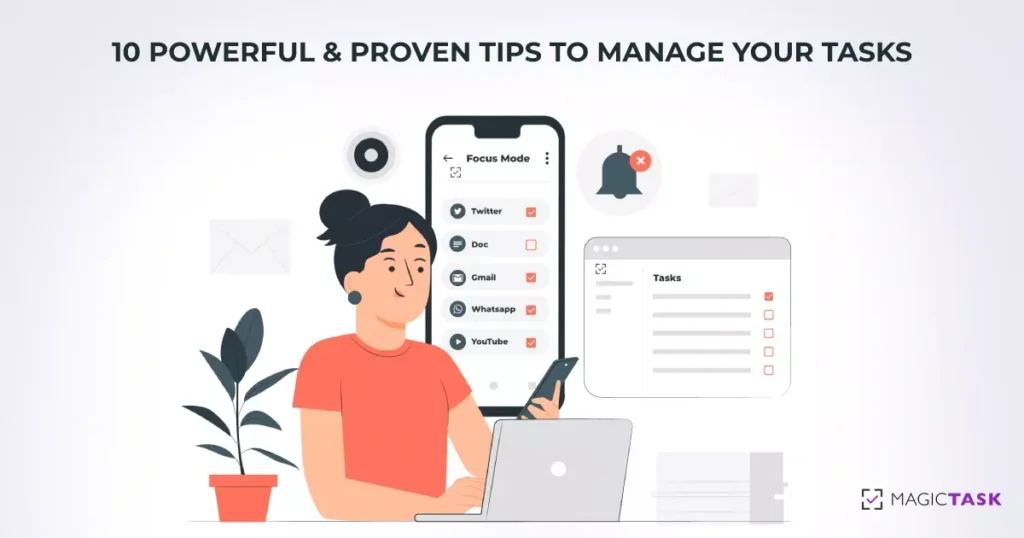
10 Powerful and Proven Tips to Manage Your Tasks

Tips to Manage Your Tasks

Efficiently managing their tasks is a skill every professional needs and has to develop throughout their career. But task management is more than just completing the assignments on time. It's more than ensuring that the deliverables are up to the requirements.

Effective task management considers the big picture and how small tasks contribute to larger projects. It takes into account how the projects are helping you achieve your long-term goals. In effect, task management comes down to aligning your daily tasks with your visions and goals.

Here are ten powerful tips experts have developed over the years to help you manage your tasks effectively and efficiently.

1. Plan Your Day Well

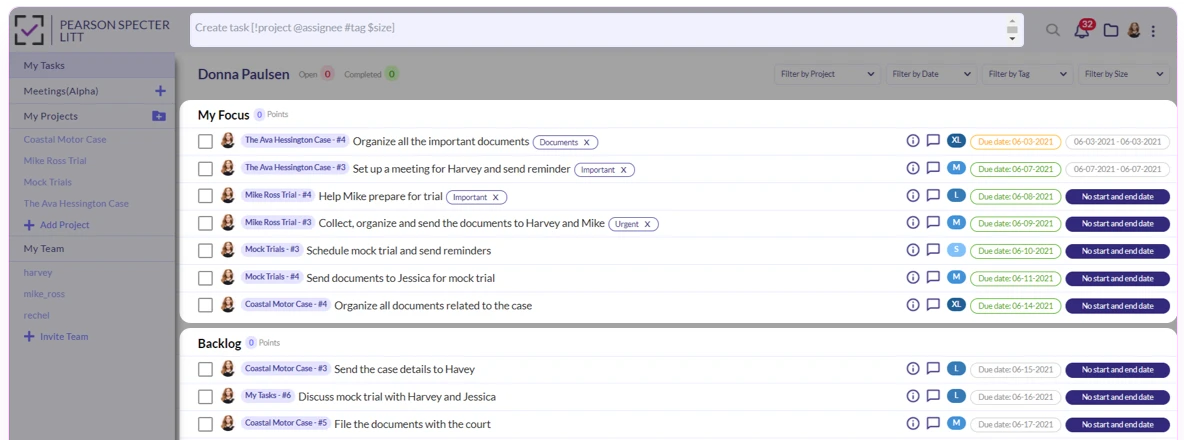
When you start your day, plan how you'll spend your time. The most effective way to manage your tasks is to not plan them when you're doing them. When you're going through your day, you should be able to check off your assignments one after another. You should avoid thinking about the tasks you have to do when you're in the middle of a job.

If you use a task manager or a more straightforward planner, look at your pending tasks, consider the time you'll have to invest in them, and plan out when you'll be doing them. Check if you have everything you need to do the tasks on your list once you get to them. If you're designing a blog image, ensure you won't have to ask around for details when you get to them. If you're planning to get groceries, see if you have the grocery list prepared.

The irony of not having a clear plan is that you'll be planning throughout the day. At the end of the day, you may also realize that you missed out on some tasks.

2. Prioritize Your Tasks

Prioritize Important Tasks

Planning can help keep you on track to a large extent, but even the best-made plans may be disrupted by chance. Your team may assign new tasks to you, an assignment may take longer than you expected, or you may have a personal emergency. Either way, you may have to move your tasks around now and then.

Prioritizing your pending tasks will help you do this quickly. If you face any delays, you can quickly decide which tasks you can do later. When planning your day or week, look at your pending assignments and mark them from high to low priority.

It may appear as if you can do this on the fly. If you're interrupted by a new task or an emergency, you can just look at your pending tasks and decide which ones you can push for the next day or week. This approach is necessary; you need some flexibility around your plans. But with this, you won't be able to consider your goals. You would end up prioritizing tasks based on their deadlines without taking your long-term goals into account.

3. Set Clear Deliverables and Deadlines

While planning your tasks, describe precisely the end results or deliverables and set deadlines for them. The popular productivity method GTD or 'Getting Things Done' suggest practitioners clearly define the next step or action to complete a given task along with the deliverables.

With this approach, you'll have a clear idea of how to get started or tackle a task when you get to it. You won't have to spend time asking your colleagues or clients for more details or clarification. You can just do the task and check them off your list.

The idea is to streamline your tasks. When you're working on an assignment and know exactly what's expected, you won't have to interrupt yourself.

For example, picture you're writing a section of a book. If you don't know what's expected in that section, you'll have to keep going back to the team for their assistance. Instead, if you have a clear outline and a set of references, you can just get to writing it.

4. Focus on One Thing at a Time

At some point in our lives, we've all tried to do at least two different things simultaneously. It could be listening to a podcast while doing the dishes or tackling other tasks while stuck in a meeting. While it may appear to be more productive doing many things at once, odds are you'll be taking more time than if you were to do them one after another.

As much as we'd like to claim otherwise on our resumes, human brains are not good at multitasking or parallel processing. Just try watching a movie and holding a conversation at the same time.

But even if we don't plan on it, we sometimes end up doing multiple things at the same time. We may be thinking about our to-do list while creating a budget report or weekend plans while working on a website UI on a Friday afternoon.

To complete your tasks efficiently, focus on just one task and put all your energy into it. If you find your mind wandering, take a short break and write down whatever is in your head.

5. Build a Distraction-free Environment

Distraction-free work environment

The definition of a distraction-free environment varies among individuals. Some people can work their way through their to-do lists while sitting in a crowded cafe or a bar. And there are others who can't get anything done unless they're alone in their room. Either way, if you're constantly disturbed, you need to find a better environment.

These distractions aren't necessarily just a TV playing loudly in the next room or a toddler throwing a tantrum. This can come from a workplace chat with an intense discussion or your phone buzzing with notifications.

To get through your tasks efficiently:

  • Create an environment that won't have you leaving your tasks now and then.
  • If you're having too many notifications, deal with them all at once and ignore them when you're working.
  • If the notifications aren't important, turn them off when you sit down for work.

6. Make Sure You're Physically Well and Schedule Your Breaks

You can easily track how your ability to finish tasks go down when you're not physically well. If you have a headache or feel sleepy, you won't be able to focus on the task at hand. You may make many mistakes or take too long to complete simple tasks. Being healthy and energetic is key to managing your tasks well.

Even on the days, you have too many tasks to do, make sure you take the time to have your food on time and stay hydrated. Sometimes it may appear as if you're completing many tasks at a stretch, but you may be draining yourself quickly. Keeping track of our energy and focus levels is essential even if we appear to be at our most productive selves.

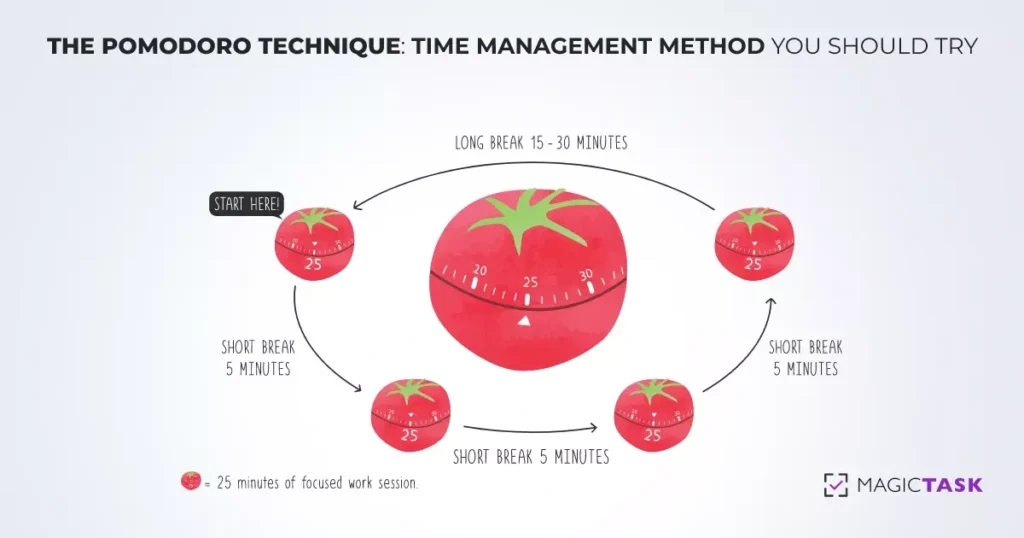
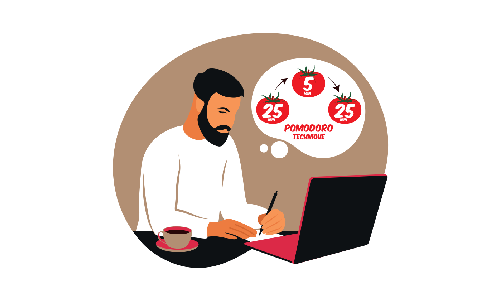
The Pomodoro technique may be worth exploring if you find yourself drained after going on a productive streak for a few hours. Work for 25 minutes, then take a five-minute break. Consider drinking some water, taking a short walk, and returning to work at the end of the five minutes. Repeat this cycle around four times and then take a more extended 30-minute break. This technique will help you stay in the 'zone' or 'flow' state without getting drained.

7. Use the Right Tech to Reduce Your Cognitive Load

You can't focus on the task at hand when you have too many things in your head. Even if you're thinking about your set of tasks or something related to work, you won't be able to put all your energy into the task at hand.

But the good thing is with the tech we have around us, we don't have to. There are plenty of task management tools, calendars, and reminders around us that can help us reduce our cognitive load. It may be a good idea to consider these gadgets and tools as a secondary brain. If anything in your head is bothering you, add that to your to-do list or task management tool. Once you add them, you can stop worrying about them until you're tackling them. (This is the central theme of the popular task management technique 'GTD' or 'Getting Things Done')

8. Delegate Your Tasks as Needed

Doing all the tasks yourself is not the best way to manage them. If you're working with a team, get their help to complete your tasks and reach your goals.

If you have the habit of micromanaging, you may find it difficult to delegate tasks to someone else. You may be worried if they'll be able to complete them on time or up to your satisfaction. But once you start delegating, you'll realize that you're finishing your tasks much quicker and more efficiently. If you struggle with delegating tasks, try letting go of low-risk tasks and assigning them to someone. Once you get comfortable, you'll be able to trust others with more critical tasks.
Delegating the tasks will help you manage your tasks better and also build a better team. Your team will learn new skills and feel more empowered. They'll be more confident in their abilities and step up in the face of new challenges.

On the other hand, if you don't delegate, they may become too dependent on your assistance and come to you for help on every little thing.

9. Communicate Well With Your Team

Communication Within Your Team

Poor communication is bound to slow down your team and make them inefficient. It can produce poor-quality of work or output and can warrant repeated reworks. You must learn to communicate effectively with your team to manage your task efficiently.

While it's important to delegate, you should also ensure that your team understands what's expected of them from each task. You should clearly communicate the deliverables, encourage them to ask questions, and answer them in detail.

The way of communication can also affect how tasks are executed in your team. If the team tends to schedule meetings or call whenever they have questions, it can distract everyone. Try to create a culture of asynchronous communication within your team; if a meeting can be an email, make sure it is.
10. Find a Task Management or Productivity Technique That Works for You

A simple google search is enough to show that there is an abundance of task management tools and techniques out there. Plenty of solutions promise to streamline your tasks and make you and your team more efficient. You'll also find plenty of tips, tricks, and techniques to help you become more productive.
While they all may be effective, what works for someone else may not work for you or your style of approaching tasks. Figure out the tools and approaches that help you finish your tasks efficiently, and ignore the rest.

Don't become less productive by spending time trying to learn the latest productivity technique or tools.

Looking for Solutions to Manage Your Tasks More Efficiently? Check Out MagicTask

MagicTask is a task management system designed for teams and individuals alike. The platform is designed to give users a complete picture of their pending and completed tasks and dive deep into individual assignments. The platform is gamified to bring out the competitive spirit within teams in a fun and exciting way.

And the best part? You and your team can use it for free. Give it a try and manage your tasks better.

10 Experts Share Their Productivity Tips to Get More Work Done

Productivity Tips to Get More Work Done

If you google productivity tips, you’ll easily find a ton of articles and techniques. The last two decades have seen the rise of a lot of productivity techniques, apps, and even gadgets that promise to make you more productive.

CEOs and founders have often made the headlines talking about their techniques and lifestyle habits that help them be more productive.

We’ve also seen a rise in life coaches and productivity experts who help boost your productivity to a whole other level.

In this article, we explore 10 productivity tips from experts who’ve mastered the art and science of making the most of their workday.

1. Liz Sumner

Liz Sumner

Ask yourself what is it I need to Find Out, Decide, or Do

says Liz Sumner, a productivity coach specializing in helping women with transitions in their careers. According to her, most of our roadblocks to productivity are associated with these three steps: Find out, Decide, or Do. We either need more information to proceed, or we need to make a decision, or we have to do it.

Often when faced with a large amount of work, we don’t know how to get started and often end up procrastinating on them. We often don’t know how to just get started. According to Liz, we can overcome this by approaching the tasks with these actions.

First, find out what we need to know to finish the task. It’s not the best idea to get started without all the information since we may have to constantly stop and search for it.

Once you have all the information, make your decisions. In some situations, the task itself may be making a decision; if so, make the decision. If not, decide if you want to work on the task, or if you want to delegate it to someone, or do it at a later time.

Once you’ve made the decision, carry out the task, or move on to the next one on your list.

2. Lori Cheek

Lori Cheek

After running a small business for nearly five years, I've learned that the best way to get things done efficiently is to schedule everything

says Lori Cheek, founder and CEO of Cheekd, an online dating platform that wants to make missed connections a thing of the past.

If you’re someone who has worn way too many hats or is wearing them, you’ll know that it's very easy to simply forget what to do. You may miss deadlines, meetings and appointments, and other tasks that have to be done at or within a time. Even simply having too many things in your head can distract you and slow you down. This is the essence of the Getting Things Done or the GTD method.

But by using a schedule or a project management tool, you can reduce your cognitive load. You won’t have to worry about everything else and just focus on what you’re doing. With this, you’ll notice that you’re quicker at what you do, and as a bonus, you won’t miss out on or forget any tasks.

3. Jeff Stoller

Jeff Stoller

Focus on one thing at a time

According to Jeff Stoller, business executive, entrepreneur, and author, it's best to focus on one thing at a time even when you have a lot to do. He compares it to going to the gym; you may have a whole routine, but you do it one exercise or one workout at a time.

While many people may put multi-tasking on their resumes, the fact is that the human brain can’t handle many different things at the same time. We won’t have any focus at all, all the tasks will be trying to get our attention at the same time and essentially serve as a distraction.

Instead, try to approach one task at a time. Put all your energy and focus into it. Once that’s done, move on to the task and check off your entire list one after another.

4. Adam Daily

Write down one or two things that you absolutely need to get done.

And “make sure that at least one of them revolves around something that will put more money in your pocket,” says Adam Dailey, CEO of Funly Events.

When there are too many things for you to do, it may not be easy to prioritize all of them. You may have to move around a couple of things throughout the day, and it may be tough to choose which. By writing them down, you ensure that your two most important things are done by the end of the day. At the same time, you'll have the flexibility for other things that may come along.

Another aspect of this is that you’re forced to make choices that matter most to you every day. Instead of your day deciding it for you, you’re actively deciding which path you want to go down. This helps you decide where you want to reach and what you’re trying to achieve. Adam Dailey suggests you keep the piece of paper inside your pocket so that you are reminded of these tasks throughout the day.

5. Greg Rudolph

Greg Rudolph

Keep an "easy work" file

According to Greg Rudolph, CEO of Board Blazers, keeping an ‘easy work’ file ensures “you have a simple task ready to go whenever you find yourself with a few free minutes in your day. The idea is simple; every day you’ll have a list of large tasks. Once you start these tasks, it's best to complete them in a go as it will take time for you to focus back if you get disturbed.

But you’ll also have a lot of smaller often repetitive tasks as well. These tasks usually won't take too much time to complete or to focus back on even if you’re disturbed. When you start the day, have a list of these small tasks by your side. Every time you have to wait for something or you’re not able to carry out other tasks, tackle these small tasks. These tasks could be typing in paper records or paying your utility bills or any other task that won’t need much cognitive space.

6. Bill Fish

My biggest tip for productivity is to stay off of instant messaging platforms as much as possible.

says Bill Fish, founder and president of ReputationManagement.com. According to him, instant messaging platforms are like “someone standing behind you tapping you on the shoulder every five minutes, but you don't know when the next tap is going to be.”

Instant messaging platforms offer the convenience of reaching out to your colleagues the moment you need them. But it also places a responsibility or obligation for you to respond the moment you receive a message. This prevents you from reaching your peak productivity as you may be disturbed at any moment.

So it's best to use emails as much as possible. If not, treat instant communication platforms like emails – with no obligation to respond instantly. Build a culture among your teammates, so they know that you’ll respond when you’re free. Train your teammates to share all the details of the problem they want you to respond to, to reduce unnecessary back and forth.

7. Ann Herrmann-Nehdi

Ann Herrmann-Nehdi

Manage your brain instead of letting it manage you

This is what Ann Herrmann-Nehdi, CEO of Herrmann International and author of The Whole Brain Business Book has to say about being productive. The idea is to avoid creating distractions for yourself in the form of multitasking. Our brain can do one thing well at a time, but as we add more things, either they all take way too long, or the output quality suffers.

If there’s anything in your mind that’s not letting you focus, just add a reminder for it and then put all of your energy into the task at hand. It may be a good idea to do a brain dump before you sit down for work daily or at the end of the week. Add all the tasks or information in your head into a calendar or a project management system. Avoid at all costs the nagging feeling inside your head that tells you that you’ve forgotten to do something.

8. Laura MacLeod

Laura MacLeod

Be direct and clear with co-workers and supervisors.

According to Laura MacLeod, HR expert and founder of From the Inside Out Project, this can help you be more productive at your workplace. Clear communication is often an underrated aspect of peak productivity. When you know exactly what’s expected of you and you have all the information necessary to make that happen, it's easy for you to charge through your tasks.

The opposite is also true; when you are not sure about the outputs or are unable to access the necessary resources, you will be held back from your tasks.

To be your most productive self, make sure you have all the information you need for the tasks you’re doing that day. Build a culture of effective communication with your teammates. When you do receive the information, organize them together. Try to ensure you don’t have to look for information when you’re in the middle of something.

9. Nellie Akalp

Nellie Akalp

When I'm in the office and feeling drained or unmotivated, what helps me the most is to get outside of the building and take a short and brisk walk

Nellie Akalp, CEO of CorpNet.com says this is a “sort of a re-boot” that helps them ready to work again. Being at your best physical and mental health is crucial to get you to peak productivity. If you’re not feeling well, or if you’re burned out, you won’t be able to reach there.

Sitting all day in front of your PC is not the best way to be productive. Make sure you take a break every once in a while and step away from your work. Take a walk, drink some water, and if you’re hungry, have some food.

When you do step away from the table, make sure you’re still not thinking about it. Take a complete break, and then come back to your desk fully recharged.

10. Helene Segura

Helene Segura

Avoid "reminder dismiss syndrome," which is when those pesky reminders pop up while you're working on something else and you end up dismissing those nudges until that task has become another fire to put out.

This is what Helene Segura, author and speaker have to say about productivity. Many times we make the effort to set up reminders and alarms to make sure we get our tasks done. But when the alarm rings, we procrastinate.

While we cannot avoid this every time, it's going to take a serious hit on your productivity if you make it a habit. You’ll pile up your tasks until it becomes too big to handle. You’re also likely to miss deadlines and maybe even forget some of the tasks.

If you’re setting a reminder, use it as a tool to push yourself through to complete the tasks. Don’t push it off to another day.

Be More Productive With MagicTask

MagicTask is a state-of-the-art task management solution for individuals and organizations. The tool helps you collaborate efficiently and make sure that your tasks are completed on time.

Its gamified approach and exciting themes are designed to make you more productive. Check it out now; it's free to use.

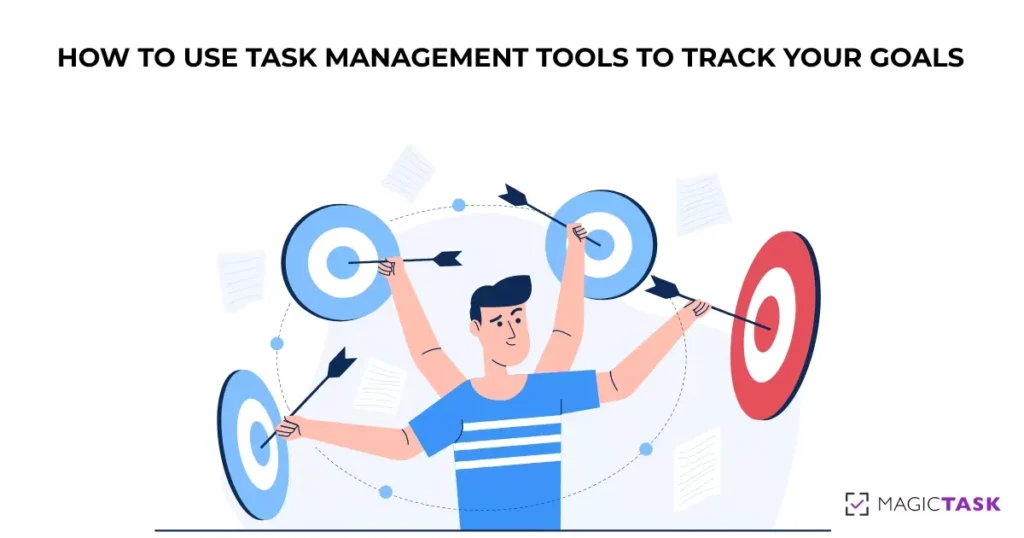
How to Use Task Management Tools to Track Your Goals

Track your goals

A task management tool is one of the best ways to improve your product. Task management tools offer an efficient and streamlined way to organize your tasks and ensure you finish them on time. It helps users focus on their task and offer a bird's eye view of their projects and deadlines.

But being productive is much more than investing in a project management solution.

Being productive is about achieving your goals in the most efficient manner. Not every tool or technique will work for all of us, no matter how popular. You need to test them and track your goals to see if a particular method works for you. Here are a few ways to track your goals using a task management tool.

7 Ways to Use Task Management Tools to Track Your Goals

Tracking goals is not just making sure that you complete tasks before deadlines and tracking the time you take to achieve them. It's about setting goals and making sure the work you do daily is bringing you closer to them. It begins with figuring out your goals.

1. Set SMART goals

Often when you ask people what their goals are, they say, "I wanna make more money" or 'I want to get a promotion at my job. The problem with these goals is that they are easy to achieve but also, at the same time, impossible to achieve. In short, these goals are not well defined.

To achieve your dreams, you need to define them, and you need to build clear goals. And based on these goals, you need to define metrics that show how close you're to achieving these goals. This is where the idea of SMART goals comes.

SMART stands for Specific, Measurable, Achievable, Relevant, and Time-bound. When you define a goal, you need to be specific about what you're achieving instead of vague statements of where you want to be. For example, instead of saying you want to make more money, mention how much you want to make. Define your net worth or your monthly income goals. You should be able to tell if you've achieved it.

Set smart goals

Another aspect is that you should be able to measure your progress. If you're saying, "I want to be rich," you can claim to have achieved your goal any day. But if you mean that you want a network of one million dollars, you can measure where you are, where you want to be, and the gap between the two.

The third aspect is that it has to be achievable. This is a bit more tricky to measure. Imagine you're working as a computer programmer and have no experience playing soccer. If you set your goal to become a national player, you're setting yourself up for failure.

The fourth part is that it should be relevant. This is also a bit tricky, but the general idea is that your goals should be relevant to you. It should make sense for your life. If you're planning to start a family, it may not make sense for you to find a new job abroad in the next three months.

The last part of this is that your goals should be time-bound. There's no point in having goals you may achieve at some point in life. You need to define when you achieve your goals.

Instead of saying you want to own a home, say you want to own a home within two years. And define what kind of house you want, the size, the cost, the location, and other details.

2. Sort and arrange your tasks into projects

Most of the tasks are usually a part of a big project. The tasks are typically connected and may even be dependent on each other. So it won't make much sense to use a single task among these as a goal.

But by adding all related tasks under a project, you can have a better picture of your tasks. Imagine you're renovating your house. For this project, you can add tasks like sourcing the materials, allocating the budgets, find vendors under a single project.

You can also order them according to priority and link interdependent tasks. Once a task is completed or moved to the next stage, you can mark them in the task management tool. With this approach, you'll get clarity on the individual tasks and the status of the entire project. You can find the pending tasks and figure out what is holding you back. It will also allow you to plan the following actions and even delegate them to others if necessary.

In this situation, you can set goals and metrics for the entire project and then work on the same for the individual tasks.

3. Prioritize your tasks based on your long-term goals

Goals are not achieved in a single step; they're the cumulative results of projects and tasks performed daily. So to achieve your goals, you must align these tasks with these long-term goals.

For example, if you're planning to own a home, you'll have to save up for a long time (generally). To build up these savings, you'll need to create a source of income, research, and make sound investments every day. These small tasks add up over time to help you make enough savings to help afford a home.

So you must ensure that your tasks are connected with your goals. And you should prioritize these tasks based on which goals are important to you.

Picture that you want to get a promotion at your organization in two months and build a house in 3 years. You need to set tasks for both of these goals. When you decide what to do every day or week, you need to look at where you are with your goals. Based on this, you need to pick your tasks.

Some experts recommend that you make sure that you do at least two tasks a day that directly or indirectly generates an income for you. Similarly, you can set tasks for other goals as well.

4. Define your tasks well

It's not enough to define just the goals alone, but also the tasks. When you're adding different tasks in the task management tool, you should also ensure that you add all the relevant details.

The task should have detailed descriptions of what the deliverables or the output will look like. Without this, you may keep extending the scope of the task, and it will never be finished. It would be best if you had a clear idea of when a task is completed.

It should also have details like the due, the references, and resources for completing the task, as well as the following action to complete the job. Without a due date, you may keep rescheduling the tasks indefinitely.

You should also set clear metrics for each task. You should be able to tell what percent of a task is done.

If there's ambiguity in the definition of tasks, you may not be able to gauge how far along you're to reaching your goals. If the different stages are not defined, you won't be able to tell how many tasks are close to completion and how many are delayed.

5. Divide your tasks into small increments

Task list

When you create a single enormous task, it won't be easy to figure out what percent of the task is completed. For example, imagine you've set one of your tasks as migrating your organization's legacy infrastructure to the cloud. With this single large task, you can't tell how much of your work is done and how much you're left with.

This also makes it difficult for you to prioritize tasks. An enormous task may be 90% done, but since you don't know how much more work is left, you may keep prioritizing it even when other tasks are more urgent.

Keeping a large task as is also makes it difficult to delegate tasks. You may find that while other tasks have received updates, there are no changes on this one task, even after a long while.

In an ideal scenario, it's best to create tasks that take almost similar amounts of time and resources. But this may not often be very practical since all tasks are unique and depend on who handles them. In these situations, for enormous tasks, you can create an entire project and fill them with smaller tasks. For smaller tasks, you can add subtasks.

This makes it easier to approach large tasks and track their progress.

6. Check your progress regularly

To keep track of your goals, you should check your progress regularly on the task management tool you're using. To make the best use of the tool, you should be able to tell the status of your tasks from a glance at your task boards. You should be able to tell which ones are delayed, which ones you've delegated to someone else, and which tasks you need to focus on.

The task management tool should work for you; it should help you make fewer decisions and take up less cognitive space. You should use this as an extension of your brain or external storage. Once you've put your tasks on it, you shouldn't have to worry about them.

For this, you should regularly update the tasks on your task management tool. Whenever there's a change to a task, update it on your task management solution. Maybe there's new information, and you've assigned it to someone else, either way, make sure it's up on the system. If you're working with a team, ensure they regularly update the assigned tasks. It would help if you didn't have to follow up on them manually.

This approach let ensures that when you're looking at the progress, you're looking at the real and latest status of your tasks.

7. Use a gamified task management system

MagicTask dashboard

A gamified approach motivates you and your team to complete your tasks on time. With MagicTask, you can compete with your teammates or even with a global leaderboard on the tasks you've completed.

Leaders and project managers often implement gamification into their teams. But this may often take up more resources and time to set up and manage. With built-in gamification, you can motivate yourself and your team. And you can get more tasks done with fewer resources.

Task management tools are powerful – just let them work for you.

Task management tools are powerful assets for you to be more productive and efficient. They ensure that you do quality work within the deadlines. They're more than a to-do list; these tools help you collaborate better, manage multiple projects, and give you a bird's eye view of your existing tasks. But you have to let them work for you. You have to actively use them to benefit from them.

If you're looking for a powerful, gamified, and collaborative task management system, check out MagicTask. It has a seamless and user-friendly interface, comes with fun themes, and helps you easily track your goals. Check it out now; it's free to use.

7 Habits That Are Killing Your Productivity (and How to Fix Them)

Habits Killing Productivity and How to Fix Them

There’s nothing better than the satisfaction of a productive day. The dopamine rush is just pure bliss when you’ve finished all the tasks for the day, and all the deliverables are exactly how you imagined them to be. But many things in our day-to-day lives can prevent us from achieving the goals we set for ourselves.

Among these, the most common, and quite probably the biggest challenge is probably ourselves. Some of the habits that we’ve developed over the years can prevent us from achieving our true potential and hold us back from peak productivity.

Let’s have a look at a few of them and how we can overcome them.

1. Micromanaging

Micromanaging your team kills your productivity and your entire team’s. If you’re a micromanager, you know it's not easy to just let go and let your team do their job.

This habit often stems from perfectionism – you want things to be done in a certain way and to a certain standard. Or maybe you just don’t want to let go of your duties or don’t trust others to do your job as well as you did.

Micromanaging and not delegating your tasks can affect your team morale. It’s also likely that your team will develop a culture of relying on you to make every single decision. This will hamper your productivity even further.

How to stop micromanaging?

It’s not easy to unlearn micromanaging. One way to approach this would be to see delegating as one of your tasks. Picture training your team as one of your duties. When you delegate tasks, your team will learn more skills, and their confidence will grow. And by considering team building as one of your tasks or jobs, you’ll be able to let go.

2. Always using synchronous communication

Avoid team meetings

We’ve all heard this at least once “this meeting could have been an email.” But the fact is most people are used to just creating a meeting or calling someone any time they need to discuss something. While we cannot completely avoid meetings or calls, too many of them can kill your productivity.

Meetings and phone calls demand our complete attention. And it requires everyone to be available at the same time even if they’re busy with something else.

In general, we’re at our peak productivity when we’re in “the zone” – when our mind is occupied with the task at hand, and all our attention is on it. But if we get disturbed, it will take close to 30 minutes for us to reach this state.

How to handle this?

The solution? Switch to async communication. The idea is simple: if it can be an email, make it an email. Don’t expect the other person to respond to your messages earlier. Don’t just send a “hi” and wait for the other person to reply before asking your queries. Send all the information you wish to convey and let the other person reply on their own time.

And if you have to call or need a meeting, try to schedule it in advance.

3. Not spending enough time on yourself

While it may seem counter-intuitive, spending all your time working is not the best way to be productive. You need to spend time on yourself.

Often when you’re in the zone, you may find yourself doing hours of work without thinking about anything else. You may not notice that you’re getting hungry and forget to have your lunch or dinner on time. But while it may appear as if you’re powering through a lot of work, the quality of the end product will be affected soon enough.

The same applies even if you’re not getting enough sleep or rest throughout the day. You need to take a break when you’re not in your best mental or physical state. But if you don’t take a break when you’re not feeling great, you’re looking at possible burnout, and you may not be able to work for a few days.

Another aspect of this is that many people often find it difficult to say no to more work or responsibilities. With this approach, they’re setting themselves up for too much pressure, which will slow them down.

How to solve this?

To solve this, you have to listen to your body. If you have these habits, it may not be easy to get out of this, and you’ll have to actively work towards it. If you’re feeling hungry, don’t wait, just go have some food. If you’re too tired, take a power nap. And if you’re feeling too overwhelmed with work, take a day off. Soon, you’ll be able to tell what your body and mind need and ensure you’re constantly at peak energy levels.

4. Keeping your phone too close to your workspace

This is way too familiar for most people. Few people can resist the temptation of a notification tone. For most working professionals, their phones are attached to them almost 24/7. And every time our notifications go off, rarely can we resist checking it out and taking a stroll through all of our social media apps.

But we cannot completely switch off our phones or avoid them fully either. For most people, phones are part of their work life.

Distracted by phone while working

So how do we find a balance to this?

A possible solution stems from the principles of UI/UX design. When app designers don’t want us to do something — for example, cancel a subscription or close a pop-up ad — they make it difficult for us to do it. Maybe they may add a couple of additional steps to the process, or in the case of a pop-up ad, make the close button hard to hit with our fingers.

We can apply this same idea to detach ourselves from our phones. The easiest way to do this is to keep your phone a couple of feet away. Just make sure you can hear the phone’s notification sounds, but it's away enough that you'll have to walk towards it to pick it up. The additional few steps ensure we will only pick up the phone when necessary.

Android users can also use Focus Mode on their phones. In this mode, the phone will remind us how long we’ve been at work using a countdown timer. Every time we pick up the phone, it will essentially remind us to get back to work. And, of course, you won’t get any notifications. In iOS, a similar feature simply called ‘Focus’ is available.

5. Trying to multi-task

Once again, this may seem counterintuitive, but multitasking kills your productivity. In this case, multi-tasking is not handling four different tasks one after the other in four hours but rather trying to do four different tasks at the same time. For instance, trying to design a social media post while taking part in a meeting or trying to listen to a webinar while working on your budget.

It’s not impossible to multitask, but we’ll either be compromising on the quality of the work or the productivity. If we’re working on social media in the middle of a meeting, you'll zone out from the meeting. Or you'll find yourself staring at the screen without getting any work done.

multitasking

The best approach is to list tasks, prioritize them, and tackle them one after another.

You can also try the Pomodoro technique if you have too many tasks to handle. The technique is pretty straightforward – work for 25 minutes and then take a 5-minute break. Once you’ve done this four times, take a longer break for around 25 to 30 minutes.

With this technique, you’ll always be in your peak productive phase. Your mind will have enough rest, and you’ll be able to power through your tasks easily.

6. Using the wrong tools

Maybe you can cut down a tree with a pocket knife, but should you?

In many situations, people are unwilling to shift to a different tool, even when better tools are available. It may be the comfort of what they’re used to or not wanting to spend time learning a new tool when the existing one just works. In some cases, they just may not know that a better alternative is available to them.

Using the right tool can help you become more productive and get more tasks done in less time. It can also reduce your cognitive overload and make your tasks easier. With the advances in AI, many software solutions offer advanced automation. Automation can reduce the user’s workload significantly. And it does this without compromising the quality and offering consistent output.

Besides using the right tools for doing your tasks, you can also improve your productivity by using task management tools. Tools like MagicTask can help you organize and prioritize your tasks and make sure they are finished on time. You can get a bird’s eye view of your workflow and improve on any inefficiencies.

MagicTask dashboard

7. Spending too much time trying to optimize your productivity

There are way too many apps out there promising to keep track of your productivity and help you get more tasks done in a short time. You’ll also find YouTube tutorials, articles, research papers, and advice from life coaches on how you can be more productive. While these solutions work to a large extent, you don’t need all of them.

Too often, we get trapped in metrics and numbers while we try to become productive. And this means we may end up spending way too much time worrying about being productive and less time being productive.

To be productive, you don't have to invest in learning new techniques or setting up new apps and solutions. Just keep these ideas in your mind:

  • You work best when not disturbed.
  • You get more tasks done when you’re in the zone.
  • It’s easy to do tasks one after another instead of all at once.
  • Before sitting down to work, make sure you’re not hungry, are well rested, and feel good about the day.
  • Stick to asynchronous communication as much as possible.
  • You can also use a task management tool like MagicTask to keep track of everything.

If you’re spending time learning a new technique or tool, see if using it is helping you be more productive. Otherwise, just let it go.

Use a Task Management Tool, and Build Better Habits

Task management tools can help you power through your work efficiently. They help you easily get rid of habits that are holding you back. 

Check out MagicTask, a gamified task management tool for web and mobile that helps users boost productivity while maintaining a work-life balance through the use of gamification and hyper-simplicity, Try it out now for free.

GTD 101: The Complete Guide to Getting Things Done

Complete guide to getting things done

Having to face many tasks alone can be a massive roadblock to productivity. When there are too many things to do, we often find it difficult to get started and put them away.

Once we get started, our mind may drift to our list of things to do, trying to keep track of them.

The GTD or the Getting Things Done method is a solution that can help you get a handle on all the tasks and become more productive.

What is The GTD System?

The GTD, or Getting Things Done, is a productivity technique developed by David Allen. The method was published in 2001 in a book of the same name.

This method's workflow occurs in five phases – capture, clarify, organize, review, and engage. The central idea behind the technique is that our brain is not good at storing things, but it can process them well.

Even if we may not have put it into words, the concept is relatable for most. If we try to keep all the information related to our tasks in our heads, we will be disturbed by these thoughts. When juggling too many balls in the air, we won't be able to put our attention to any of these.

This method encourages practitioners to move the details of tasks from their minds to a notepad or an app. With this, they don't have to worry about or forget these things. Then they can put their energy into the task at hand.

Users are advised to plan out their entire set of tasks before they get started. Once they get started, they don't have to worry about moving things around or further planning when they're in the middle of something.

Benefits of The Getting Things Done System

person completes his task

Since its launch in 2001, the technique has been lauded in magazines and newspapers worldwide. Wired ran an article about the method in 2005, followed by another in 2007. Guardian interviewed David Allen in 2005 about the technique; in 2007, Time magazine called it the self-help business book of its time.

In a 2008 paper from the Free University of Brussels, the authors recommended the book saying that the recent insights into psychology and cognitive science support its ideas.

Here are some benefits the Getting Things Done method offers practitioners.

It helps you reduce your stress

When you have too many things to do, or you have too many things on your mind, you’re bound to be stressed out. Professionals who wear many hats at their jobs are likely to carry too much information in their heads.

And when you have too many things, constant alarm bells will be going in your head. These things will stress you out and drain your energy.

The GTD method helps users offload some of this information and responsibilities from their heads. It helps practitioners reduce their cognitive overload and so their stress.

It ensures that you don’t forget your tasks

We cannot rely on our brains to remember every one of our tasks and responsibilities. And in some cases, we shouldn’t, when the stakes are too high. Our brains can store information about our tasks for a day or two. But beyond that things, keeping these things will take up too much cognitive space, and they’ll start slipping out of our minds.

The GTD system empowers you to use technology and tools to complete your tasks on time. It encourages users to use reminders and project management tools and makes sure that we don’t miss our deadlines.

Improved productivity

Our minds work best when it's organized without clutter and when we have the task at hand to focus on. As we add more things to our minds, we reserve energy for them, and the work we’re handling becomes slower. This is why it's not a good idea to multi-task; you can’t write an article at the same time in an online meeting. Nor can you prepare dinner while planning the family budget.

The Getting Things Done method helps you plan out your entire day or week before you even get started on your work. It ensures that you have enough time for all your tasks. And it helps you get more things done in a short while since you’ll have more energy to work with.

It empowers you to focus on the task at hand

GTD helps you get into the zone and put all your energy into what you’re doing at the moment.

We’re at our peak productivity when we have an uninterrupted stress-free time to work. But we can’t reach this space when too many things are in our heads.

The Getting Things Done method helps individuals remove things that are taking up their cognitive space from their heads. It helps individuals prioritize the tasks at hand. It allows them to forget about things that don’t need their immediate attention.

Better management of time

Most people usually approach a typical workday in a straightforward one-task-after-another approach. There’s not much planning involved here. Often the planning happens throughout the day as they approach the different tasks.

The Getting Things Done approach encourages practitioners to plan out their entire day before they get started. By taking the time to plan their activities, practitioners can head straight through the tasks.

The approach also advises the users to decide the course of action and expected outcome right at the planning stage. This way, they don’t have to worry about how to do something, they have to do it.

And, of course, it helps you Get Things Done

The Gettings Things Done method is all about helping you go through your workday in the least stress-free and most productive manner. And it does the job well.

How Does GTD System Work?

The technique has two elements to it: the control processes and the perspective. The control process is the workflow, and its goal is to clear the mind of anything that doesn’t need immediate attention. It dictates how users can approach the different tasks and finish them off.

The Getting Things Done approach works in a bottom-up approach. Instead of looking at the big picture first, the method encourages practitioners to clear the little things first.

The perspective part is more about life as a whole and is about looking at the bigger picture.

Here, the clarity you’ve gained by finishing the smaller individual tasks is used to look at things from the top.

The method suggests users do a weekly review to gain this clarity by looking at six “horizons of focus.” they are:

  • Horizon 5: Life
  • Horizon 4: Long-term visions
  • Horizon 3: 1–2 year goals
  • Horizon 2: Areas of focus and accountability
  • Horizon 1: Current projects
  • Ground: Current actions

By looking at this big picture, users should be able to decide which aspects of their life or which projects should get their attention.

What Are the 5 Steps of the GTD System?

The control process or the workflow of the GTD system is made of these five steps.

5 steps of GTD system

Source: IONOS

1. Capture

This is the first phase in the Getting Things Done system. Here you create an inbox, and you add all the thoughts in your head. Your inbox can be a notepad, an app, or anywhere you can write it down.

At this point, you write down all the thoughts in your head. This includes an idea for decorating your room, a call you need to make, phone numbers, a shopping list, and a prompt for a poem you want to write. about anything that pops up in your head goes into this list.

It’s important to keep in mind that this is not the phase where you organize. You don’t try to organize things when you add them to your inbox, you drop them in and forget about them.

And when you’re starting to use this method, you may have to sit down for a while and think about everything in your head that may need action. In GTD terminology, these are called ‘open loops’ – they keep circling in your head, and you need to close them. But once you’ve started doing this for a while, you can just drop these things into your inbox as and when it pops up in your head.

Pro tip: Instead of writing it down in your head, we suggest you capture (put) all your tasks in the MagicTask system. Later on, you can separate them into focus and backlog according to priority.

MagicTask my tasks

2. Clarify

This is where you make decisions about the things in your hand. Go through every item in your inbox.

If it's not actionable and

  • there’s nothing you can do about the item or if it's not relevant anymore, delete it
  • not something to be done, but rather a reference item – for example, a marketing brief or an email, attach it to the relevant project, task, or document.

If it's not actionable at the moment or doesn’t have a due date,

  • add it to a someday/maybe list

If it's actionable, write down the next step to be done and

  • If it can be done in 2 minutes or less, do it right away.
  • If someone else can do it, delegate it to them.
  • If it has to be done by a certain due date, add a reminder to your calendar.

3. Organize

In many references, you may find clarify and organize shown as a single step, and you may be handling it in practice. But the method advises practitioners to at least keep in mind that these are two distinct actions. Either way, at the end of the organization, all the items that weren’t trashed must be on lists or calendars.

These lists are

Next action lists

They’re the list of things that you have to do; they don’t have to be done at a particular time or within the due date. This works more or less like a to-do list. The GTD method advises users to create lists for different locations or contexts, like things to do at home, at work, and at the grocery store.

Project lists

These are action items that are part of a project or a list of more than two tasks. Every time you have an item that takes more than one step, start a new project. You can use project management tools like MagicTask for this. Of course, you can set up your project management tools according to your preferences.

Calendar

Obviously,  this is where you add projects that have to be done at a later date.

Waiting for lists

This is for all the things you’re waiting on from other people. It could be the invoices from your vendors you’re waiting for, the finished designs for your website you’re yet to receive, and others. This is the list of tasks you can’t do without input from other people.

Someday/maybe, list

These are things that don’t need your immediate attention; the things you can do when you’re free. These could music and movie recommendations, redecorating your workspace, and similar items.

4. Reflect

This phase may not be relevant when you start, but you need this from the next day or week onwards. This is where you reflect on the list of tasks you have to do, the things you got done, and what you need to focus on the next day or week.

Users can use the horizons of focus discussed earlier in this phase to prioritize their tasks.

5. Engage

This is where you do the tasks in your lists. Once you’ve captured, clarified, organized, and reflected on your tasks, it will be easier for you to get started and go through them. You’ll have a lot fewer decisions to make, and you can just power through them.

Try the GTD system and Get Things Done

GTD is a powerful tool for getting things done. It helps individuals get clarity on their tasks and focus on what’s important to them. And it helps reduce stress for users.

If you’re looking for a great tool to implement GTD, check out MagicTask for free.

The Pomodoro Technique: Time Management Method You Should Try

The Pomodoro Technique

Organizations and researchers have been exploring productivity techniques for a long time. In fact, a significant part of management research is associated with empowering employees and workers to be their most productive selves.

While the techniques have evolved and improved over time, research suggests that there is still a lot of room for improvement. According to many sources, an average employee is only productive for around two to three hours in a typical 8-hour workday.

The Pomodoro technique is an approach lauded by productivity gurus all over the world. In this blog post, we explore this technique and its benefits.

What is Pomodoro Technique?

The Pomodoro technique is personal time management or productivity technique developed in the late 1980s.

Francesco Cirillo, an Italian university student developed it to help him focus on his course and studies. And the name Pomodoro — the Italian word for tomato — came from the tomato-shaped kitchen timer he was using to set his intervals.

In this technique, every 30-minute interval is termed a Pomodoro. Practitioners of the technique work for 25 minutes, followed by a 5-minute break. After every 4 Pomodoros, they take a longer 25 to 30-minute break.

The technique has grown in popularity over the years. Cirillo even released a book about it titled “The Pomodoro Technique: The Life-Changing Time-Management System.”

Cirillo has suggested practitioners use a simple kitchen timer and a pen-and-pencil approach. But over the years, many productivity apps have evolved around this technique allowing users to set timers and stick to their schedules. Even then, the low-tech approach can help train our brains over time. Setting the timer and listening to the alarm bells can train our brains to enter a flow state or to be in the zone with these stimuli.

Besides helping you become more productive, the Pomodoro technique also helps us learn our capabilities. By working in strict intervals, we gain a better understanding of how much time it will take us to do a task. And in the long run, it will help us plan the day better and finish our tasks on time.

The technique finds success because it appreciates the limitations of our brains and minds. It realizes that it is simply impossible or severely draining for a person to be engaged for a long time in an activity that needs a lot of focus.

If we sit down to work straight for 2 hours, odds are our minds will start to wander around the 45 min mark (or less). But by taking appropriate breaks, we’ll be productive for 100 minutes(ideally) out of the 120 minutes.

How to Use The Pomodoro Technique?

The technique is fairly easy to understand and use. But it may take a while for you to perfect it and reap the benefits.

Here’s how you use it.

  1. Create a list of tasks
  2. Set a timer for 25 minutes and start working
  3. Once the timer rings, mark off the tasks you’ve done
  4. Set the timer for 5 minutes and take a break
  5. Once the break is over, go back to step two.
  6. Repeat these steps four times (for a total of 2 hours).
  7. After you’ve done these four times, take a break for 30 minutes.

Let’s dive deep into these individual steps:

Man Using Pomodoro Technique

1. Creating a list of tasks

Make sure you create tasks to work on for at least two hours. Each session is about being productive as well as training your brain to work in this pattern. So you mustn’t be sitting idle after completing your work or taking a break earlier. You need to keep your mind focused during this period.

As we mentioned before, it may take a while for you to gauge accurately how much work you can perform in a given time. But when you’re just getting started, you can just err on the side of caution and add more tasks to your list.

2. Set a timer for 25 minutes and start working

Once you start working, you must be focused only on the tasks on your list. It’s very important that you’re not disrupted by emails or Slack messages, or app notifications.

It’s also important that you’re occupied with these tasks until the end of these 25 minutes. Because of this, it may be a good idea to split your list of tasks into ones that will take a lot of time and ones that can be done in a jiffy. For example, you can make a list of tasks like preparing the budget, evaluating employee performance, and finishing an article. And in a separate list, you can add things like checking your email or following up with your colleagues.

In this way, if you finish a task before 25 minutes but don’t have the time for another huge task, you can check off the tasks in the second list.

3. Once the timer goes off, mark the tasks you’ve finished.

The moment the timer goes off, drop what you’re doing. Make sure that you clearly note how much work you were able to do in 25 minutes. This will help you become better at planning your tasks.

4. Set the timer for 5 minutes and take a break.

During this period, you need to log off completely from your work. Step away from the table and don’t think about work at all. Take a walk, drink some water, and completely recharge. If you’d like, take a power nap. Whatever you do, make sure you’re completely separate from your work. Your body and mind need to completely understand the triggers. Ideally, you shouldn’t even be in front of your desk or even in your room.

While not an ideal situation, the consensus is that if you face an unavoidable interruption during your 25 minutes of work, it's best to take a break then. And start again once you’ve solved the issue.

5. Once the break is over, go back to step two

As soon as the five-minute break is over, set the timer again and start working for another 25 minutes. Once again, you mustn’t delay the return once the five minutes are over.

6. Repeat these steps four times (for a total of 2 hours)

Every 30-minute interval is considered a Pomodoro. The first 25 minutes of this are spent working followed by 5 minutes of break. To be at your most productive self, you’re advised to have a single session of four Pomodoros or a total time of 2 hours.

7. After you’ve done these four times, take a break for 30 minutes.

After 4 Pomodoros, take a break for around 25 to 30 minutes. Just like the five-minute breaks, make sure you completely disassociate from work during this period as well. But of course, this doesn’t mean you have to sit idle.

It may be a good idea to engage in tasks that are not associated with your work. If you’re writing a novel, go take a walk or water your plants. If you’re designing a house, maybe go do the dishes or the laundry.

Why Pomodoro Technique is So Effective?

The virtues of the Pomodoro technique have been lauded by CEOs, managers, and business owners globally. Practitioners claim that the technique helps them manage their time more effectively. So why is the technique so effective? Let’s explore.

Pomodoro Technique

It helps you avoid the fear of large tasks

When faced with large tasks — maybe writing a huge novel or calculating the salary for 2000 employees — we are often afraid to get started. We take one look at it and start putting it off.

The Pomodoro technique helps us approach large tasks in smaller segments. Instead of working for 6 hours straight, it helps us focus just on the next 25 minutes. The technique helps us get started.

It helps you learn and understand yourself and use it to your advantage

We’re often unaware of our capabilities. We don’t know how much it may take for us to finish a task. Sure we may know that we sit in front of the laptop for 7 hours to write an article or search for clients, but we rarely know how much of that time we’re working. This makes it difficult for us to plan our day efficiently.

The Pomodoro technique encourages us to take note of how much time or how many Pomodoros it took for us to complete a task. And over time, this helps us gauge our capabilities, plan better, and become more productive.

It puts you in the productive zone

The Pomodoro technique puts you in that focused mode where you’re least distracted by anything else. It gives you more freedom to be not distracted.

Normally when you’re working, and you get a message from a colleague, you may have to respond to that message as soon as possible. This makes you distracted, and it may take you a while to get back into the zone. But with the Pomodoro technique, you know that you’ll soon be available to look at the messages and hence can ignore them when you’re working. It helps you remain in your productive mode with the least distractions.

It uses rewards as motivation

The five-minute break at the end of every 25 minutes acts as a reward. This motivates you to power through your tasks. It works like positive reinforcement training rewarding you for a task done. And soon, it will help you get started and finish your tasks on time.

It helps you trigger peak productivity

The actions of a human brain can be pictured as responses to stimuli. When the sunlight hits your eyes, you realize that it's time to wake up, when your brain perceives a threat, it triggers a flight or fight response. While some of these responses are innate, the rest are learned. And you can train your brain to act in a certain way in response to a trigger. For example, if you ring a bell before you feed your dog, the dog will start salivating every time it hears the bell.

Similarly, the Pomodoro time management technique essentially trains your brain. It teaches your brain to go into the most productive mode when you set the timer. And it trains your brain to relax when you hear the time timer go off. It trains your brain to become productive when you sit down to work.

Final Words

The Pomodoro technique is proven to help individuals power through their tasks. But while you can get started with the recommended intervals, you should find a time interval that works well for you.